

JFrog Platform Interface
Navigate the JFrog Platform interface to manage projects, repositories, and packages, and switch between subscription sites using Platform and Administration modules.
JFrog Platform provides an efficient and intuitive user interface for management of a JFrog Deployment (JPD). This topic provides an overview of the JFrog Platform interface.
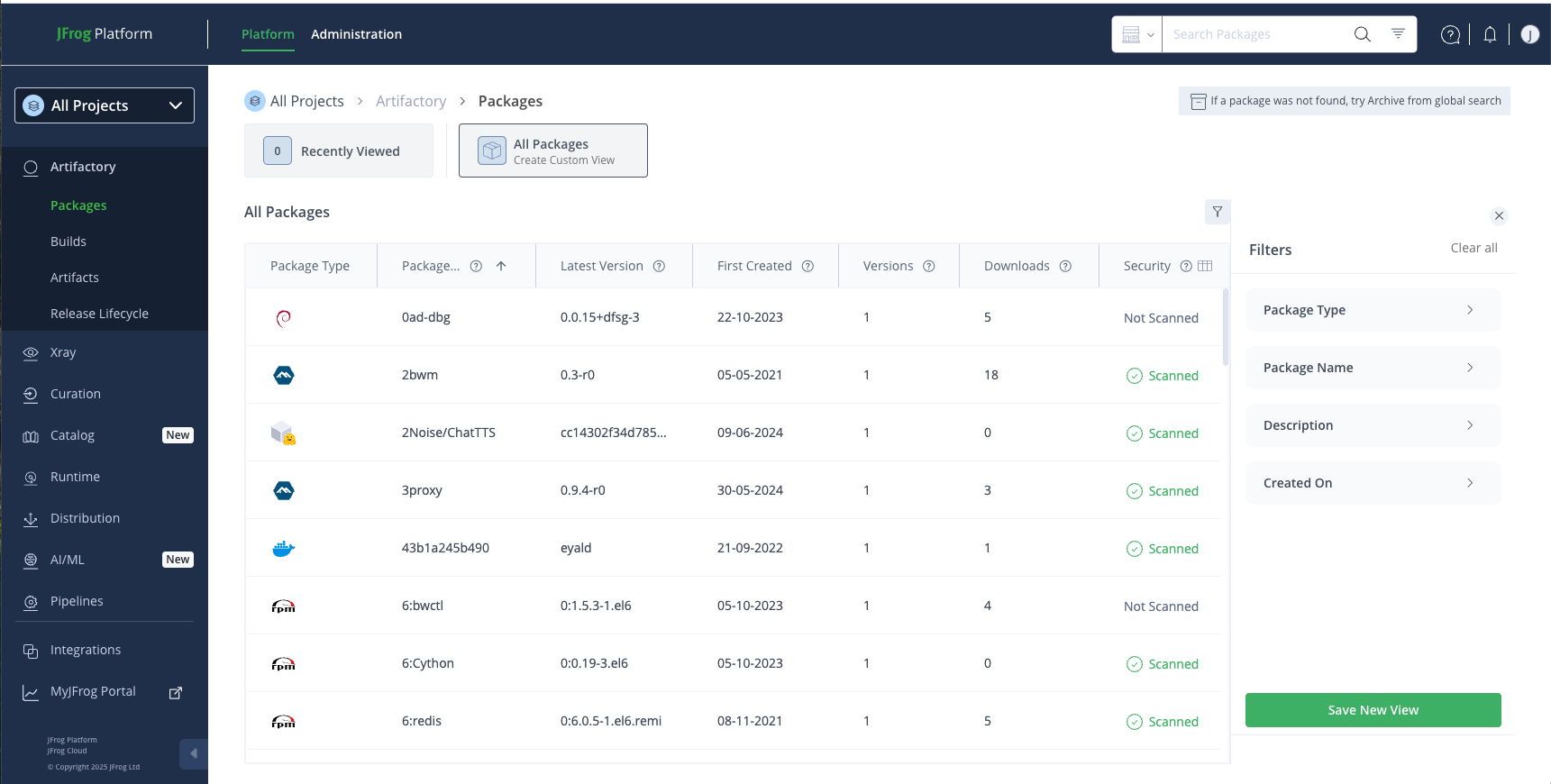
Platform and Administration options on the top bar toggle between two main menus.
- Use Platform tools to work with repositories, packages, and release bundles, and manage projects.
- The Administration module exposes general JPD configuration and service settings.
Project List: A JFrog Project organizes the repositories and users related to a specific software development goal.
- Select a specific project defined in your JPD. The main pane shows information for that project.
- Select All Projects. The main pane shows information for all projects defined in the JPD.
Access the following tools in the top right corner of the Platform interface:
- Responsive Search: As you navigate the menu, the search tools reflect the information in the main pane.
- Click your User icon to generate an authorization token for your account or to modify other settings.
- Click Ask AI to consult the JFrog AI engine. See JFrog AI Assistant
Admin users can click the site launcher  icon in the top bar to access the following tools:
- The Launcher pane lets you move between your organization's sites and subscriptions.
- Click the ? icon to access the Help Center and JFrog Academy.
Frequently Asked Questions
This section provides answers to frequently asked questions.
FAQs
Q: How do I switch between the Platform and Administration menus?
A: Click Platform or Administration on the top bar to toggle between the two main menus.
Q: What is the Project List in the JFrog Platform interface?
A: The Project List lets you select a specific project or All Projects to view repository and user information for one project or every project in your JPD.
Q: How do I move to another site in my subscription?
A: Open the site launcher icon on the top bar, select the target site, and click its arrow icon. See Move Between Sites in Your Subscription.
Related Topics
Updated 4 months ago