

Identity Tokens
Understanding Identity Tokens
JFrog’s Access Tokens are standard JSON Web Tokens (JWTs). Because the tokens are standard JWTs, they can be quite long - since they contain the token’s claims (scope, subject, and others), as well as additional information used to validate the token. The length of the token can create compatibility issues with various clients trying to authenticate with the JFrog platform. Moreover, some clients might not even support bearer token authentication (Authorization: Bearer <token>). To mitigate these length limitations, JFrog introduced the Reference Token, which is simply a short string of characters that refers to an actual JWT Access token. Unlike a regular JWT token, reference tokens follow this pattern: .*\bcmVmd[A-Za-z0-9]{59}\b.*, starting with cmVmd followed by 59 more alphanumeric characters.
One type of access token is called an identity token, which is an access token that is scoped, or targeted, to a specific user’s permissions, or their identity. Because identity tokens are scoped tokens, they provide limited and focused permissions, and are revokable when a user is deleted or disabled, making them more secure. You can create a reference token of an identity token, to use for user authentication.
To obtain a reference token using REST API, you can use the Create Token REST API, by setting the include_reference_token parameter to true. You can also use the JFrog Platform WebUI Profile page to generate this token.
To create a reference token through the JFrog Platform UI, there are two methods: for more information, see Create an Admin-Scoped Token, and Generate Identity Token.
Generate Identity Token
The user profile enables you to generate identity tokens for yourself via the JFrog Platform UI. Identity tokens are scoped tokens, which means that they provide limited and focused permissions, making them more secure and, therefore, preferable to API keys. In addition, when a user is deleted/disabled, their tokens are also revoked. For more information, see Access Tokens.
Note
When creating a reference token, the maximum payload is 4,000 characters. The number or length of the groups associated with the token can affect this payload.
For SAML users, starting from Artifactory version 7.117.1, the groups association is saved in the JFrog Platform, and does not add to the payload.
-
Open your Artifactory profile by clicking the profile icon

in the upper-right corner of Artifactory and click Edit Profile from the dropdown menu. The profile settings screen opens.
-
In the profile settings screen, click Generate an Identity Token.
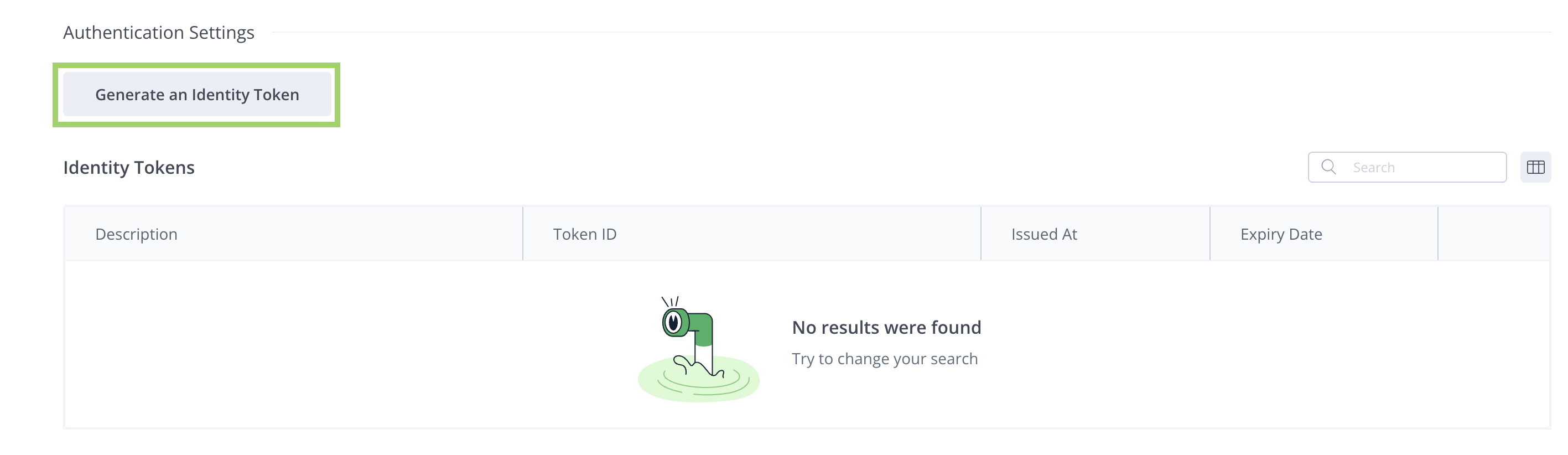
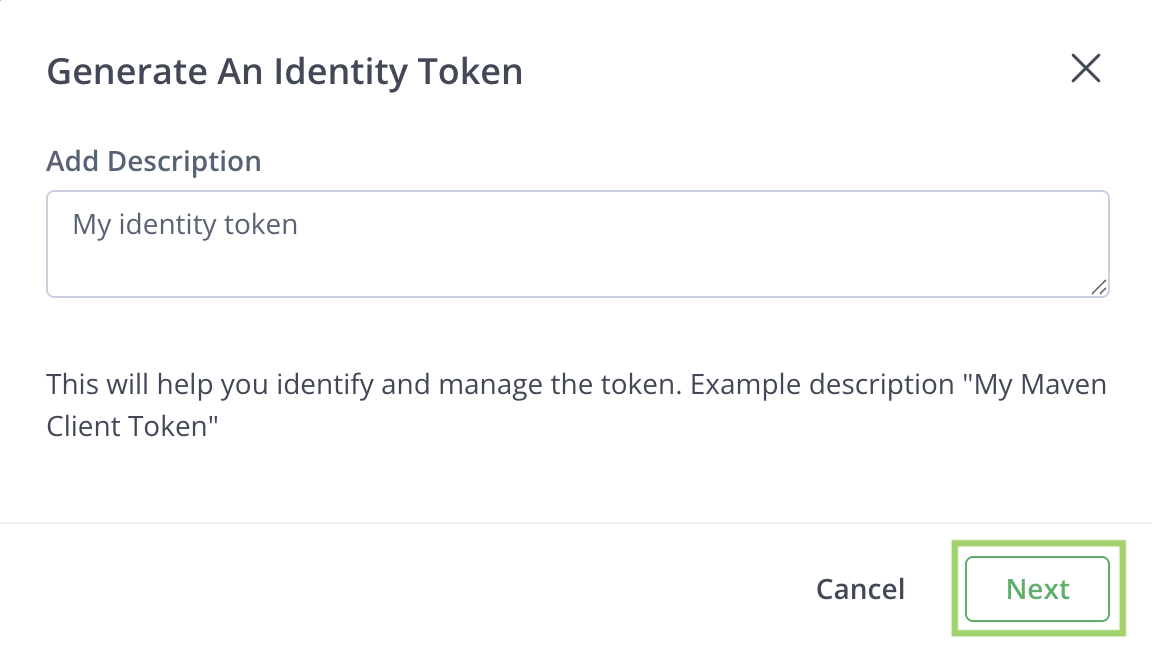
This opens the Generate an Identity Token window.
-
In the Add Description field, you can add an optional description for the new token, which will make it easier for you to identify the token.
-
Click Next.
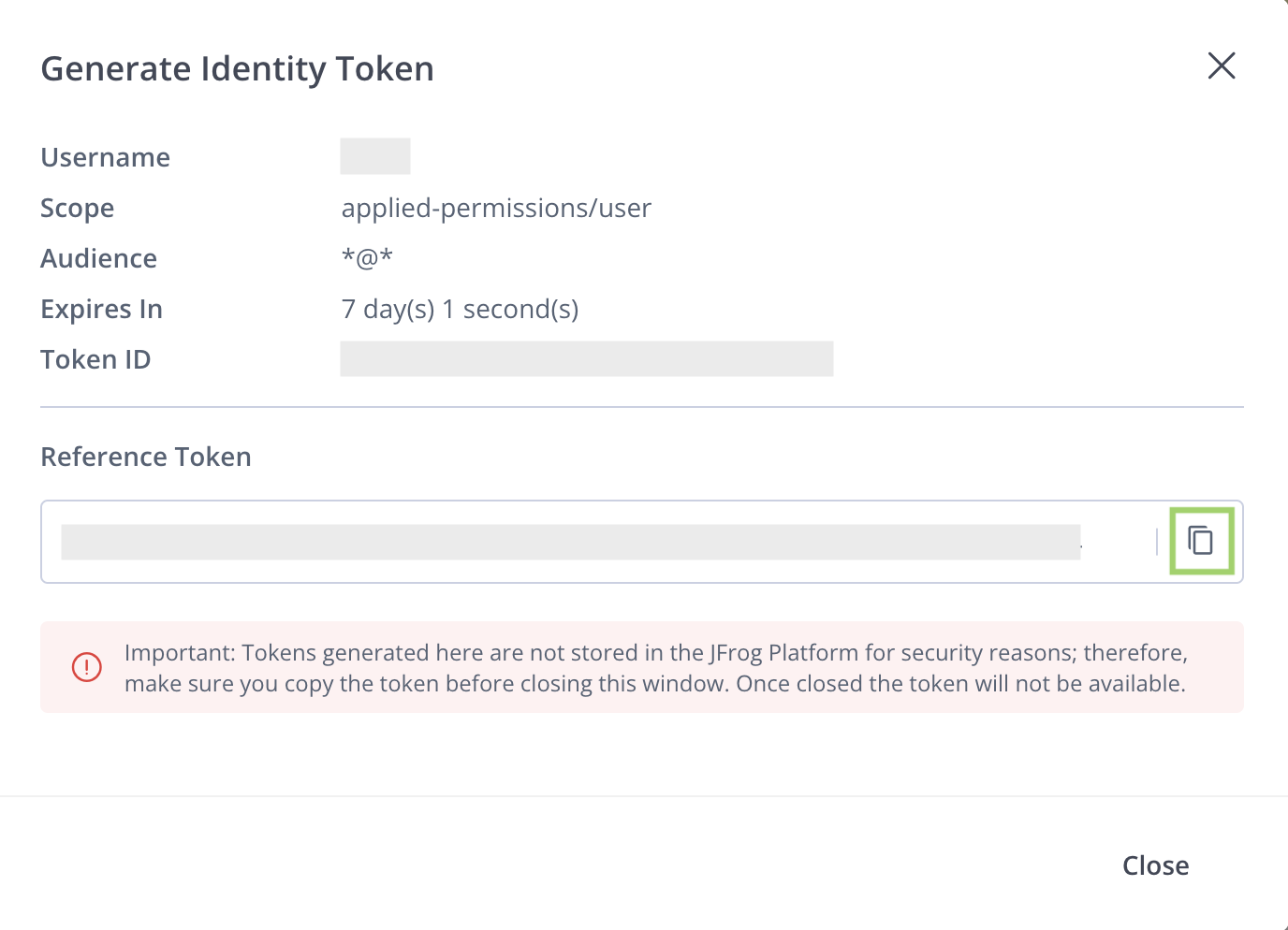
You will now see the new reference token displayed.
-
Click Copy (the icon next to the token) to copy the identity reference token.
-
Click Close to close the window.
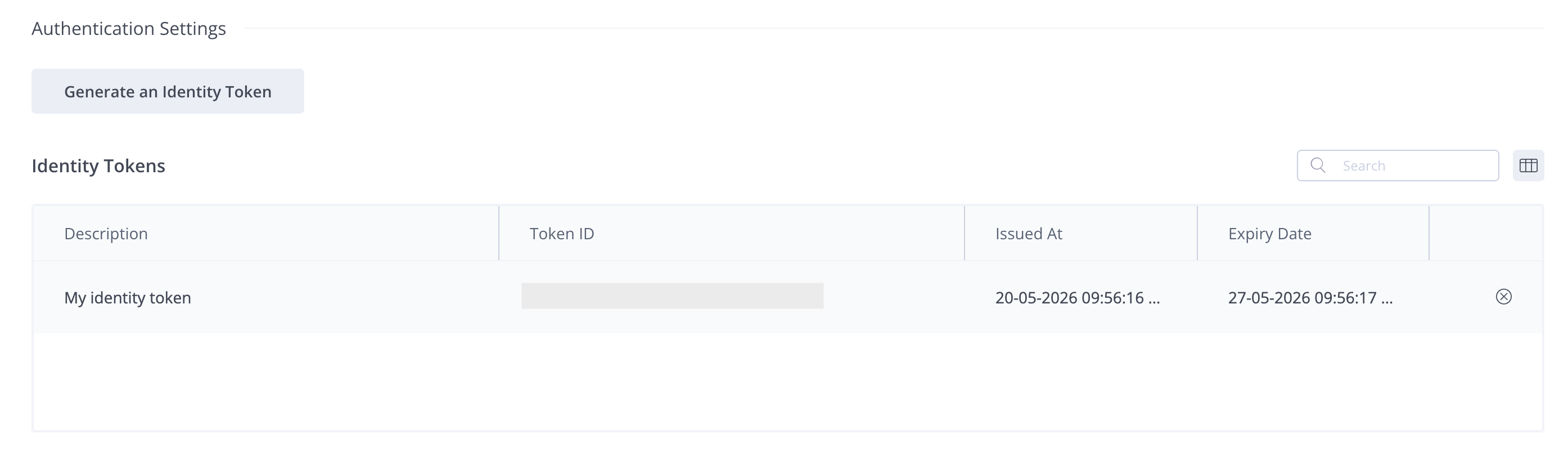
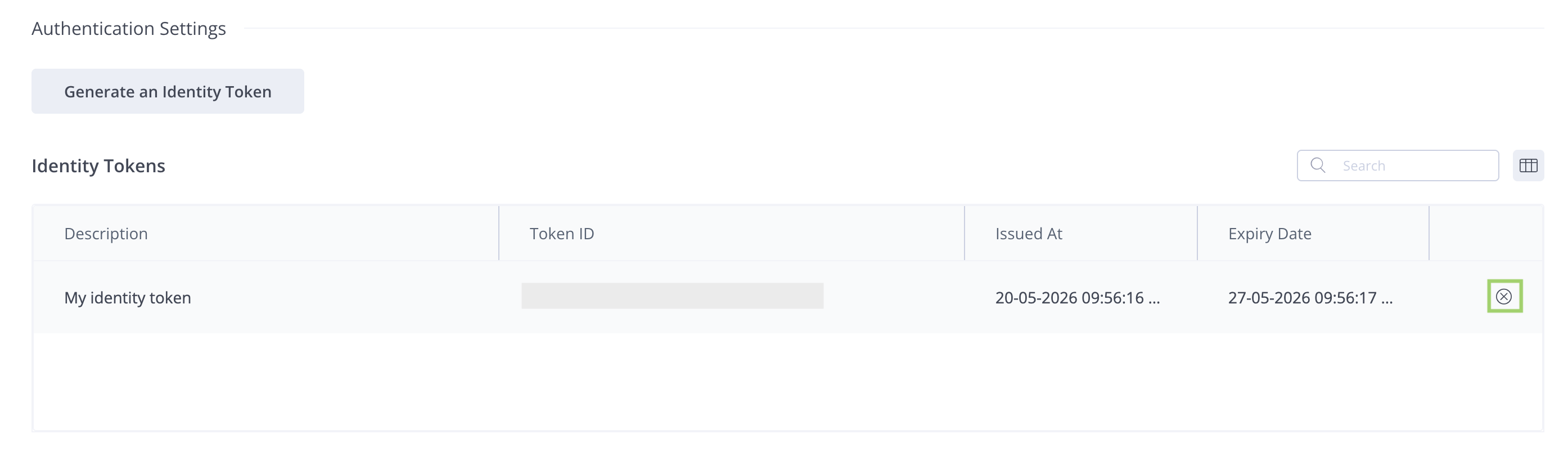
The new token you generated appears with the description in the list of identity tokens:
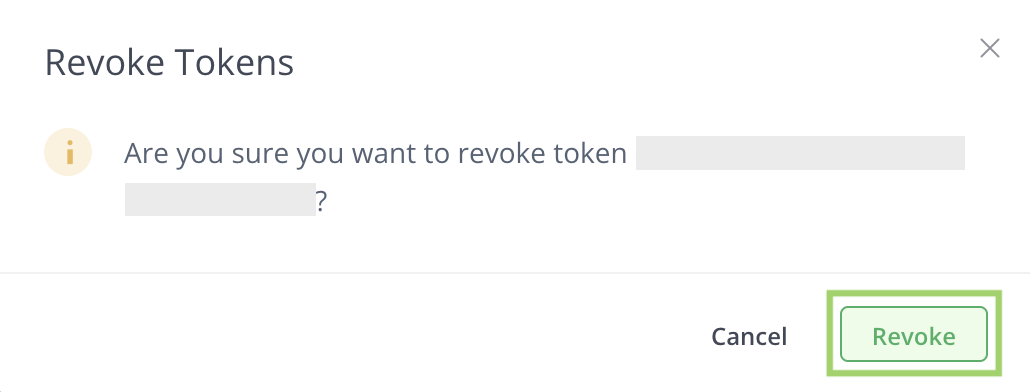
To revoke an identity token:
-
Click the x symbol on the right side of the token row
-
Click Revoke.
Comparing Identity Reference Tokens With API Keys
When JFrog introduced API Keys in Artifactory 4.4.3, the API Keys provided users with a solution to easily create a secret. This key could then be used instead of a password with Artifactory's REST APIs or through clients such as the JFrog CLI and package managers. However, this proved to be less secure, in part because users tended to reuse the same password for multiple applications, API Keys can be retrieved from a database, and API Keys don’t have lifecycle management features and never expire.
JFrog’s Identity Token, is an Access Token that is scoped (targeted) to a specific user’s permissions (their identity). Using an Identity Token is key to accessing the other types of tokens. Because JFrog’s Access tokens are standard JWTs, as such they can be quite long, so JFrog introduced the Reference Token, which is simply a short string of characters that refers to an actual token.
Unlike API Keys, Identity Tokens and Reference Tokens are a more secure way to manage user authentication because they inherit the security features of Access Tokens.
Compared with API keys, identity reference tokens have the following advantages:
- Reference tokens are not retrievable - identity tokens are stored as hashed, so they are not retrievable from the UI, REST API, or database, making them less likely to be compromised.
- Reference tokens can have a default expiry - the Artifactory administrator can set a default expiry for Reference Tokens. They can also control the default expiry time and decide whether a token will be refreshable or not.
- A user can have multiple identity tokens - unlike API Keys, a user can create numerous identity tokens.
- Identity tokens information can be viewed, and the token can be revoked via the JFrog Platform UI - both for the user and the administrators.
- Identity Tokens can be used in multiple ways: as bearer tokens ( “
curl -H Authorization: Bearer <token>”), and in Artifactory endpoints, and reference tokens can be used similarly to API Keys, using the “X-JFrog-Art-Api” Header, or as basic credentials (“curl -u User1:<reference token>”). - Reference tokens are short (64 characters) - unlike JWT Tokens, reference tokens can be used with clients that do not support long tokens or passwords.
- Reference tokens follow this pattern:
.*\bcmVmd[A-Za-z0-9]{59}\b.*, starting withcmVmdand including 59 alphanumeric characters, while API Keys follow this pattern:.*\bAKCp[A-Za-z0-9]{69}\b.*, starting withAKCpand including 69 alphanumeric characters.
Updated about 1 month ago