

Manage Storage Quotas
Set and monitor JFrog Platform Project storage quotas, including 75% and 95% usage warnings for self-hosted and cloud environments.
Only Platform Admins can set storage quotas on a JFrog Project.
Required Permissions
Only Platform Admins can set storage quotas on a project.
Storage Quota Behavior by Environment
By default, projects are set with an unlimited storage quota. The Storage Quota functions differently based on the JFrog Platform environment:
- In a self-hosted environment, Platform Admins can limit the space allocated for uploading repositories by setting storage quotas at the project level when creating a new project.
- In a cloud-based environment, Platform Admins can set a limit for informational purposes by selecting the Deploy Beyond Limit field.
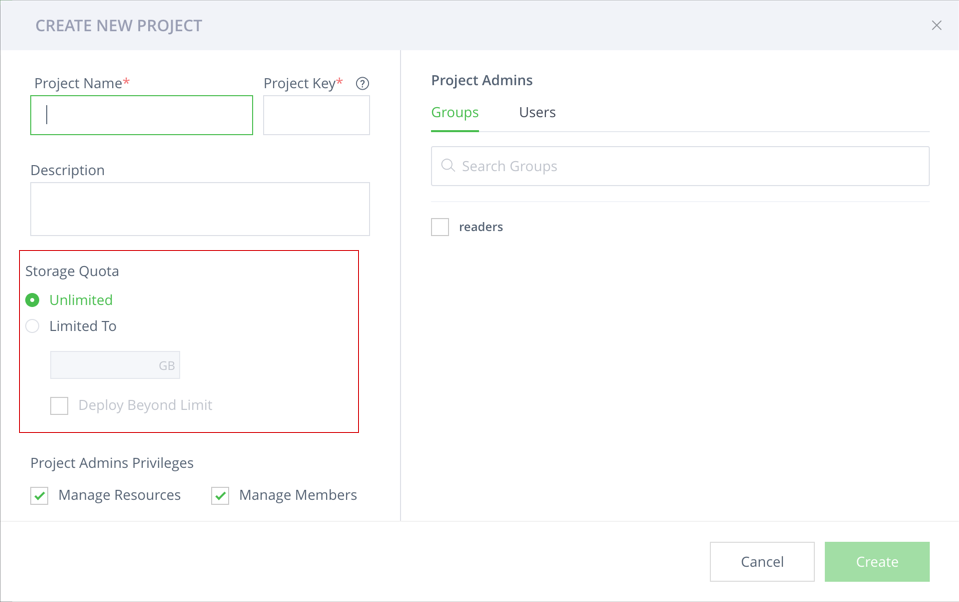
Storage Quota Display Thresholds
From Artifactory 7.89, storage usage is displayed for all projects in the Storage Quota area of the Projects view.
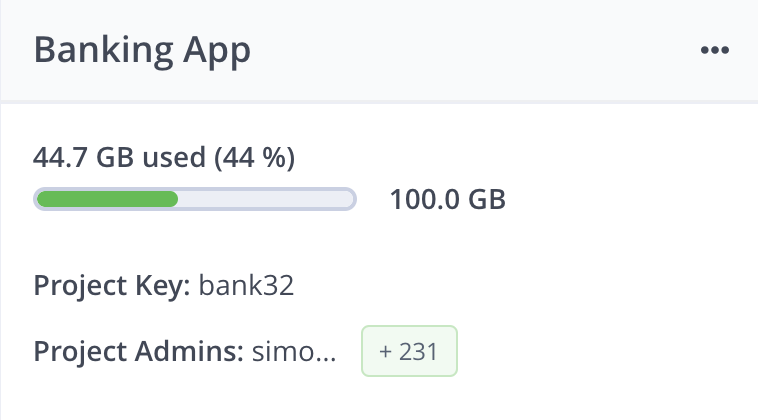
- When storage usage is under 75%, the storage quota display bar is green.
- When a project is between 75–95% capacity, the storage quota display bar is orange and there is a warning message.
- When a project reaches 100% capacity, the storage quota display bar is red and there is a critical warning message.
View Storage at the Project Level
To help Project Admins manage storage quotas, project settings can be edited.
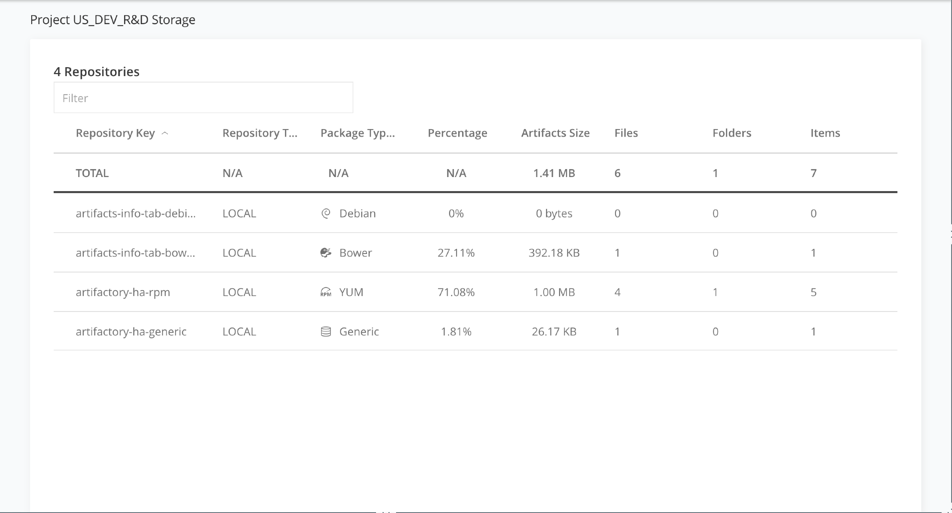
At the project level, under the Storage tab in the left pane, you can view the artifacts size for each repository in the project.
Related Topics
Updated 3 months ago