

Modify a Project
Edit basic JFrog Platform Project settings as a Platform Admin from Edit Settings on the project overview.
Platform Admins can change the basic settings of a JFrog Project by clicking Edit Settings above the project.
How to Modify Project Settings
- Open the project in the JFrog Platform UI.
- Click Edit Settings above the project.
- Update the project settings you need to change, then save.
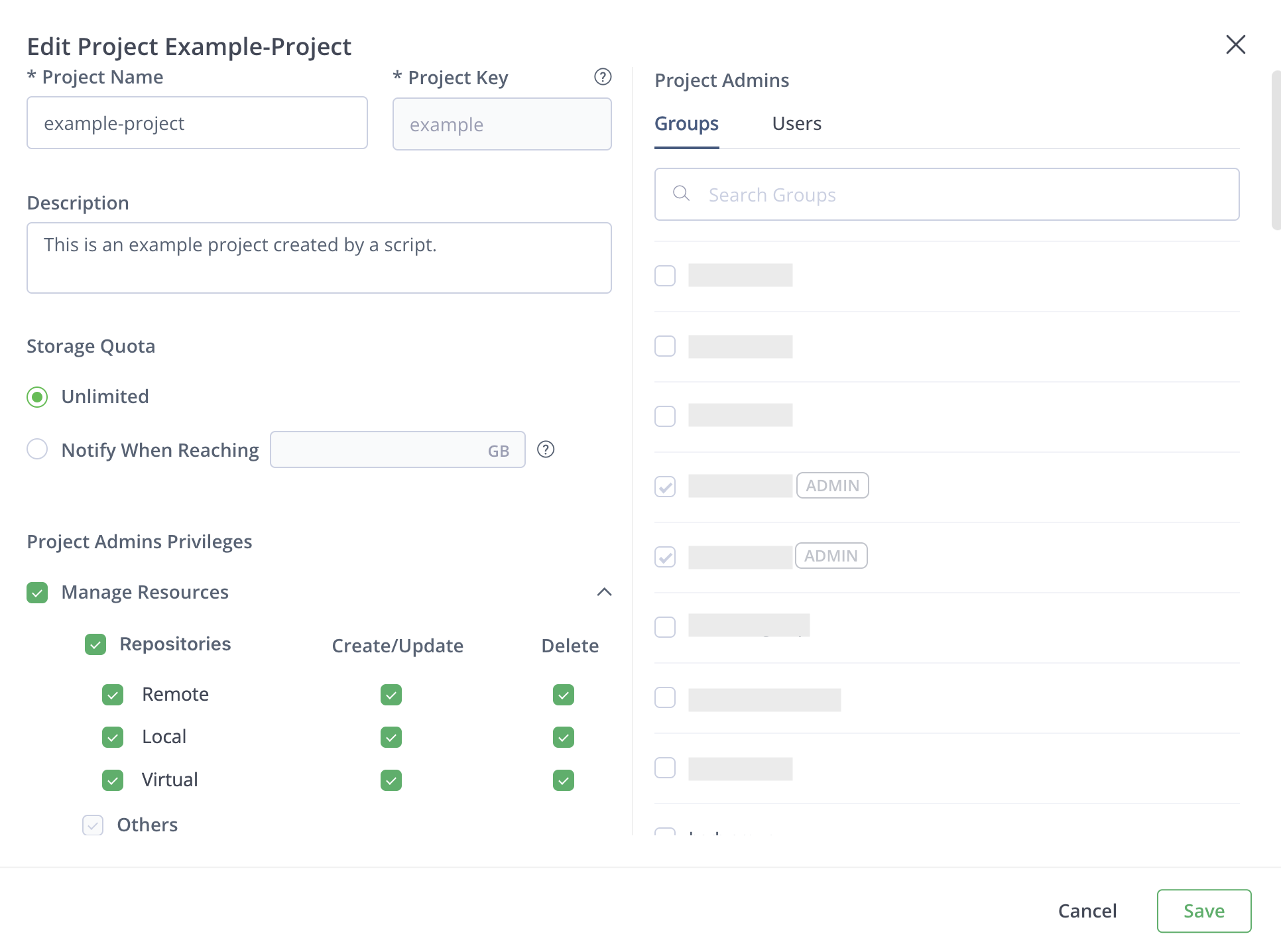
Project Admin Resource Privileges
Use Manage Resources to control which project-level resources Project Admins can manage:
- Repositories: Allows Project Admins to create, update, and delete remote, local, and virtual repositories. You can configure Create/Update and Delete separately for each repository type.
- Others: Allows Project Admins to manage project-level resources other than repositories, including builds, OpenID Connect identity mappings, and retention policies (cleanup and archive).
Others is selected with Manage Resources and cannot be changed independently. To let Project Admins manage retention policies without allowing them to create, update, or delete repositories, keep Others selected and clear all Repositories permissions.
You can also update project properties with the Update Project API:
PUT <BASE_URL>/access/api/v1/projects/<PROJECT_KEY>Where:
<BASE_URL>: Your JFrog Platform base URL for the Access API<PROJECT_KEY>: The unique project key
For example:
PUT https://company.jfrog.io/access/api/v1/projects/mobile-appRelated Topics
Updated 25 days ago
Did this page help you?