
Xray Terminology and Concepts in Projects
Learn JFrog Xray terminology and concepts used in JFrog Projects, including Global and Project Policies, Watches, Violations, and Reports.
The following JFrog Xray terminology and concepts are used in JFrog Projects.
Global Policy
Global Policy — A Policy that can be used in a Global Watch or a Project Watch when you have a set of rules that apply to more than one project or on all projects in your organization. A Platform Admin, a Security Manager, and a user with Manage Policies permissions can create Global Policies.
Global Watch
Global Watch — A Watch that can be applied on resources in any project or unassigned resources that are not specific to a project. A Platform Admin, a Security Manager, and a user with Manage Watches permissions can create Global Watches. Starting from Xray 3.27.2, you can apply a Global Watch on a Project resource.
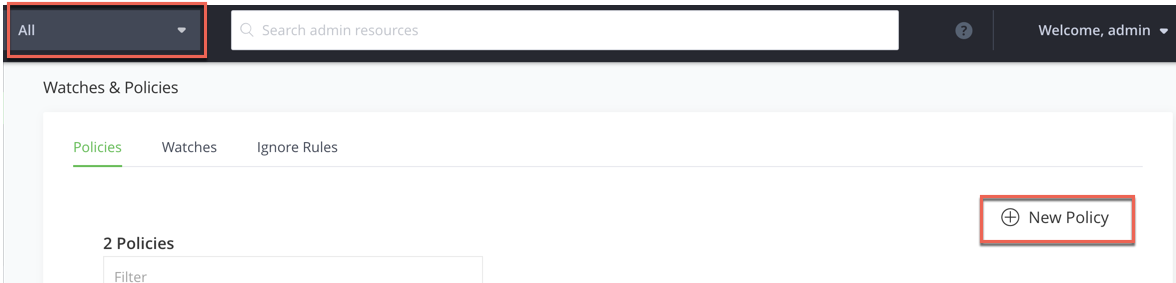
Create a Global Watch and Global Policy in the context of All
Global Watch Violations
Global Watch Violations — Violations created by a Global Watch are not project specific, and will appear in the list of violations where the scanned resource resides, in any project. A user cannot ignore a violation from a Global Watch, only a Security Manager with the Ignore Global Watch Violations privilege can create a Global Ignore Rule.
Note
Global Watches can only contain Global Policies.
Global Watch Report
Global Watch Report — A report that can be defined on all resources regardless of a project. A Platform Admin, a Security Manager, and a user with Manage Reports permissions can create Global Reports. Starting from Xray 3.27.2, you can create a Global Report on the Project scope.
Project Policy
Project Policy — A Policy that is created and used in the scope of a specific project. A Platform Admin, a Project Admin, a Security Manager, and a user with Manage Policies permissions can create project level Policies.
Project Watch
Project Watch — A Watch that is created and used in the scope of a specific project. A Platform Admin, a Project Admin, a Security Manager, and a user with Manage Watches permissions can create project level Watches.
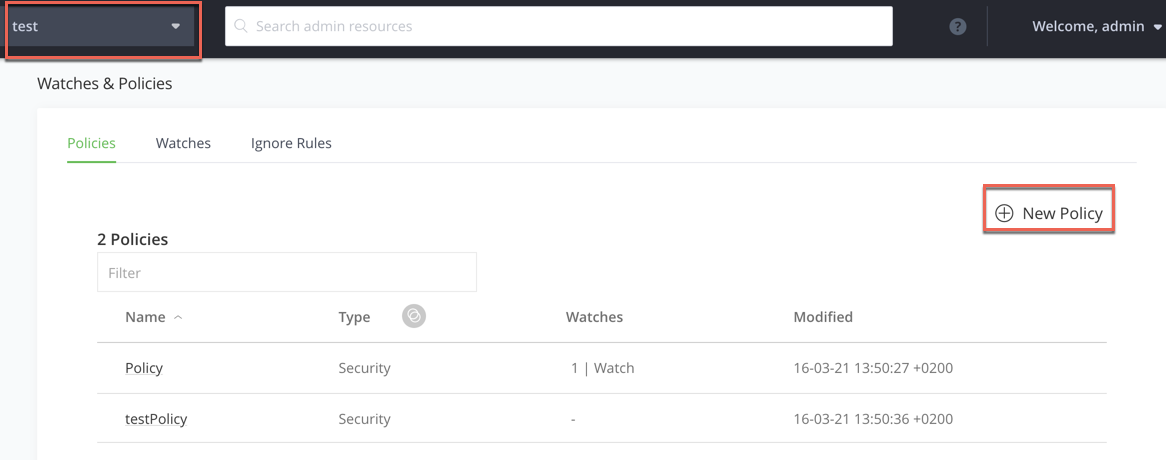
Create a Project Policy and Project Watch in the context of the project you are in:
Project Watch Violations
Project Watch Violations — Violations created by a Project Watch are applicable to that specific project and will appear in the list of violations for a user within that project. Other users who are not members of the project will not see these violations. A user with Manage Watches permissions, a Platform Admin, a Project Admin, and a Security Manager can ignore a violation from a Project Watch.
Project Report
Project Report — A report that can be defined on resources in a specific project. A Platform Admin, a Project Admin, a Security Manager, and a user with Manage Reports permissions can create project-level Reports.
Related Topics
Updated 3 months ago