

Audit Events
The Xray Audit Events page provides centralized visibility into user actions and system events that affect your JFrog Xray environment. Use this page to monitor operational activity, troubleshoot changes, and maintain a clear record of events across your platform.
Xray Audit Events will be available from Xray Version 3.143 and Requires PostgreSQL version 13 or newer.
Overview
The Audit Events page captures and displays a chronological log of significant events within Xray. These events fall into two categories:
- User Events : Actions initiated by users, such as configuration changes, policy modifications, watch updates, and other administrative operations.
- System Events : Automated activities performed by Xray, including scheduled scans, indexing operations, synchronization tasks, and internal system processes.
This audit trail is essential for maintaining governance, supporting compliance requirements, and understanding the sequence of operations that led to a particular system state.
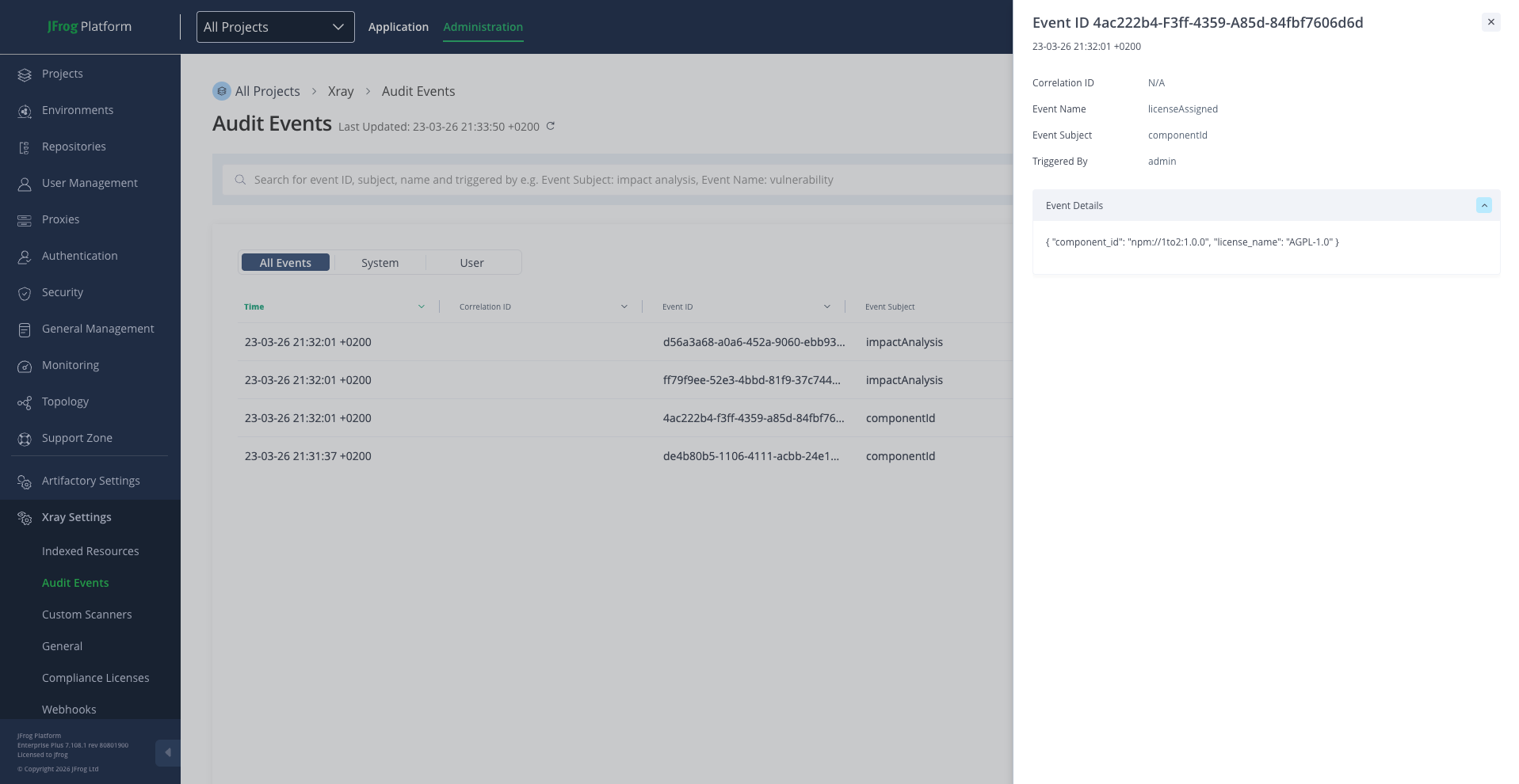
Navigating to the Audit Events Page
To access the Audit Events page:
- Log in to the JFrog Platform.
- Navigate to Administration in the top bar.
- Under the Xray Settings - Select Audit Events.
Page Layout and Features
Event Table
The main area of the page displays an event table with the following columns:
| Column | Description |
|---|---|
| Time | The date and time when the event occurred. |
| Correlation ID | A unique identifier that groups related events together, useful for tracing end-to-end operations. |
| Event ID | A unique identifier assigned to each individual event. |
| Event Subject | The category or area of the system that the event pertains to (e.g., a specific resource, policy, or configuration). |
| Event Name | A descriptive label for the type of action or occurrence (e.g., vulnerability scan, policy update). |
| Triggered By | Indicates who or what initiated the event — either a specific user or the system itself. |
Search and Filtering
The Audit Events page includes a search bar that supports structured queries to help you locate specific events efficiently.
Searchable Fields
The following fields can be used as search criteria:
| Field | Description | Example |
|---|---|---|
| Event Subject | Filter by the subject area of the event. | "Event Subject": "impact analysis" |
| Event Name | Filter by the name of the event. | "Event Name": "vulnerability" |
| Correlation ID | Filter by a specific correlation identifier. | "Correlation ID": "abc-123" |
| Triggered By | Filter by the entity that triggered the event. | "Triggered By": "admin" |
| Event ID | Filter by a specific event identifier. | "Event ID": "12345" |
Search Syntax
Queries follow a key-value format:
"Field Name": "value"Multiple conditions can be combined using the AND operator:
"Event Subject": "impact analysis" AND "Event Name": "vulnerability"
Only alphanumeric characters, spaces, and hyphens are supported in search values.
Non-Searchable Fields
The Event Details payload (visible in the detail panel) is also not searchable.
Event Details Panel
Clicking on any row in the audit table opens a detail panel on the right side of the page. This panel displays:
- Event ID and the timestamp of the event.
- Correlation ID — for tracing related events.
- Event Name — the type of event.
- Event Subject — the area the event relates to.
- Triggered By — the user or system process that initiated the event.
- Event Details — a structured view of additional information associated with the event, providing deeper context about what occurred.
Exporting Audit Data
You can export the current view of audit events to a CSV file for offline analysis, reporting, or archival purposes.
- Click the Export to CSV button above the event table.
- Confirm the export in the dialog that appears.
- The exported file will reflect the currently applied filters, date range, and sort order.
Exports are capped at 10,000 records per request. If your query returns more results, consider narrowing the date range or applying additional filters.
Data Retention and Rotation
Xray manages audit event data automatically to balance long-term visibility with system performance:
- Retention Period — By default, audit events are retained for 365 days. Events older than this threshold are automatically removed during scheduled maintenance.
- Storage Limits — The system maintains a maximum capacity of approximately 25 million audit records. If this limit is approached, the oldest events are automatically removed to maintain performance.
Administrators can adjust the retention period and storage limits through system configuration if the defaults do not meet organizational requirements. Contact your JFrog platform administrator for details on modifying these settings.
Once audit events are removed due to retention policies or storage limits, they cannot be recovered. Export important records before they exceed the retention window.
Updated 5 months ago