

JFrog Integration with GitHub
Choose how to connect GitHub and the JFrog Platform for your task.
You can use this section to connect GitHub and the JFrog Platform, publish build results, review security findings, and bring JFrog package context into an AI client.
Several of these tasks use the JFrog App for GitHub as the connection. You can check the JFrog and GitHub Feature Availability sources before you start.
Choose a Task
The following table lists each goal and where to start.
| Goal | Start Here |
|---|---|
| See which capabilities exist and where to configure them | GitHub Integration Key Features |
| Follow the setup sequence | Integration Workflow |
| Connect a GitHub organization or repository | Install the JFrog GitHub App |
| Authenticate GitHub Actions without a long-lived token | OIDC Authentication |
| Inspect build results from a workflow run | Job Summary |
| Store a GitHub build attestation as JFrog Evidence | GitHub Attestation to JFrog Evidence |
| Open JFrog package details from GitHub | Artifact View |
| Add Frogbot workflows to many repositories | Frogbot Installation Using the GitHub App |
| Upload JFrog scan results to GitHub code scanning | Upload JFrog CLI Scan Results to GitHub Unified Security View |
| Use JFrog data from GitHub Copilot or another Model Context Protocol (MCP) client | Use GitHub Copilot for Secure Coding and Agentic Remediation |
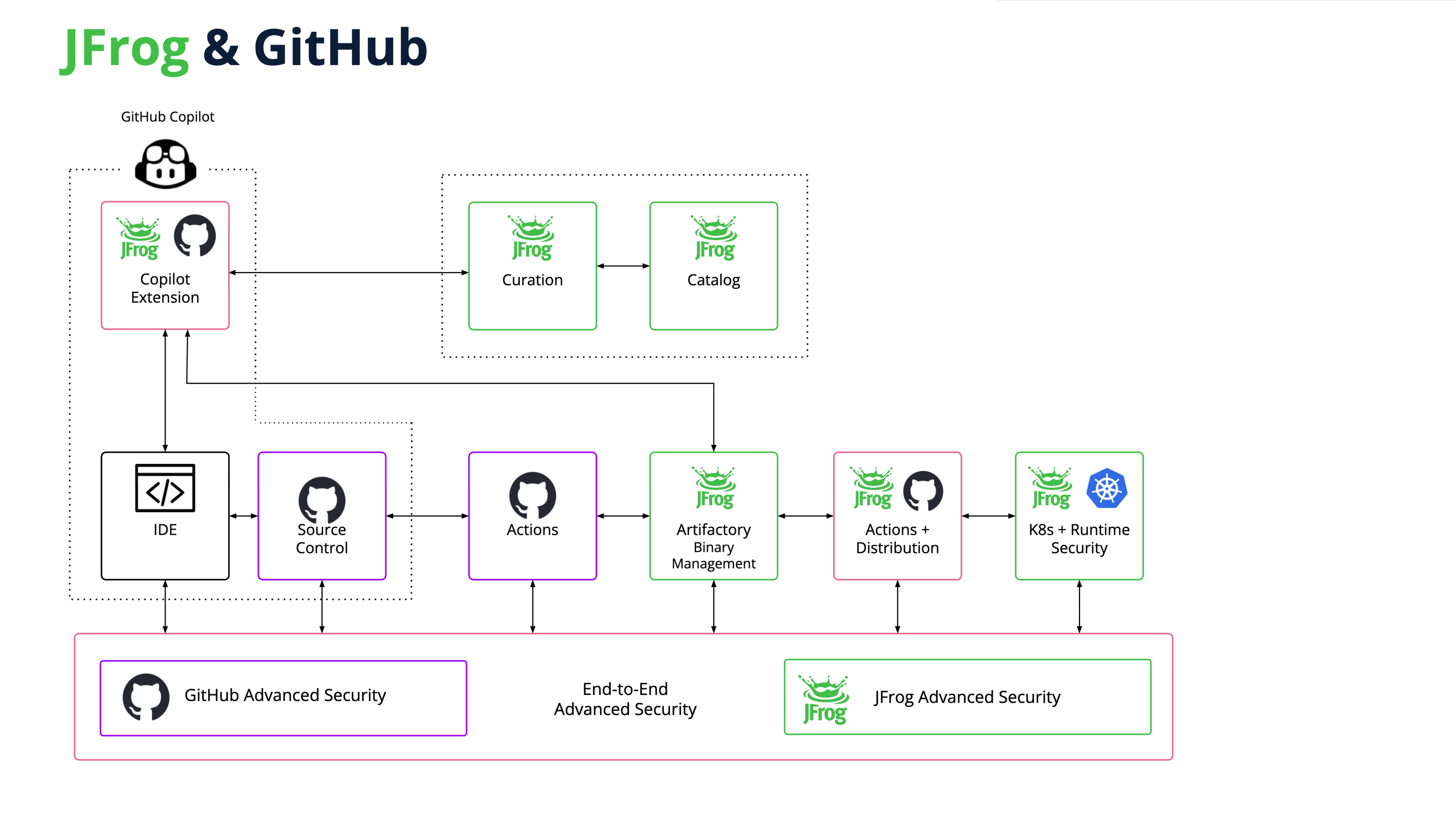
The Copilot Extension shown in the diagram is a legacy path. For a new AI integration, use the JFrog MCP Server.
Related Topics
Updated about 1 month ago
Did this page help you?