

User Plugins
Note
JFrog Workers is the newer, recommended way to easily extend the JFrog Platform (not just Artifactory) in a Cloud-native way. While plugins are supported, we strongly suggest using JFrog Workers whenever possible.
Important
Removal and Backup of Mission Control PluginsThe following Mission Control plugins, which were created during the initial days specifically for Mission Control, are no longer required by any JFrog products. As a result, these plugins will be removed in the upcoming version 7.117 and backup files are created with a
.backupextension.
internalUser.groovyldapSettingsConfig.groovyldapGroupsConfig.groovyhaClusterDump.groovyrepoLayoutsConfig.groovyproxiesConfig.groovypropertySetsConfig.groovyrequestRouting.groovyhttpSsoConfig.groovypluginsConfig.groovy
Backup FilesAfter the above plugins removal, backup files with a
.backupextension will be created for each of these plugins as shown below. These backup files ensure that administrators can re-enable the functionality if a specific need arises.
internalUser.groovy.backupldapSettingsConfig.groovy.backupldapGroupsConfig.groovy.backuphaClusterDump.groovy.backuprepoLayoutsConfig.groovy.backupproxiesConfig.groovy.backuppropertySetsConfig.groovy.backuprequestRouting.groovy.backuphttpSsoConfig.groovy.backuppluginsConfig.groovy.backup
Re-enable PluginsIf there is a requirement to use any of these removed plugins, rename the associated backup file to a different name than its original plugin name. This prevents potential conflicts and ensures the system recognizes it as a newly introduced or re-enabled plugin.
For example, if you want to re-enable the
internalUser.groovy, which is backed up asinternalUser.groovy.backup, you would rename this backup file to something likeinternalUser_custom.groovy. After renaming, the system needs to be reloaded for the changes to take effect.The steps for renaming and reloading vary depending on whether your JFrog platform is self-hosted or cloud-based.
Self-Hosted (SH) Platform
Access the Directory: Navigate to the directory where the backup plugin files are located:
$JFROG_HOME/artifactory/var/etc/artifactory/Rename the Backup File: Execute the rename command.
For example:
mv internalUser.groovy.backup internalUser_custom.groovyCALLSTART::Note::
Note
Rename the backup file to a different name than its original plugin name.
- Reload the Plugin: Restart or reload your JFrog Artifactory service to ensure the new plugin file is recognized. To learn how to reload, refer to Deploy Plugins docuemntation.
Cloud Platform
- Contact Support: Reach out to JFrog support if you have specific needs regarding the plugins, including any help with the backup files.
- Provide Information: When contacting support, clearly indicate which plugins you wish to re-enable.
CALLEND::
You can easily extend Artifactory's behavior with your own plugins written in Groovy.
User plugins are used for running user's code in Artifactory. Plugins allow you to perform the following tasks:
- Add scheduled tasks
- Extend Artifactory with your own security realms
- Change resolution rules
- Manipulate downloaded content
- Respond to any storage events on items and properties
- Deploy and query artifacts and metadata
- Perform searches
- Query security information
- Invoke custom commands via REST
- Execute custom promotion logic
- Provide information and strategies for Artifactory's Build Servers Plugins.
During the development phase, you can change plugin source files and have your plugins redeployed on-the-fly. You can even debug the plugin code using your favorite IDE.
Groovy Version
Groovy 4.0 is supported
Managing User Plugins in the UI
The User Plugins page in the JFrog Platform provides a centralized interface for administrators to oversee and maintain custom plugin scripts.
Note
Managing User Plugins requires Admin permissions.
Accessing the Plugins Interface
To view your plugins, navigate to the Administration module and go to Artifactory Settings > User Plugins.
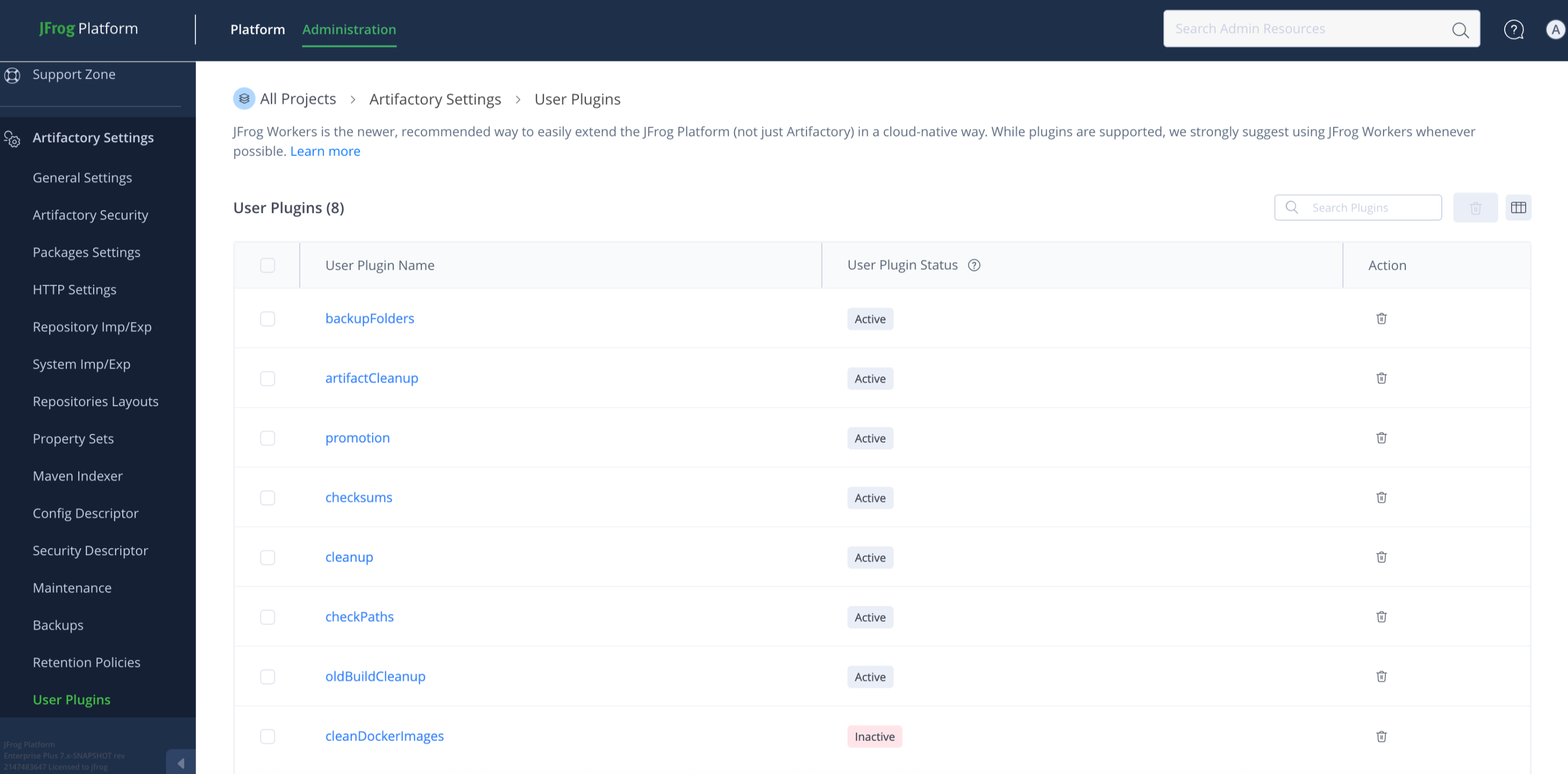
Available Actions
- View a comprehensive list of all plugins and their current operational status.
- Quickly copy the plugin script content for troubleshooting, versioning, or reference.
- Select and delete plugins that are no longer required to maintain system performance and security.
Updated 5 months ago