

JFrog GitHub App
Subscription Information
GitHub App is available to Enterprise and Enterprise+ customers. For a complete feature comparison by subscription type, refer to the JFrog and GitHub Integration Features Matrix.
The JFrog GitHub App automates your workflows by connecting your GitHub repositories directly to the JFrog Platform. It creates a scalable environment entirely within GitHub, providing a unified view for advanced source code and binary vulnerability scanning. With centralized OIDC configuration and automated Frogbot deployment, your team can accelerate development without compromising security or compliance.
Key Benefits
- Enhanced Security: Establishes machine-to-machine trust between the JFrog Platform and GitHub, significantly reducing the risk of credential leakage by replacing long-lived secrets with short-lived access tokens.
- Consistent Access Control: Enforces the principle of least privilege by consistently applying fine-grained access control policies, granting only the necessary permissions, and providing clear auditability for every workflow.
- Streamlined Operations: Eliminates the manual overhead of managing permanent credentials for build developers. Automated token generation prevents pipeline failures caused by expired tokens.
How it Works
-
Install the JFrog App for GitHub from the GitHub Marketplace.
-
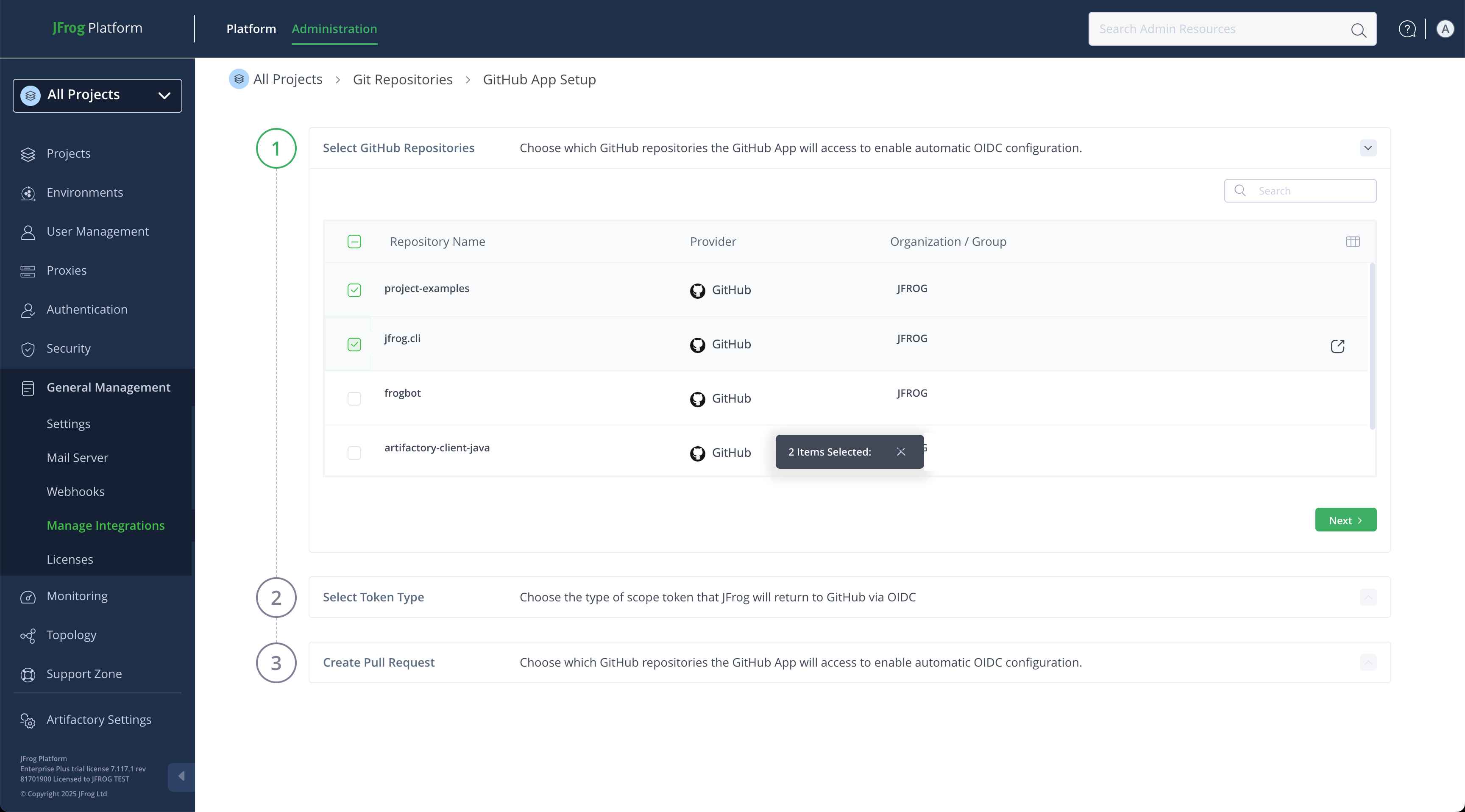
Select the GitHub repositories that the JFrog App for GitHub will access to enable OIDC Integration.
-
Select the token type that JFrog will return to GitHub via OIDC.
-
The App generates a pull request with a pre-configured workflow to enable immediate, secure, and tokenless access.
Additional Information
To configure the app, manage connected repositories, or troubleshoot installation issues, see Integration with GitHub App in the Administration documentation.
Updated about 2 months ago