

Xray Integration with AWS Security Hub
JFrog Xray's integration brings Xray’s security and license violations intel inside AWS Security Hub. With this integration, you can:
- Get a single consolidated view of all license compliance and security vulnerabilities.
- Collect comprehensive scanning, analysis, and response to the license violations and security vulnerabilities that impact open source software associated with services, container images, helm charts, and other binaries.
How it Works
The Xray AWS Security Hub Integration takes the Xray webhook data, transforms it into an AWS Security Finding format, and imports the data into the Security Hub. The integration keeps track of findings that were already imported so that when the same violations are detected, they will be updated in the Security Hub.
The integration uses AWS serverless technology (Lambda, SQS, DynamoDb) to provide easy deployment and management. By deploying to your own AWS account, Xray data does not transit through third party systems.
Read more about the integration on our Github page.
Support
If you need help with this integration, contact [email protected].
Xray Integration with AWS Security Hub Configuration Overview
This topic describes how to integrate Slack with Artifactory and Xray.
Requirements
- Your organization should have a self-hosted or cloud instance of the JFrog Platform.
- You must be a user with Admin permissions to create a webhook for Xray.
- Your organization must have an active subscription to AWS.
Configuration Overview
To work with the integration, do the following:
| Task | Description | For more information, see... | |
|---|---|---|---|
| 1 | Deploy the integration | Deploy the JFrog integration in the WS serverless application repository. | Deploy Xray Integration in AWS Security Hub |
| 2 | Accept findings | In AWS Security Hub, accept findings to allow findings to be sent to the JFrog application. | Accept Findings for the Security Hub Integration in AWS |
| 3 | Set up webooks | In Artifactory, configure the Xray Webhook. | Set up Webhook for JFrog Xray Setup with AWS Security Hub |
Deploy Xray Integration in AWS Security Hub
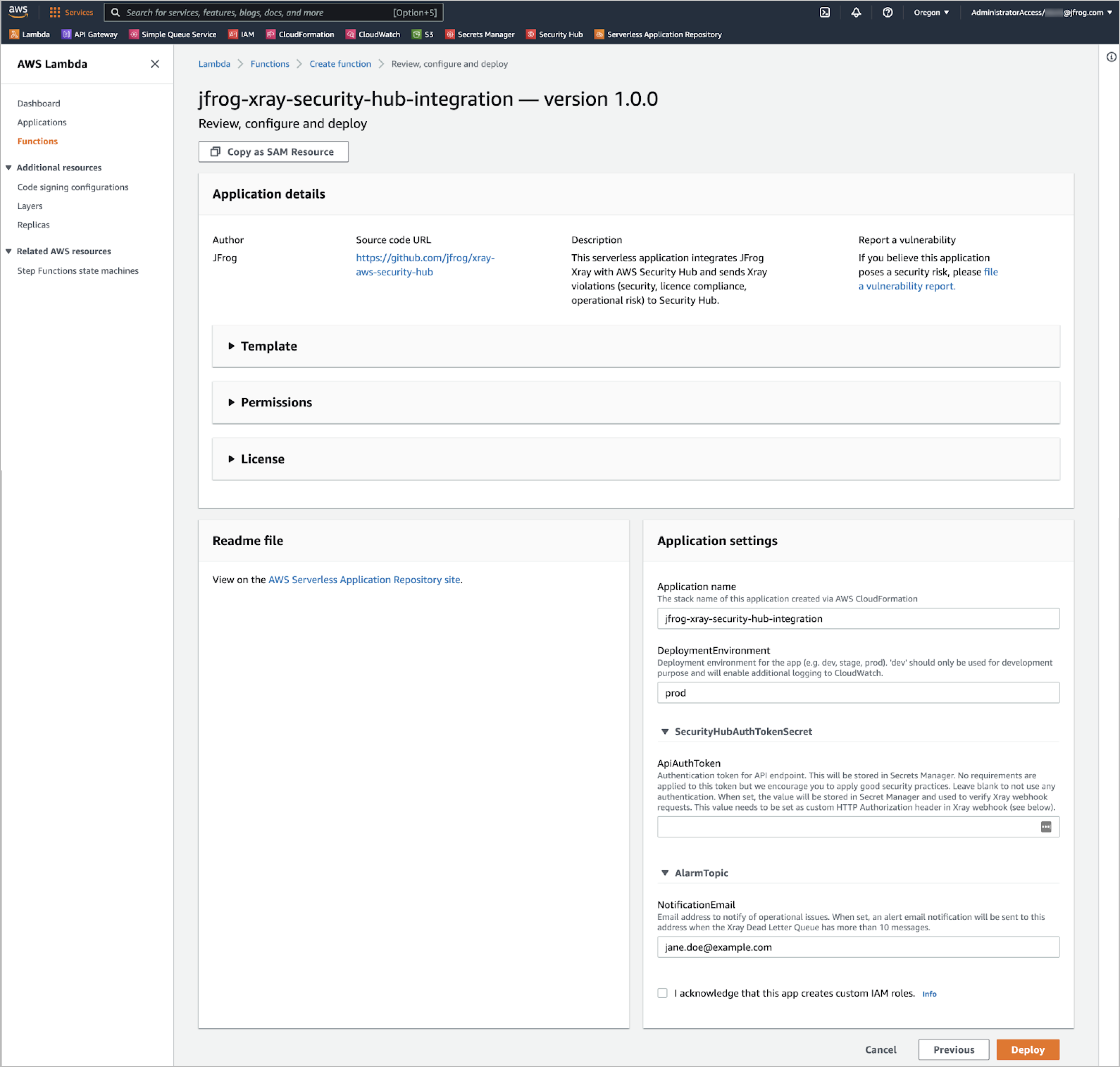
-
From the AWS Serverless Application Repository, search for
jfrogand select thejfrog-xray-security-hub-integrationapplication. -
Click Deploy to start the deployment process.
-
In the Application settings section, enter the parameters.
-
When you are ready, click the Deploy button. This will deploy the application to your AWS account for that region.
After the application is deployed, you will be provided with a URL (e.g.
https://i0fl689f46.execute-api.us-west-1.amazonaws.com/prod/send). This is the URL that Xray will send data to. Make a note of this for later reference.
Accept Findings for the Security Hub Integration in AWS
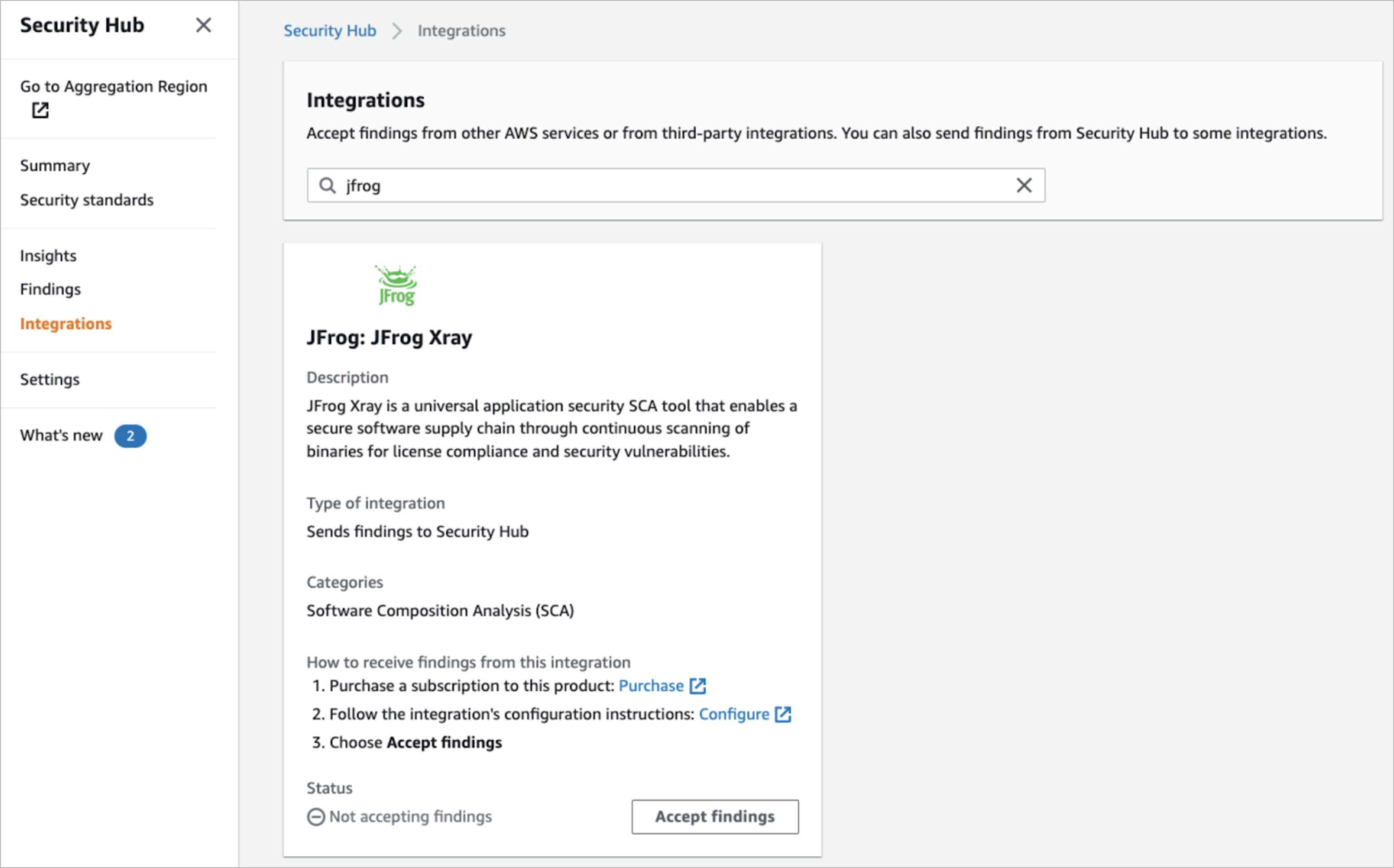
-
In the AWS Security Hub Integration page, search for
jfrogand select theJFrog Xrayintegration. -
Click the Accept findings button to allow the security findings to be sent from the integration application installed above.
Now the integration is ready to receive data from Xray.
Set up Webhook for JFrog Xray Setup with AWS Security Hub
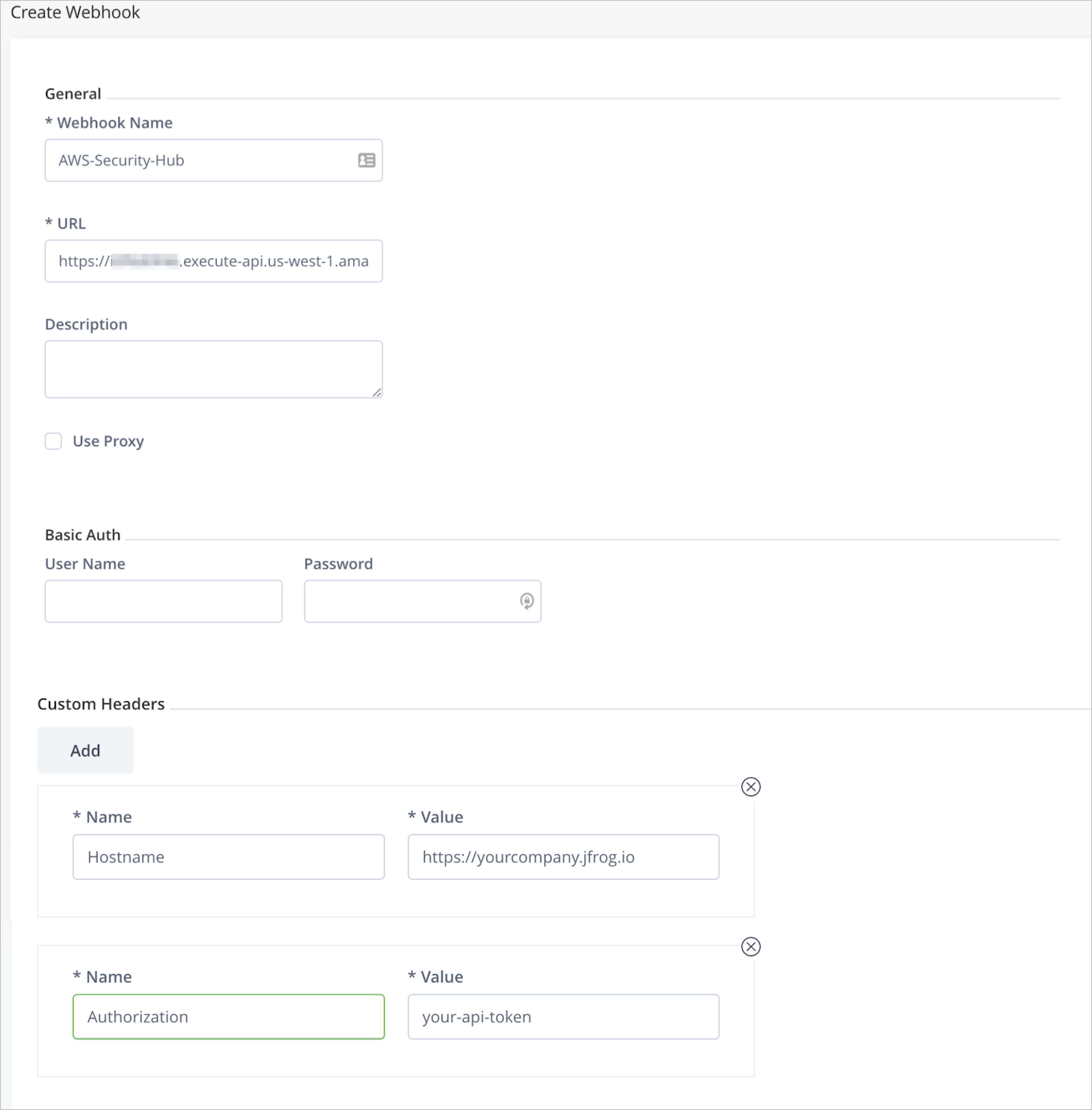
-
Follow the instructions on configuring Xray Webhook.
-
For the URL, enter the URL from the Serverless Application deployment process from above.
-
Clear out the
User NameandPasswordfields in the Basic Auth section and, as shown in the image above, add the following two custom headers:
| Name | Value |
|---|---|
| Authorization | The API token you provided to the Serverless application deploy process. |
| Hostname | The host name for your JPD. If your JPD host ishttps://yourcompany.jfrog.io/ then use ‘yourcompany.jfrog.io’. |
-
Click Create to create the webhook.
-
Associate this webhook with a policy that is attached to a watch so that it will be triggered when violations are detected during a scan.
Now Xray is ready to send data to the integration and Security Hub.
Updated 3 months ago