

RSA Key Pairs
Generate and manage 2048-bit RSA key pairs in Artifactory for Alpine Linux package index signing and verification.
Artifactory enables the management of multiple RSA signing keys allowing you to store and manage the RSA pubic and private keys that are used to sign and verify the Alpine Linux Index files.
The RSA Key Pair is assigned to local or virtual Alpine Linux Repositories in the Repository Advanced tab of the Alpine Repository.
RSA Keys for Alpine Repositories
Alpine Linux requires RSA keys by default. If you do not configure RSA keys, you must use the
allow-untrustedflag. For more information, see Create an Alpine Repository.
Note
If Vault is configured, follow the steps in Vault.
Setting Up RSA Key Pairs
- Generate an RSA Key Pair. For more information, see Build a Public and Private RSA Key.
Note
When generating RSA private keys for use with the Terraform
artifactory_keypairresource, include the-traditionalflag during key generation. Use the command:openssl genrsa -traditional -out private-key.pem 2048This ensures the private key is properly formatted and prevents the error:
Error: RSA private key is of the wrong type.
-
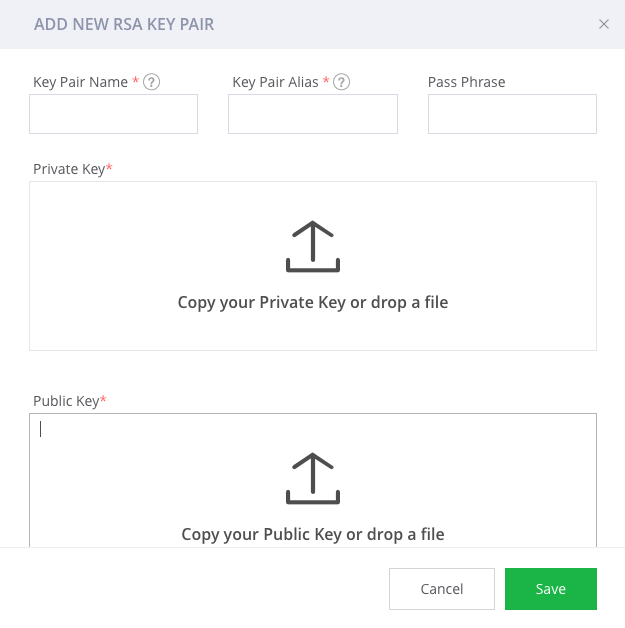
In the JFrog Platform UI, select the Administration module and go to Artifactory > Security > RSA Key Pairs. Click Add New Key Pair.
-
Enter the RSA parameters generated when creating the RSA Key Pair.
-
Click Save.
RSA Key Pair REST API Commands
You can perform the following RSA Key Pair REST API commands:
Related Topics
Updated 3 months ago