

Specify Repositories for Direct Download
Enable downloadRedirect per repository via UI, REST API, or YAML. Set storeArtifactsLocally=true for remote repositories.
You can configure Artifactory to redirect requests for direct download at the repository level (there is no global configuration to redirect all requests automatically). This lets you support both clients that accept download redirect responses (HTTP 302) and those that do not.
Download redirection is supported for all repository types - local, remote, virtual, and generic repositories. For local and remote repositories configured for redirection, all requests are redirected.
For virtual repositories, it depends on which aggregated local or remote repository ultimately provides the requested artifact. If that repository is configured for redirection, then the requesting client will receive the corresponding redirection response, otherwise, Artifactory will fetch the requested artifact and provide it to the client as usual without redirection.
Remote repositories must be configured to store artifacts locally
Artifactory can only redirect requests for direct cloud storage download if the requested artifact is available locally. For local repositories, this is the natural state. For remote repositories, you can configure the repository not to cache artifacts locally by deselecting the Store Artifacts Locally checkbox in the Advanced tab of the repository configuration (or by setting
storeArtifactsLocally=falsewhen creating or updating the repository using REST API). For remote repositories, the repository must be configured to store artifacts locally (the Store Artifacts Locally checkbox must be checked, orstoreArtifactsLocally=true). Not doing so generates an error.
You can configure Artifactory to redirect requests for direct download using the UI, REST API and YAML configuration file.
Specify Repositories for Direct Download Using the UI
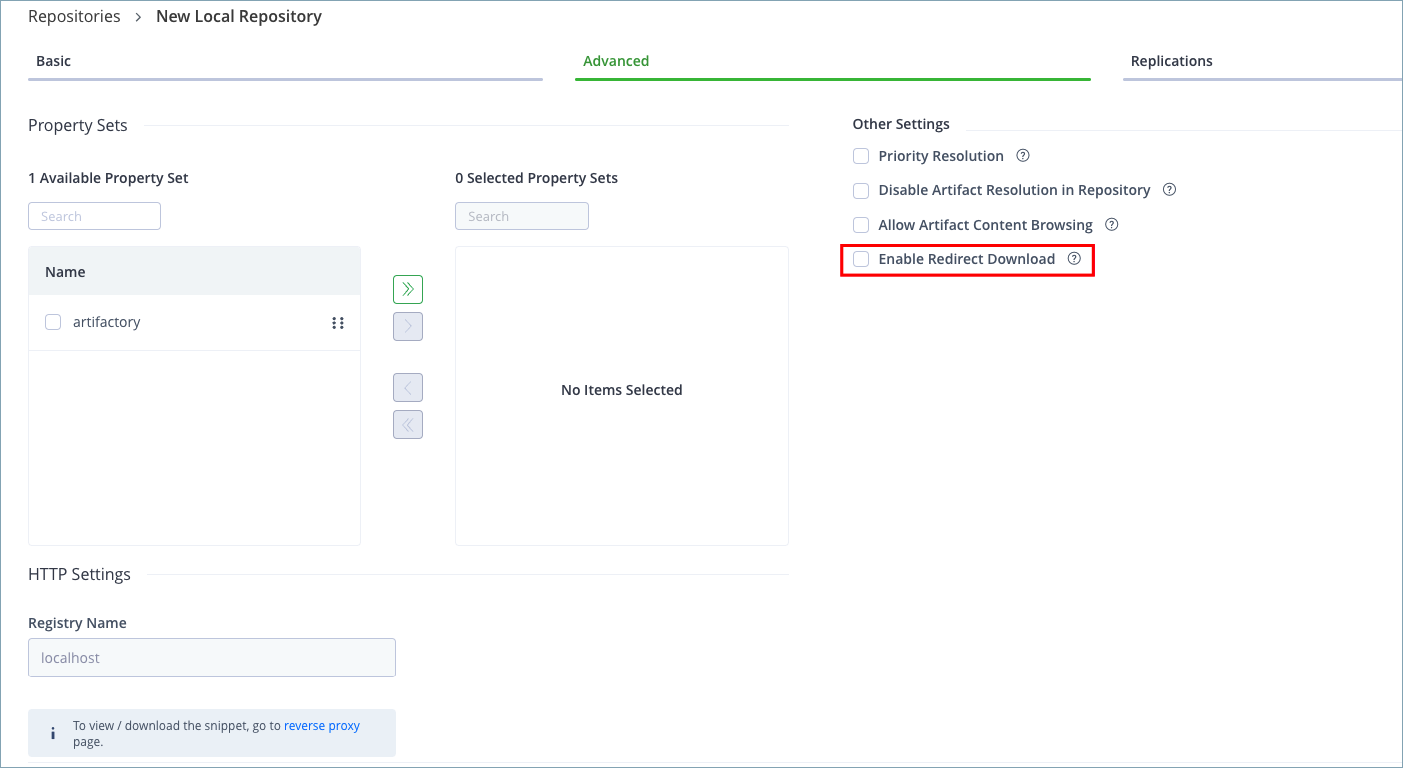
To configure a local or remote repository to redirect requests for direct download, select the Enable Redirect Download checkbox in the Advanced tab of the repository configuration.
Redirect Download Requests to CDN Nodes
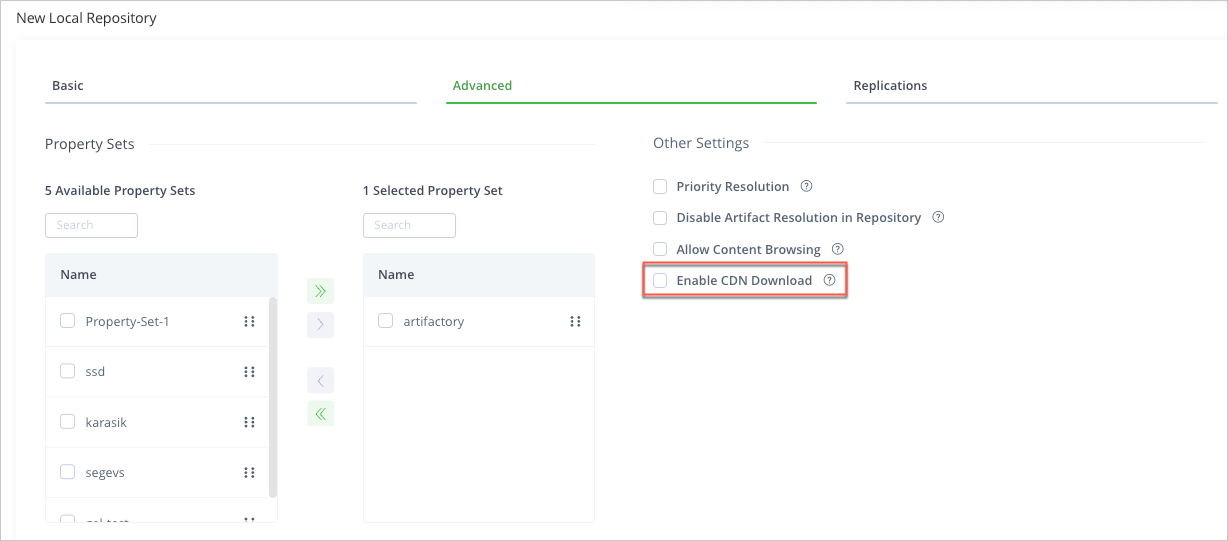
Use the Enable CDN Download option to direct download requests to this repository to a Cloud Storage Provider from which the artifact will be downloaded.
Specify Repositories for Direct Download Using the REST API
To configure a local or remote repository to redirect requests for direct download using the REST API, set the downloadRedirect attribute to be true (default, false). For example:
curl -u admin:password -X POST -H "Content-Type: application/json" -d '{"rclass":"local", "downloadRedirect": true}' http://localhost:8080/artifactory/api/repositories/s3-genericAlternatively, you can set the downloadRedirect parameter in the repository configuration JSON to be true.
Specify Repositories for Direct Download Using the YAML Configuration File
If you are configuring repositories using a YAML file, you can use the downloadRedirect attribute.
For example, to configure a repository called generic-remote for direct download:
curl -u admin:password -X PATCH -H "Content-Type: application/yaml" "http://localhost:8080/artifactory/api/system/configuration" -T remote.yamlwhere remote.yaml is:
remoteRepositories:
    generic-remote:
        downloadRedirect:
            enabled: true
Related Topics
Updated 4 months ago