

Access Log
Artifactory maintains an access log containing all security-related events, their source IP and context. Events include information on accept/reject of logins, and download, browsing and deployment of artifacts.
The access log is located at $JFROG_HOME/artifactory/var/artifactory/log/artifactory-access.log.
You can also view and download the access log from the Artifactory UI. In the Administration module go to Artifactory | System Logs.
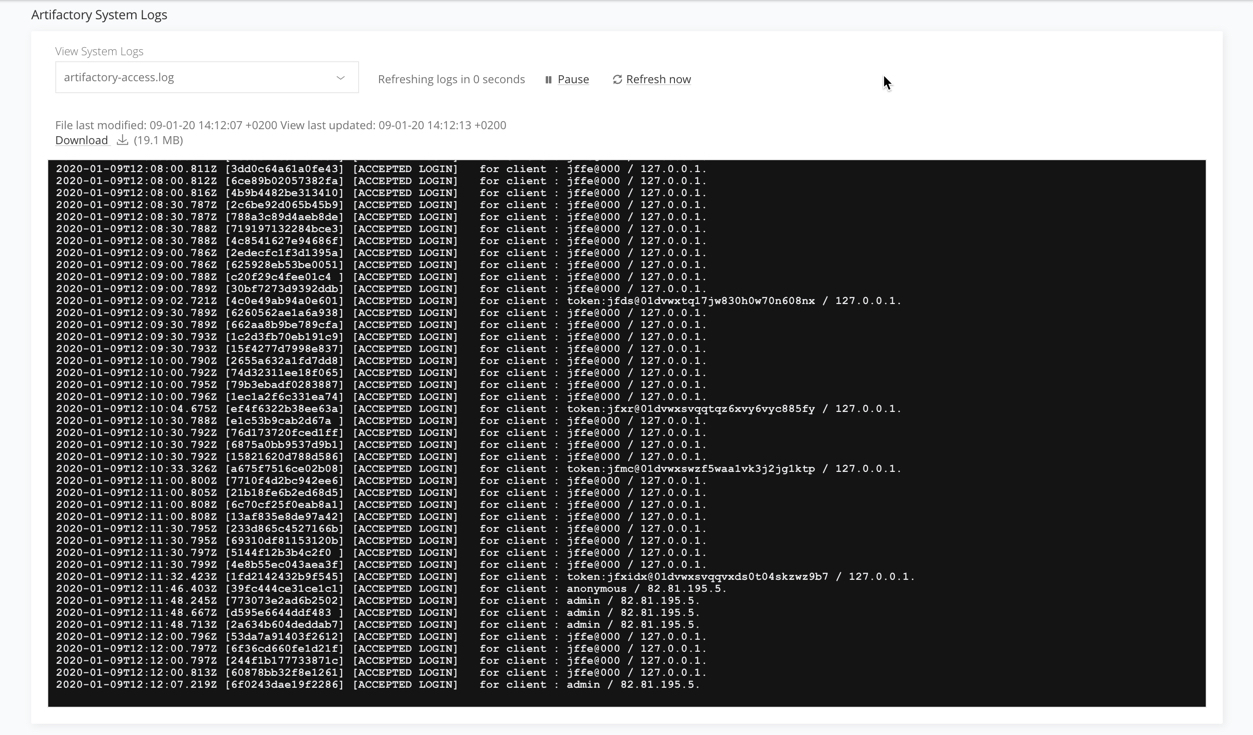
Artifactory's access log file record has the following structure:
Timestamp (UTC) [Trace Id] |[Action response and type] Repository path (Optional) Message (Optional) User name/IP type (optional)
Here is a typical example:
Access log file record
2020-05-15 15:52:11,456 [4b1b8a0b04e31b80] [ACCEPTED DOWNLOAD] maven-remote-cache:org/iostreams/iostreams/0.2/iostreams-0.2.jar for anonymous/86.12.14.192.| Log Field | Description |
|---|---|
| Timestamp (UTC) | The date and time the message was logged, in UTC time with the standard format: [yyyy-MM-dd'T'HH:mm:ss.SSSZ] based on RFC-3339 |
| Trace Id | The trace ID value. Trace ID is used to identify a request across services |
| Action response and type | The response (ACCEPTED/DENIED) and the action type (List of possible actions: ANNOTATE, DOWNLOAD, DEPLOY, DELETE, SEARCH, LOGIN, CONFIGURATION_CHANGE, CREATE, UPDATE, APPROVE, FORM_SUBMIT, PROPERTY_ADDED, PROPERTY_REMOVED, PROPERTY_UPDATED, BUILD_CREATE, BUILD_PROMOTE, BUILD_DELETE). |
| Repository path (Optional) | The repository that was accessed |
| Message (Optional) | An optional system message |
| User name | The accessing user's user name or "anonymous" when accessed anonymously |
| IP | The accessing user's IP address |
| Type | The type of authentication in use (APIKEY or TOKEN) |
You can also choose to receive focused information about events for a specific repository section, using Watches .
Updated 3 months ago