

Assign Environments to Repositories
Assign environments to repositories to define the resources included as part of the environment, either at the project level or at the global level.
-
In the Administration module, go to Repositories.
-
Click the name of a repository.
-
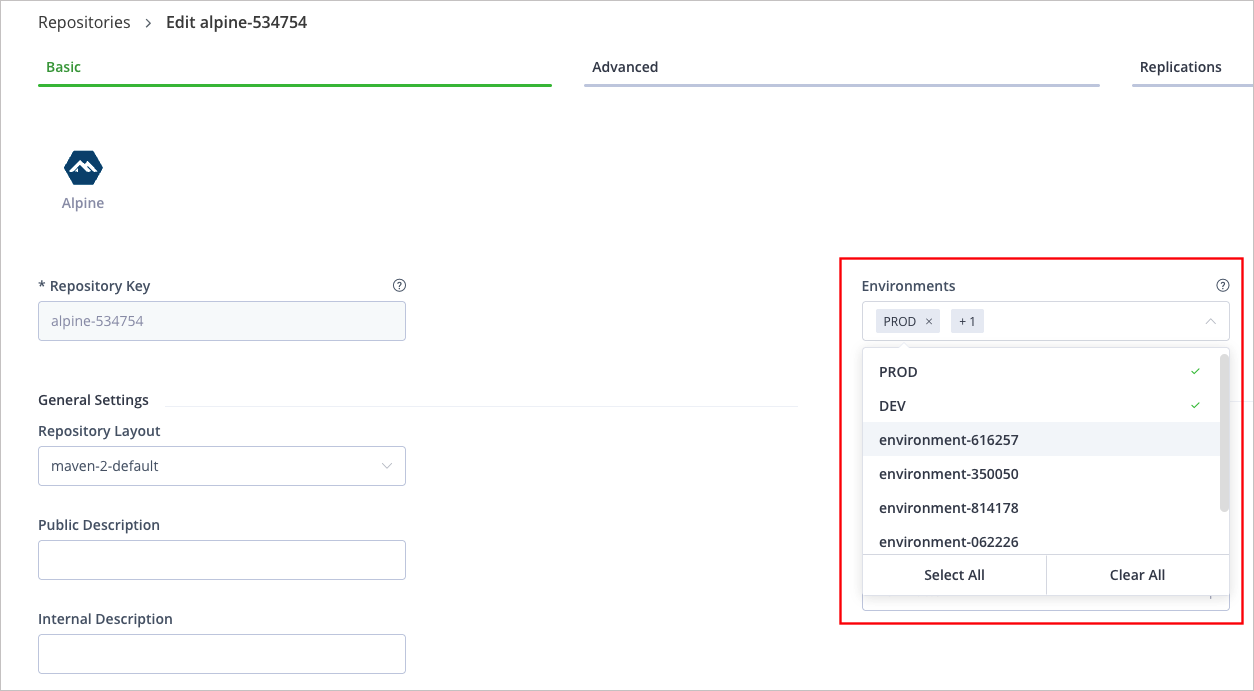
On the Basic tab, select one or more environments to which the repository should be assigned from the dropdown list.
Note
From Artifactory 7.107.1 and later versions, you can assign a repository to more than one environment. For versions prior to 7.107.1, you can assign a repository to only one environment.
Note
Defining a stage is mandatory when creating a repository within a specific project. The default selection is DEV.
- Click Save.
For more information, see Repository Management.
Updated 3 months ago
Did this page help you?