

Install an MCP Server
How to install an allowed MCP server using the JFrog Platform UI
To install an MCP Server:
-
Navigate to AI/ML > Registry.
-
Select the MCP server that you want to install and the project for which you are installing it.
-
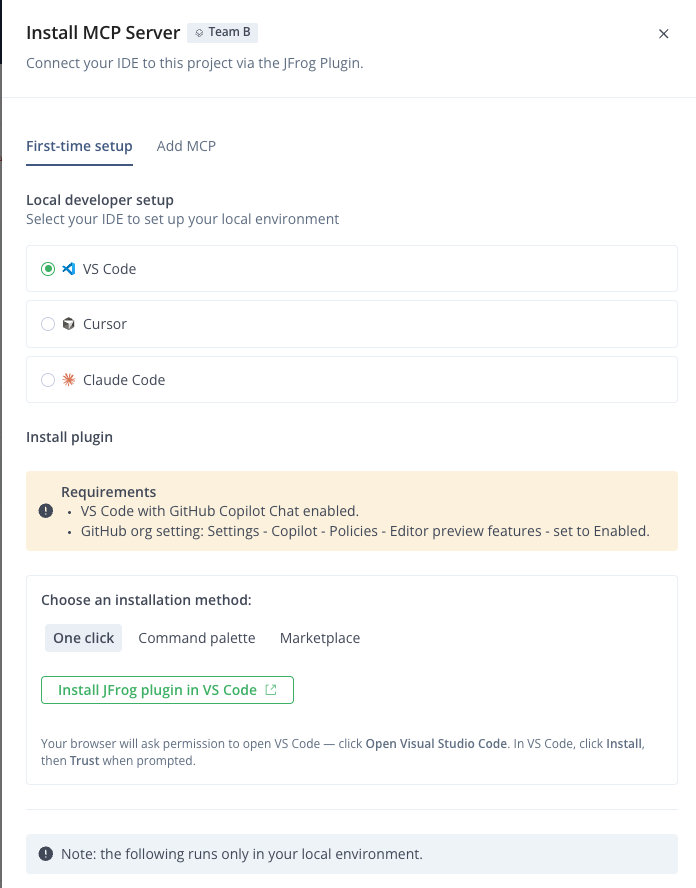
In the MCP Server Info tab, click Install MCP. The Install MCP Server panel appears.
-
Select your chosen IDE (coding assistant) and follow the instructions that appear:
- For first-time setup, follow the instructions on the First-time setup tab.
- If your coding assistant is already setup to work with the MCP Registry, follow the instructions on the Add MCP tab.
If you did not yet install the JFrog plugin on your coding assistant (IDE), follow the installation instructions in JFrog Plugins. For OpenCode, install via
opencode.jsonas described in Install JFrog Plugin for OpenCode.
Related Topics:
Updated 3 months ago
Did this page help you?