

View Application Evaluations
Evaluations in JFrog AppTrust enable you to analyze application versions and their components against defined security and compliance policies at specific lifecycle stage gates. Each evaluation determines whether a version can progress through the software development lifecycle (SDLC) and returns a decision of Pass, Fail, Warning, or Error.
Evaluations provide visibility into both policy compliance and specific violations, enabling you to enforce organizational standards consistently across the SDLC.
To view evaluation events for an application:
- In the JFrog Platform, go to AppTrust > Applications and choose an application.
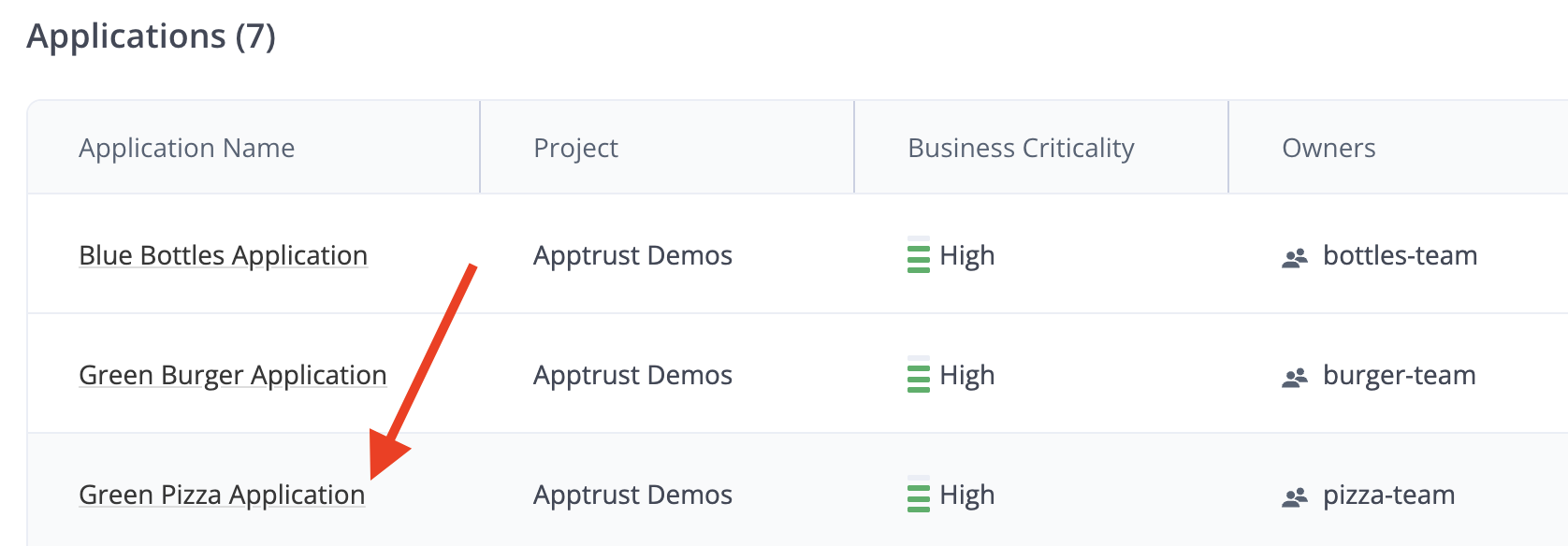
- In the application sidebar, click Evaluations. The Evaluation Events table appears.
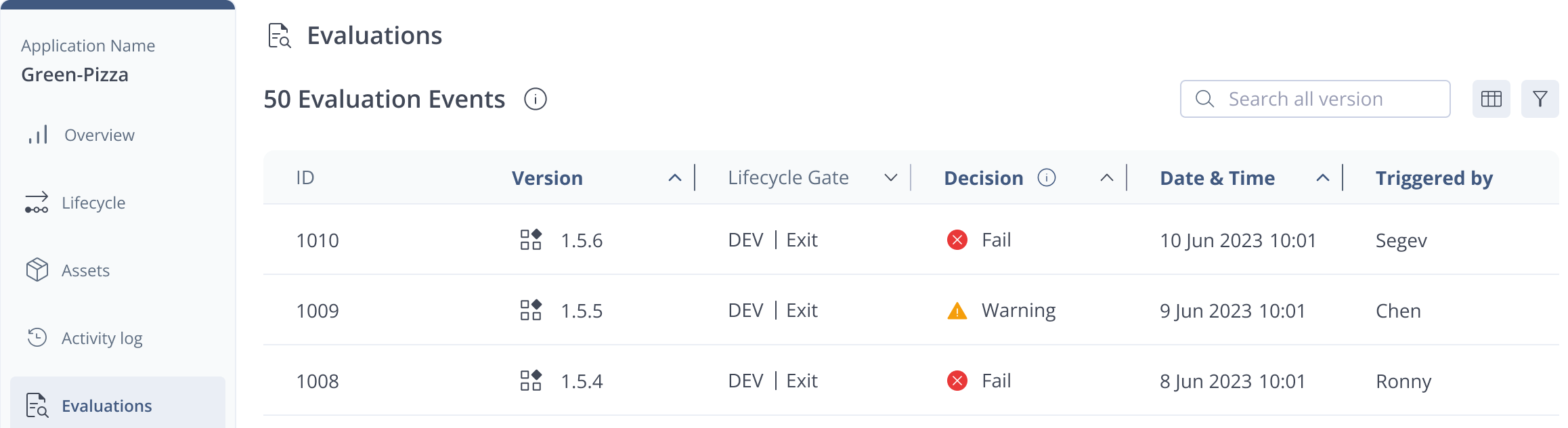
The Evaluation Events table lists all evaluations run for the application, including all application versions and all relevant stage gates for each version. The table includes the following column:
- ID: The unique evaluation identifier.
- Version: The evaluated application version.
- Lifecycle Gate: The stage and gate (e.g., DEV | Exit, QA | Entry, PROD | Release)
- Decision: The evaluation outcome (Pass, Fail, Warning, or Error). The decision reflects the overall calculation of the policies evaluated at the stage gate.
- Date & Time: When the evaluation was executed.
- Triggered By: The user who triggered the evaluation.
If you don’t see the evaluation you are looking for, you can search by application version and filter by:
- Lifecycle Gate
- Decision
- Date & Time
- Triggered By
You can also customize the columns to display only the data you need.
What’s Next?
Learn how to View Evaluated Policies.
Updated 26 days ago