

Edit an Application
Edit application details in JFrog AppTrust.
In JFrog AppTrust, you can change your application details, except the application key.
You can also update application details using the AppTrust API or the AppTrust CLI.
To edit an AppTrust application in JFrog Platform:
-
In the JFrog Platform, choose AppTrust > Applications.
-
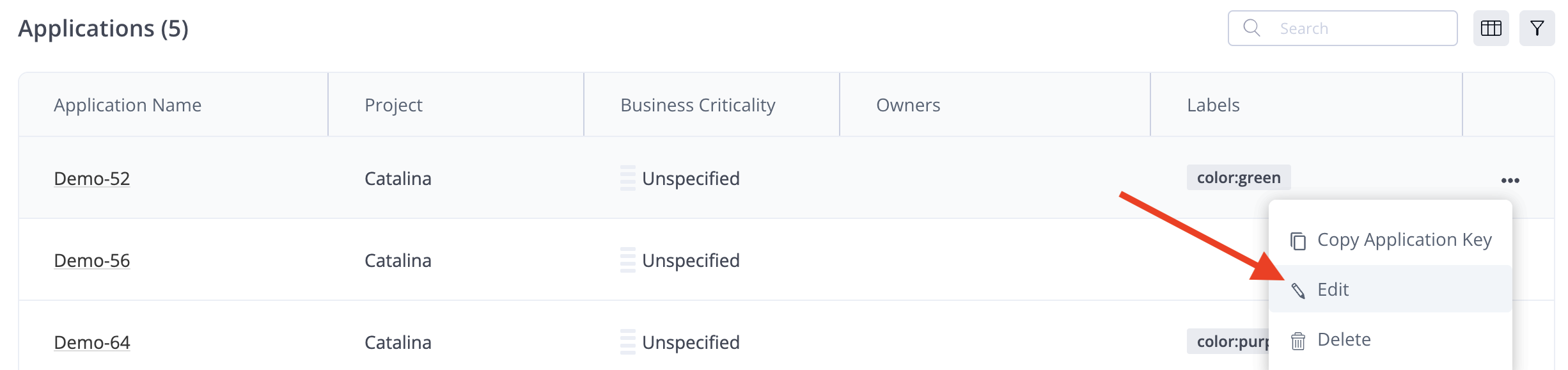
In the Applications table, locate your application and choose Edit in the actions menu.
- Make your changes to the application parameters, review all your changes in the Application Details panel on the right, and click Save Changes.
Updated 3 months ago
What’s Next
Learn how to bind packages to an application.
Did this page help you?