

Request Waiver from Failed Promotion
If you have attempted a promotion and it failed, you can request a waiver. If your request is approved, you can then promote to the desired stage with a waiver.
To request a waiver from a failed promotion:
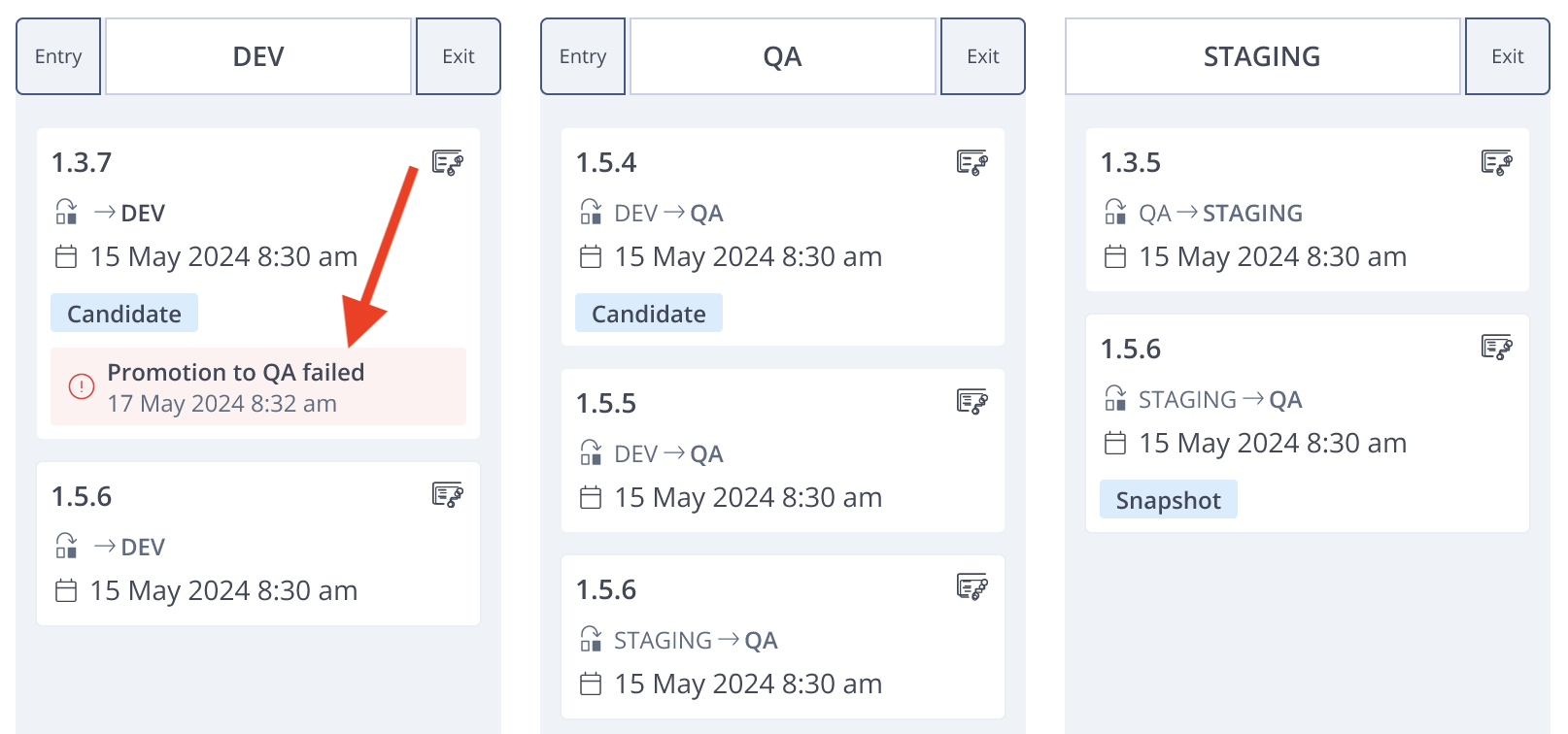
- In the Lifecycle page, click the version that failed.
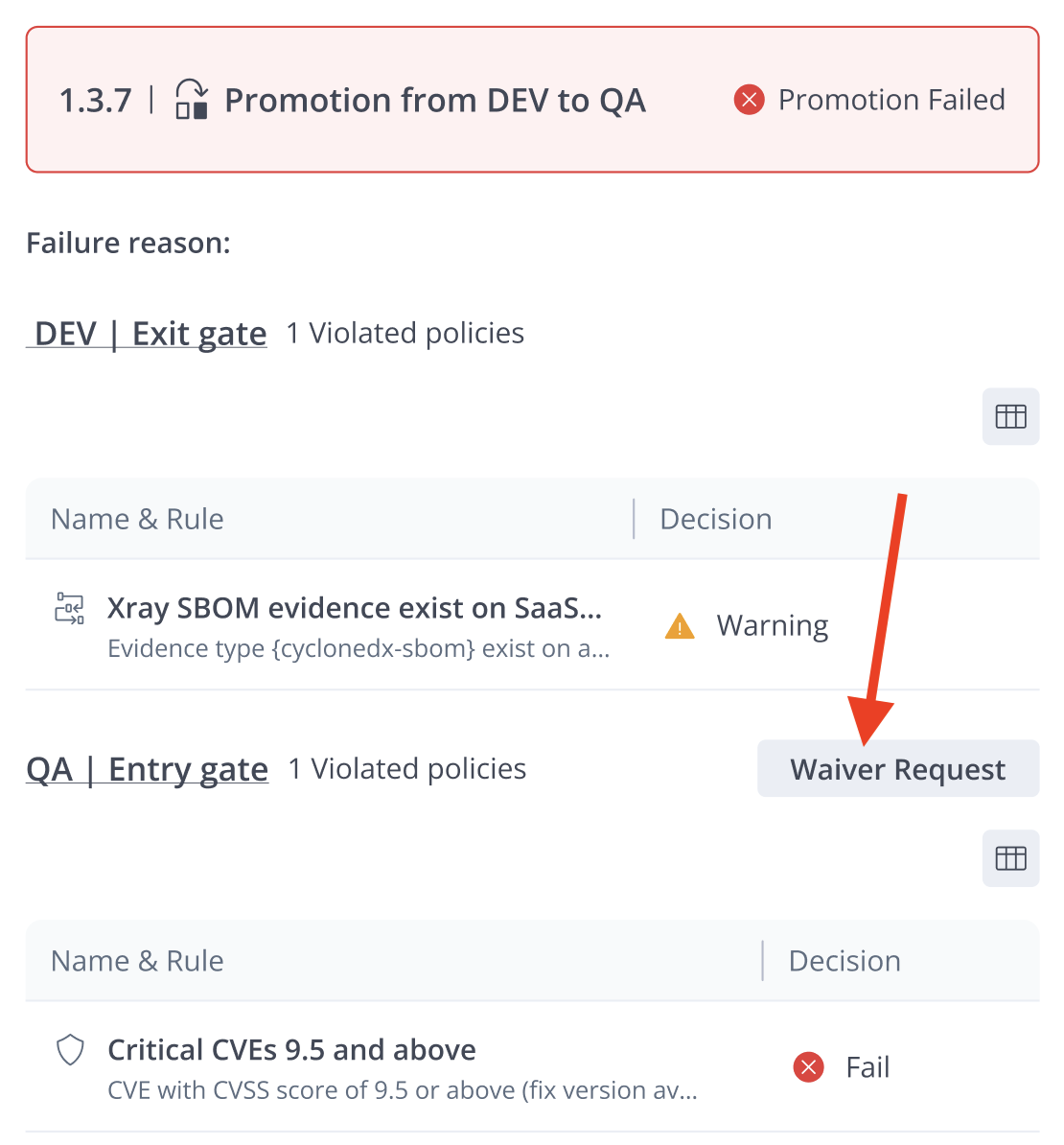
- In the summary of the failed promotion, click Waiver Request. The New Waiver Request form appears.
- Complete the New Waiver Request as described in Request a Waiver.
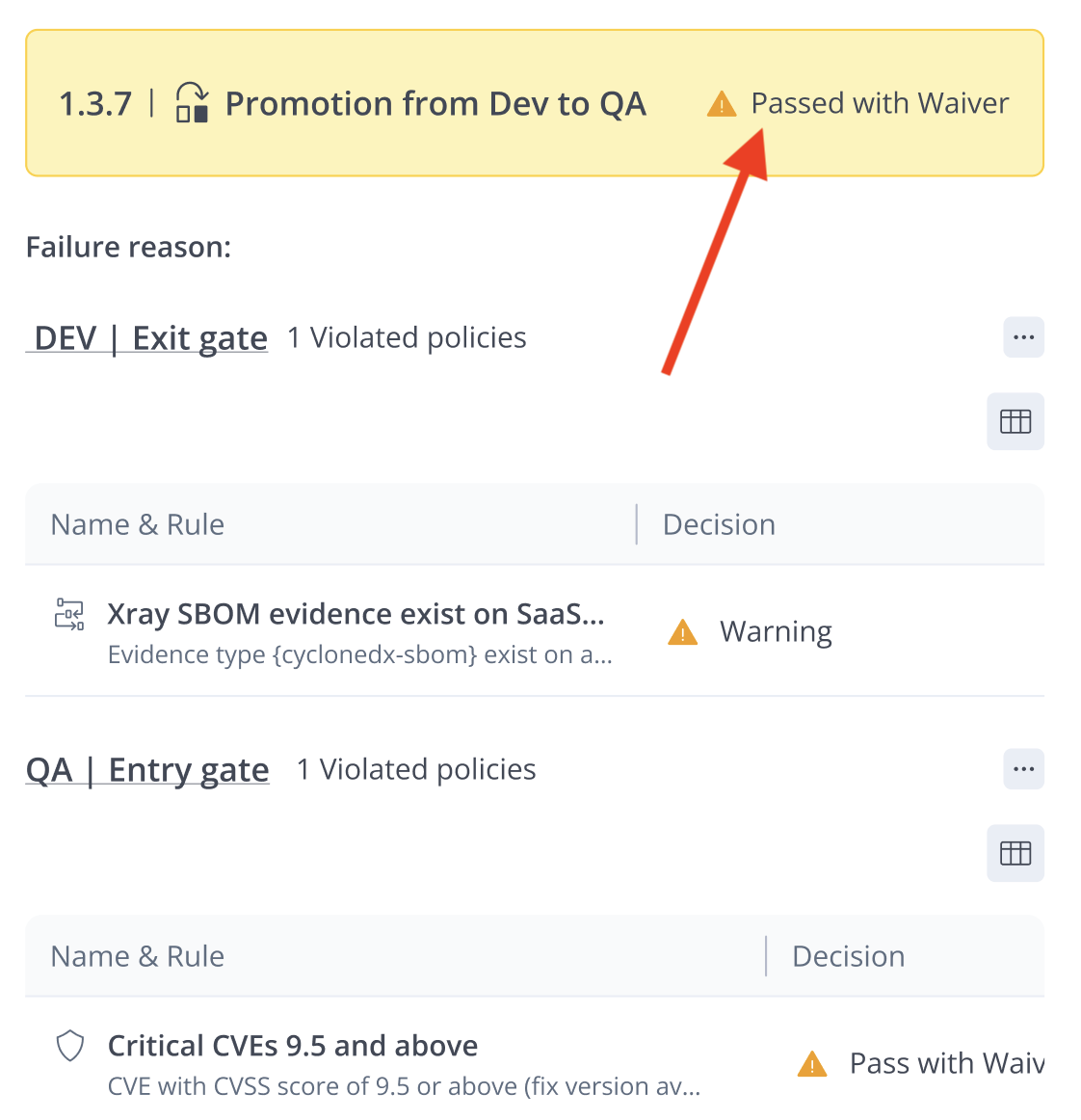
Once your request has been approved, you can go back to the application version and try to promote it again. After the promotion has succeeded, click on the card. In the promotion summary, you will see a message indicating that the promotion succeeded with a waiver.
Updated 3 months ago
Did this page help you?