

Delete a Release Bundle v2 Version from a Selected Edge Node
Delete a Release Bundle v2 version from a selected Edge node using the Version Timeline.
RLM Deprecation
As of July 31, 2026, all feature development, patches, and security fixes for Release Lifecycle Management will end, except for critical security fixes. RLM End of Life is currently scheduled for January 31, 2028. For more information, see JFrog Release Lifecycle Management Deprecation - End of Life.
Use the Release Lifecycle timeline to delete a distributed Release Bundle v2 version from a selected target, such as an Edge node.
Note
To delete a Release Bundle v2 version from multiple Edge nodes in one operation, see Delete a Release Bundle v2 from Multiple Edge Nodes.
To delete a Release Bundle v2 version from a selected Edge node:
-
In the Platform module, select Artifactory > Release Lifecycle.
-
Click the name of the relevant Release Bundle. The Versions tab is displayed by default.
-
Click the name of the relevant Release Bundle version. The Version Timeline tab is displayed by default.
-
Click the distribution operation you want to delete to open a window showing distribution details.
-
Click the trash can icon. In the confirmation dialog box, click Delete. All related artifacts are deleted from the distribution target repositories, unless the artifacts are still in use by a different Release Bundle.
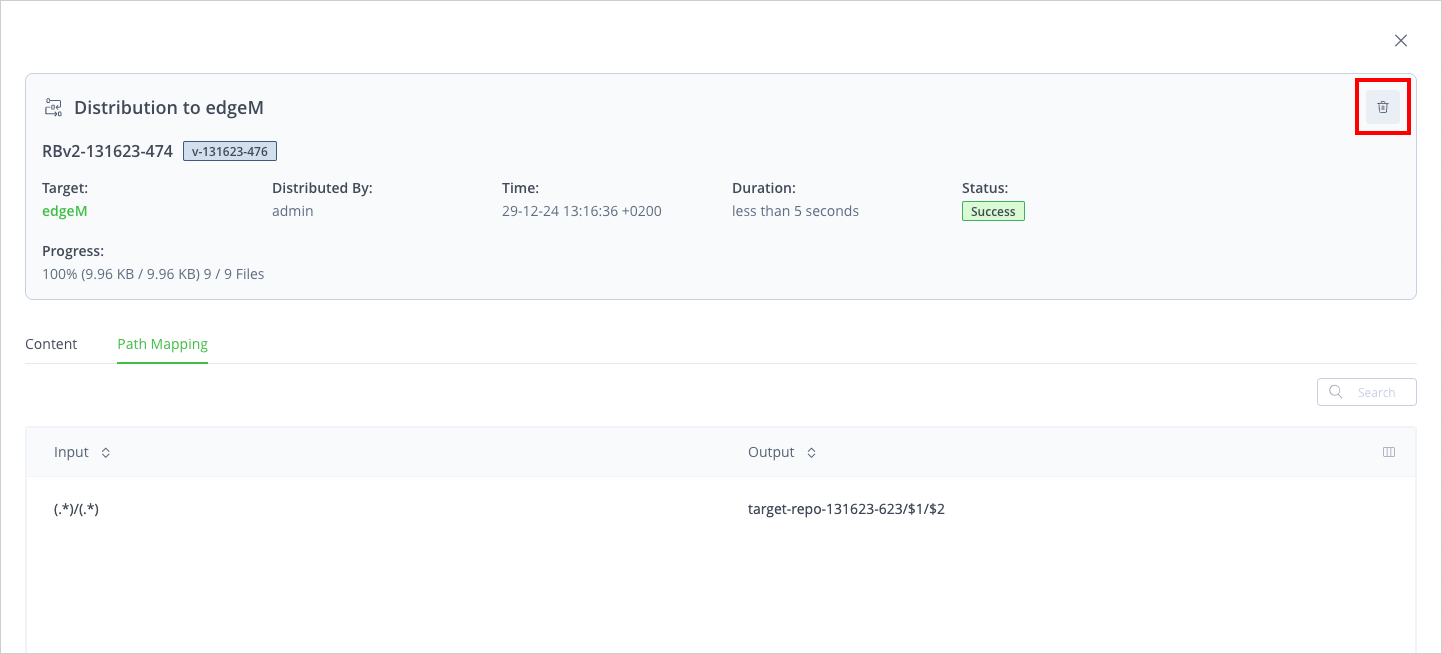
In addition, a new entry is added to the timeline that indicates the distribution was deleted from the target.
Frequently Asked Questions
This section provides answers to frequently asked questions about deleting a Release Bundle v2 version from a selected Edge node.
FAQs
Q: How do I delete a Release Bundle v2 version from one Edge node?
A: Open the version's Version Timeline tab, select the distribution operation, and click the trash can icon. See the procedure.
Q: How do I delete a version from multiple Edge nodes at once?
A: Use Delete a Release Bundle v2 from Multiple Edge Nodes for a remote delete across selected targets.
Q: Are artifacts always removed from the Edge when I delete the distribution?
A: Related artifacts are deleted from the distribution target repositories, unless they are still in use by a different Release Bundle.
Q: Does this delete the version from the source Artifactory?
A: No. This procedure removes the version from the selected distribution target only. To delete the version locally from the source, see Delete a Release Bundle v2 Version.
Related Topics
- Distributing Release Bundles v2
- Delete a Release Bundle v2 from Multiple Edge Nodes
- Use the Release Bundle Version Timeline
- Delete a Release Bundle v2 Version
- Distribute a Release Bundle v2 Version Using the Platform UI
Updated about 2 months ago