

Cancel a Waiver Request
In JFrog Apptrust, you can cancel the waiver requests that you have created and are in Pending status.
You can cancel the waiver requests that you have created and are in Pending status.
To cancel a waiver request:
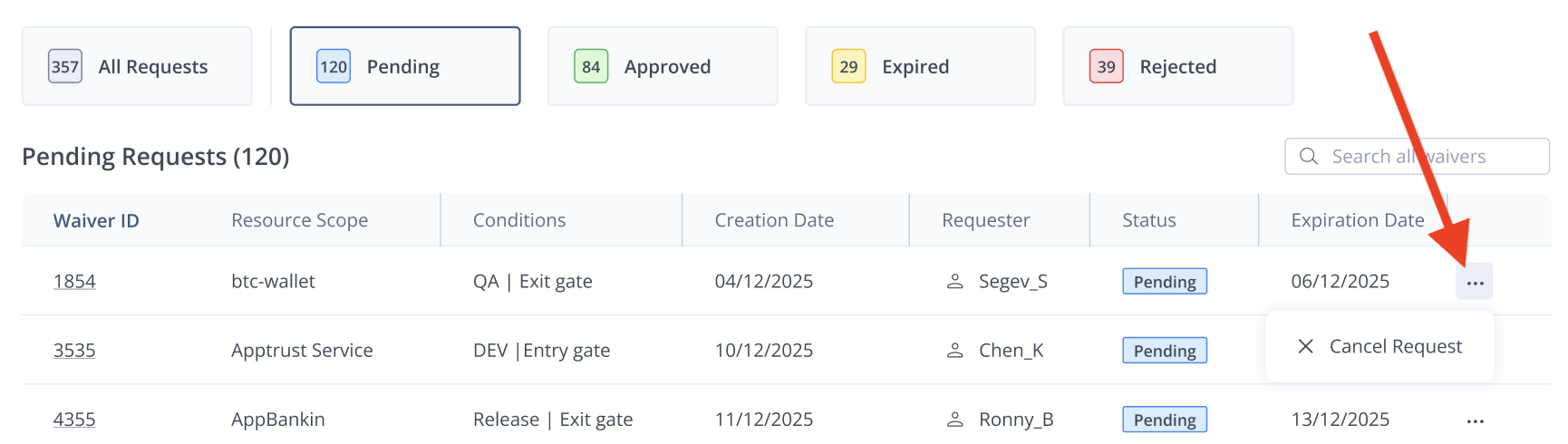
- In the JFrog Platform, go to AppTrust > Waivers. The list of waiver requests appears, showing the most recent requests of all statuses.
- In the table, locate the row or your request. If you don’t see it in the default view of the Requests table, you can use the Pending filter or the Search to find your request.
- Click the three dots (...) on the far right, and choose Cancel Request.
- When asked if you are sure about the cancellation, click Yes, I’m sure.
Updated 23 days ago
Did this page help you?