

Choose a Project
Choose your project for JFrog AppTrust.
Projects are core management entities in the JFrog Platform that centralize resources and users tied to a specific department, team, or product such as JFrog AppTrust. Projects enable you to assign, manage, and control project resources, such as repositories, applications, and policies, providing a single view for managing development activities at scale.
In AppTrust, applications and application resources exist within a project. For most of the tasks you do in AppTrust, you first need to choose a project.
To choose a project:
- In the top left of the Platform UI, click the Projects dropdown list.
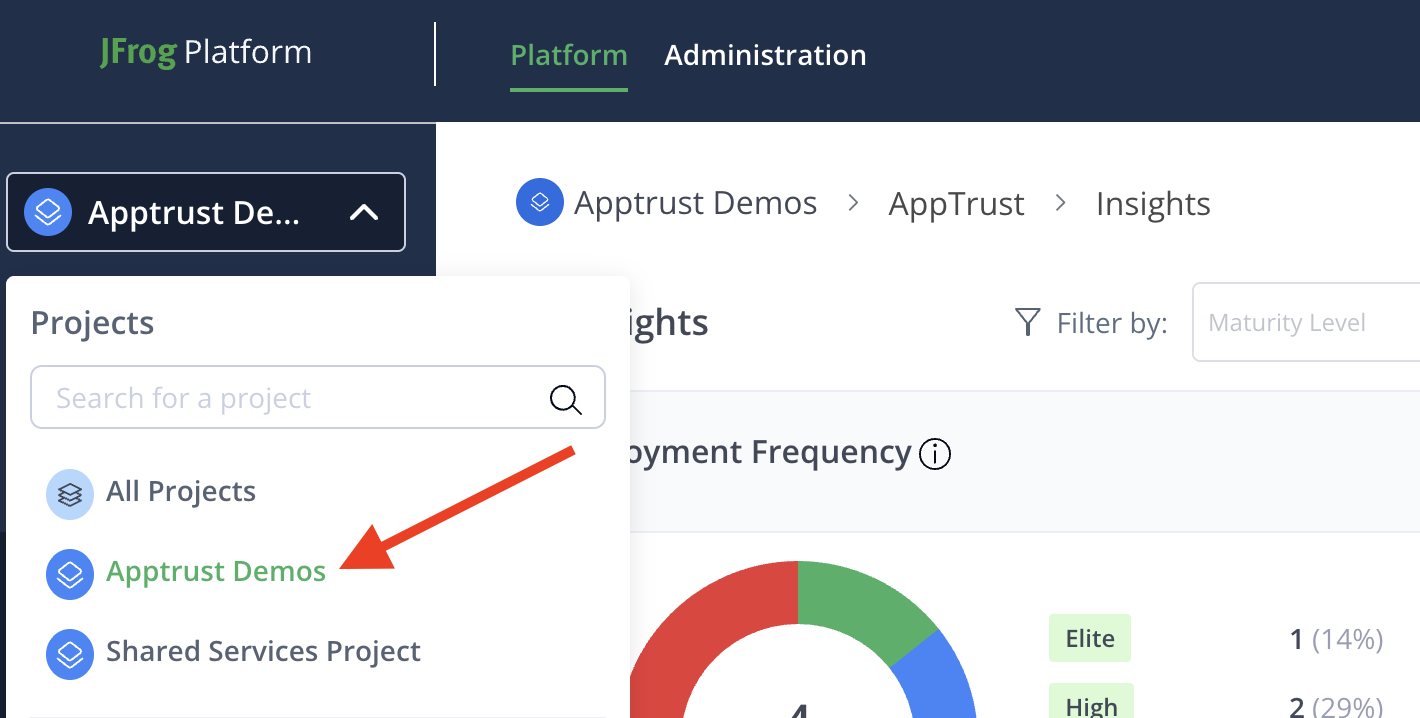
- Click the name of your project. If you don’t see your project in the list, type the first few letters in the Search. Click the name of your project when it appears.
If the project you need does not already exist, you or your platform administrator can create a new project. For more information about creating and managing projects in the JFrog Platform, see Create a Project.
Updated 4 months ago
What’s Next
Learn more about the Project Insights dashboard in AppTrust.