

Request a Waiver
If your application is being held up by failures, you can request a waiver.
If your application is being held up by failures, you can request a waiver. Waivers require justification and approval, and are limited by time and to a specific resource scope that you define in the waiver request.
If your waiver request is approved, your application can progress through the relevant checkpoints without being evaluated.
The following resource scopes are available:
- By Organization: Waivers apply according to various levels or units of work organization. You must indicate whether the waiver is at Global, Project, or Application level.
- Global: All versions in all applications and projects are allowed to pass.
- Project: Versions in specified projects are allowed to pass.
- Application: Versions in specified applications are allowed to pass.
- Advanced Filters (Optional):
- Application Label: Applications showing a specific application label are allowed to pass. These can be used to waive applications with a specific label. You can use this in combination with the Global or Project scope.
- Application Version: Applies waivers to specific versions that you chose. You can use this in combination with the Application scope.
- Application Version Tag: Applies waivers only to versions having a specific tag. You can use this in combination with the Application scope.
- By Findings: Waivers apply everywhere specified findings occur (for example, identified by CVE ID).
- By Policies and Rules: Waivers apply to specified policies or rules.
- By Lifecycle Gates: Waivers apply to versions going through a specific gate.
You can combine the various scope conditions. For example, waivers could apply to:
- Policies A, B, C whenever they are used in Applications M and N
- Versions 3.3.1 and 3.3.2 in Application A and B when evaluated for Rule X at the QA Exit Gate
- Finding ID CVE–202221234 in the entire (Global) organization
To request a waiver:
- In the JFrog Platform, go to AppTrust > Waivers and click Create Waiver Request in the upper right. The New Waiver Request panel appears on the right.
- In Resource Scopes, define the part of the Organization that the waiver will apply to. As there are numerous ways to define the organization, see below for some example use cases.
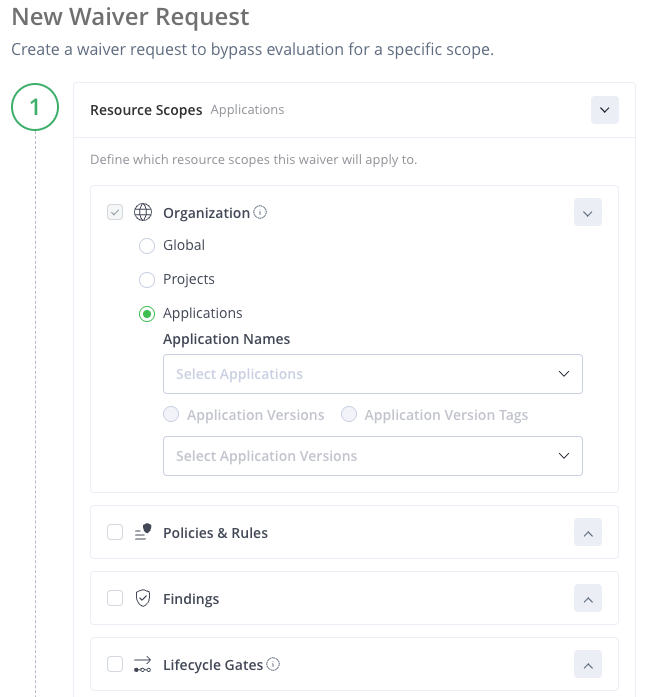
- (Optional) Choose one or more of the optional conditions for the waiver, and then click Next.
- Policies & Rules: Choose up to 10 policies or rules that the waiver applies to.
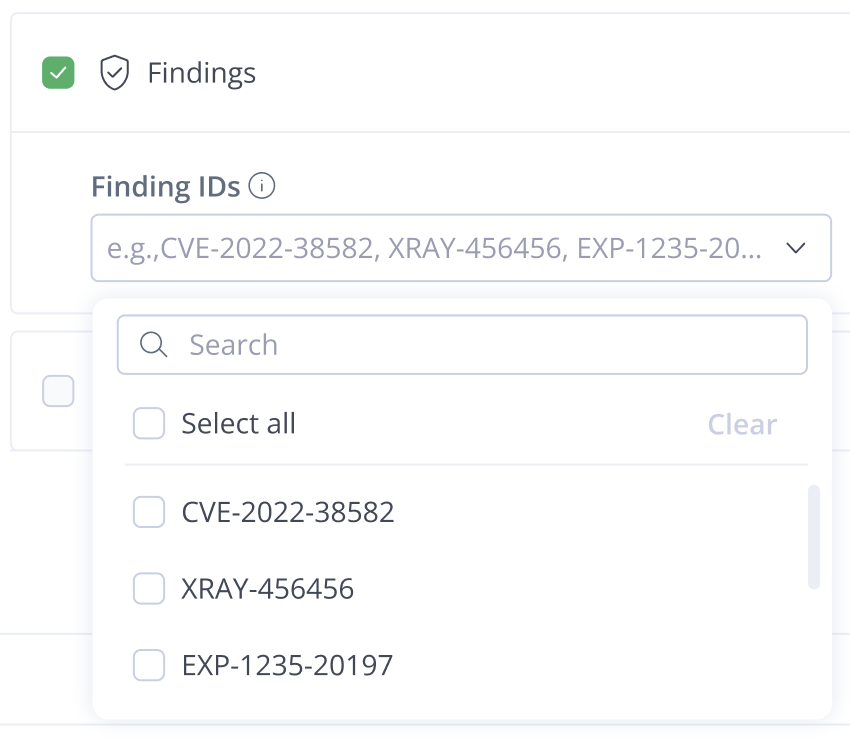
- Findings: Choose up to 10 findings that the waiver applies to. The finding types must be in the following order and formats: CVE-1234-12345, EXP-123-1234, XRAY-123456.
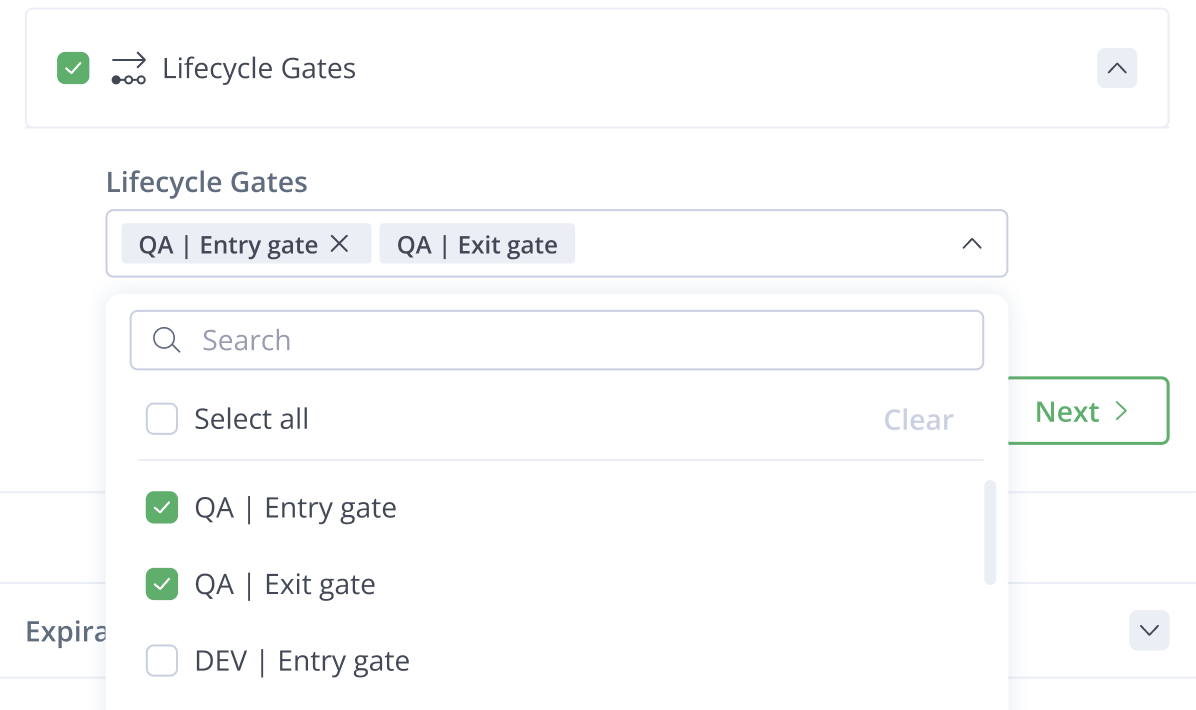
- Lifecycle Gates: Choose the gates that the waiver applies to. If you do not choose a gate, the waiver will apply to all gates.
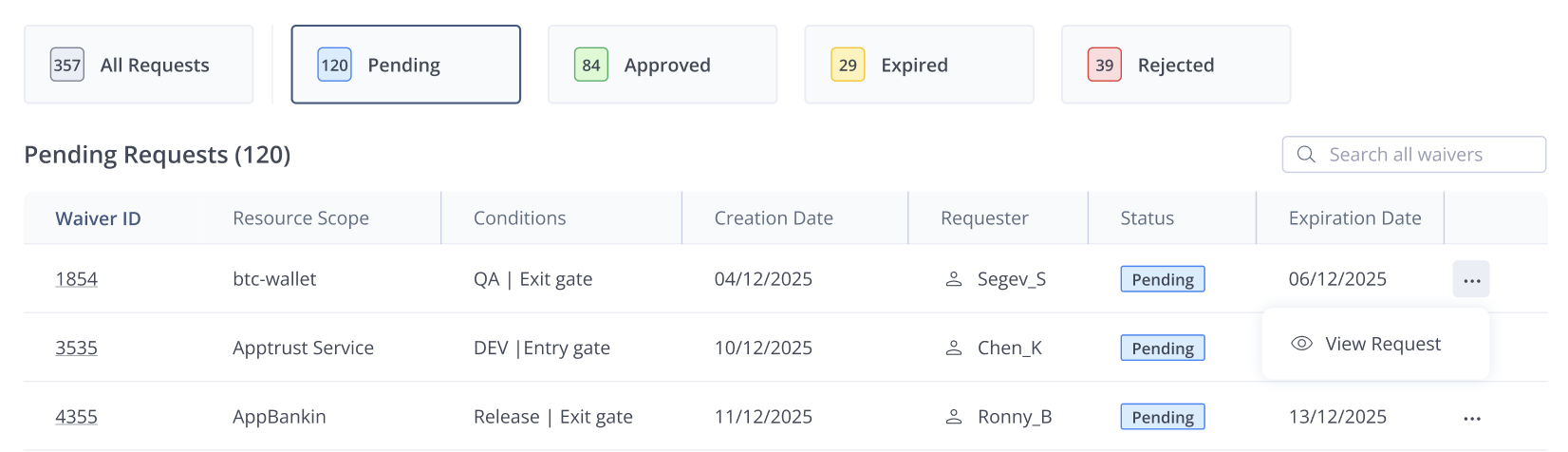
- Enter an Expiration Date and your Justification for the waiver. Click Create Waiver Request. The waiver will appear with status Pending in the table of waiver requests on the Waivers page.
Example Resource Scope Use Cases
Example 1: Global Organization and Findings
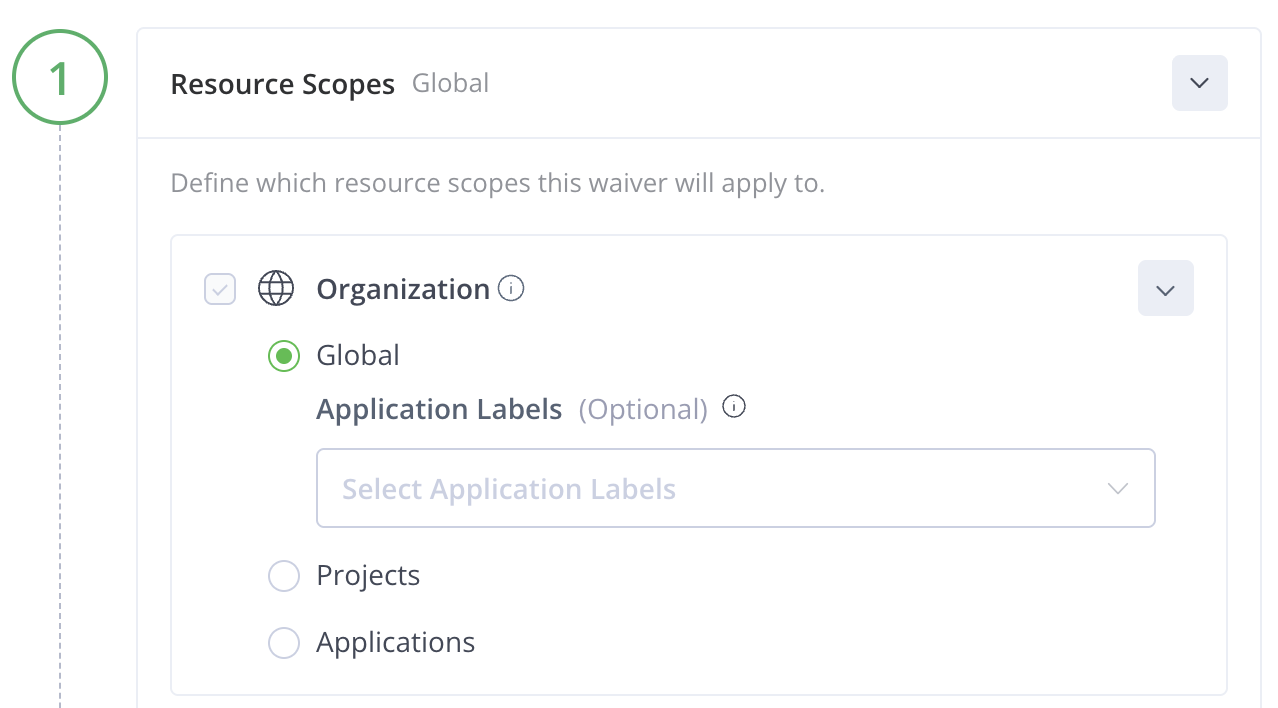
In this example, the waiver would apply globally (in all projects and applications) to versions that have occurrences of the indicated findings.
To define the resource scope at the global level:
- In Resource Scopes, choose Global.
- Click Findings and enter the required finding IDs, then click Next.
Example 2: Selected Projects and Application Labels
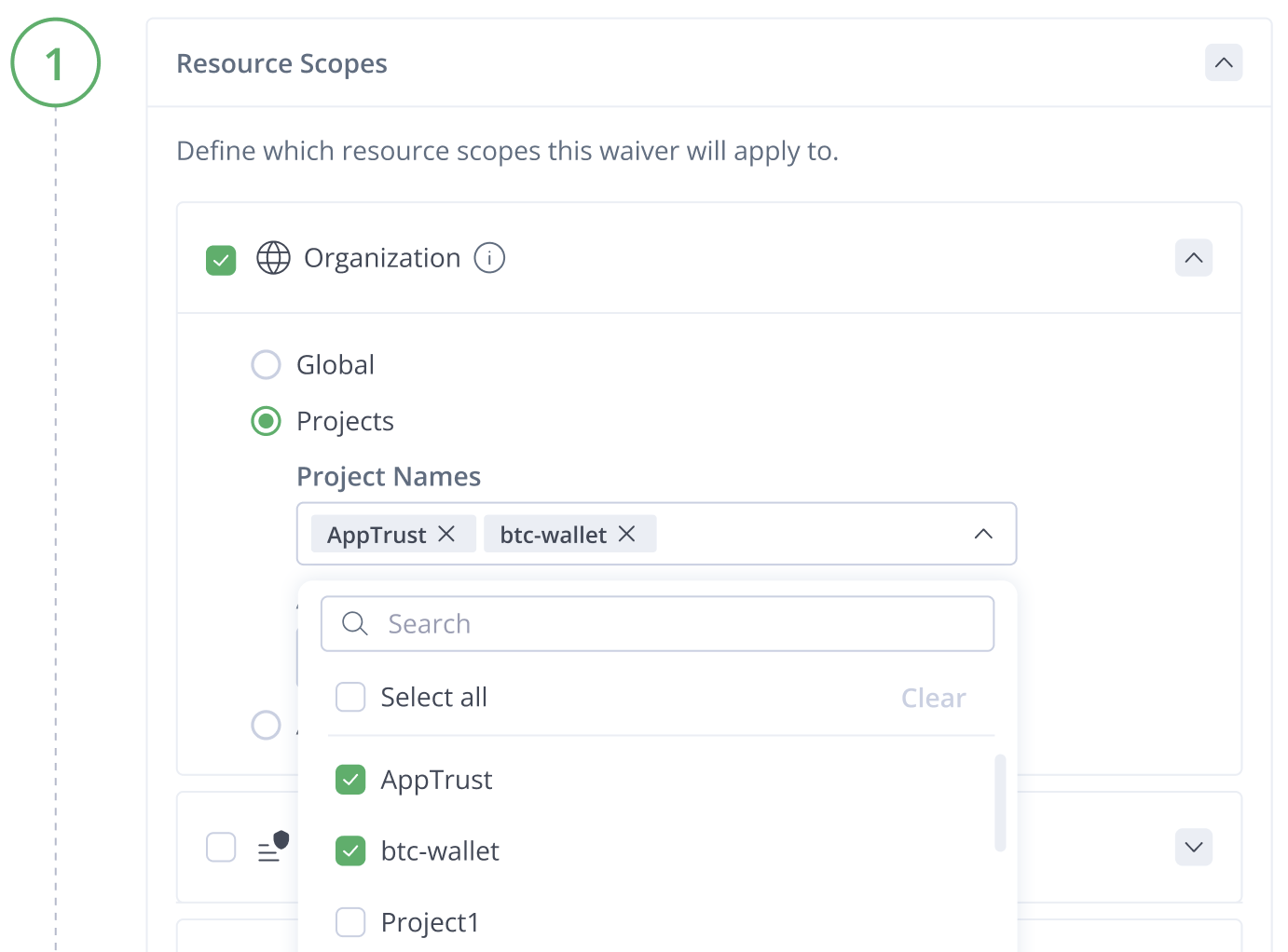
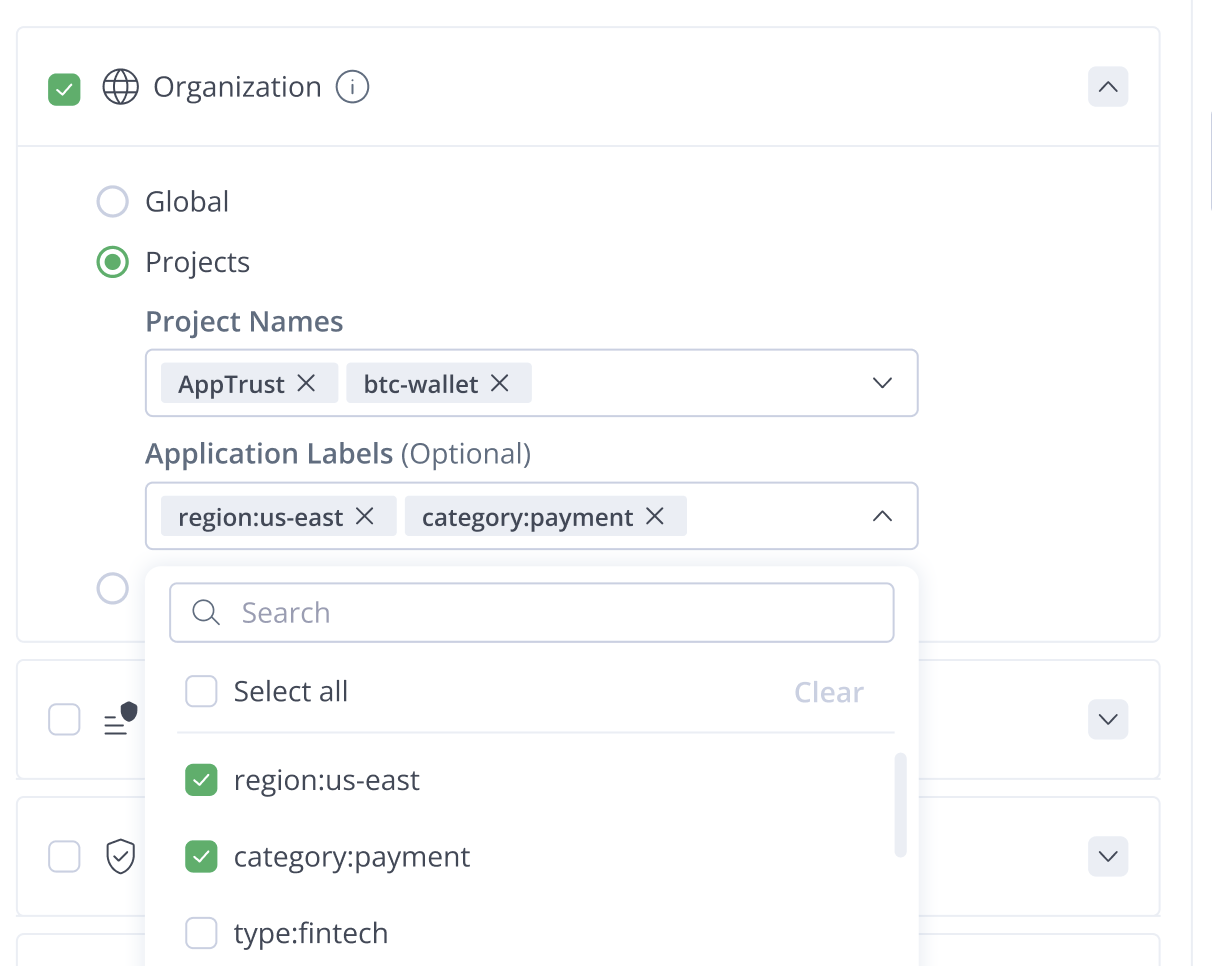
In this example, the waiver would apply to application versions in the two specified projects, and within those projects the waiver would apply only within applications having the selected labels.
To define the resource scope at the project level:
- In Resource Scopes, choose Projects. Select the relevant projects from the dropdown list.
- In Application Labels, choose the labels to be included in the waiver. For a label to appear in the list, it must already be defined in one or more applications.
Example 3: All Versions of an Application
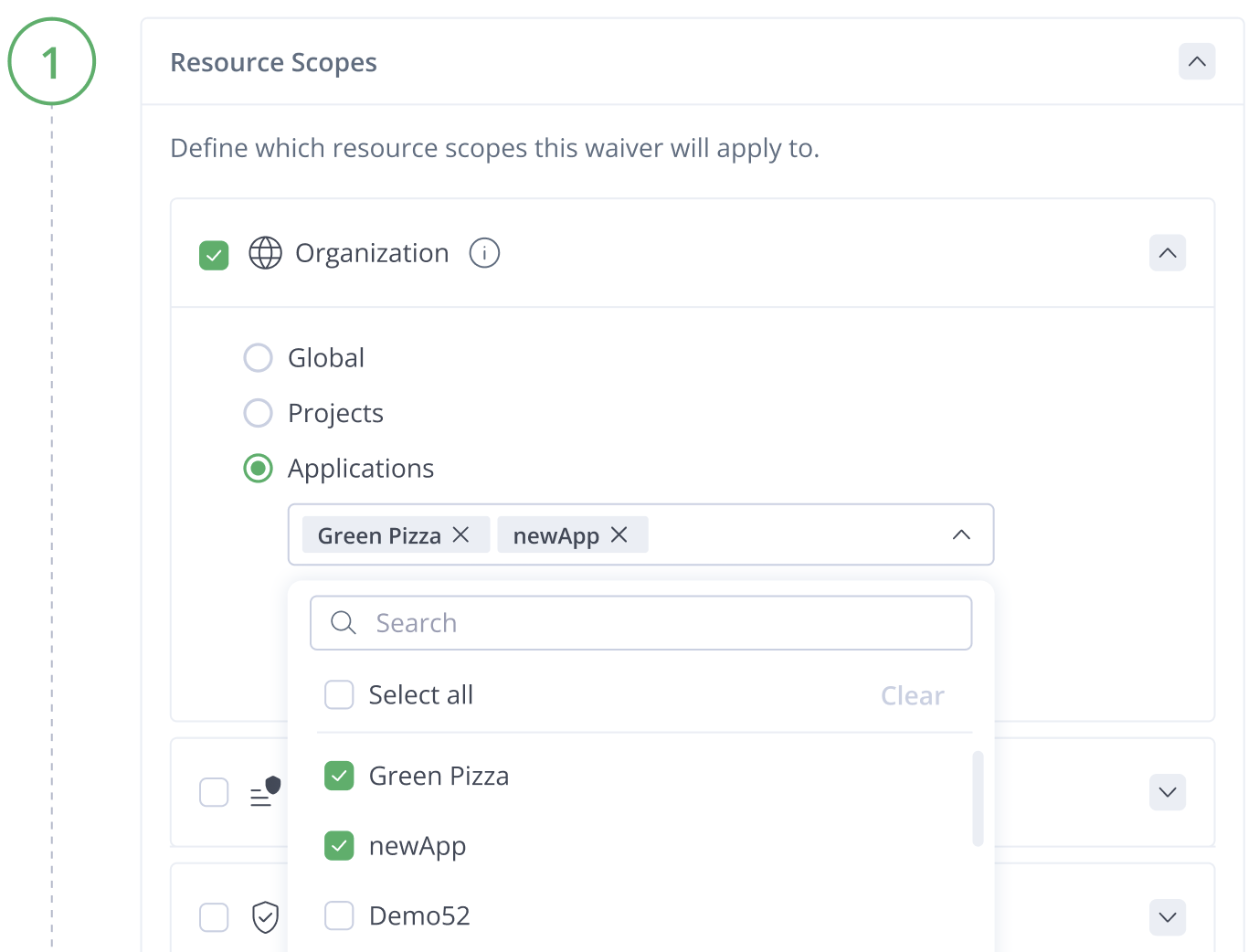
This example shows how to request a waiver for two specific applications. This waiver would include all versions of the two applications.
To define the resource scope at the application level:
- In Resource Scopes, choose Applications. Select the relevant applications from the dropdown list.
Example 4: Waivers on Selected Policy Names in Project Scope
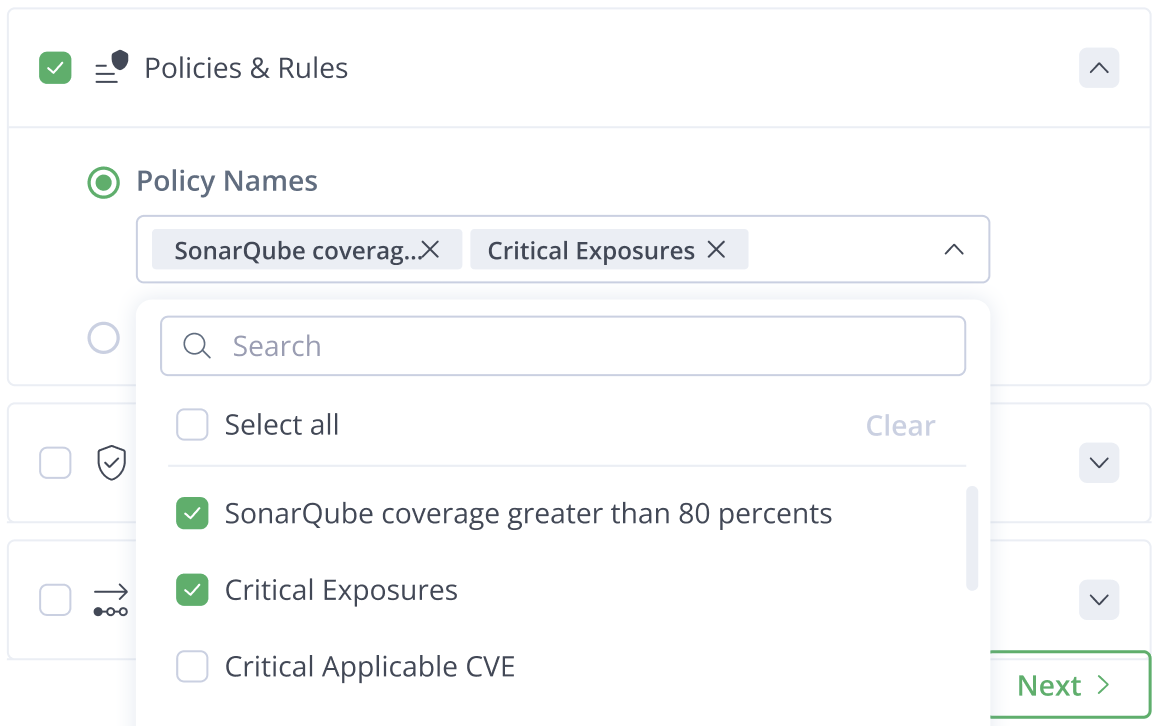
This example would request waivers on certain policies wherever those policy names occur within a project.
To define the resource scope for policies:
- In Resource Scopes, choose Projects.
- Choose the name of the project in which the policies should be waived.
- Click Policies & Rules.
- Select the Policy Names that should be waived, then click Next.
Example 5: Lifecycle Gates for a Selected Application
This example would request waivers at selected lifecycle gates for the applications you choose.
To define the resource scope for lifecycle gates:
- In Resource Scopes, choose Applications.
- Choose the names of one or more relevant applications.
- Click Lifecycle Gates.
- Select one or more of the relevant gates where waivers should occur, and click Next.
Updated 23 days ago