

Approve or Reject a Waiver Request
If you are the designated authority in your organization and have the Manage Policies user role defined, you can approve or reject waiver requests that are in Pending status.
If you are the designated authority in your organization and have the Manage Policies user role defined, you can approve or reject waiver requests that are in Pending status.
To approve a waiver request:
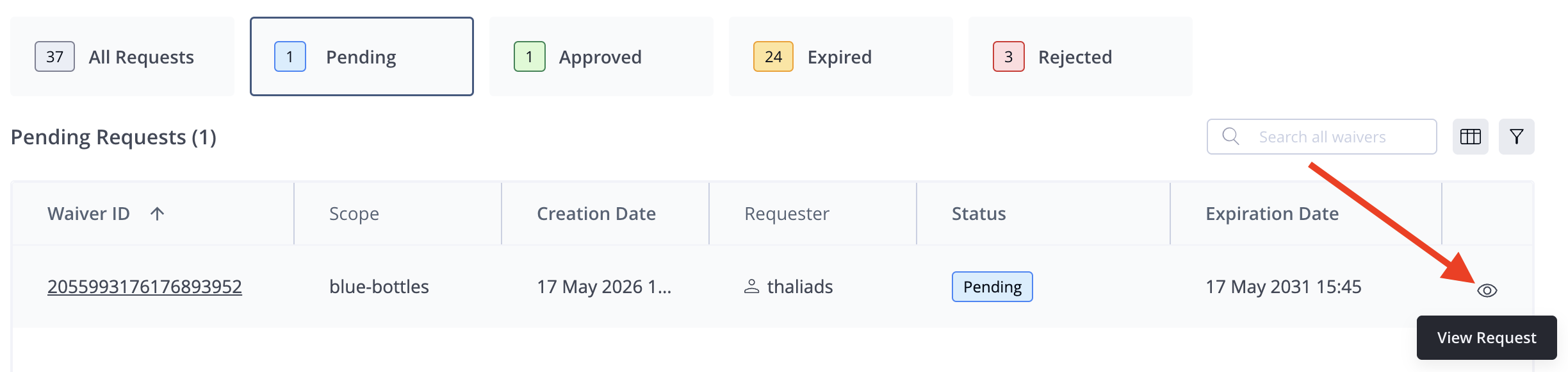
- In the JFrog Platform, go to AppTrust > Waivers. The list of waiver requests appears, showing the most recent requests of all statuses.
- In the table, locate the relevant request. If you don’t see it in the default view of the Requests table, you can use the Pending filter or the Search to find the request.
- Click on the row of the waiver request, or click the eye on the far right.
- Review the details of the request.
- Click Approve or Reject and enter a Reason for your decision.
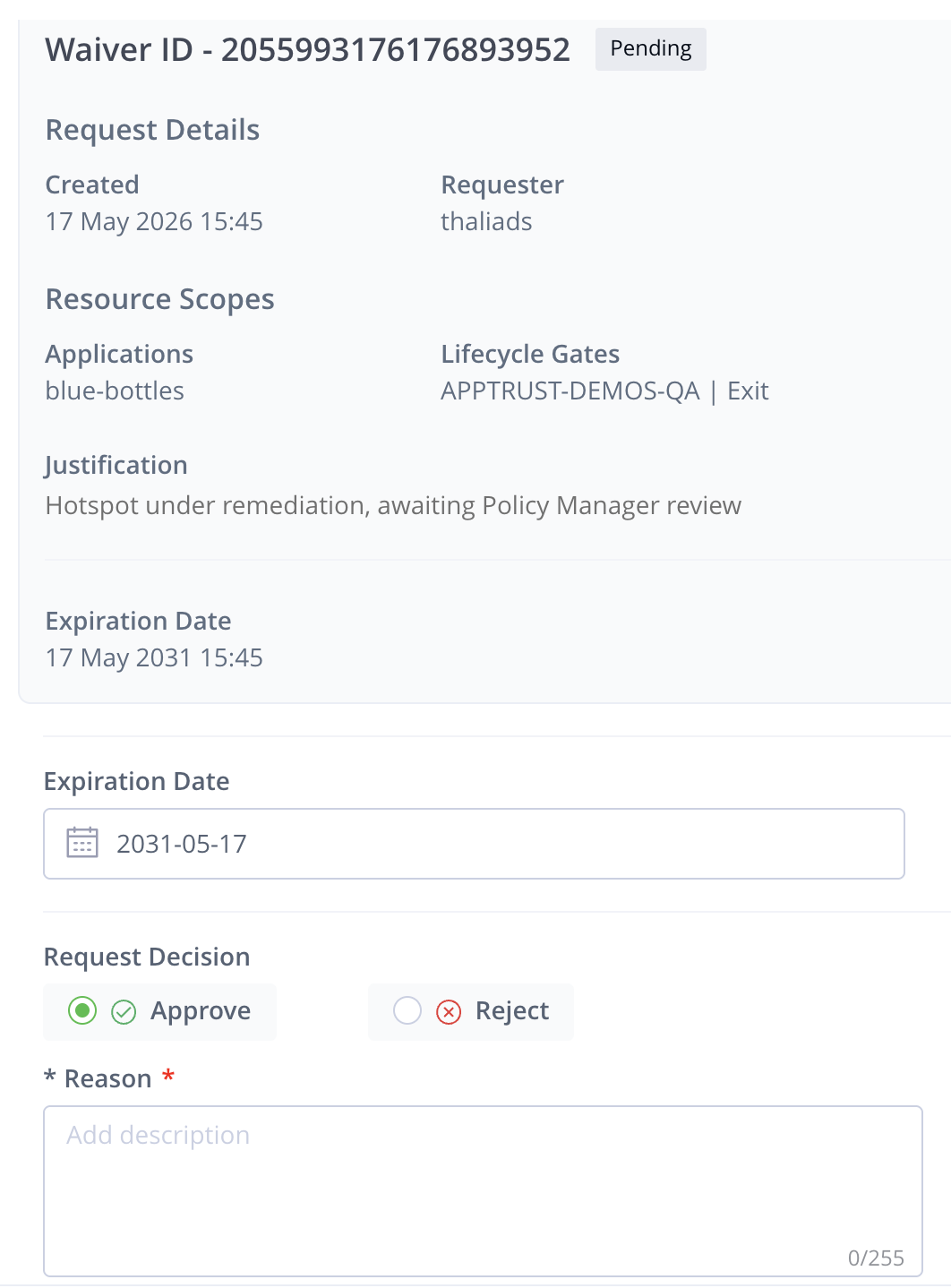
- Click Submit.
Updated 23 days ago
Did this page help you?