

Runtime Information
JFrog AppTrust integrates with JFrog Runtime Security to provide visibility into the deployment state of your application versions. For each application version, a runtime status indicator shows whether the version is actively running in a connected environment and whether its integrity has been violated since release (for example, if the checksum of the runtime version is different from that of the stored version).
The runtime status reflects one of the following states:
- Running: The application version is deployed and running in at least one container with no known integrity issues.
- Integrity Violation: The application version is deployed, but one or more integrity violations have been detected, such as image drift or tampering in a running container.
If the application version is not currently running in any connected environment, no runtime status icon is displayed.
Runtime status is visible:
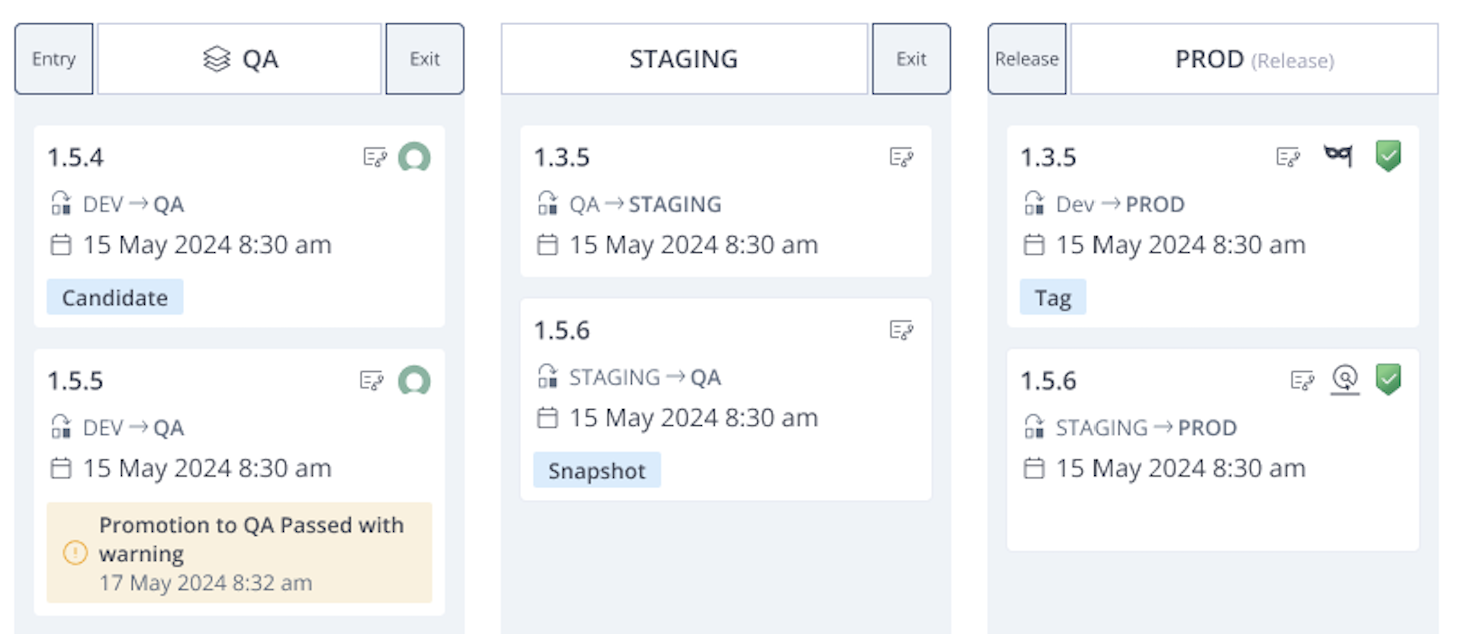
- In the AppTrust UI, in the PROD stage of the Stages Board.
- Through the AppTrust REST API. The Application Version Details API response includes a
runtimeobject containingis_detected(boolean) andhas_integrity_violation(boolean).
Prerequisites
- JFrog Runtime Security is enabled and configured in your JFrog Platform environment.
- At least one Runtime Security sensor is deployed and connected to a runtime environment (for example, the Kubernetes cluster) where your application versions are running.
To view the runtime status:
-
In the JFrog Platform, go to AppTrust > Applications and choose an application.
-
Choose Lifecycle > Stages Board. In the PROD stage, the status icons will appear where relevant.
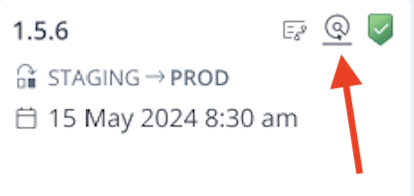
- Running: The application version is deployed and running in at least one container with no known integrity issues.
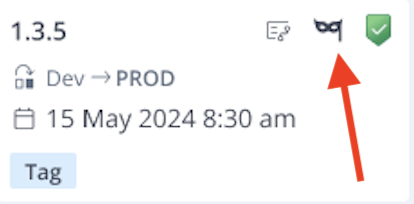
- Integrity Violation: The application version is deployed, but one or more integrity violations have been detected.
Updated 3 months ago