

View Lifecycle Policy
The Lifecycle Policies page displays the defined policies in a tabular view. Each policy entry shows the policy name, rule, action, scope, lifecycle gate, and last modification details.
Prerequisite:
- Project Administrator or higher permissions and a role that includes either the Read AppTrust Policy or the Manage AppTrust Policy action.
To view existing lifecycle policies:
- In the JFrog Platform, go to AppTrust > Lifecycle Policies. The table lists the policies defined in your selected scope.
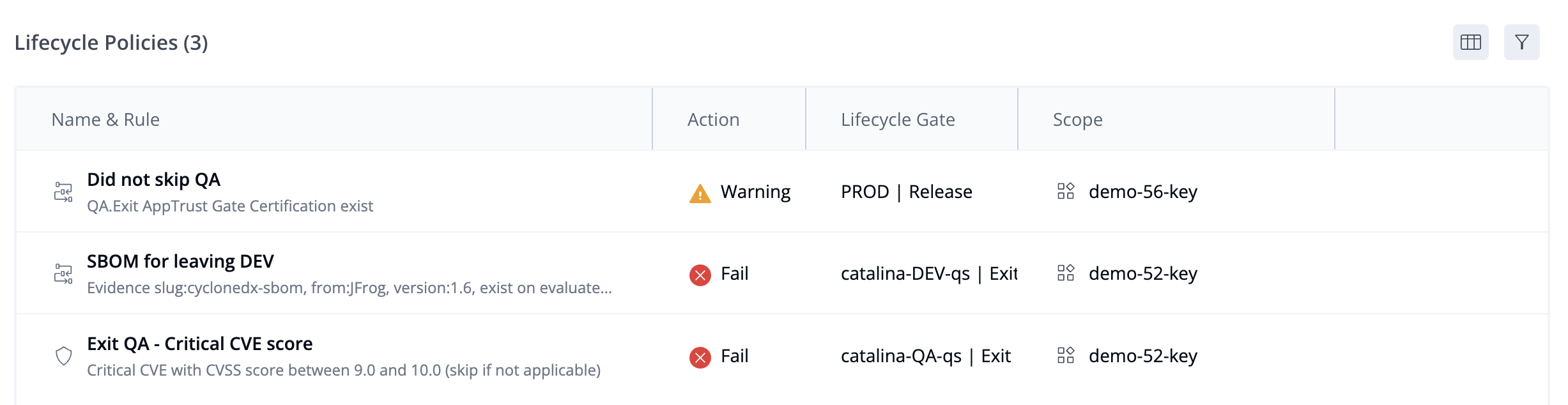
- If you want to refine the number of policies in display, click the filter icon in the upper right and apply one of the filters. You can filter by:
- Scope
- Project
- Application
- Lifecycle Gate
- Rule Name
- Labels
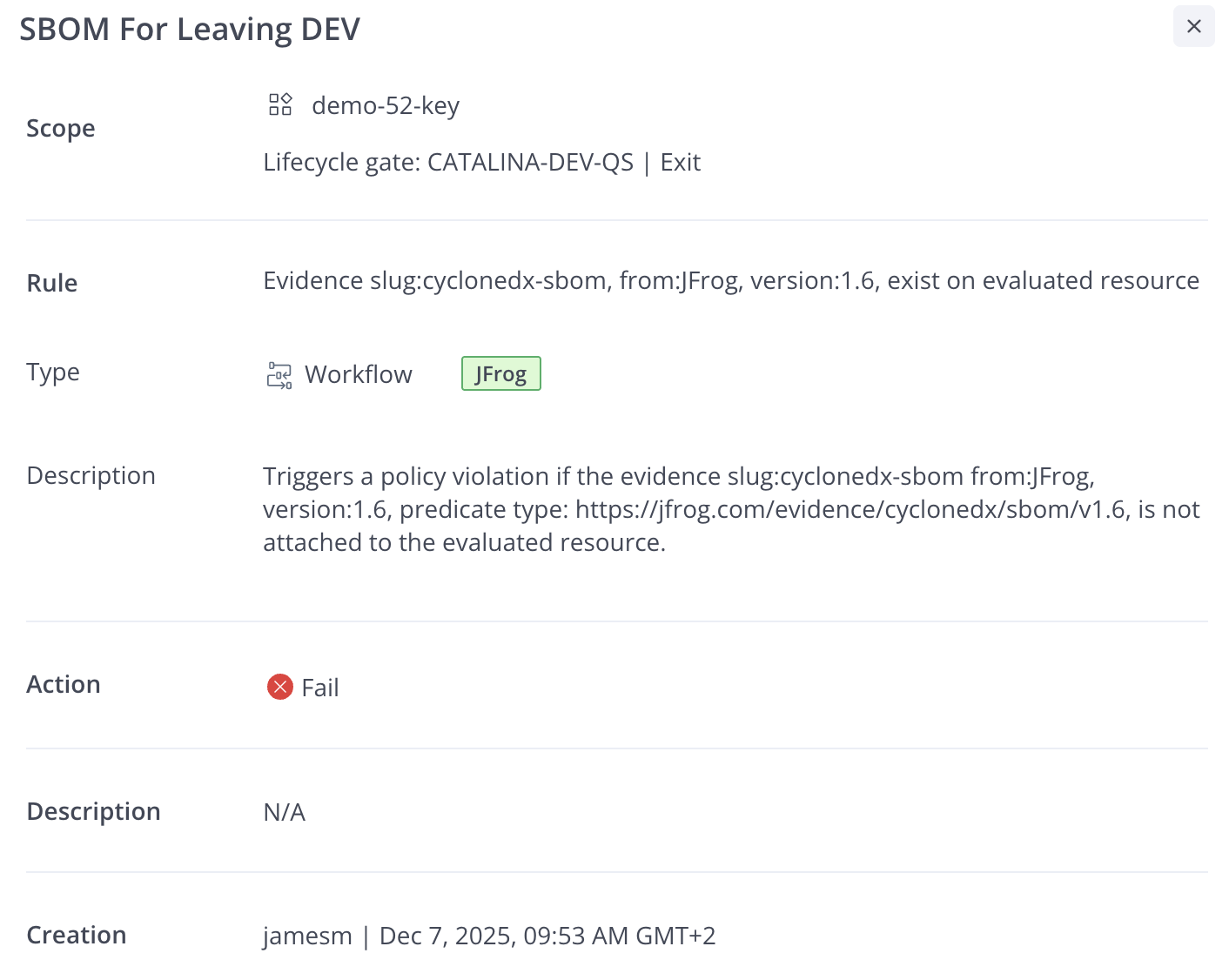
- To see the details of a policy, click in the row of the policy. The policy details panel appears on the right and displays the policy configuration, including scope, rule definition, type, description, and action. This view allows you to quickly identify which rules are enforced at which stages of the SDLC and how violations are handled.
Updated 3 months ago
Did this page help you?