

Evidence
Use the Evidence tab to view the evidence associated with an application version in tabular form. Evidence is a central component of AppTrust, as it provides an immutable audit trail of the actions and operations performed on the application version throughout its lifecycle.
To view application version evidence:
- In the JFrog Platform, go to AppTrust > Applications.
- In the Applications table, click the name of the relevant application.
- In the sidebar, click Lifecycle. The Stages Board tab appears.
- In the Stages Board, click the relevant application version to drill down into the version.
- Above the version timeline, click the Evidence tab.
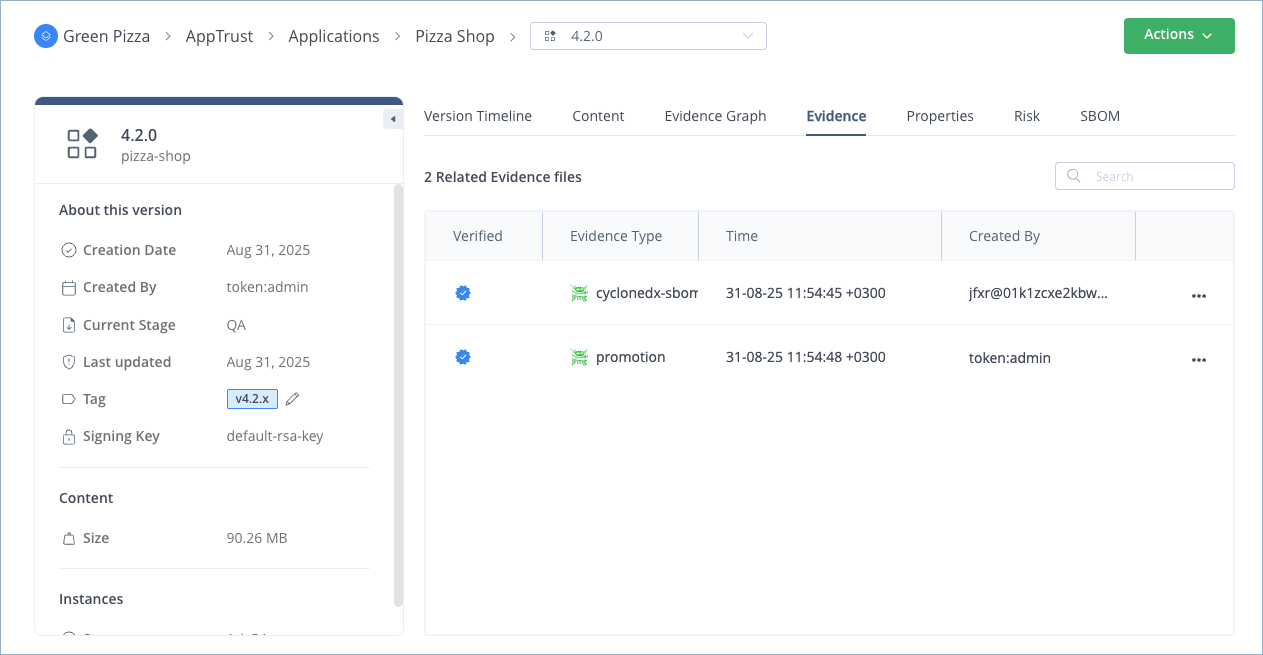
The table of Related Evidence Files includes the following information:
- Verified: Whether the evidence signature has been verified using the public key uploaded to Artifactory.
- Evidence type: The evidence type, for example, evidence about a promotion to a lifecycle stage or an SBOM with the contents of the evidence subject.
- Time: The timestamp of when the evidence was created.
- Created By: The user who created the evidence.
Click a table row to view evidence details. For more information, see View the Evidence Predicate.
Download Evidence
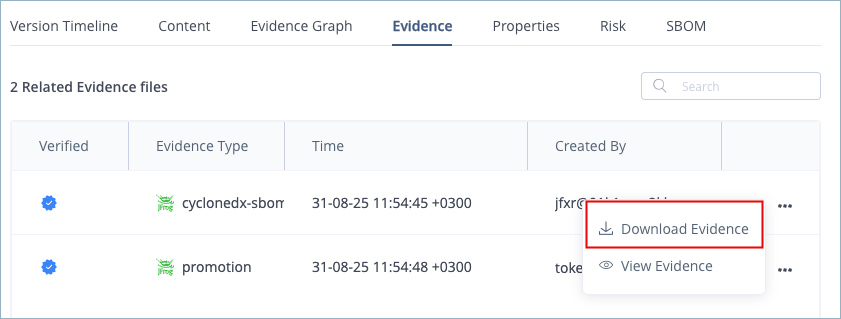
To download evidence to your local system, go to the action menu at the end of the table row and click Download Evidence.
Updated 3 months ago
Did this page help you?