

View Applications
View an overview of all applications and detailed information about a specific application.
JFrog Apptrust provides full visibility into your applications. The Applications table shows a macroscopic overview of all your applications, and for each application, the Insights page shows a comprehensive dashboard and a drill-down menu to several types of application information.
Applications Table
The Applications table provides an overview of all your applications and is your focal point for performing high-level operations such as creating, editing, and deleting applications.
To view the Applications table:
- Choose the project where your application is located. In the JFrog Platform, choose AppTrust > Applications. The Applications table appears.
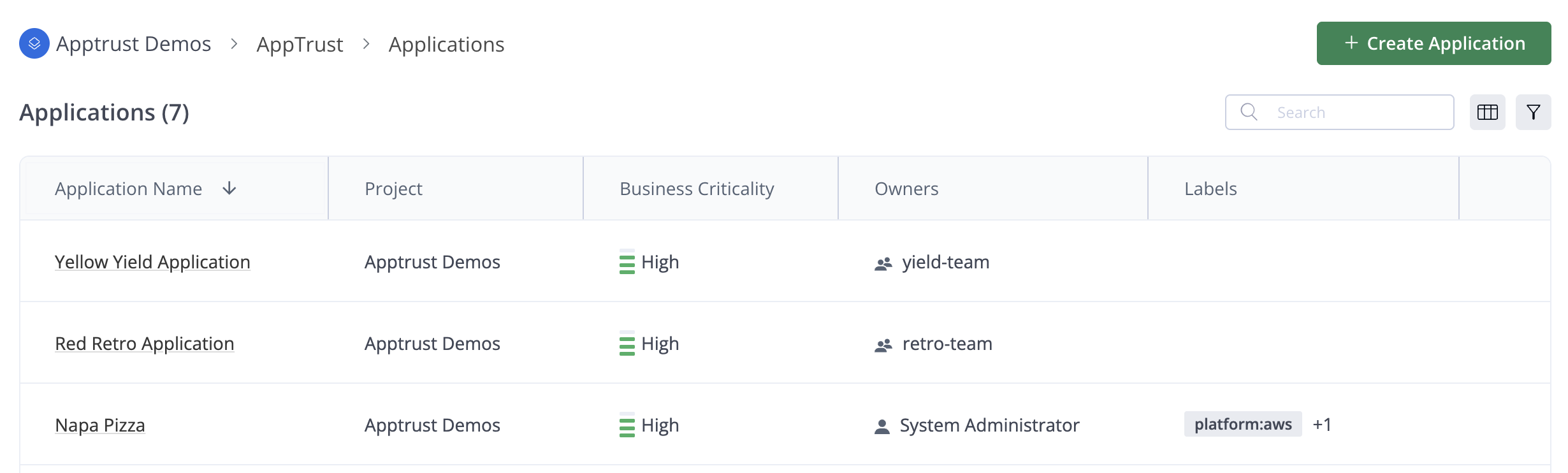
The table includes the following information about each application:
- Application Name
- Project
- Business Criticality
- Owners Labels
- An Actions menu (...) on the right side of each row including options to edit, delete, or copy the application key of the application.
Application Details
You can drill down into an application to see very detailed information.
To view application details:
- Click an application in the Applications table. The Insights page for that application appears.
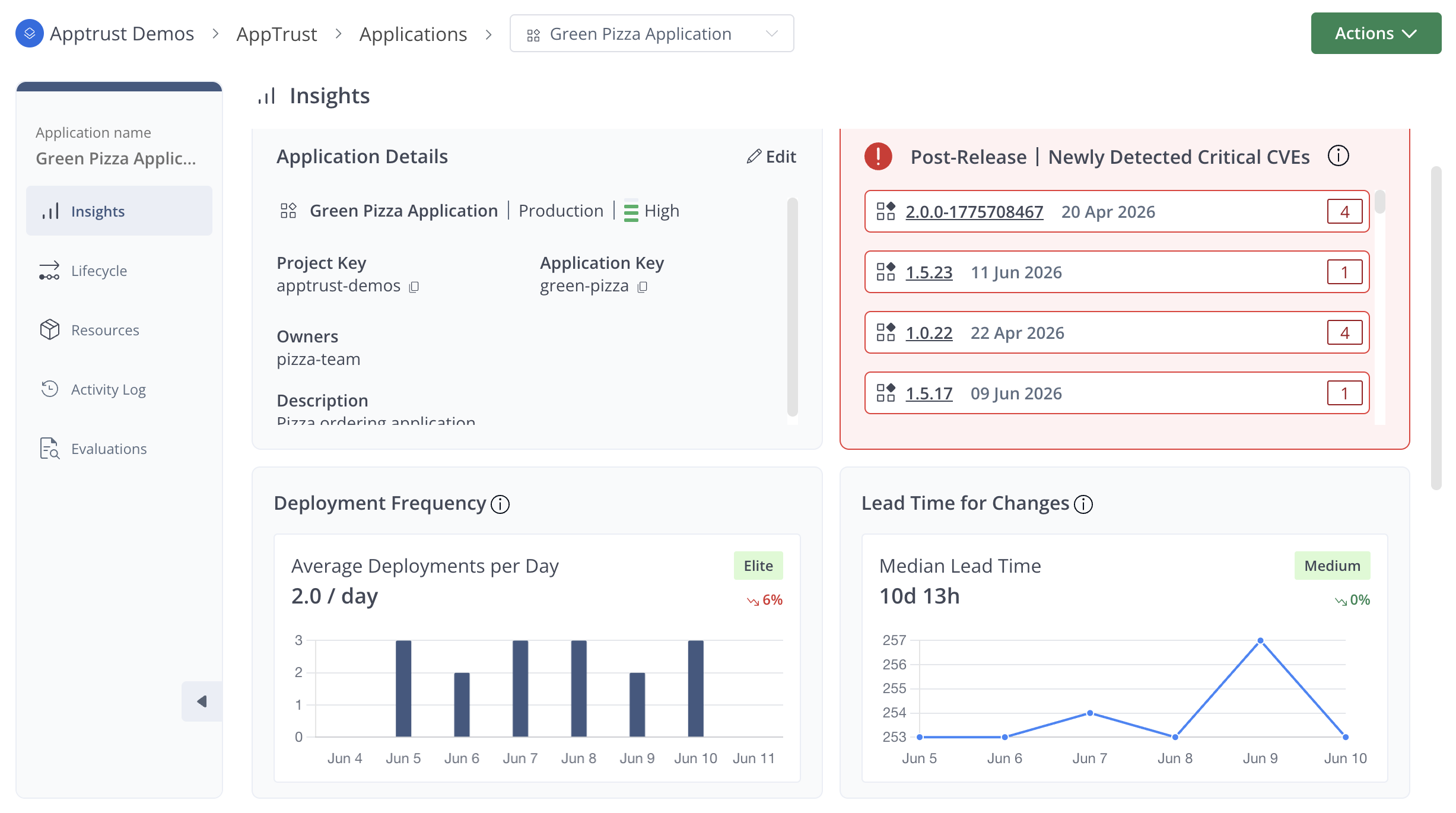
The Insights page has two important functions:
- A sidebar on the left for several different views of application information
- Display of the Insights dashboard
The sidebar has the following options:
What's Next?
Learn more about the Insights dashboard.
Updated 3 months ago