

Add Properties to a Release Bundle v2 Version
Learn how to add properties to a Release Bundle v2 version on the Properties tab.
You can define properties and property sets that are added to the manifest file of Release Bundle v2 versions. Properties are user-customizable fields that can contain any string and value. For more information, see JFrog Properties.
For other management tasks, see Manage Release Bundle v2 Versions.
To add properties to a Release Bundle v2 version:
-
In the Platform module, select Artifactory > Release Lifecycle. The Release Lifecycle page is displayed.
-
Click the name of the relevant Release Bundle. The Versions tab is displayed by default.
-
Click the relevant version. The Version Timeline tab is displayed by default.
-
Click the Properties tab.
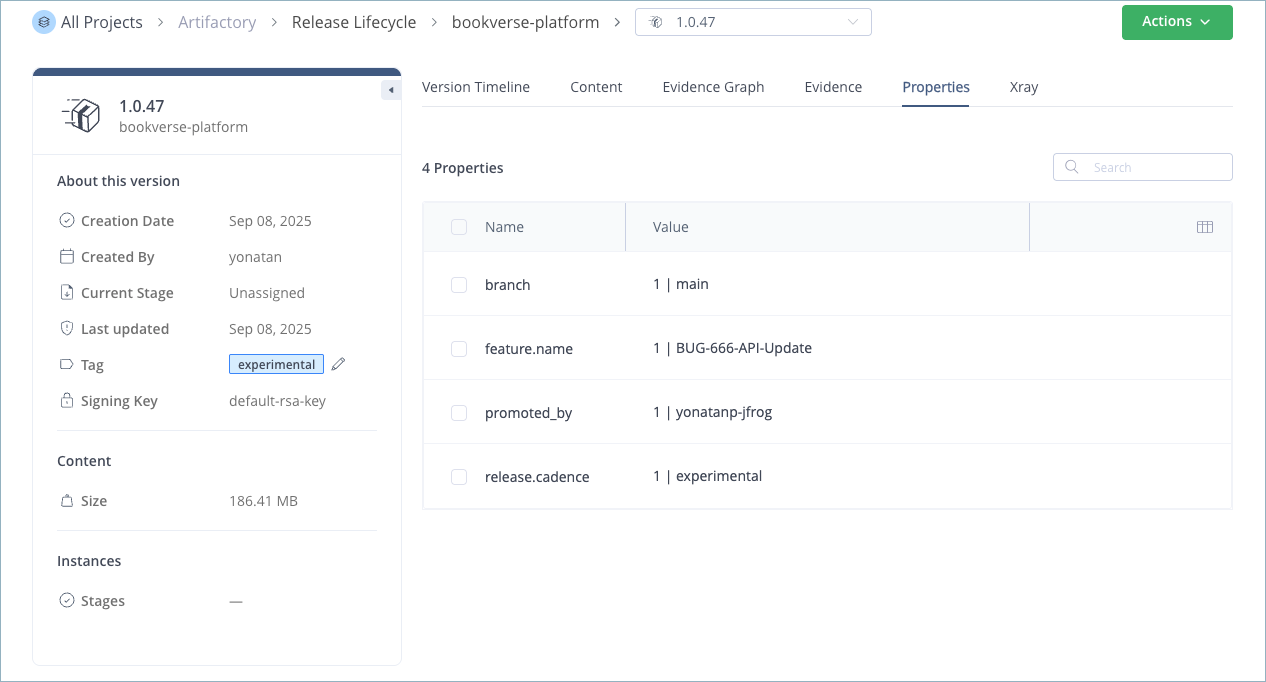
-
Select either Property or Property Set.
- For more information about adding properties, see Add Properties to Items.
- For more information about adding a property set, see Create Property Set.
Frequently Asked Questions
This section provides answers to frequently asked questions about adding properties to a Release Bundle v2 version.
FAQs
Q: How do I add properties to a Release Bundle v2 version?
A: Open a Release Bundle version from Artifactory > Release Lifecycle, click the Properties tab, then select Property or Property Set. See the procedure on this page.
Q: What's the difference between Property and Property Set on this tab?
A: Choose Property to add an individual custom string and value. Choose Property Set to apply a predefined set of properties. Details for each option are in the linked JFrog Properties topics under step 5.
Q: Where can I learn more about creating property sets?
A: See Create Property Set in the Artifactory documentation.
Related Topics
Updated 10 days ago