

Edit Lifecycle Policy
You can modify the configuration of an existing lifecycle policy, including scope, lifecycle gate, action, and description.
Prerequisite:
- Project Administrator or higher permissions and a role that includes the Manage AppTrust Policy action.
To edit a lifecycle policy:
- In the JFrog Platform, go to AppTrust > Lifecycle Policies.
- Locate the policy you want to edit and select Edit in the action column.
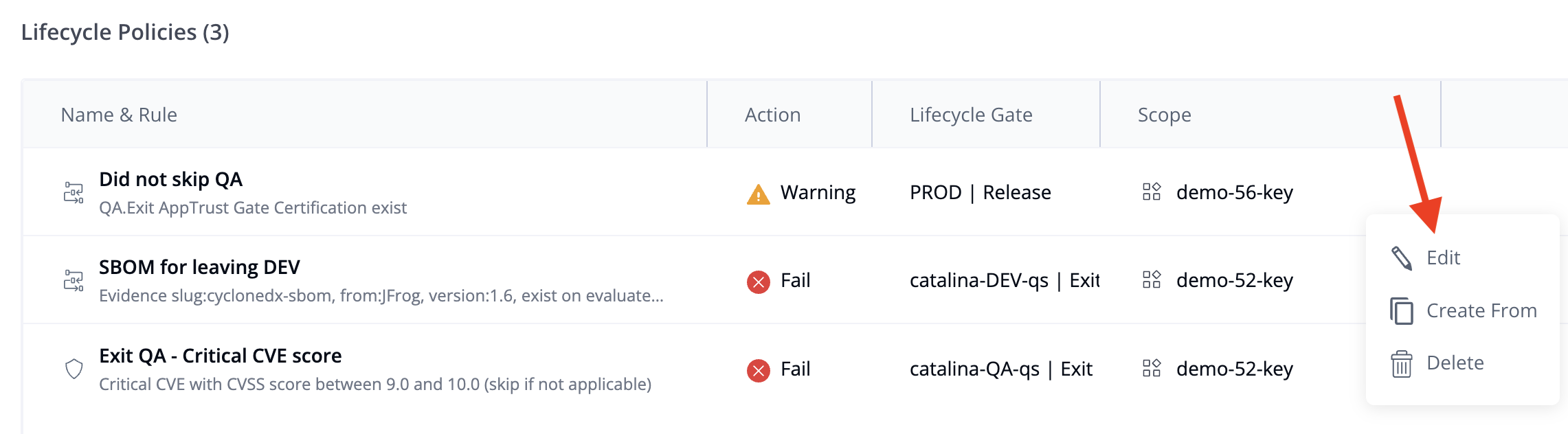
- In the Edit Policy wizard, update the rule or action as required.
- To change the rule, select a new condition from the list.
- To change the action, choose either Fail or Warning.
- Optionally, update the policy description to reflect the new purpose.
- Review your changes in the summary pane.
- Click Save Changes to apply the update.
The updated policy takes effect immediately and is used in all subsequent evaluations.
Updated 3 months ago
What’s Next
Learn how to view a lifecycle policy.
Did this page help you?