

Promote a Release Bundle v2 Version in the Platform UI
Learn how to promote a Release Bundle v2 version in the JFrog Platform UI using the Stages Board or Actions menu.
RLM Deprecation
All feature development, patches, and security fixes for Release Lifecycle Management ended on July 31, 2026, except for critical security fixes. This deprecation removes the ability to promote Release Bundle v2 versions between defined lifecycle stages. It will still be possible to create Release Bundles, add properties and attach evidence, and distribute those Release Bundles to targets such as Edge nodes. RLM End of Life is currently scheduled for January 31, 2028. For more information, see JFrog Release Lifecycle Management Deprecation - End of Life.
The easiest way to promote a Release Bundle v2 version in the JFrog Platform UI is by using the Stages Board, but you can also promote from the Actions menu, as described below. For other promotion methods, see Promote a Release Bundle v2 Version.
To promote a Release Bundle v2 version in the JFrog Platform UI:
-
In the Platform module, select Artifactory > Release Lifecycle.
-
Click the name of the relevant Release Bundle. The Versions tab is displayed by default.
-
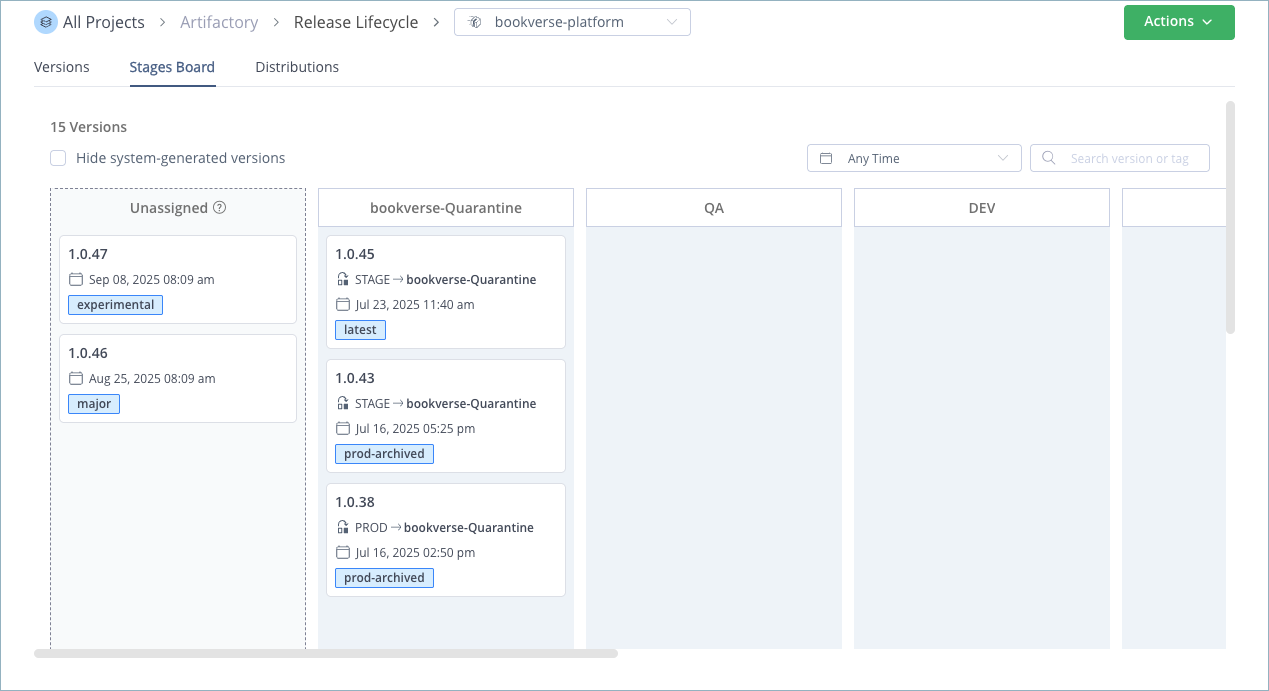
Click the Stages Board tab. The tab displays a kanban board that provides a visual representation of the versions that exist for the selected Release Bundle and their current stage in your release lifecycle. Versions that have not been promoted yet are listed as Unassigned.
-
Do one of the following:
-
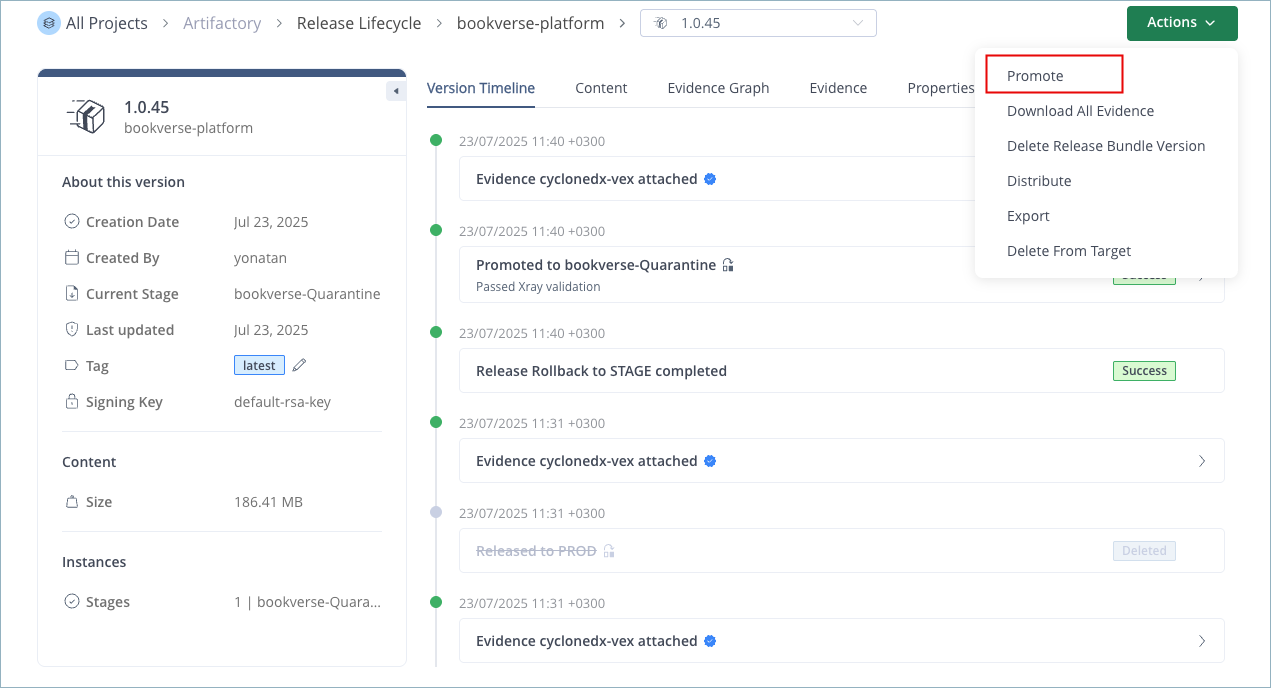
Click the kanban card for the relevant Release Bundle version to open the version timeline. Next, click Actions and select Promote.
Or,
-
Drag-and-drop the card representing the relevant Release Bundle version to the desired stage.
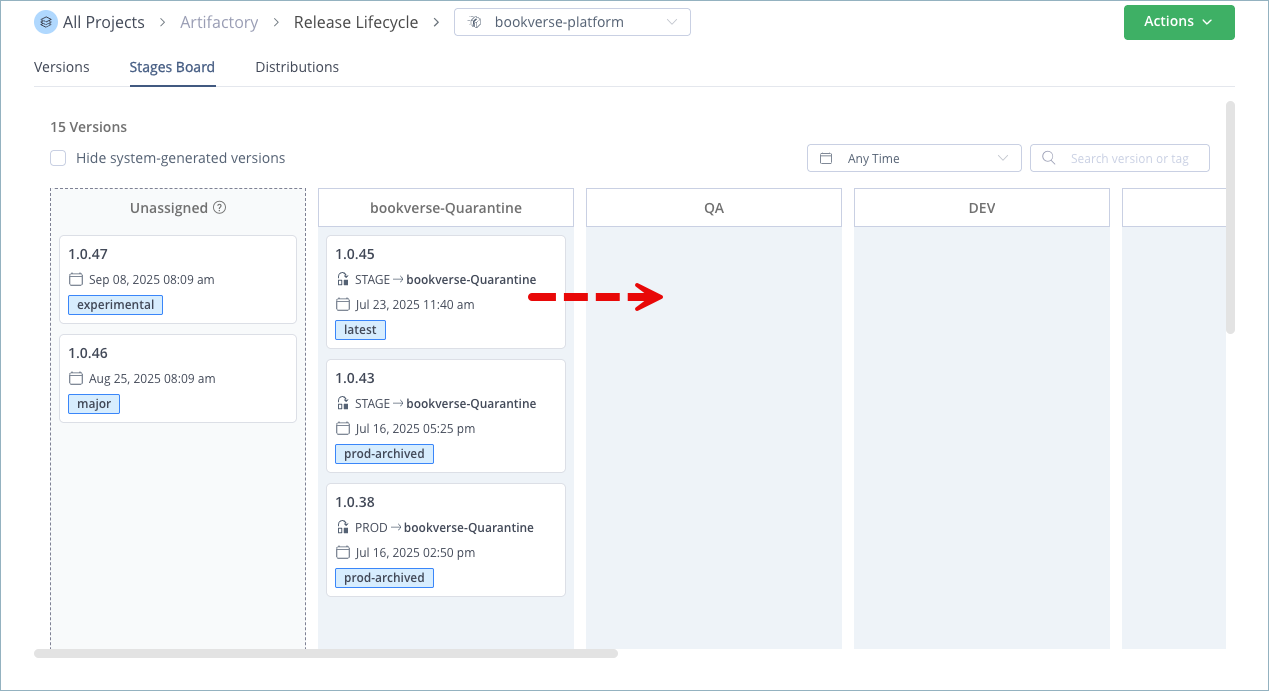
The New Promotion dialog box is displayed.
-
-
In the Promotion Environment tab, do the following:
-
Optional. Change the signing key, if desired.
-
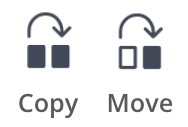
Choose the promotion type: Copy Artifacts or Move Artifacts. If you choose Move Artifacts, the artifacts contained in the Release Bundle are deleted from the repositories in the source environment during promotion.
-
Verify the selected target stage.
-
Warning
Make sure the signing key is valid. The operation will fail if the key has expired.
Note
The Copy option is applied automatically, even if Move is selected, when promoting a Release Bundle version from Unassigned to a stage. The Copy promotion is also applied automatically if you promote a version to the same stage in which it already resides.
-
Click Next.
-
In the Target Repositories tab, review the list of target repositories for each package type. To modify the list, open the relevant dropdown list and clear the checkmark next to each repository to exclude it from the promotion.
Note
There must be at least one repository defined for each package type.
-
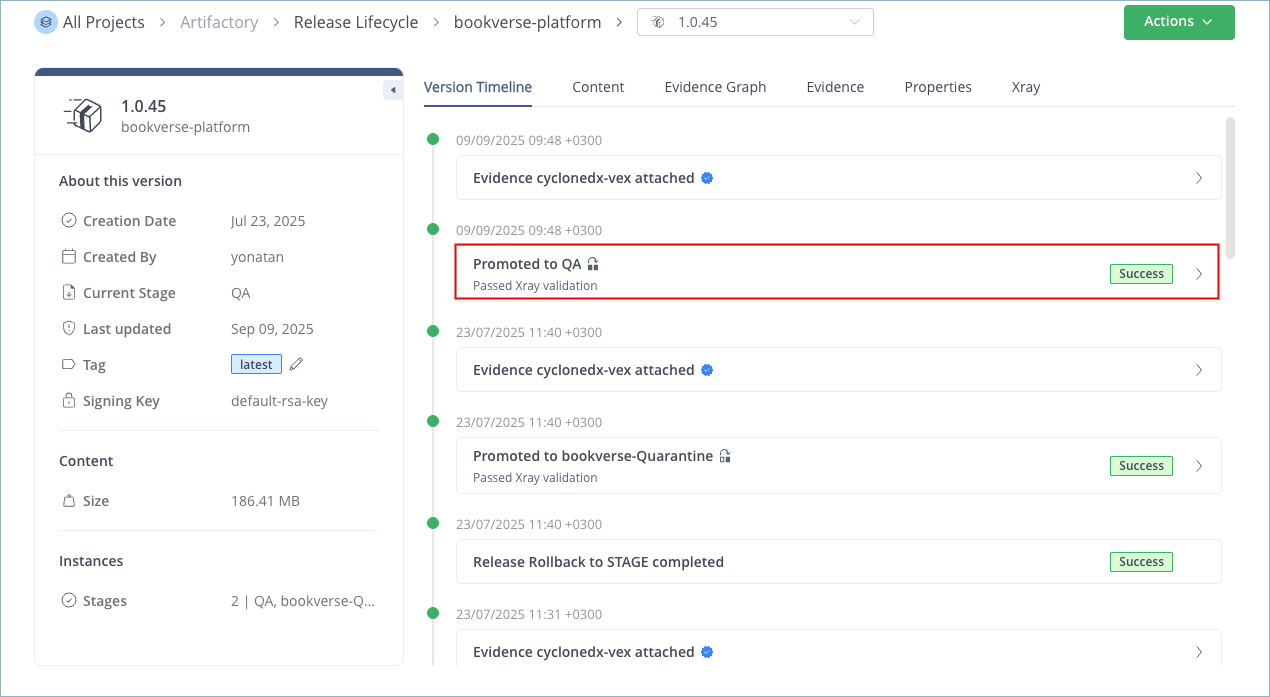
Click Promote. The relevant card moves to its new stage. The icon on the card indicates which type of promotion was performed. In addition, the promotion is added as an event on the timeline.
Note
If any artifact in the promotion has a different checksum than the same artifact in the target environment, the promotion stops, and an error message is displayed.
Warning
When JFrog Xray is used to scan Release Bundles for potential vulnerabilities and license violations, JFrog Xray blocks promotion if the Release Bundle violates a Policy that has a blocking action defined. For more information, see Scan Release Bundles (v2) with JFrog Xray.
Frequently Asked Questions
This section provides answers to frequently asked questions about promoting Release Bundle v2 versions in the JFrog Platform UI.
FAQs
Q: How do I promote a Release Bundle v2 version in the JFrog Platform UI?
A: Open Artifactory > Release Lifecycle, select the Release Bundle, and use the Stages Board tab. Promote from the Actions menu or by dragging the version card to a stage. See the procedure.
Q: What is the difference between Copy Artifacts and Move Artifacts promotion?
A: Copy Artifacts leaves artifacts in the source environment repositories. Move Artifacts deletes them from source repositories during promotion. Choose the option in the Promotion Environment tab when the New Promotion dialog opens.
Q: Can I promote a Release Bundle v2 version by dragging a card on the Stages Board?
A: Yes. On the Stages Board tab, drag the version card to the target stage. You can also open the version timeline, click Actions, and select Promote. See step 4 in the procedure.
Q: When is Copy Artifacts applied automatically instead of Move Artifacts?
A: Copy is applied automatically when you promote from Unassigned to a stage, and when you promote a version to the same stage where it already resides, even if you select Move Artifacts. See the Note callout in step 5 of the procedure.
Q: What happens if JFrog Xray blocks my promotion?
A: JFrog Xray blocks promotion when the Release Bundle violates a Policy with a blocking action. Resolve the policy violation or adjust the policy before promoting again. For more information, see Scan Release Bundles (v2) with JFrog Xray.
Related Topics
- Promote a Release Bundle v2 Version
- Promote Release Bundle v2 Version REST API
- Promotion Rollback
- Scan Release Bundle v2 Versions with JFrog Xray
- Use the Release Bundle Version Timeline
Updated 3 months ago