

Tag a Release Bundle v2 Version in the Platform UI
Learn how to tag a Release Bundle v2 version in the JFrog Platform UI using the version details sidebar.
RLM Deprecation
As of July 31, 2026, all feature development, patches, and security fixes for Release Lifecycle Management will end, except for critical security fixes. RLM End of Life is currently scheduled for January 31, 2028. For more information, see JFrog Release Lifecycle Management Deprecation - End of Life.
You can assign a descriptive tag to a Release Bundle v2 version in the JFrog Platform UI. Tags help you identify versions on the Release Lifecycle stages board and in the Release Bundle v2 version details sidebar. For other tagging methods, see Tag a Release Bundle v2 Version.
To tag a Release Bundle v2 version in the JFrog Platform UI:
-
In the Platform module, select Artifactory > Release Lifecycle.
-
Click the name of the relevant Release Bundle. The Versions tab is displayed by default.
-
Click the name of the relevant Release Bundle version.
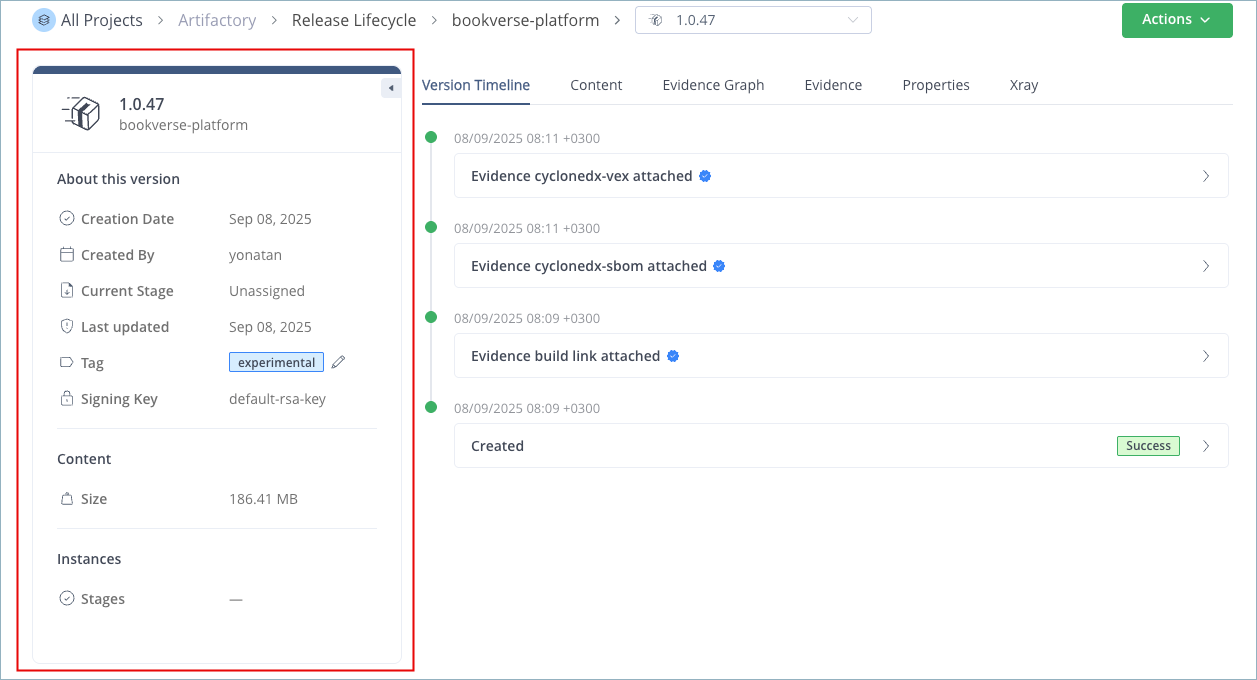
The sidebar on the left side of the page shows details about the Release Bundle version:
-
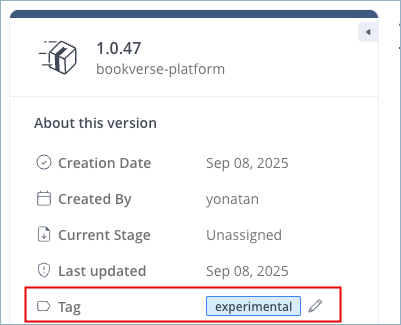
In the Tag field, click the pencil icon to open an input field.
-
Enter a new tag. A tag is a single free-text value, limited to 128 characters. It must begin and end with an alphanumeric character and can contain dashes, underscores, dots, and alphanumerics in between.

-
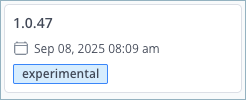
Click the checkmark to save the tag. The tag appears in the sidebar and in the card for that version on the Release Lifecycle stages board.
Related Topics
- Tag a Release Bundle v2 Version
- Assign Tag to Release Bundle v2 Version REST API
- Annotate a Release Bundle v2 with the JFrog CLI
- View Release Bundle v2 Version Details
- Promote a Release Bundle v2 Version in the JFrog Platform UI
Updated about 2 months ago