

View Release Bundle v2 Versions
Learn how to view Release Bundle v2 versions and their lifecycle status in the JFrog Platform UI.
RLM Deprecation
All feature development, patches, and security fixes for Release Lifecycle Management ended on July 31, 2026, except for critical security fixes. RLM End of Life is currently scheduled for January 31, 2028. For more information, see JFrog Release Lifecycle Management Deprecation - End of Life.
The platform UI provides information about Release Bundle v2 versions created in this Artifactory instance (where it acted as the source of the Release Bundle), as well as Release Bundles received from a different source (where it acted as a distribution target for the Release Bundle).
To view the table of Release Bundle v2 versions:
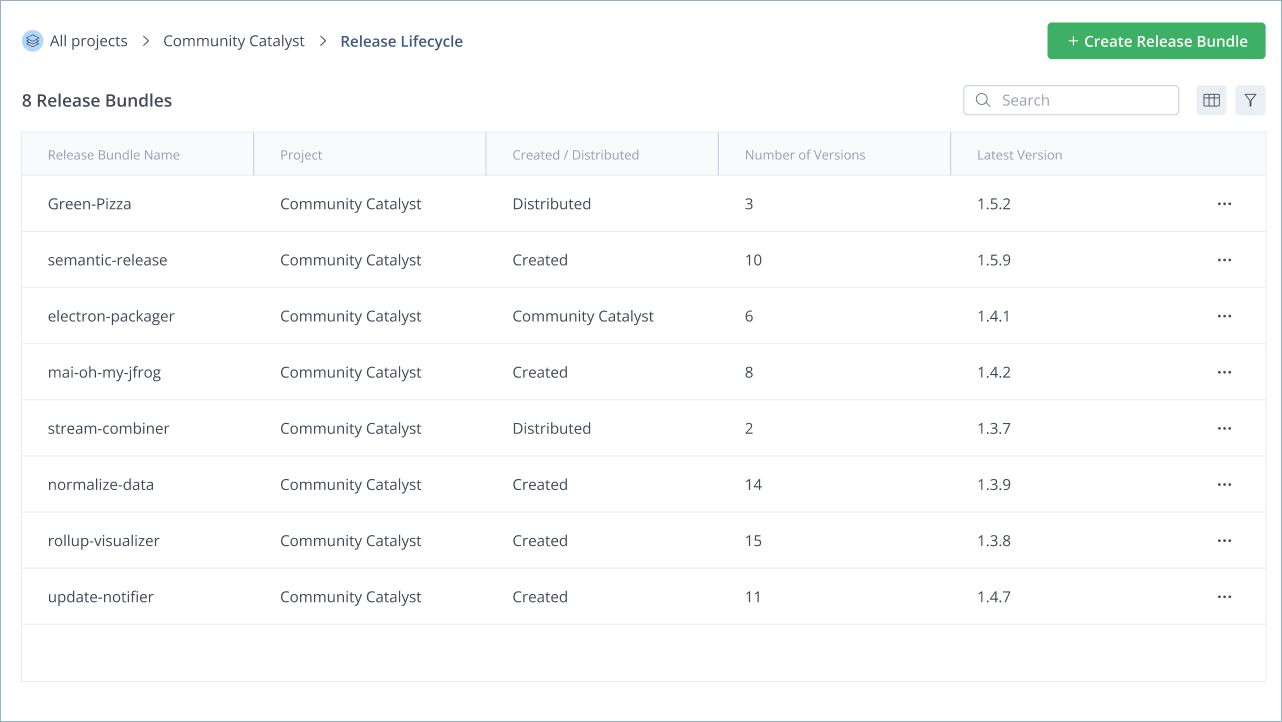
- In the Platform module, select Artifactory > Release Lifecycle. The Release Bundles page displays the following information about each Release Bundle v2:
-
Release Bundle name
-
The project it is assigned to, if any
-
Whether the Release Bundle was created on this Artifactory instance or received from a different source via distribution
-
Number of existing versions
-
The latest version
-
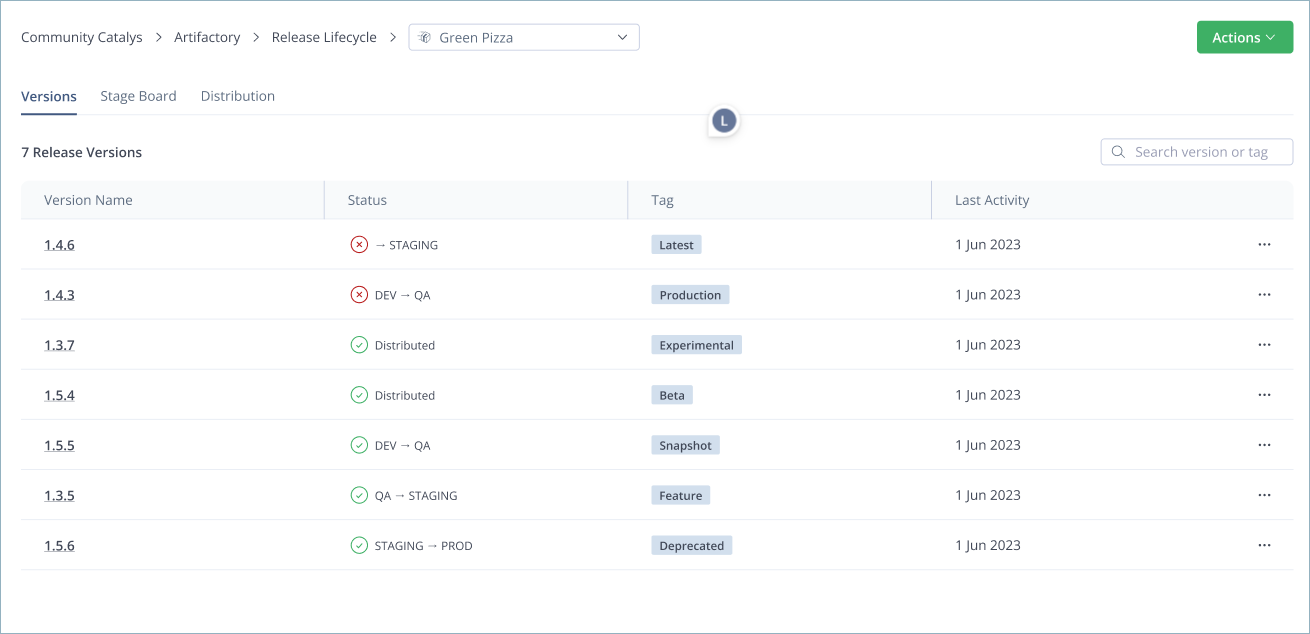
- Click the name of the relevant Release Bundle. The Versions tab, which is displayed by default, contains the following information about each version:
-
Version name
-
Current status in the lifecycle
-
Assigned tag, if any
-
When the most recent activity, such as a promotion, was performed on the version
-
- Click the name of the relevant version to view details about that version. For more information, see:
- Created Release Bundles: View Release Bundle v2 Version Details
- Received Release Bundles: View Received Release Bundle v2 Versions
Related Topics
Updated about 1 month ago