

View Release Bundle v2 Version Details
Learn how to view Release Bundle v2 version details in the JFrog Platform UI sidebar.
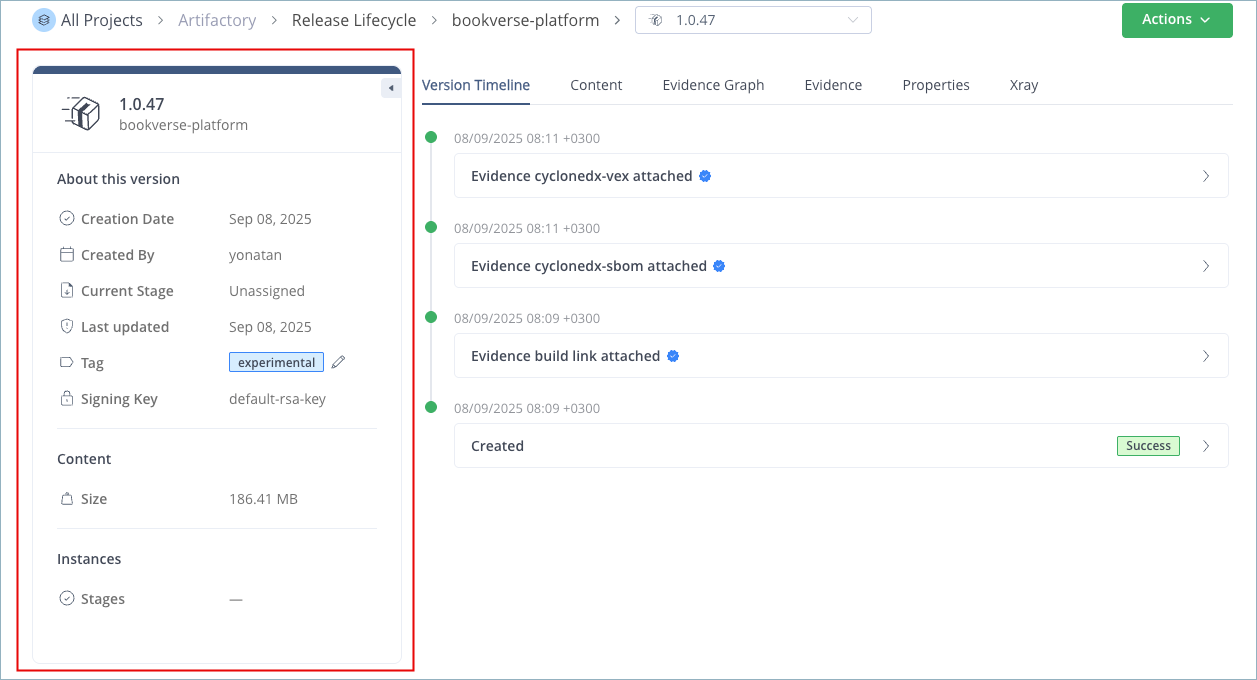
When you drill down into a Release Bundle v2 version, the JFrog Platform UI includes a sidebar that contains details about the version. Use this sidebar to change the tag assigned to the version, if desired.
To view Release Bundle v2 version details:
-
In the Platform module, select Artifactory > Release Lifecycle.
-
Click the name of the relevant Release Bundle. The Versions tab is displayed by default.
-
Click the name of the relevant Release Bundle version. The Version Timeline tab is displayed by default.
The sidebar contains details about the Release Bundle version.
Note
The Instances field indicates the stages where the version is currently present. For example, when you perform a copy promotion, the version is considered to be present on both the source stage and the target stage (even though the Stages Board shows it appearing only on the target stage).
Related Topics
Updated 10 days ago