

Delete a Release Bundle v2 from Multiple Edge Nodes
Delete a Release Bundle v2 version from one or more Edge nodes with Remote Delete.
You can delete a distributed Release Bundle v2 version from one or more Edge nodes without deleting it from the source Artifactory that performed the distribution. This operation is known as a Remote Delete.
For distribution methods and prerequisites, see Distributing Release Bundles v2.
Note
You can also delete a Release Bundle version from a single distribution target using the Distribution details window. For more information, see Delete a Release Bundle v2 Version from a Selected Edge Node.
To delete a Release Bundle v2 version from one or more Edge nodes:
-
In the Platform module, select Artifactory > Release Lifecycle.
-
Click the name of the relevant Release Bundle. The Versions tab is displayed by default.
-
Click the name of the relevant Release Bundle version. The Version Timeline tab is displayed by default.
-
Click Actions and then select Delete from Target.
-
In the Delete from Target dialog box, select the Edge nodes from which the version should be deleted.
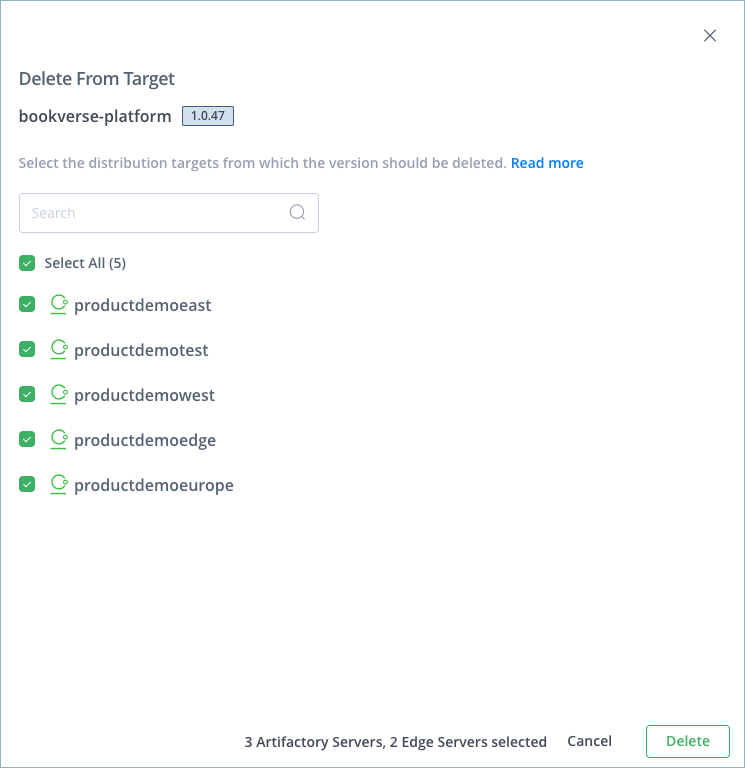
-
Click Delete.
The Release Bundle version is removed from each selected Edge node. An event is added to the version timeline for each node.
Note
To delete the Release Bundle v2 locally from the source Artifactory, see Delete a Release Bundle v2 Version. In contrast to Release Bundles v1, this operation cannot be performed using JFrog Distribution because all Release Bundles v2 are created and managed by Artifactory.
If the Release Bundle v2 is deleted locally from the Edge node, an event is added to the version timeline of the source Artifactory.
Perform Remote Delete Using the REST API
To delete a distributed Release Bundle v2 version from one or more Edge nodes, use the Remote Delete Release Bundle v2 Distribution REST API.
Frequently Asked Questions
This section provides answers to frequently asked questions about remote delete for Release Bundle v2 versions.
FAQs
Q: What is a Remote Delete?
A: A Remote Delete removes a distributed Release Bundle v2 version from one or more Edge nodes without deleting it from the source Artifactory that performed the distribution.
Q: How do I remote-delete a version from multiple Edge nodes in the Platform UI?
A: Open the version, choose Actions > Delete from Target, select the Edge nodes, and click Delete. See the procedure.
Q: How do I delete a version from a single distribution target only?
A: Use the Distribution details window. See Delete a Release Bundle v2 Version from a Selected Edge Node.
Q: Does Remote Delete remove the version from the source Artifactory?
A: No. The version remains on the source. To delete it locally from the source Artifactory, see Delete a Release Bundle v2 Version.
Q: Can I perform a Remote Delete with the REST API?
A: Yes. Use the Remote Delete Release Bundle v2 Distribution API. See Perform Remote Delete Using the REST API.
Related Topics
Updated 10 days ago