

CRAN Repositories
The JFrog Artifactory integration with CRAN allows you to manage CRAN collections in Artifactory. Artifactory natively supports CRAN repositories for the R language, giving you full control of your deployment and resolving process of CRAN packages. The Comprehensive R Archive Network (CRAN) is a collection of sites that carry identical material, consisting of R distributions, contributed extensions, R documentation, and binaries. R is a programming language and free software environment dedicated to statistical computing and graphics that the R Foundation for Statistical Computing supports. The R language is widely used for developing statistical software and data analysis by data miners and statisticians.
CRAN repositories in Artifactory provide secure and private local repositories with fine-grained access control, enable proxying of remote CRAN resources and caching of downloaded packages for network independence, support virtual repositories with a single URL for managing resolution and deployment of all CRAN packages, calculate metadata for hosted packages, manage versioning by archiving older package versions, and handle both source and binary management.
For more information, see CRAN documentation.
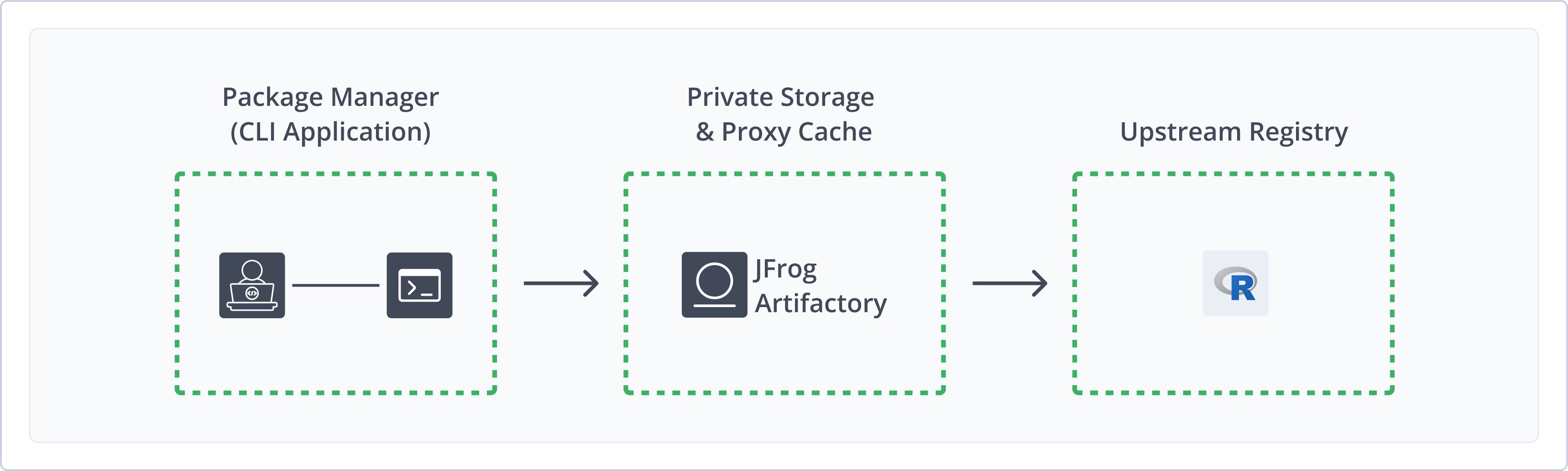
Get Started with CRAN
To get started working with CRAN, complete the following main steps:
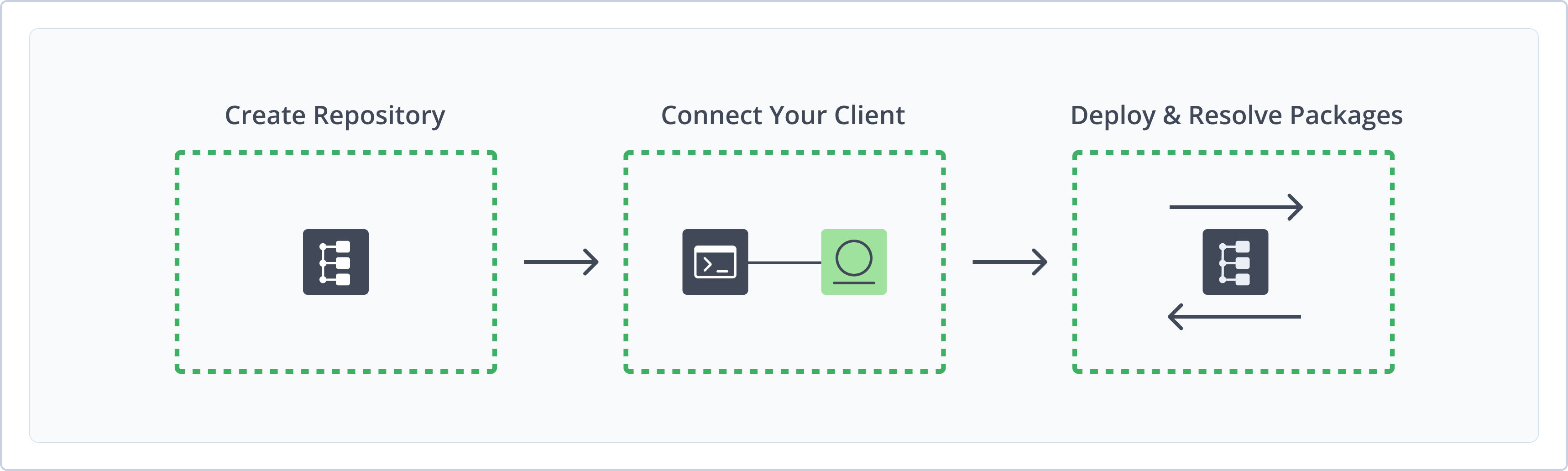
Create a CRAN Repository
This topic describes how to create a CRAN Repository. This is required before publishing and installing CRAN packages. There are three primary types of repositories:
- Local repositories: Where you store and share 1st and 2nd party packages with your organization
- Remote repositories: Enable you to download from any remote location, including external package registries or other Artifactory instances
- Virtual repositories: Enable aggregating remote and local repositories, enabling your organization to scale by providing a single URL that provides access to multiple repositories and types
For more information on JFrog repositories, see Repository Management.
Prerequisite: You need Admin or Project Admin permissions to create a CRAN repository. If you don't have Admin permissions, the option will not be available.
To create a CRAN repository:
-
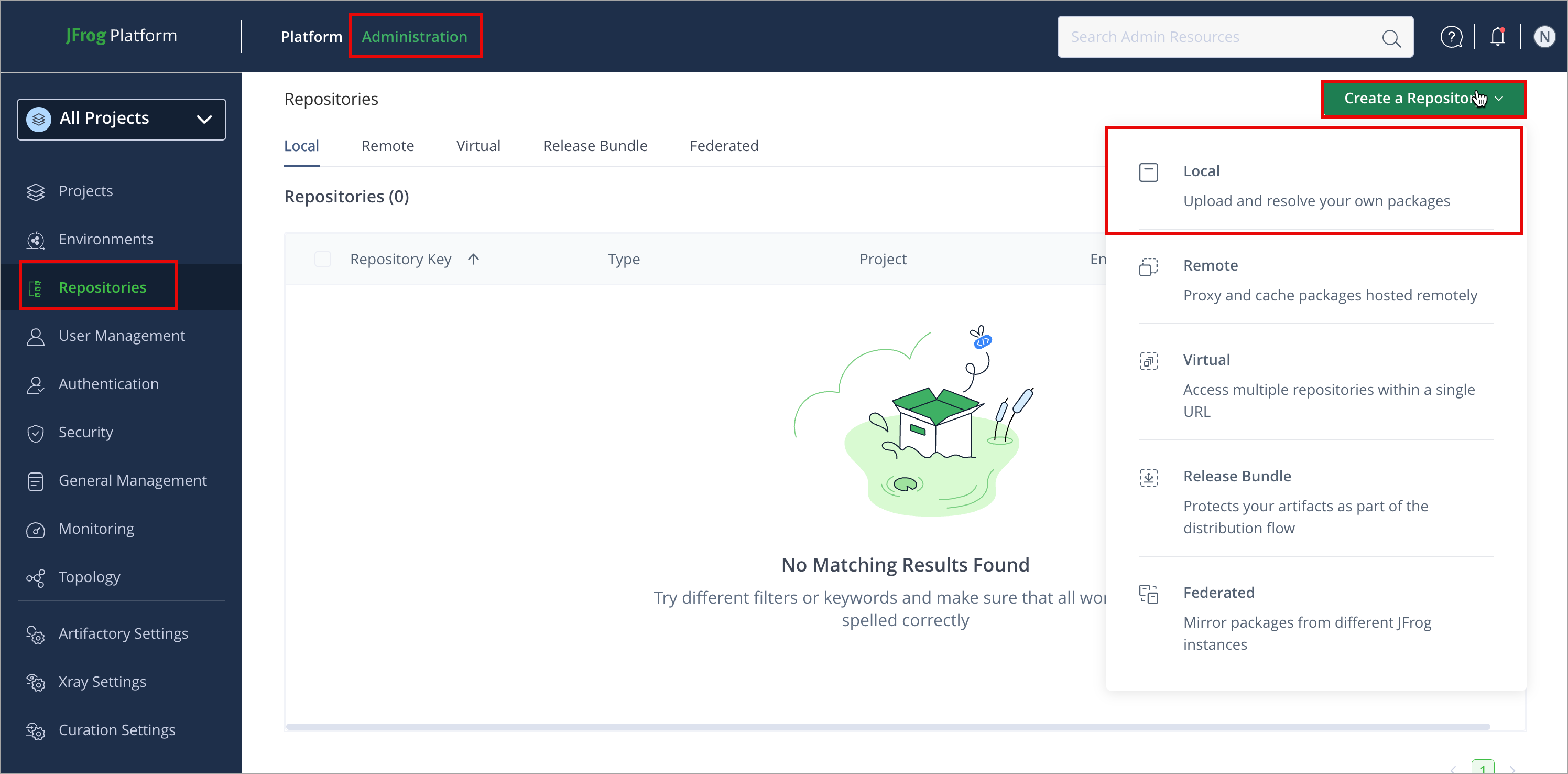
In the Administration tab, click Repositories | Create a Repository
-
Select the repository type you want to create, configure the required fields (described in the following list), then click Create Repository.
-
For Local Repositories, in the Repository Key field, type a meaningful name for the repository. For example,
cran-local-repository-1. For more information on local repositories, see Local Repositories. -
For Remote Repositories, you can create a CRAN remote repository to proxy and cache remote repositories or other Artifactory instances.
-
Note
The index files for remote CRAN repositories are stored and renewed according to the Retrieval Cache Period setting.
- For Virtual Repositories, additionally select one or more local or remote repository types to include in the virtual repository. A Virtual Repository in Artifactory aggregates packages from both local and remote repositories. This allows you to access both locally hosted CRAN packages and remote proxied CRAN libraries from a single URL defined for the virtual repository.
- Click Create Repository. The repository is created, and the Repositories window is displayed.
Deploy CRAN Packages
You can deploy packages to a local or virtual CRAN repository using the Deploy feature in the UI or using a POST request. To learn more, see:
Metadata Updates
The CRAN metadata is automatically calculated and updated when adding, removing, copying, or moving CRAN packages. The calculation is only invoked after a package-related action is completed.
It may sometimes take up to 30 seconds to complete, as the process is asynchronous and its performance depends on the overall system load.
You can also invoke metadata calculation on the entire repository by selecting Reindex Packages.
Set the Default Deployment CRAN Repository
To deploy CRAN packages to a virtual CRAN repository, make sure you have set the Default Deployment Repository.
Deploy a CRAN Package Using the UI
Artifactory supports two types of packages: binaries and sources. They are treated differently in terms of deployment in the UI. To learn more, see:
To deploy a CRAN package in the Artifactory UI:
-
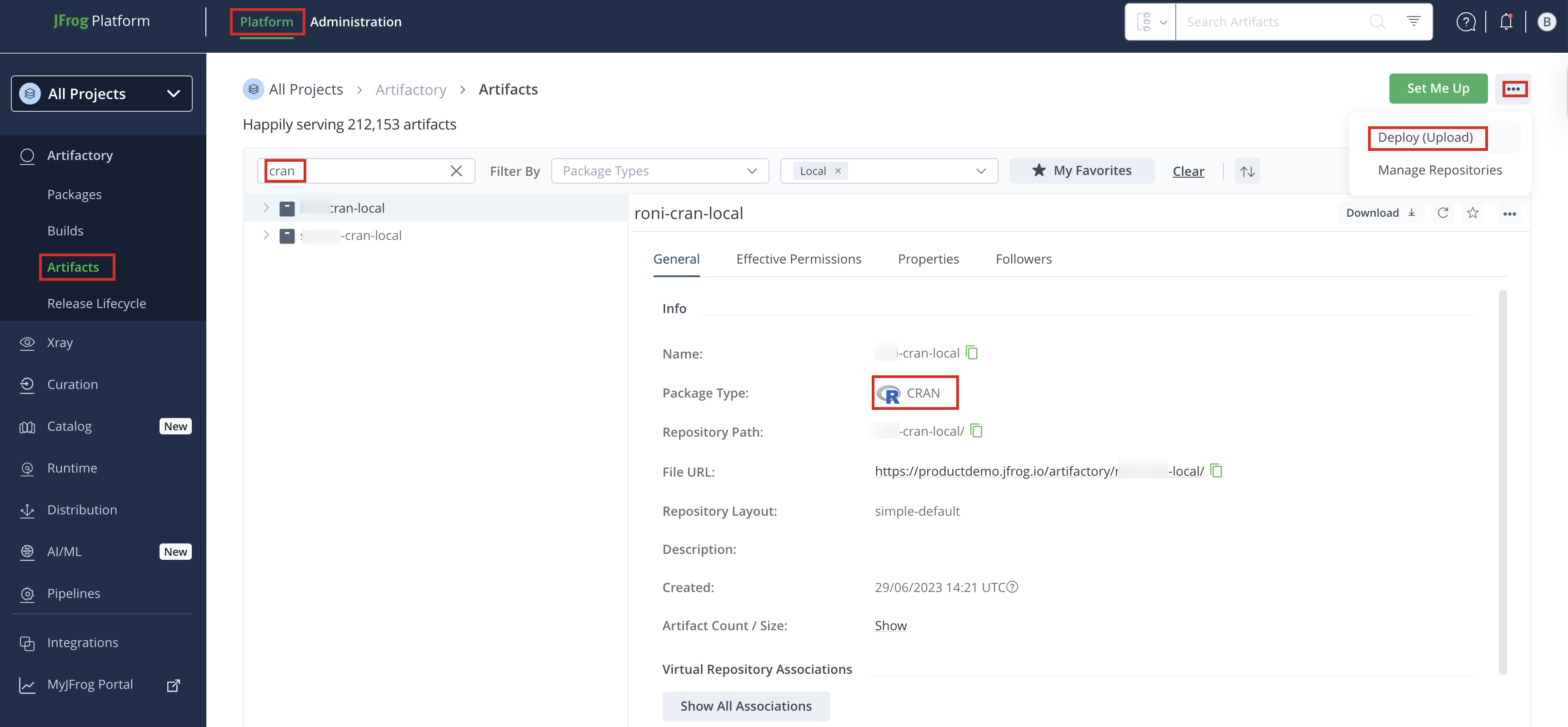
In the Platform tab, click Artifactory | Artifacts, then click ellipsis |Deploy(Upload). Deploy options are displayed.
-
Select your CRAN repository as the Target Repository, and upload the file you want to deploy. Notice that the Target Path is automatically updated to reflect your input.
-
Verify the deploy options, then click Deploy. The package is deployed.
Note
You can drag and drop, or select a CRAN package to upload to Deploy in the UI. Artifactory will identify if it's a source or binary package.
Deploy a Source CRAN Package
When deploying sources, the Target Path is automatically displayed. This path should not be changed. Changing the src/contrib path will result in Artifactory not identifying the package as a CRAN package since Artifactory will not be able to index it.
Target Path
The Target path is automatically updated, and changing it could make Artifactory not invoke the metadata calculation, and this package to not get indexed.
Deploy a Binary CRAN Package
To deploy a binary CRAN package, you need to fill in the CRAN Artifact section.
In the CRAN Artifact section, configure these fields when deploying the CRAN packages. It is mandatory to set these fields which are used to create the destination path of the deployed binary package.
- Distribution: Specifies the operating system.
- R Version: Indicates the R version used.
Target Path
The Target path is updated after the file is deployed, and there is no need to change it
Deploy a CRAN Package Using cURL
Deploy source package
To deploy a CRAN package to an Artifactory repository, use the Artifactory REST API. To deploy a source package, run the following command:
curl -L -u <USERNAME>:<PASSWORD> -T <PATH_TO_FILE> -XPOST \
"https://company.jfrog.io/artifactory/api/cran/cran-local/sources""https://<COMPANY>.jfrog.io/artifactory/api/cran/<REPOSITORY>/sources"
Deploy binary package
To deploy a binary package, run the following command:
curl -L -u <USERNAME>:<PASSWORD> -T <PATH_TO_FILE> -XPOST \
"https://company.jfrog.io/artifactory/api/cran/cran-local/binaries?distribution=<DISTRIBUTION>&rVersion=<R_VERSION>"
Where:
<USERNAME>:<PASSWORD>>: Your Artifactory credentials<PATH_TO_FILE>: Local path to your .tar.gz CRAN package<COMPANY>: Your organization or domain (e.g., productdemo)<REPOSITORY>: Target CRAN repository name (e.g., cran-local)<DISTRIBUTION>: Target distribution (e.g., linux, mac, windows)<R_VERSION>: The R version for which the package is built
When deploying a CRAN binary package, you need to specify the distribution and R version as before.
When deploying directly (PUT request to a specific path), make sure the target path is a valid CRAN path:
/src/contribfor sources- /
bin/{distribution}/contrib/{r-version}for binaries.
Deploying a package to a different path will not identify the package as a CRAN package and will not invoke the metadata indexing.
Resolve CRAN Packages
There are two ways to resolve CRAN Packages:
Resolve CRAN Packages Using the UI
You can resolve CRAN packages from Local, Remote, and Virtual CRAN Repositories specified as supporting CRAN packages.
Note
Applicable for Local, Remote, and Virtual repositories.
To install a CRAN package from this repository, use the R command line and run the following command:
install.packages("<PACKAGE_NAME>",
                 repo="https://company.jfrog.io/artifactory/<REPOSITORY>",
                 headers=c(Authorization="Bearer <TOKEN>"))
Where:
<PACKAGE_NAME>: Name of the CRAN package to install<COMPANY>: Your organization or domain (e.g., productdemo)<REPOSITORY>: Target CRAN repository name (e.g., john-cran-local)<TOKEN>: Bearer token for authentication
Example:
install.packages("ggplot2",
                 repo="https://company.jfrog.io/artifactory/john-cran-local",
                 headers=c(Authorization="Bearer myAccessToken123"))
Resolve CRAN Packages Using the R Command Line
-
Run the Set Me Up for CRAN.
-
To switch from the current repository to a different resolution CRAN repository.
setRepositories()- View all the available packages for the selected CRAN repository.
available.packages()- Install a package from the CRAN repository.
install.packages() - select from a list, on supported clients
install.packages("package") - install by package nameNote
Please note that the CRAN client only allows basic authentication in the URL section, using either a password or a reference token.
Additional CRAN Actions
The following additional actions are available with Ansible repositories:
- View Individual CRAN Package Information
- Reindex a CRAN Repository
- Apply the CRAN Official Specification to Local CRAN Repositories
View Individual CRAN Package Information
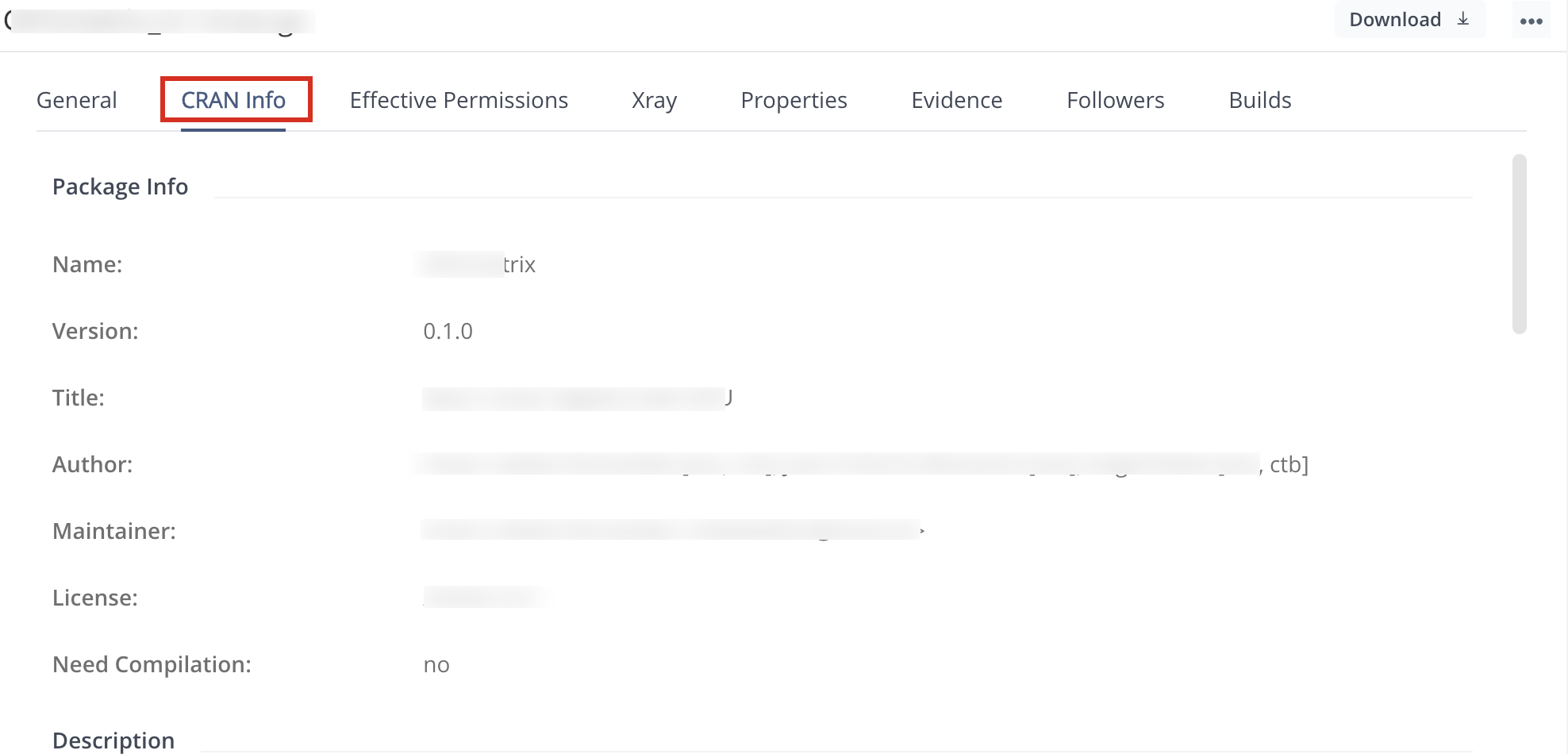
Artifactory lets you view selected metadata of a CRAN package directly from the UI.
In the Artifact Repository Browser, select your virtual CRAN repository and scroll down to find and select the package you want to inspect. The metadata is displayed in the CRAN Info tab.
Reindex a CRAN Repository
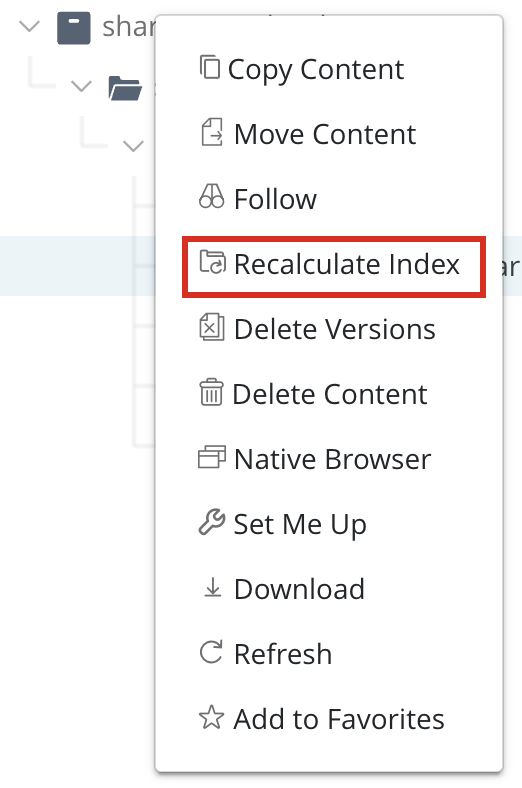
You can trigger an asynchronous reindexing of a local CRAN repository either through the UI or using the REST API.
Through the UI, select your CRAN repository in the Tree Browser and select Recalculate Index from the right-click menu as shown below (requires Admin privileges)
To reindex a CRAN repository through the REST API, see the Calculate CRAN Repository Metadata API.
Apply the CRAN Official Specification to Local CRAN Repositories
From Artifactory version 7.41.1, you can set the artifacts stored in local CRAN repositories to confine to the official CRAN spec requirements.
Set the following system property in the $JFROG_HOME/artifactory/var/etc/artifactory/artifactory.system.properties file to save your CRAN archives in the correct hierarchy.
"artifactory.cran.archiveMover.enabled"You can move your existing Archives to the correct path using the following Move CRAN Archives REST API. Requires the artifactory.cran.archiveMover.enabled property to be enabled.
Restart Artifactory after setting the property for the change to take place.
Updated 4 months ago