

JetBrains Plugins Repositories
JFrog Security Feature
JetBrains Plugins repositories are available as part of JFrog Curation.
JetBrains Plugins repositories in Artifactory give you a secure, private repository to proxy and cache plugins for JetBrains IDEs. By acting as the single source for plugins from the public JetBrains Marketplace, you can safeguard your development environments against malicious or unverified code from potential supply chain attacks. This allows your organization to enforce that developers only use vetted and approved plugins, ensuring consistency and compliance across all teams. You can connect JetBrains IDEs, such as IntelliJ IDEA and PyCharm, directly to Artifactory to securely manage your plugin lifecycle.
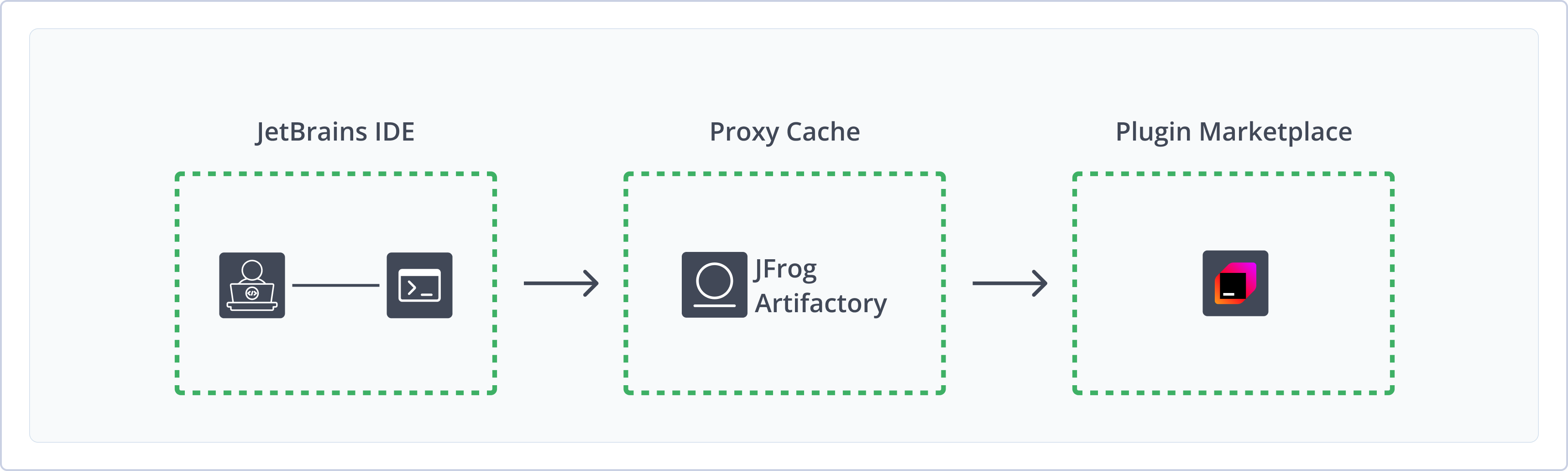
JetBrains repositories in Artifactory provide the following benefits:
- Proxy and Cache the JetBrains Marketplace: Proxy and cache plugins from the public JetBrains Marketplace in a secure remote repository, making sure all developers are using the same approved plugin versions.
- Secure Your Software Supply Chain: Provide a secure, centralized location to vet and store JetBrains plugins, minimizing the risk of introducing malicious code into your development environments.
- Native IDE Integration: Browse and install plugins natively in your JetBrains IDE, selecting from the approved and secured plugins in your marketplace proxy in Artifactory.
Get Started with JetBrains Plugins
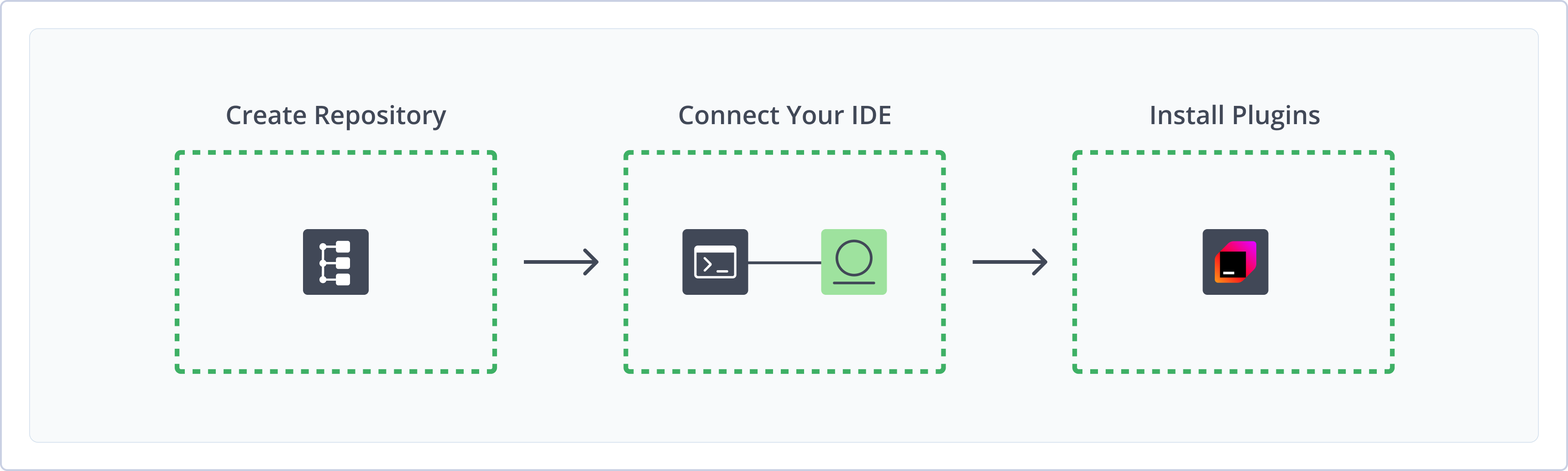
To get started working with JetBrains Plugins repositories in Artifactory, complete the following main steps:
- Create a JetBrains Plugins Repository
- Connect JetBrains IDE to Artifactory
- Install JetBrains Plugins
Create a JetBrains Plugins Repository
This topic describes how to create a JetBrains Plugins repository. This is required before installing plugins. Artifactory supports remote JetBrains Plugins repositories, allowing you to proxy the JetBrains Plugins Marketplace and install plugins from your secure cache.
For more information on JFrog repositories, see Repository Management.
Prerequisite: You need Admin or Project Admin permissions in Artifactory to create a repository.
To create a JetBrains Plugins repository:
-
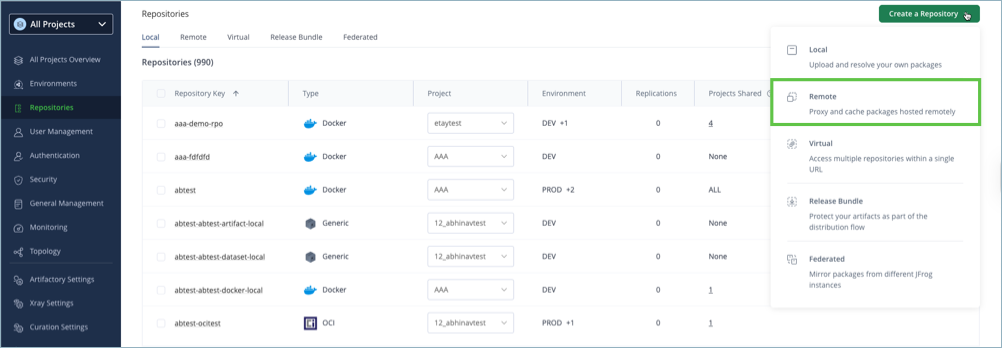
In the Administration tab, click Repositories | Create a Repository.
-
Select the Remote repository type.
-
Select the JetBrains Plugins package type.
-
Configure the required fields for the repository:
-
In the Repository Key field, type a meaningful name for the repository. For example,
jetbrains-remote. -
Verify the Repository URL and update as needed. The default is
https://plugins.jetbrains.com/.For more information on remote repositories and their settings, see Remote Repositories/
-
-
Click Create Repository. The repository is created and the Repositories window is displayed.
Connect JetBrains IDE to Artifactory
To use Artifactory as your JetBrains Plugins Marketplace, you need to modify the product.json file to point to Artifactory.
Prerequisite: Before connecting your IDE to Artifactory, you must have an existing JetBrains Plugins repository in Artifactory. For more information, see Create a JetBrains Plugins Repository.
To connect your IDE to Artifactory:
-
Open your JetBrains IDE.
-
Navigate to Help | Edit Custom Properties.
-
Add the following entry to your
.propertiesfile:idea.plugins.host=https://[JFrogPlatformURL]/artifactory/api/jetbrainsplugins/<REPO_NAME>Where:
[JFrogPlatformURL]: Your organization's Artifactory URL<REPO_NAME>: The name of the target repository
For example:
idea.plugins.host=https://company.jfrog.io/artifactory/api/jetbrainsplugins/jetbrains-remote -
Save the changes.
-
Close all instances of your JetBrains IDE and restart the program.
Note
You can also use JFrog Set me up to copy the snippet populated with your token and environment. For more information, see Use Artifactory Set Me Up for Configuring Package Manager Clients.
Next steps:
Install JetBrains Plugins
Once you have configured your JetBrains IDE to connect to Artifactory, you can browse and install plugins from the secure cache of plugins in Artifactory natively in your IDE. Navigate to the settings and select Plugins from the menu, and search and install plugins as you normally would.
Limitations of JetBrains Plugins in Artifactory
The following are the limitations of JetBrains Plugins repositories in Artifactory:
- Anonymous Access and Read-Only Operations: JetBrains Plugins repositories in Artifactory do not support authentication due to a client-side limitation in the IDEs. This means that connecting to a private extension marketplace with credentials is not yet supported. All connections to JetBrains Plugins repositories are treated as anonymous and all operations for this repository type are read-only.
Updated 3 months ago