

pub Repositories
pub repositories in Artifactory support the Dart programming language. Dart contains reusable libraries and packages for Flutter, Angular Dart, and general Dart programs. The pub package manager downloads dependencies, compiles your packages, makes distributable packages, and uploads them to the official Dart and Flutter package registry at pub.dev. For more information, see Dart documentation and information about the pub package manager.
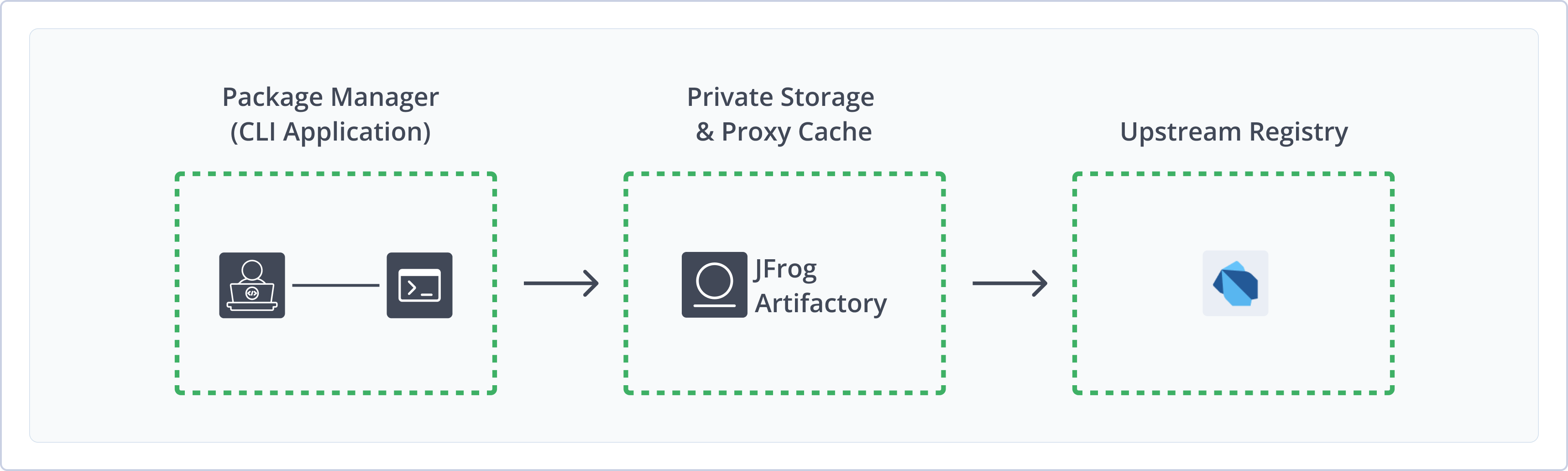
Artifactory fully supports pub repositories, including the following capabilities:
- Robust Metadata Capabilities: Calculate metadata for Dart and Flutter packages hosted in Artifactory's local repositories
- Unified Repository Management: Consolidate all your Dart packages using Artifactory pub repositories as a single source of truth. Set up secure local repositories, access cached versions of remote registries, and create a single access point for all sources with virtual repositories.
- Support for Package Management Clients: Natively use Dart CLI and Flutter CLI to deploy, resolve, and manage packages in Artifactory.
Get Started with pub
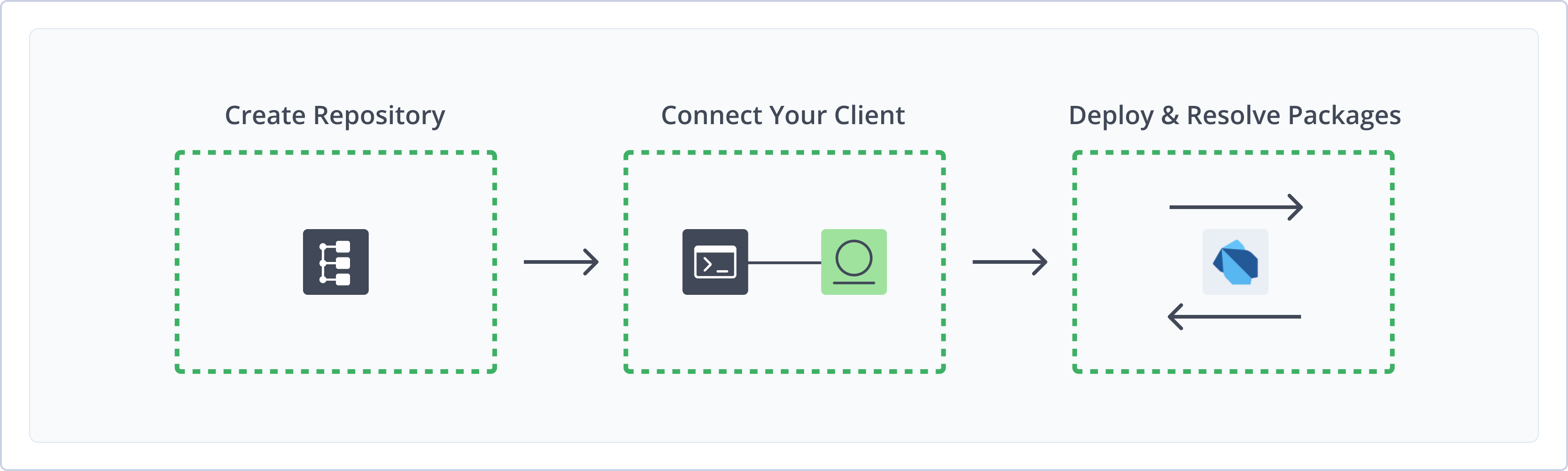
To get started working with pub repositories, complete the following main steps:
- Create a pub Repository
- Connect pub to Artifactory
- Deploy and resolve Dart packages
Create a pub Repository
This topic describes how to create a pub repository. This is required before publishing and installing Dart and Flutter packages. There are three primary types of repositories:
- Local repositories: Store and share first- and second-party packages with your organization
- Remote repositories: Download packages from any remote location, including external package registries or other Artifactory instances
- Virtual repositories: Aggregate remote and local repositories, enabling your organization to scale by providing a single URL that provides access to multiple repositories and types
Note
pub repositories in Artifactory require SemVer 2.0 rules. For more information, see pub SemVer 2.0 Package Support.
For more information on JFrog repositories, see Repository Management.
Prerequisite: You need Admin or Project Admin permissions in Artifactory to create a repository.
To create a pub repository:
-
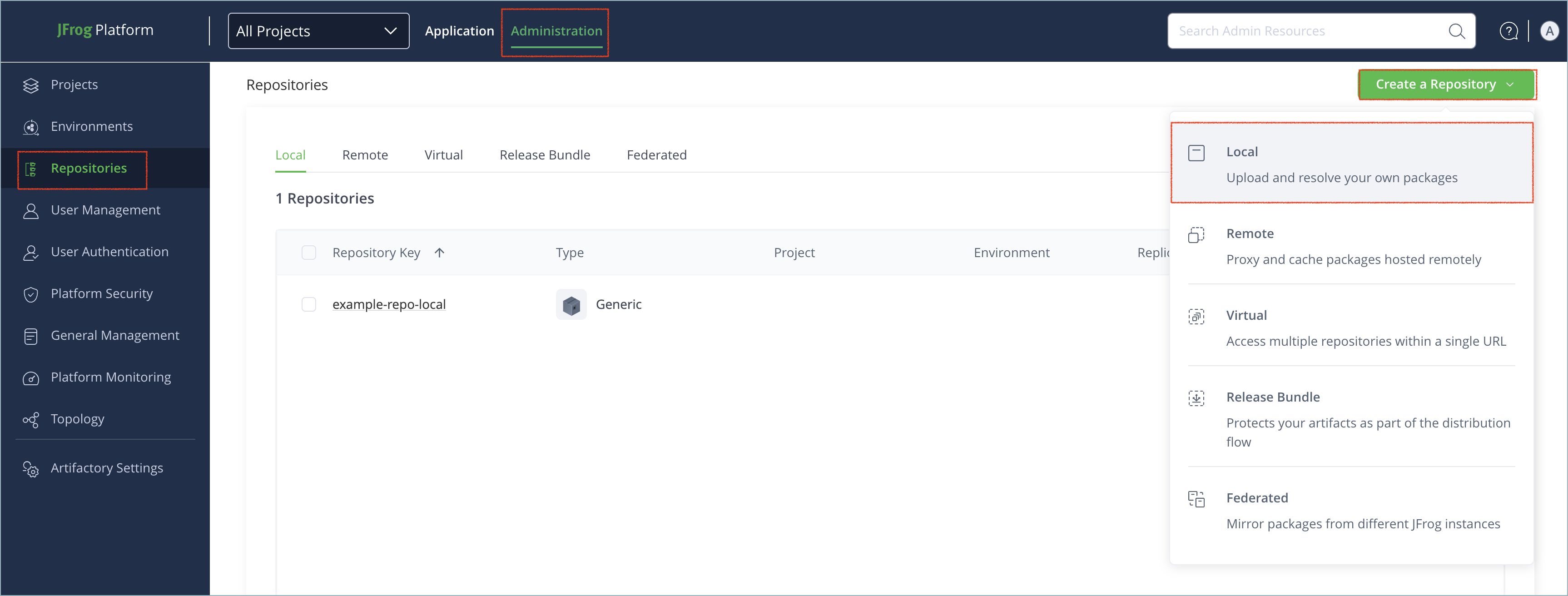
In the Administration tab, click Repositories | Create a Repository.
-
Select the type of repository you want to create: local, remote, or virtual.
-
Select the pub repository type.
-
Configure the required fields for the repository:
- For local repositories, in the Repository Key field, type a meaningful name for the repository. For example,
pub-local. For more information on local repositories and their settings, see Local Repositories. - For remote repositories, verify the Repository URL and update as needed. For more information on remote repositories and their settings, see Remote Repositories.
- For virtual repositories, select one or more local or remote repository types to include in the virtual repository. For more information on virtual repositories and their settings, see Virtual Repositories.
- For local repositories, in the Repository Key field, type a meaningful name for the repository. For example,
-
Click Create Repository. The repository is created and the Repositories window is displayed.
Connect pub to Artifactory
This topic provides details on configuring pub clients to work with Artifactory.
To get up and running quickly to use pub, see Get Started with pub.
Pre-requisite: Before connecting your client to Artifactory, you must have an existing pub repository in Artifactory. For more information, see Create a pub Repository.
Supported clients:
Dart CLI
The following topics describe how to configure and use the Dart CLI with pub repositories in Artifactory:
Connect Dart CLI to Artifactory
Configure the Dart CLI to connect to your Artifactory repositories.
Prerequisite: Before connecting the Dart CLI to Artifactory, you must have an existing pub repository in Artifactory. For more information, see Create a pub Repository.
Logged in vs. Anonymous User: You can work with pub and Artifactory as a logged-in user or anonymously. To work with Artifactory using Anonymous Access, configure that access under Administration > Security > General. For details, see Allow Anonymous Access.
To connect the Dart CLI to Artifactory:
-
Run this command to add the Artifactory repository to your pub client:
dart pub token add "https://[JFrogPlatformURL]/artifactory/api/pub/<REPO_NAME>"Where:
[JFrogPlatformURL]: The URL of your JPD<REPO_NAME>: The name of the target repository in Artifactory
For example:
dart pub token add "https://company.jfrog.io/artifactory/api/pub/pub-local" -
When prompted, enter your Artifactory identity token.
-
Set the environment variable:
export PUB_HOSTED_URL="https://[JFrogPlatformURL]/artifactory/api/pub/<REPO_NAME>"Where:
[JFrogPlatformURL]: The base URL of your JPD<REPO_NAME>: The name of the target repository in Artifactory
For example:
export PUB_HOSTED_URL="https://company.jfrog.io/artifactory/api/pub/pub-local"
Note
You can also use JFrog Set me up to copy the snippet populated with your token and environment. For more information, see Use Artifactory Set Me Up for Configuring Package Manager Clients.
Next steps:
Deploy Packages with Dart CLI
-
Update the version number in your
pubspec.yamlfile. -
Run the following command from the project root folder:
dart pub publish
Note
When manually publishing Dart and Flutter packages via the UI or REST API, they must be deployed to pub repositories according to the structure
<PACKAGE_NAME>/<PACKAGE_NAME>-<VERSION>.tar.gz, otherwise they will not be indexed.The
dart pub publishcommand automatically handles proper structure and formatting.
Resolve Packages with Dart CLI
-
Make sure all dependencies are listed in the
pubspec.yamlfile. -
Run the following command from the project root folder:
dart pub get
Flutter CLI
The following topics describe how to configure and use the Flutter CLI with pub repositories in Artifactory:
Connect Flutter to Artifactory
Configure Flutter to connect to your Artifactory repositories.
Prerequisite: Before connecting the Flutter client to Artifactory, you must have an existing pub repository in Artifactory. For more information, see Create a pub Repository.
Logged in vs. Anonymous User: You can work with pub and Artifactory as a logged-in user or anonymously. To work with Artifactory using Anonymous Access, configure that access under Admin | Security | General. For details, see Allow Anonymous Access.
To connect the Flutter client to Artifactory:
-
Run this command to add the Artifactory repository to your Flutter client:
flutter pub token add "https://[JFrogPlatformURL]/artifactory/api/pub/<REPO_NAME>"Where:
[JFrogPlatformURL]: The URL of your JPD<REPO_NAME>: The name of the target repository in Artifactory
For example:
flutter pub token add "https://company.jfrog.io/artifactory/api/pub/pub-local" -
When prompted, enter your Artifactory identity token.
-
Set the environment variable:
export PUB_HOSTED_URL="https://[JFrogPlatformURL]/artifactory/api/pub/<REPO_NAME>"Where:
[JFrogPlatformURL]: The base URL of your JPD<REPO_NAME>: The name of the target repository in Artifactory
For example:
export PUB_HOSTED_URL="https://company.jfrog.io/artifactory/api/pub/pub-local"
Note
You can also use JFrog Set me up to copy the snippet populated with your token and environment. For more information, see Use Artifactory Set Me Up for Configuring Package Manager Clients.
Next steps:
Deploy Packages with Flutter CLI
-
Update the version number in your
pubspec.yamlfile. -
Run the following command from the project root folder:
flutter pub publish
Note
When manually publishing Dart and Flutter packages via the UI or REST API, they must be deployed to pub repositories according to the structure
<PACKAGE_NAME>/<PACKAGE_NAME>-<VERSION>.tar.gz, otherwise they will not be indexed.The
flutter pub publishcommand automatically handles proper structure and formatting.
Resolve Packages with Flutter CLI
-
Make sure all dependencies are listed in the
pubspec.yamlfile. -
Run the following command from the project root folder:
flutter pub get
Additional pub Information
The following pages provide additional information about using pub to manage Dart packages in Artifactory:
- Deploy Dart Packages via UI
- Pub Repository Structure
- pub SemVer 2.0 Package Support
- Re-index a Pub Repository
- REST API Support for Pub
Deploy Dart Packages via UI
-
Select the Platform tab and go to Artifactory | Artifacts.
-
Select the pub repository where you want to deploy the packages.
-
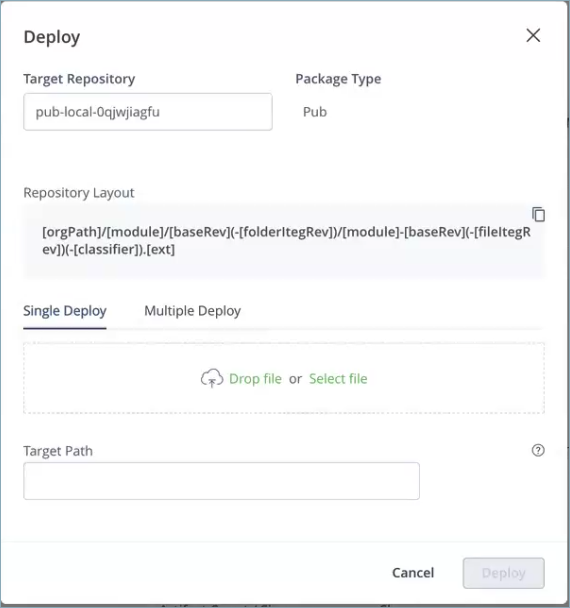
Click the Deploy button. The Deploy window appears, as shown below.
-
Click Drop File or Select File in the Deploy window and select the artifact that you want to deploy.
-
In Target Path, you can specify the relative path for the target repository, or use the default path that Aritfactory assigns.
-
Click Deploy.
Pub Repository Structure
The Pub repository structure is as follows.
|-.pub/<packageName>.json
|----<packageName>/<packageName>-<version>.tar.gz
Note the following:
- The index of the packages will be populated under the .pub , each package has its own json file that index the package versions.
- The binary of the library is populated under the package folder with a convention of the package name and the package version , for example:
pedantic/pedantic-1.9.1.tar.gz.
Deployment Structure
All deployment of Pub packages into Artifactory must be under the
<PACKAGE_NAME>/<PACKAGE_NAME>-<VERSION>.tar.gzstructure.If packages are not deployed under this structure, they will not be included in any index file.
pub SemVer 2.0 Package Support
Artifactory requires applying SemVer 2.0 rules for pub repositories, which means you can now use pre-release numbers with dot notation or add metadata to the version, for example: MyApp.3.0.0-build.60, MyApp.1.0+git.52406.
Artifactory serves the requests for downloading packages using SemVer 2.0 rules. For example, if the latest version for a certain package is in a SemVer 2.0 convention, Artifactory will return it to the client. Dart packages with the SemVer 2.0 convention are served from local, remote, and virtual repositories and for both pub API v2, and v3 feeds.
Re-index a Pub Repository
You can trigger an asynchronous re-indexing of a local Pub repository either through the UI or using the REST API.
In the Artifact Tree Browser, select your Pub repository, right-click and select Recalculate Index from the list (requires Admin privileges).
To re-index a Pub repository through the REST API, see Calculate Pub Repository Metadata API.
REST API Support for Pub
The Artifactory REST API enables the recalculation of the repository index, as described in Calculate Pub Repository Metadata API.
pub Limitations in Artifactory
The following are the limitations of pub repositories and clients in Artifactory:
- Supported versions: Artifactory supports Pub version 2.15.0-268.8.beta and above.
- Deployment structure: When deploying Dart packages manually via UI or REST API, they must be deployed according to the structure
<PACKAGE_NAME>/<PACKAGE_NAME>-<VERSION>.tar.gzto be indexed properly in Artifactory.
Updated 4 months ago