

Get Started with Binary Management (DevOps)
JFrog Artifactory is the single solution for housing and managing all your software artifacts, AI/ML models, binaries, packages, files, containers, components, and releases used in and generated across your organization’s software supply chain.
What is JFrog Artifactory?
Artifactory serves as your central hub for DevOps and developers - integrating with your tools and processes to improve automation, capture attestation, ensure release integrity, and provide unrivaled visibility and governance across your development processes.
- For information on how Artifactory operates as a proxy for package registries and repositories, see Work with Package Management.
- To better understand artifacts, packages and other objects in JFrog Artifactory, see Understand Artifacts and Packages.
Set up Artifactory
Before starting you need to set up Artifactory:
- For installation and setup of self-managed Artifactory deployments, see Get Started with JFrog Platform Installation.
- For platform administration tasks like user and resource management, see Get Started with Platform Administration.
Connect your package manager or IDE
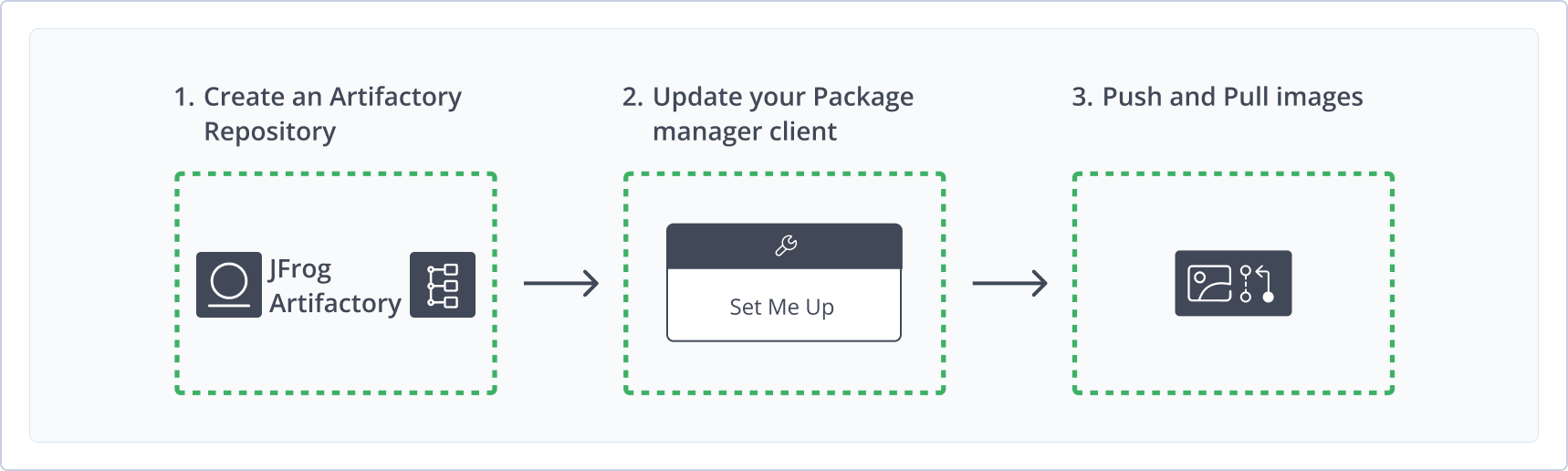
Once you've set up Artifactory as your universal artifact repository, you need to take three primary steps to begin using Artifactory as your artifact repository:
-
Create an Artifactory Repository
Create a local repository to share binaries with your colleagues, a remote repository to proxy requests from external artifact registries and repositories, or a virtual repository to combine the two. For more information, see Get Started with Repositories. Note you need Admin permissions to create repositories. -
Update your Package Manager Client
Every developer in your organization needs to update their package manager client on their workstation to point to Artifactory. Instructions are different for every repository and registry and every package manager.- Connect to your registry: For more information, see Connect your Package Manager or IDE to Artifactory and follow the instructions for the specific registry or repository (e.g. Docker, Maven).
- Copy commands for Configuration: via the set me up functionality to use for configuring your package manager. For more information, see Use Artifactory Set Me Up for Configuring Package Manager Clients.
-
Push and Pull Images
Once you've created a repository and updated your package manager, you can begin to work. For more information see Upload and Download Packages using Artifactory.
Read about how Artifactory operates as your package manager in Work with Package Management.
Search for Artifacts and Packages
Get some guidance on Searching in Artifactory, see Platform Search and read about Browsing Artifacts.
Learn about and work with Artifactory
See Supported Package Types
See the list of the more than 50 registries and repositories supported by JFrog Artifactory.
Read Package Management Use Cases
Learn about package caching and proxying with Artifactory and about managing machine learning operations.
Learn about Package Management
See how artifactory operates as your central package and artifact repository. Learn how to efficiently search and find your artifacts.
Get Started with the JFrog Trial
Not yet started? Register for the JFrog Trial and begin managing packages and artifacts.
Work with JFrog Repositories
Learn about the different types of repositories in JFrog, how to create and configure them and understand their purposes.
Distribute Packages
Use Artifactory to distribute artifacts and release bundles across edges.
Learn more about Artifact Lifecycle Management at JFrog Academy!
Updated 3 months ago