

Xray Scanning of Release Bundles (v1)
Important
Xray scanning is available for Release Bundles v1 and Release Bundles v2. Support for Release Bundles v2 was introduced with the release of Artifactory 7.68.6 and Xray 3.81.2. For more information, see Scan Release Bundle v2 Versions with Xray.
JFrog Xray supports the scanning of Release Bundles as well as setting Policies and Watches on Release Bundles.
Before scanning your Release Bundles, you will need to:
- Add the Release Bundles to the list of Xray-indexed resources. For more information, see Index Xray Resources.
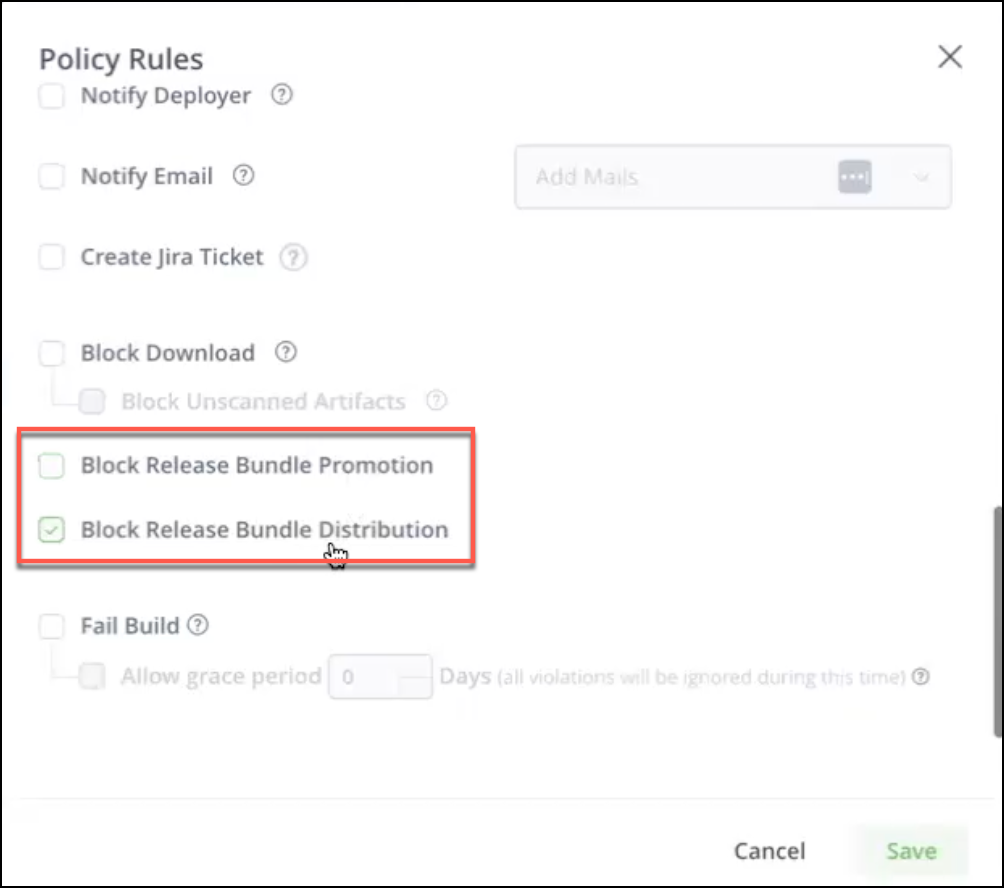
- Create a Policy containing specific rules that, if met, will trigger one or more defined actions (block Release Bundle promotion (v2 only), block Release Bundle distribution to Edge nodes (v1 & v2)). For more information, see Create Policies.
- Configure a Watch that applies a Policy to specific Release Bundles. For more information, see Create Watches.
For information about viewing scanning results, see View Xray Data of Scanned Release Bundles (v1).
View Xray Data of Scanned Release Bundles (v1)
In the Release Bundles version list, you can view the status of your scanned Release Bundle v1 versions in the Xray Status column.
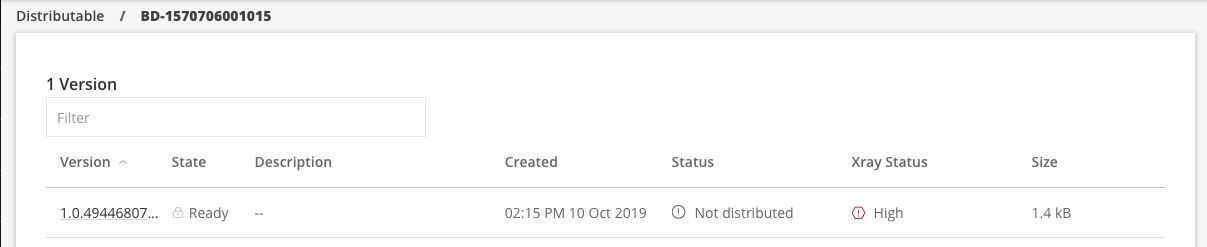
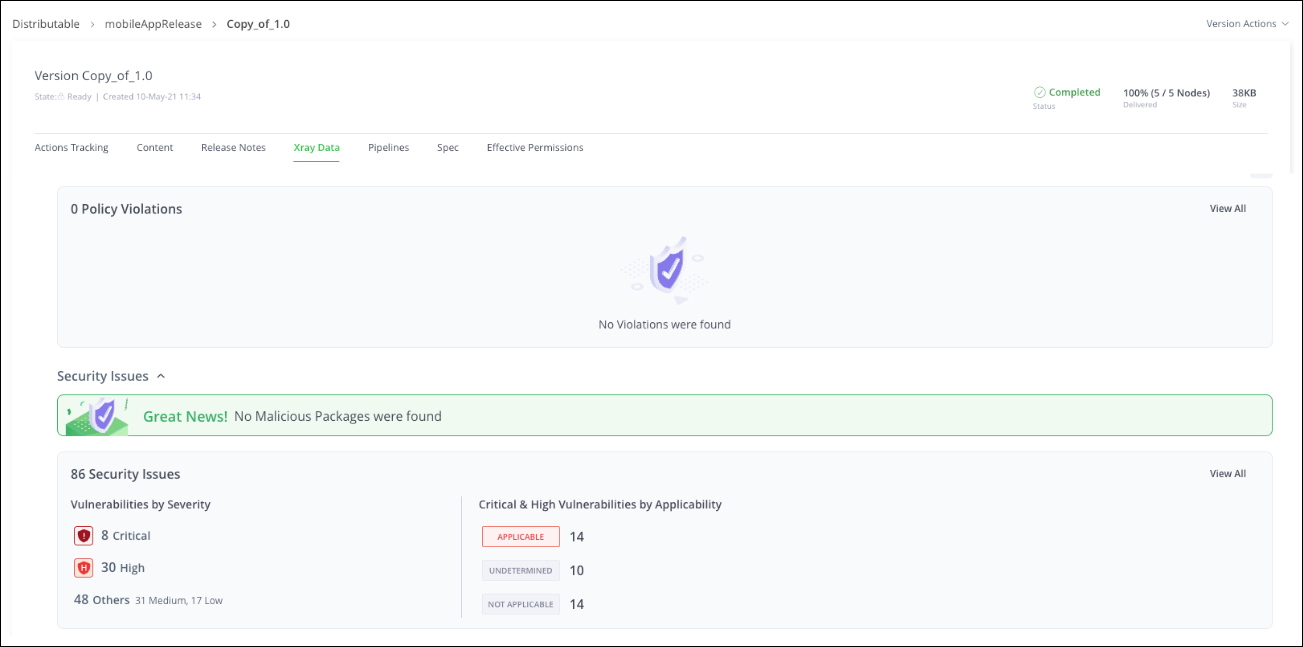
Click the Release Bundle version to view detailed information in the Xray Data tab. This tab displays any violations, security issues, or license issues that may have been detected on the distributed version. You can run the following Xray-related actions on the version:
- Scan for Violations
- Assign Custom Issue
- Assign Custom License
- Export Scan Data
- Switch to Old Xray (reverts to the table view of scan results)
For detailed information about each tab, see Understanding and Analyzing Xray Scan Results.
Block Promotion and Distribution of Release Bundles
You can set the Block actions in an Xray Policy to prevent Release Bundles containing security vulnerabilities from being promoted and distributed. For more information, see Configure Xray.
Note
The blocked Release Bundle appears in the Actions Tracking tab with the promotion or distribution status of Failed.
Updated 19 days ago