

Monitor the Distribution Service
Administrators can monitor the status of all active and previous distribution operations, including the size and duration of the operation. This capability lets you see which distributions are currently in progress, which are pending an Xray scan, and which have been completed.
To access the Distribution service monitor:
-
In the Administration module, select Monitoring > Distribution Status.
-
Select one or more distribution targets from the Target list and click Apply. The table is updated with the information for the selected targets.
-
Select one of the following tabs:
- Active: Contains information about currently active distribution operations.
- History: Contains information about previous distribution operations.
Active Distributions Table
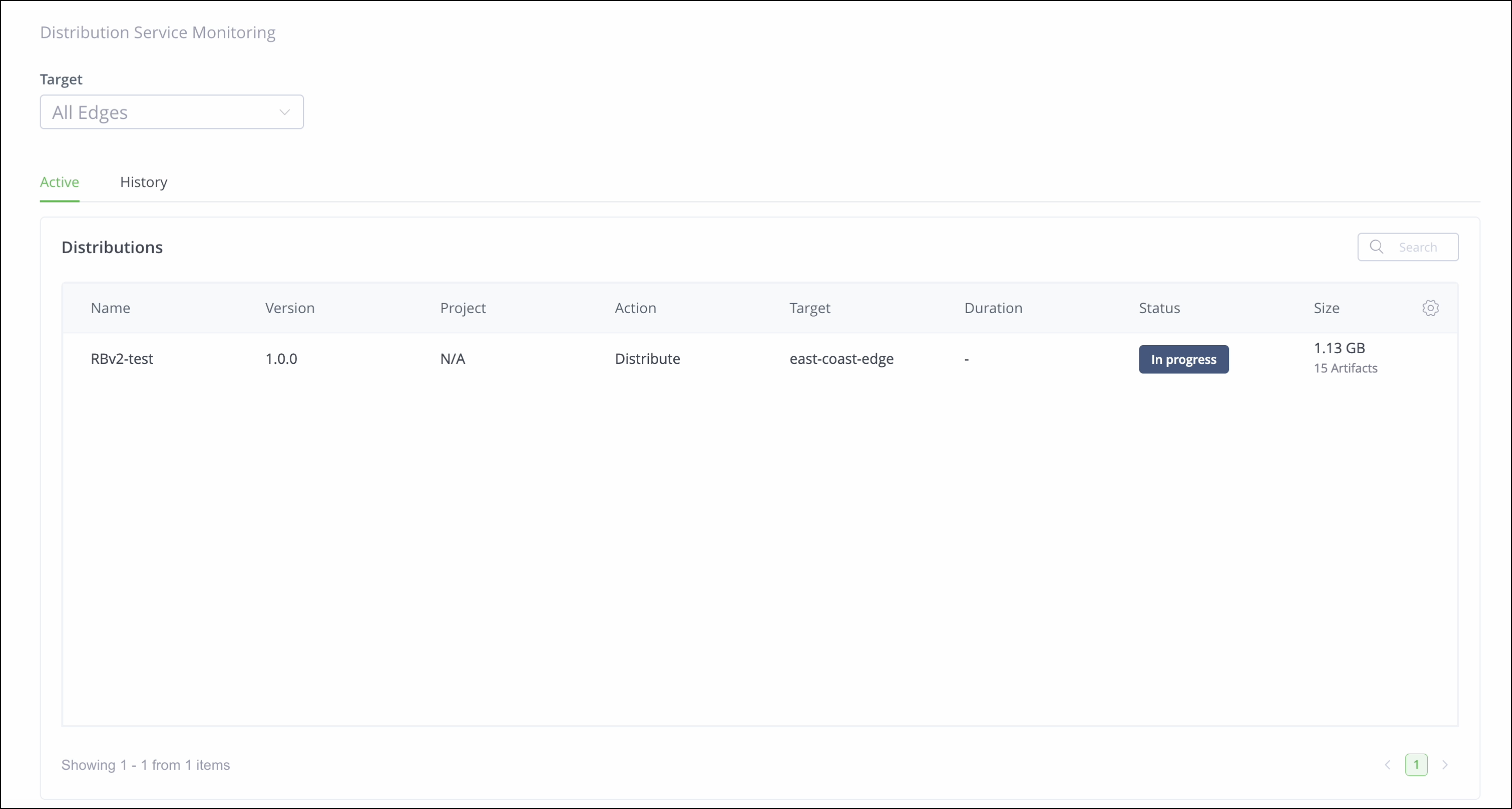
When the Active tab is selected, the table includes the following information about each active distribution:
| Column | Description |
|---|---|
| Name | The name of the Release Bundle. |
| Version | The Release Bundle version. |
| Project | The project associated with the Release Bundle. |
| Action | The action that was performed (Distribute or Delete). |
| Target | The distribution target. If the Release Bundle was distributed to multiple targets (for example, multiple Edge nodes), a line for each target is added to the table. |
| Duration | The total duration since the request was initiated. |
| Status | The current status of the operation. Possible statuses include:
|
| Size | The number of artifacts included in the distribution and their total size. |
Distribution History Table
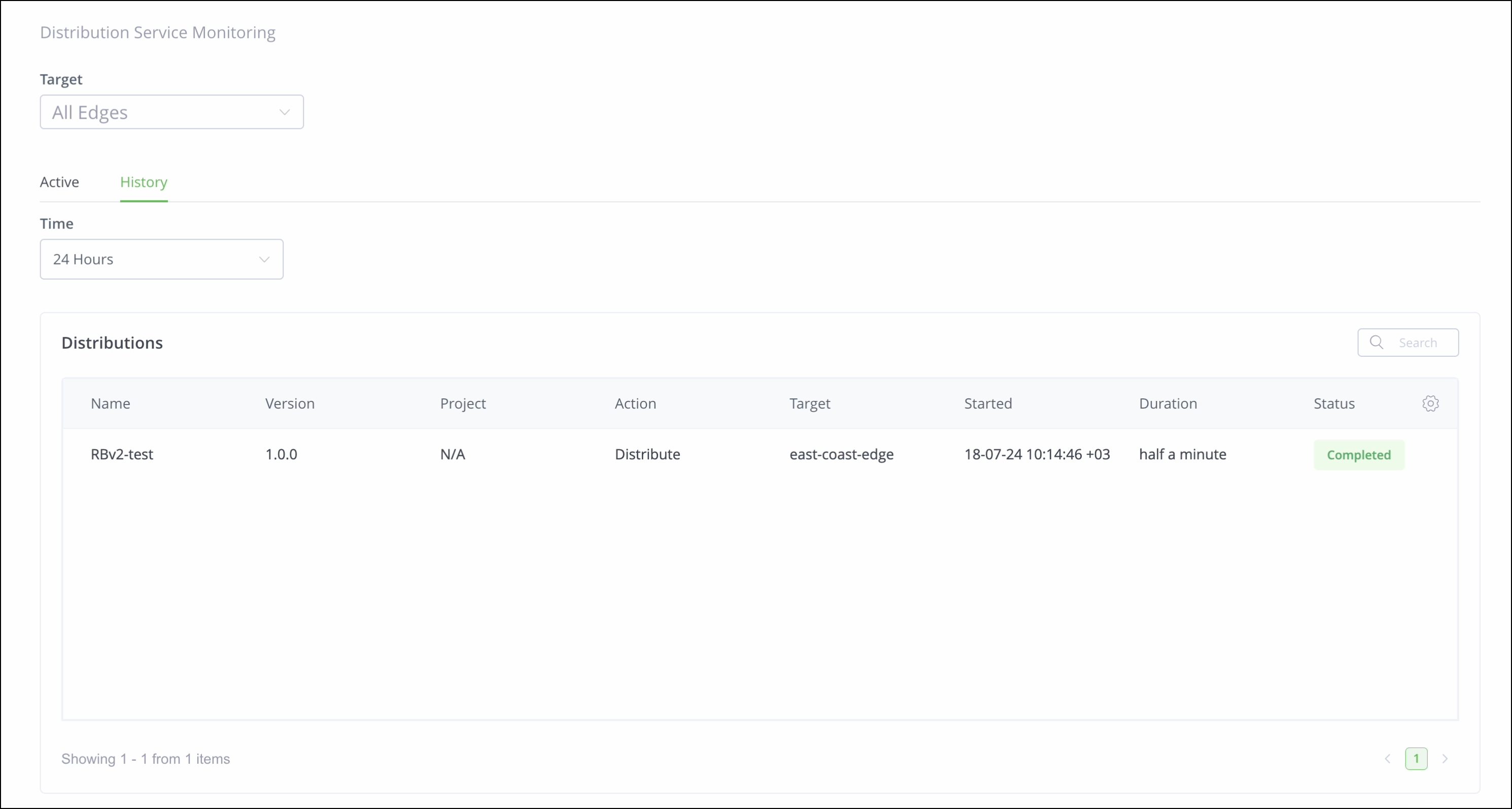
To view the table containing the history of previous distribution operations, click the History tab and select the desired timeframe from the Time list (the default is the past 24 hours). The table includes the following information about each distribution:
| Column | Description |
|---|---|
| Name | The name of the Release Bundle. |
| Version | The Release Bundle version. |
| Action | The action that was performed (Distribute or Delete). |
| Target | The distribution target. If the Release Bundle was distributed to multiple targets (for example, multiple Edge nodes), a line for each target is added to the table. |
| Started | The timestamp of when the operation began. |
| Duration | The total duration of the operation. |
| Status | The final status of the operation. Possible statuses include:
|
Viewing Distribution Details
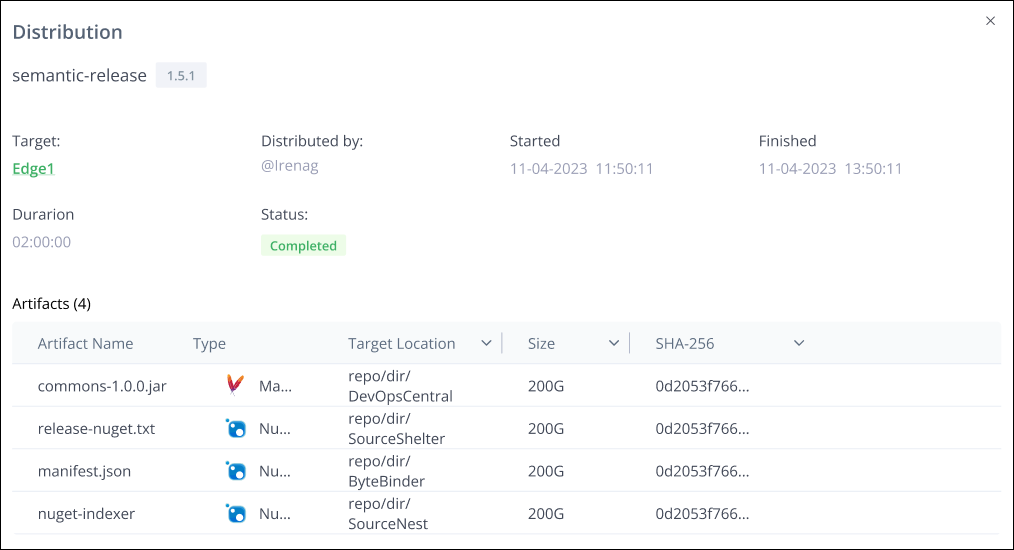
Click anywhere on the row in the distribution table to view the following details about the operation:
-
The name of the person who performed the operation.
-
The list of distributed artifacts, including:
-
Artifact name
-
Artifact type
-
Target location
-
Size
-
SHA-256
-
Updated 22 days ago