

Release Bundle (v1) Tasks
You can perform the following tasks on Release Bundle v1 versions:
- View Release Bundle version details
- Search for Release Bundles
- Download Release Bundle contents
- Edit Release Bundles
- Clone Release Bundles
- Delete Release Bundles
Note
To search for a specific Release Bundle by name or by the latest version, use the filter search (from 2.14.1).
The total count for both Distributable and Received Release Bundles is displayed in the UI (from 2.14.1).
View Release Bundle v1 Version Details
To view a version of a Release Bundle v1, select a Release Bundle and then select the required version.
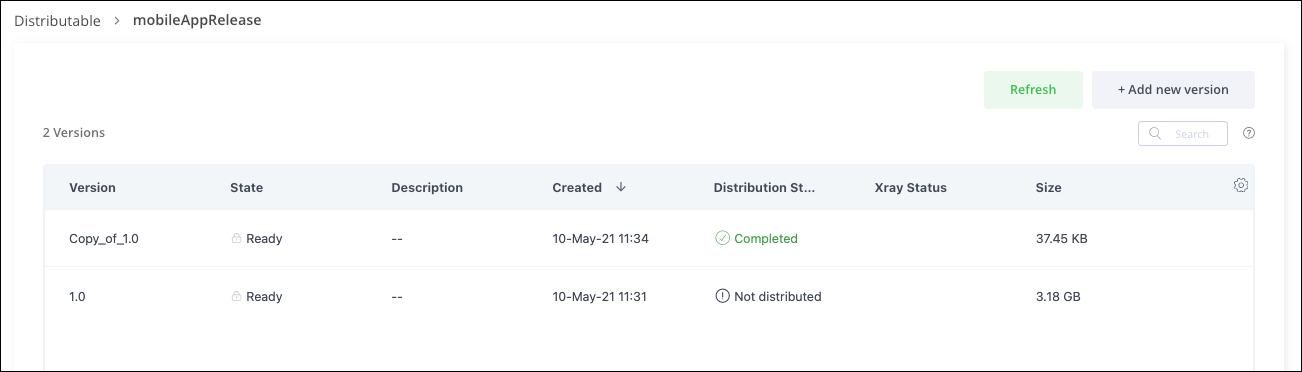
The page for a selected Release Bundle version displays the following information:
General Info: The panel along the top of the screen displays general information such as the version, creation date, status, delivery summary, and the size of the Release Bundle
Details: This panel displays details about the selected Release Bundle version in a series of tabs: Actions Tracking, Content, Release Notes, Xray Data, Pipelines, Spec, and Effective Permissions.
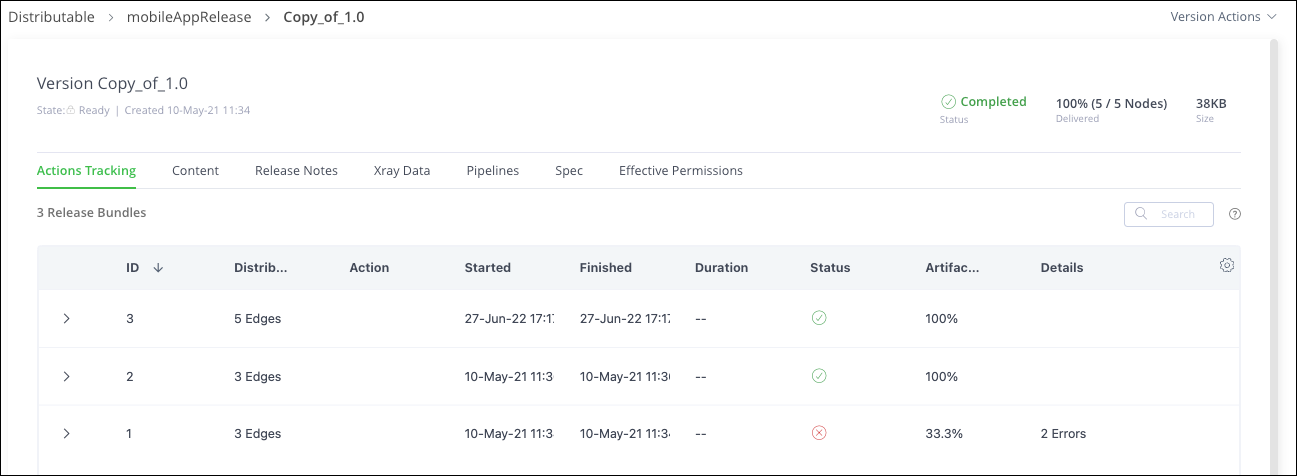
Actions Tracking Tab
The Actions Tracking tab provides a history for this Release Bundle version.
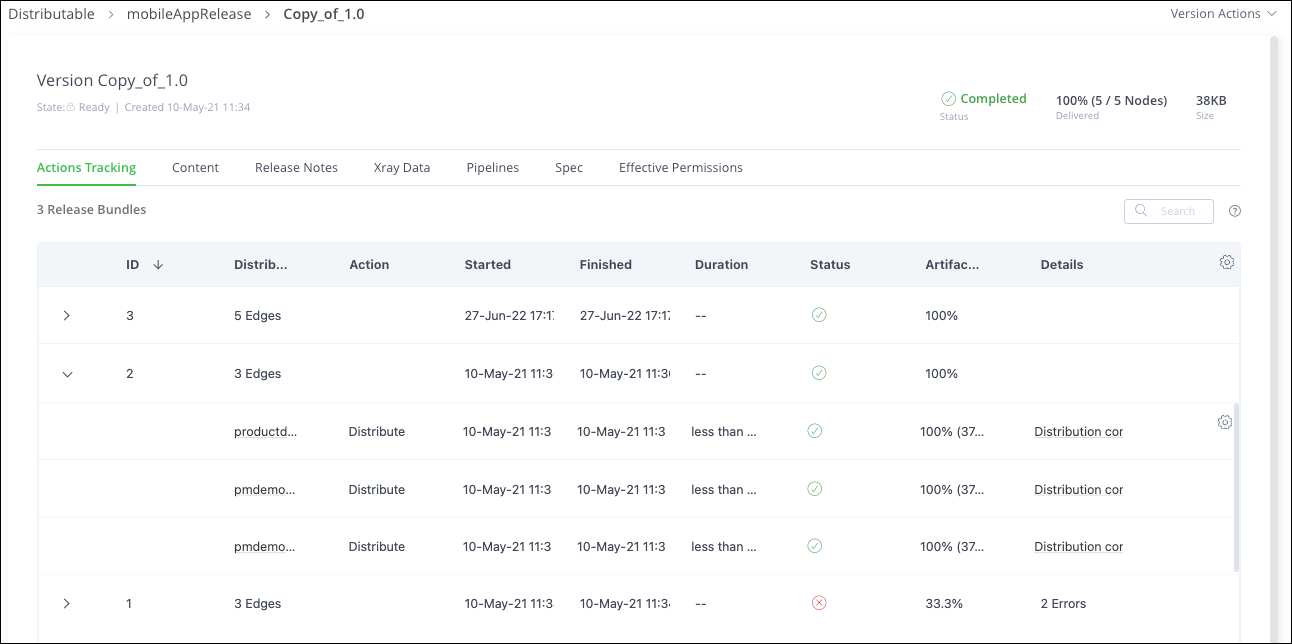
| Item | Description |
|---|---|
| ID | The ID of the distribution action.
|
| Distribution Target | The number of distribution targets. When expanded, this column shows the name of the target.
|
| Action | The action that was performed. |
| Started | The date and time when the action started. |
| Finished | The date and time when the action finished. |
| Duration | The duration of the distribution action. |
| Status | The status of the action. |
| Artifacts Progress | The percent completion of the action and number of attempts at completion. |
| Details | Summary of some details about the action.
|
Content Tab
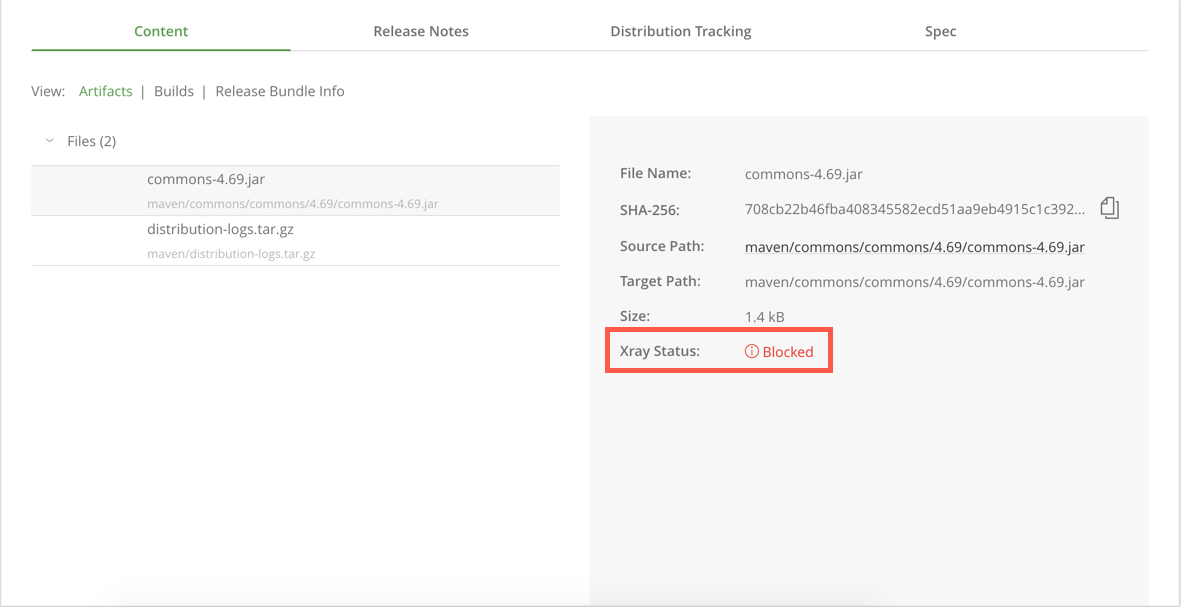
The Content tab displays the artifacts, builds, and metadata that comprise the Release Bundle.
Click any artifact or build to view details about it in the right panel in the tab.
Click for direct access
Click an artifact's source path to be redirected to the right location in the tree browser of the corresponding Artifactory service.
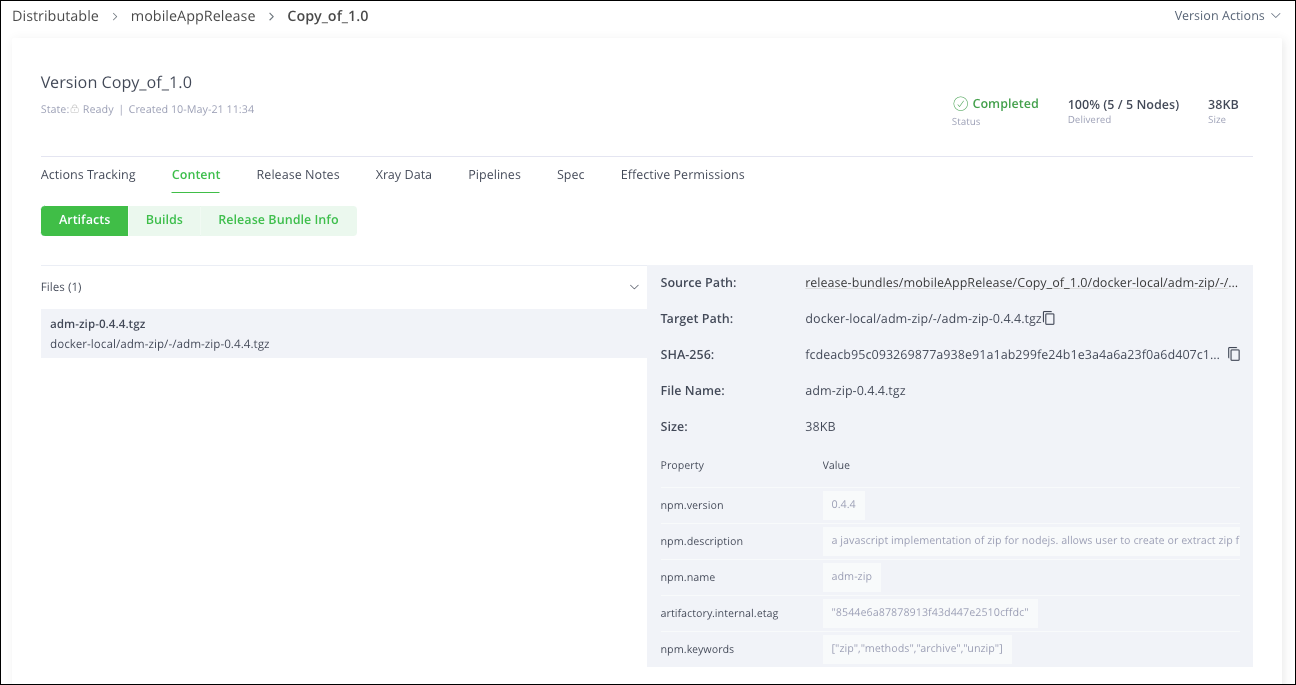
If the artifact has been blocked for download by JFrog Xray (in which case, you will not be able to distribute the Release Bundle), this will be indicated in the Xray Status field for the selected artifact in the Content tab.
Release Notes Tab
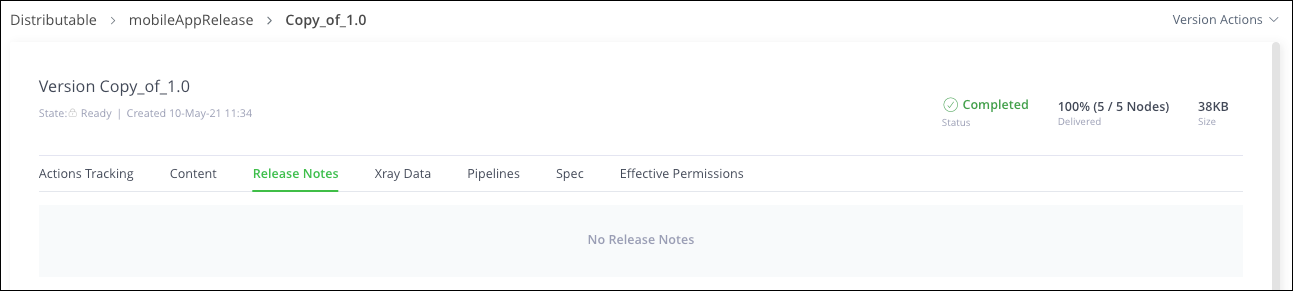
The Release Notes tab displays release notes for the bundle. These can be written in markdown, ASCII doc, or plain text.
Xray Data Tab
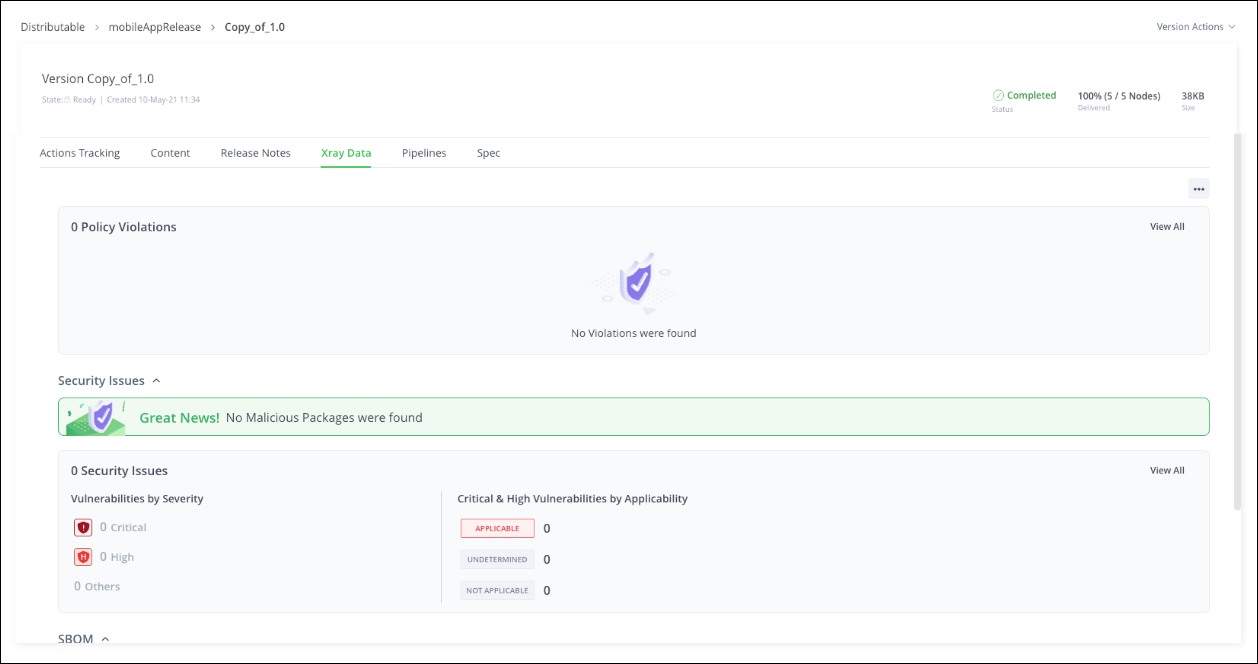
The Xray Data tab displays the results of the scan performed by Xray on the Release Bundle, including policy violations and other security vulnerabilities that were discovered.
Pipelines Tab
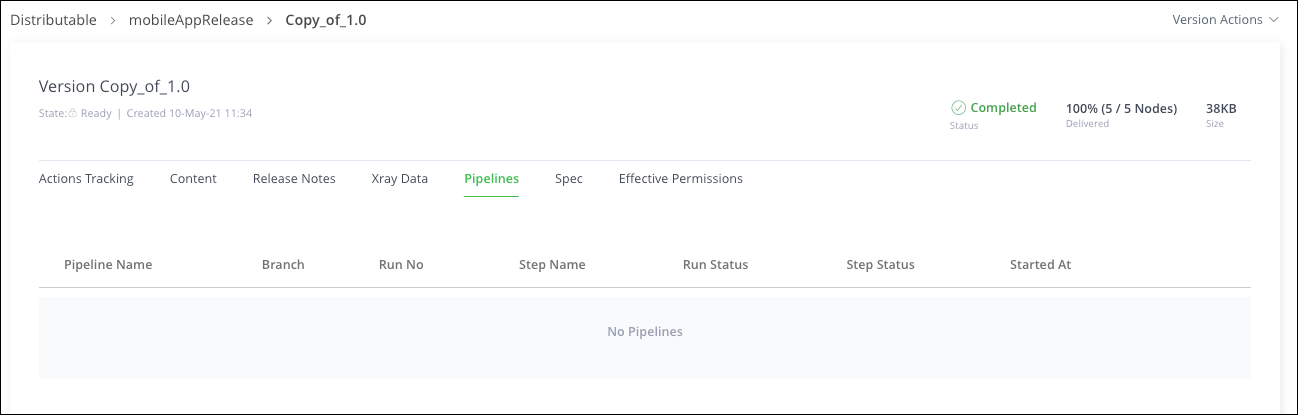
The Pipelines tab is a verification system that determines which pipelines/steps generated a specific artifact. It provides users with a way to ensure that their artifacts have not been tampered with before these artifacts are promoted through the CI/CD workflow.
Spec Tab
The Spec tab displays the source Artifactory service from which the artifacts of this Release Bundle were assembled as well as the list of queries that assembled the artifacts.
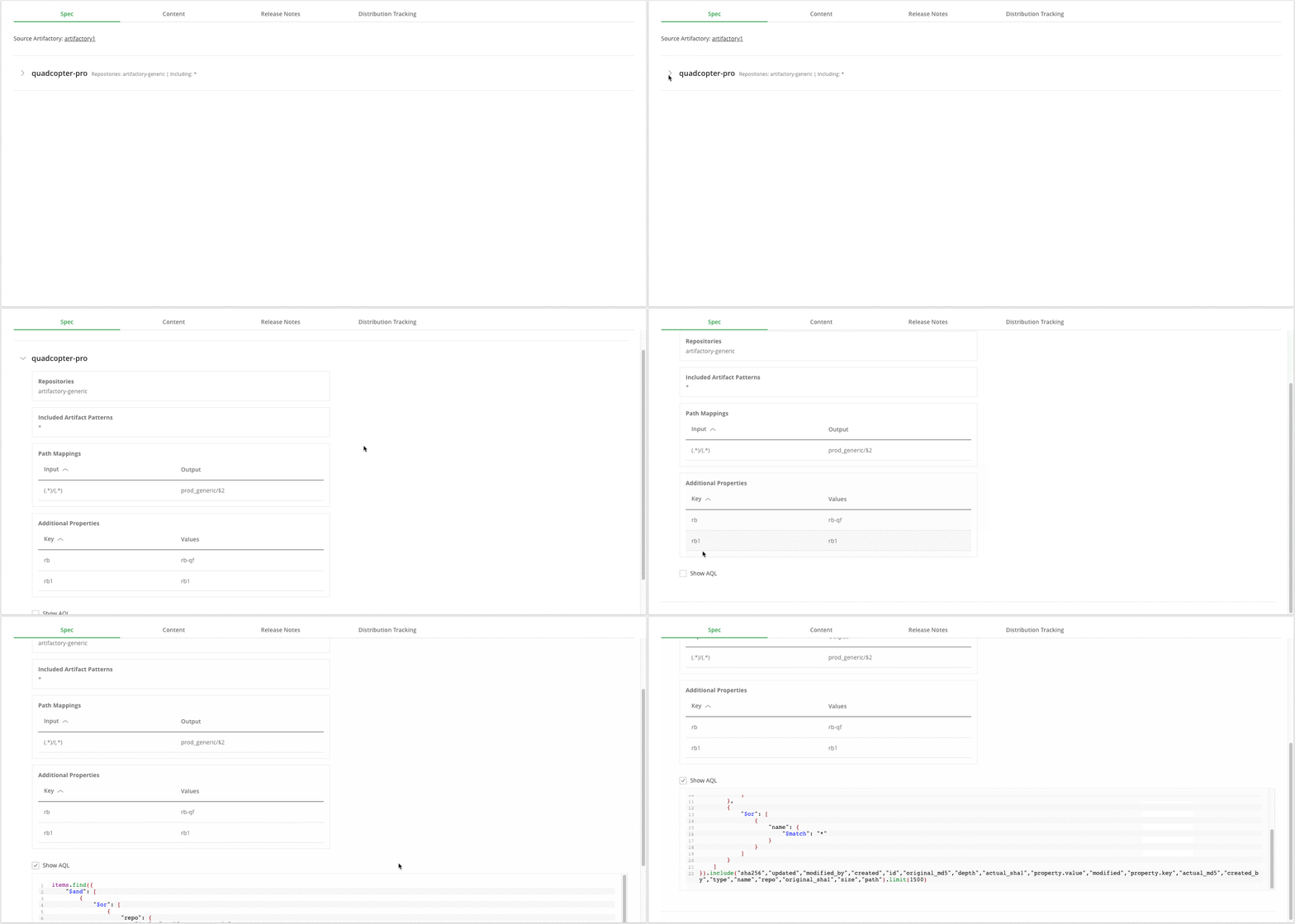
Click the Artifactory service
Clicking the Artifactory service opens a new tab on the home screen of that service.
Clicking on any of the queries expands it displaying the details of the query that governed the assembly of the Release Bundle artifacts.
You can select the AQL checkbox to see the final AQL query that was used to assemble the artifacts.
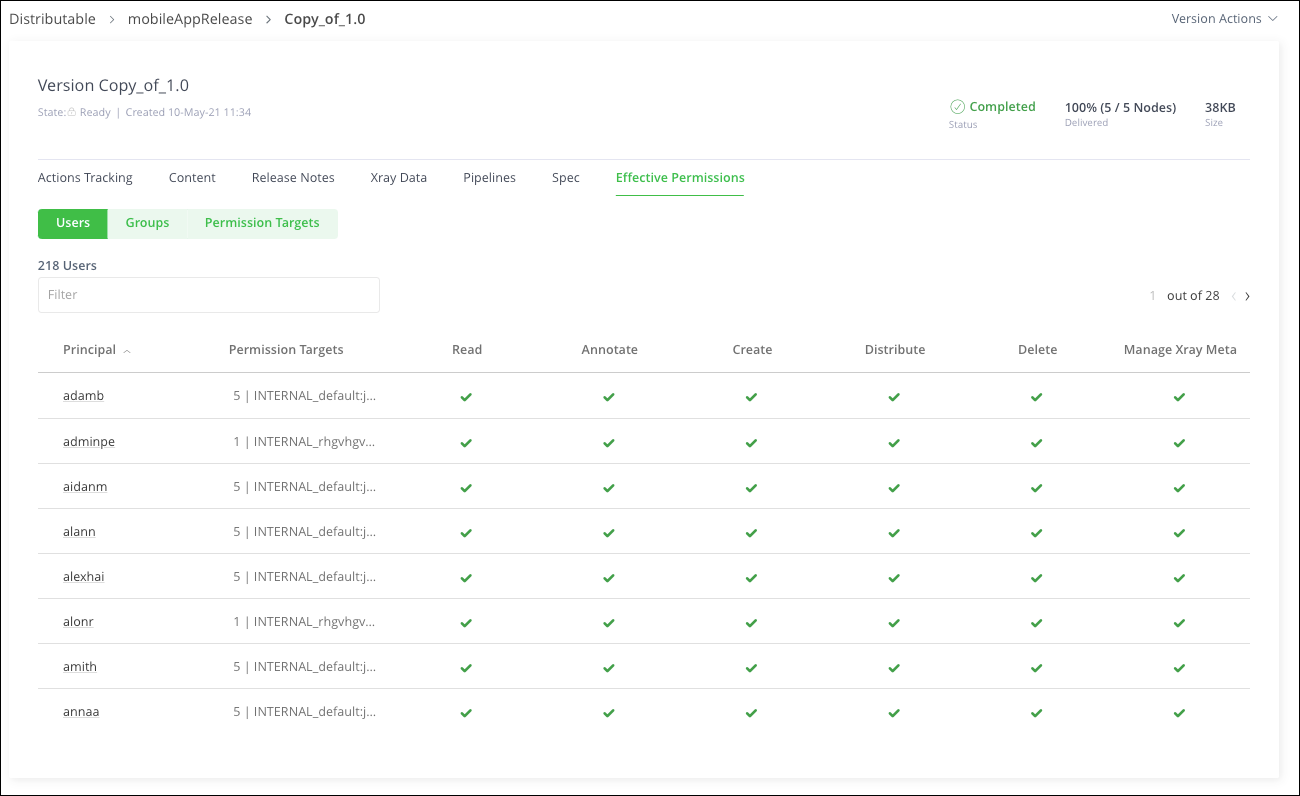
Effective Permissions Tab
The Effective Permissions tab displays the effective permissions assigned for the selected Release Bundle. For more information, see Permissions.
View Release Bundle v1 Versions on the Source Node
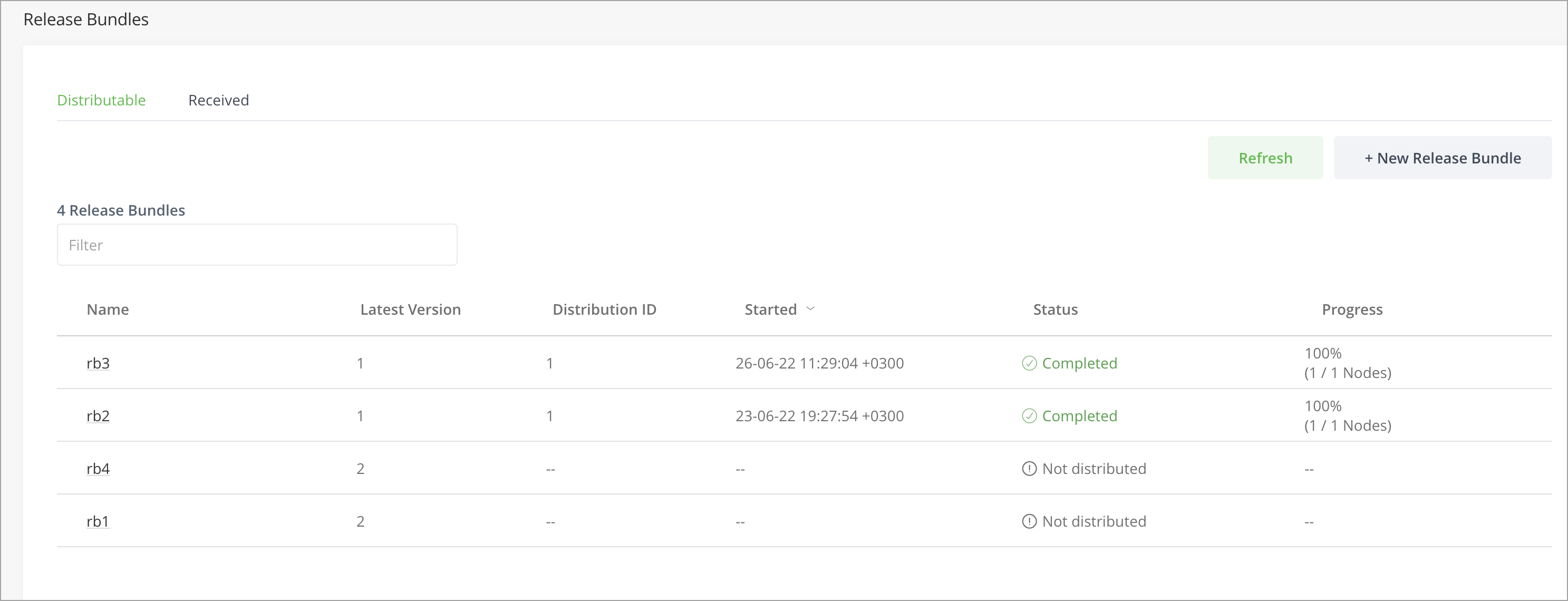
| Item | Description |
|---|---|
| Name | The Release Bundle name. |
| Latest Version | The Release Bundle's latest version. |
| Distribution ID | The sequential number of the distribution job. Only the last 3 distribution jobs are displayed. |
| Started | The time the distribution began |
| Status | The distribution job status. |
| Progress | The distribution progress percentage. |
Search for Release Bundle v1 Versions
The Platform supports searching for Release Bundle v1 versions using the following methods:
-
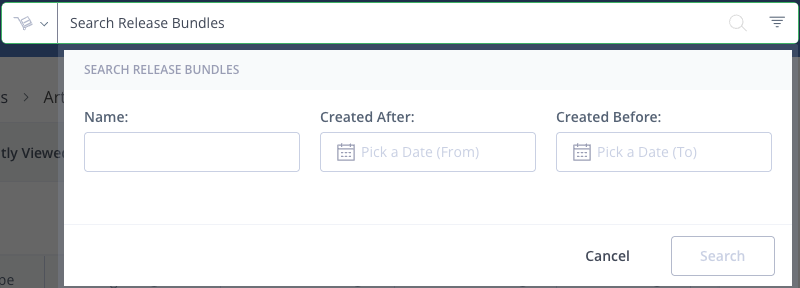
Dedicated Platform Release Bundle Search: You can search for distributable and received Release Bundles within a specified time page. For more information, see Application Search.
-
AQL Search for Release Bundles: To search for Release Bundles on an Edge node, you can use the release and release_artifact domains introduced to AQL. For details, please refer to AQL Entities and Fields.
Download Release Bundle Contents
When you are ready to deploy a software release, you can download the contents of a Release Bundle from Artifactory using the CLI command:
jf rt dl --bundleWhere the value format of --bundle is bundleName/bundleVersion.
Download from a Source Artifactory
When downloading the contents of a Release Bundle (v1 only) from a source Artifactory instance, the directory structure is as follows:
bundleName > bundleVersion > repositoryName > artifacts > ...
For example:
.
├── BD-131253-835.                        #bundleName
│   └── 1                                 #bundleVersion
│       └── generic-repo-1722507172888    #repositoryName
│           └── artifacts
│               └── maven
│                   └── commons-4.69.jar
Download from a Target Artifactory
When downloading the contents of a Release Bundle (v1 or v2) from a target Artifactory (for example, an Edge node), the directory structure does not include the bundleName and bundleVersion. For example:
└── artifacts
    └── maven
        └── commons-4.69.jar
For more information about downloading files from Artifactory using the JFrog CLI, see Downloading Files.
Edit a Release Bundle (v1)
You can edit Release Bundles that have been saved with 'Create' as a draft and have not yet been signed.
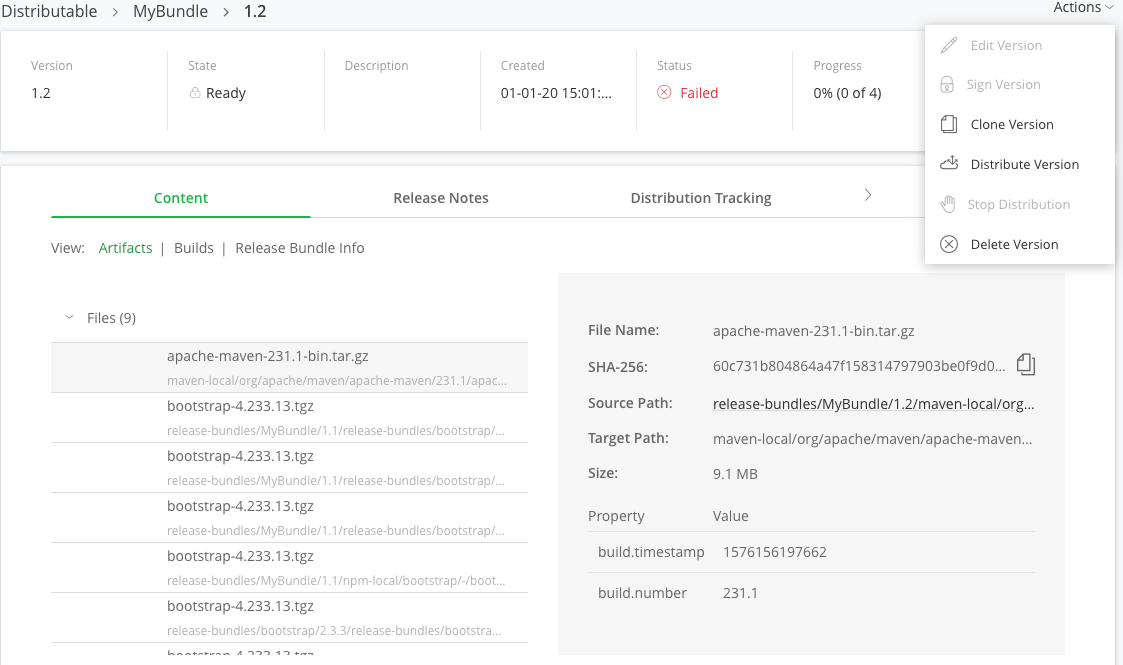
From the Application module under Distribution, go to Distributable > [Bundle_Name] | [Bundle_Version], click Actions , and select Edit Version.
Clone Release Bundles (v1)
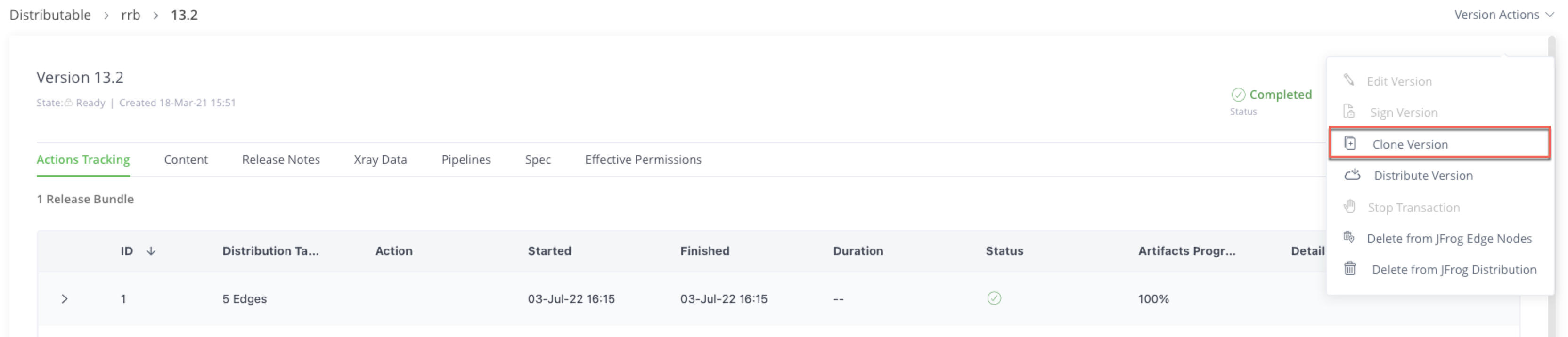
To clone an existing Release Bundle v1 version, select Clone Version from the Actions menu.
This will copy the Release Bundle spec, including its name and queries, into a new Release Bundle page. Details on the page can then be adjusted and saved accordingly.
Delete a Release Bundle (v1)
You can delete Release Bundles v1 using the platform UI or the Delete Release Bundle v1 Version REST API. This function is available for users with Release Bundle delete permissions.
To delete an existing Release Bundle v1 version:
-
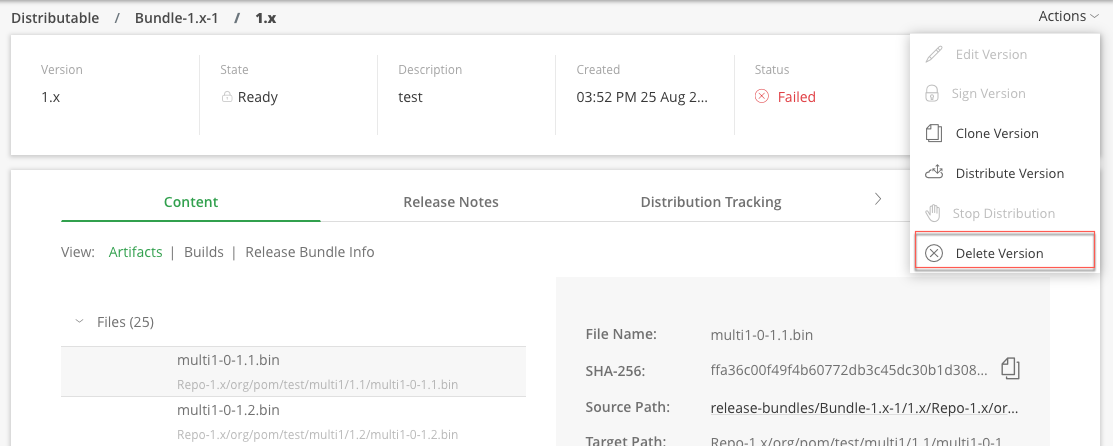
Select Delete Version from the Actions menu.
-
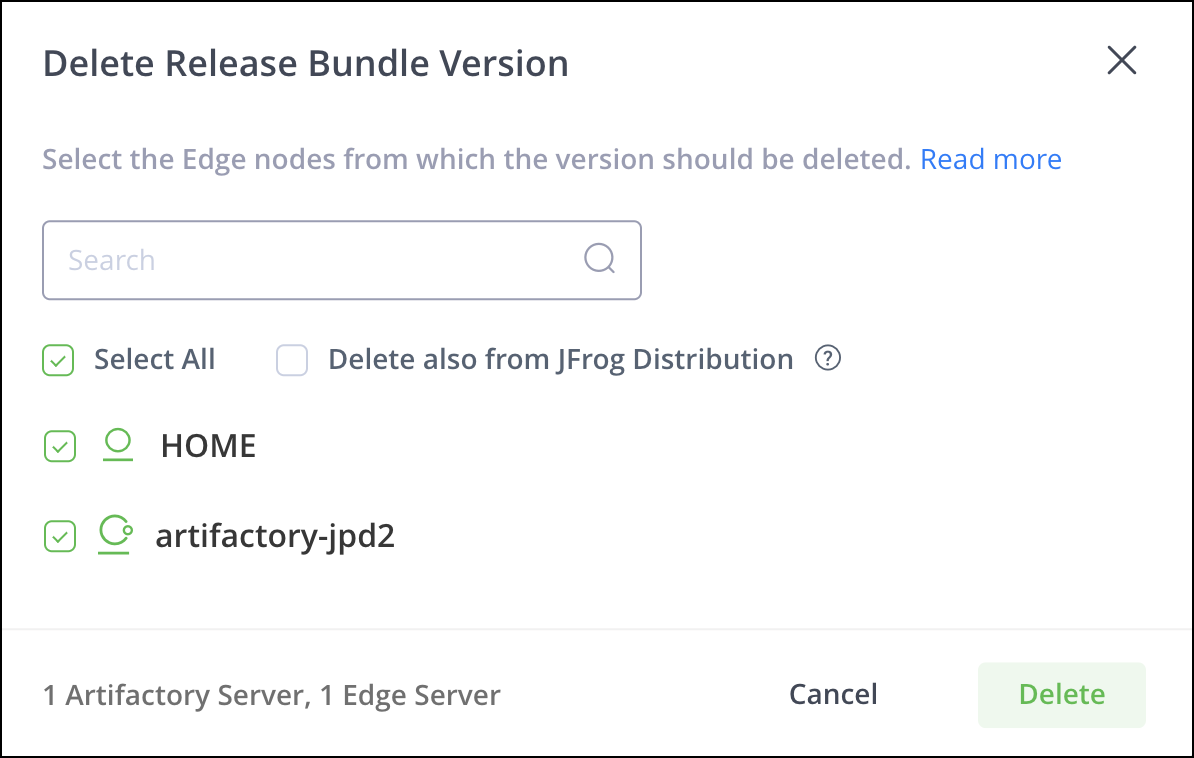
Select the Edge nodes from which the Release Bundle version should be deleted.
-
[optional] Select the Delete also from JFrog Distribution checkbox to delete the Release Bundle locally from JFrog Distribution in addition to the selected Edge nodes.
-
Click Delete.
Note
From Artifactory release 7.39.1, you can verify that the empty folders of a Release Bundle are deleted as part of its deletion from both target Repositories and Release Bundles Repository. This is done through a parameter in the Artifactory
system.yamlfile calledreleasebundle.cleanup.deleteEmptyFolder, which is set totrueby default.
Updated 4 months ago