

Use Artifactory Set Me Up to Configure Package Manager Clients
Set Me Up is a feature in the JFrog Platform that generates CLI commands and other code snippets for configuring your package management clients and managing packages in JFrog Artifactory. Using Set Me Up helps simplify the process of connecting and configuring JFrog Artifactory by providing configuration instructions and commands that have your authentication and environment information already built-in. For complete configuration instructions by package types, including repository creation, see the relevant documentation from Supported Package Types.
Note
The Set Me Up window tab names, buttons, and content may vary slightly depending on the package type or client you select.
Prerequisite: You must have an existing repository for the package type and client you want to set up. For more information, see Repository Management Overview or contact your Artifactory administrator.
To use Set Me Up:
-
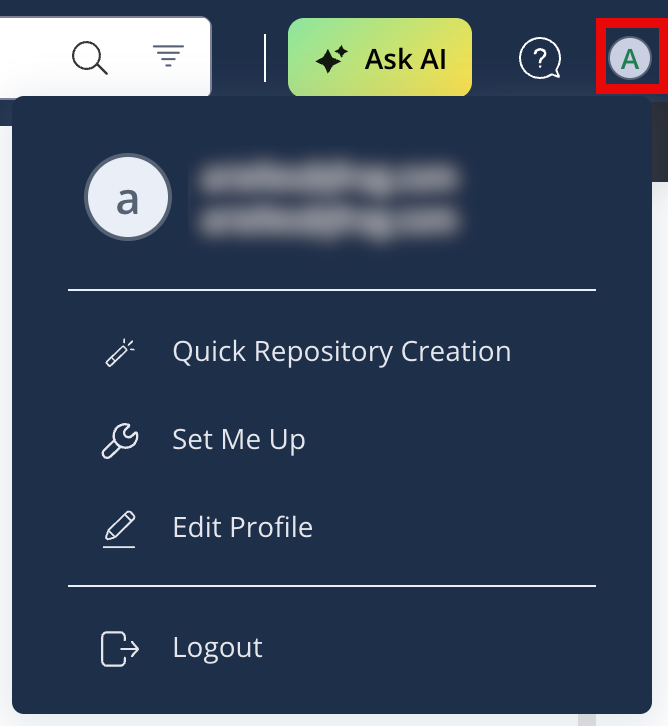
In the JFrog Platform, open the User Menu.
-
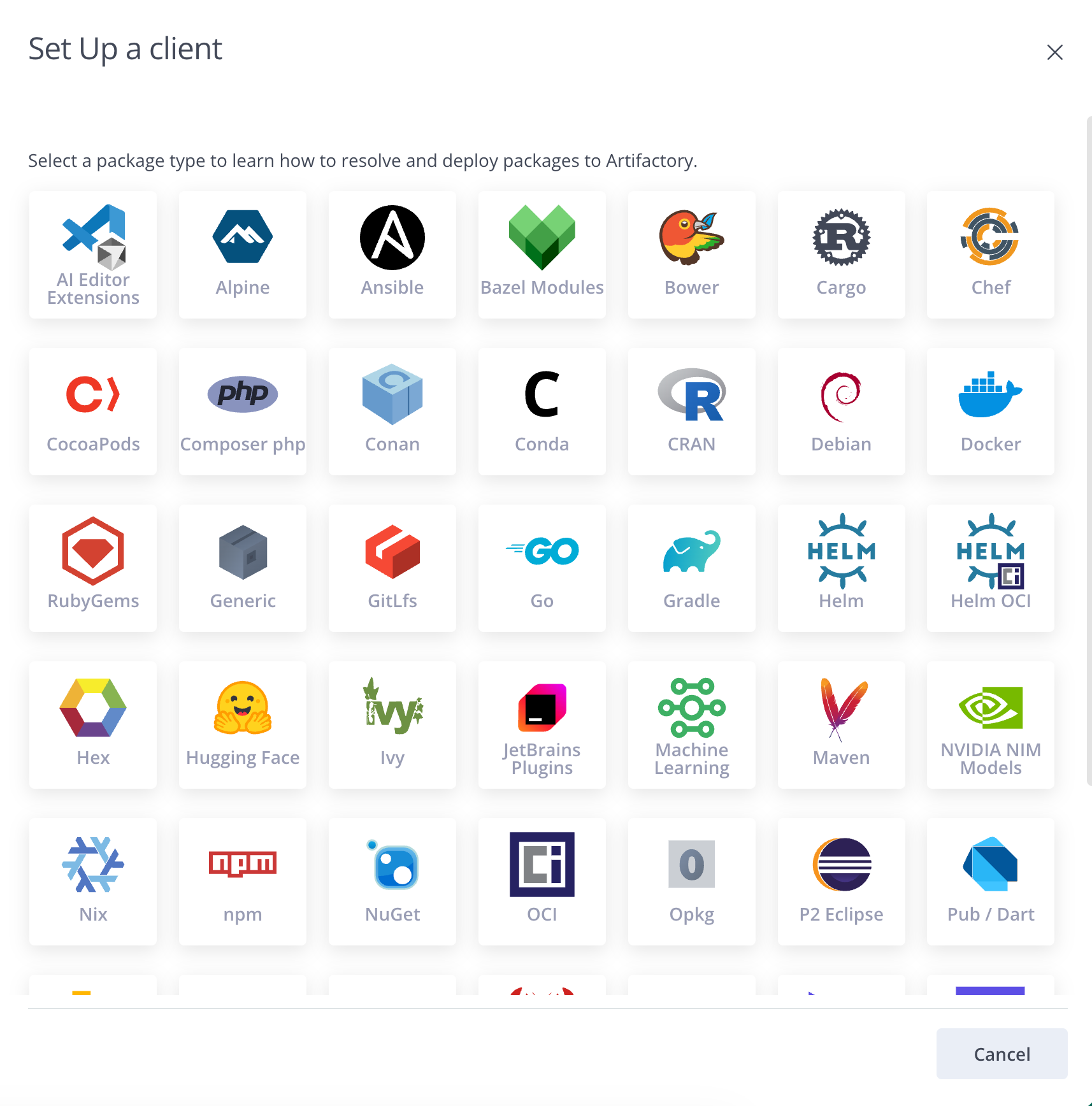
Select Set Me Up. The package selection pane appears.
-
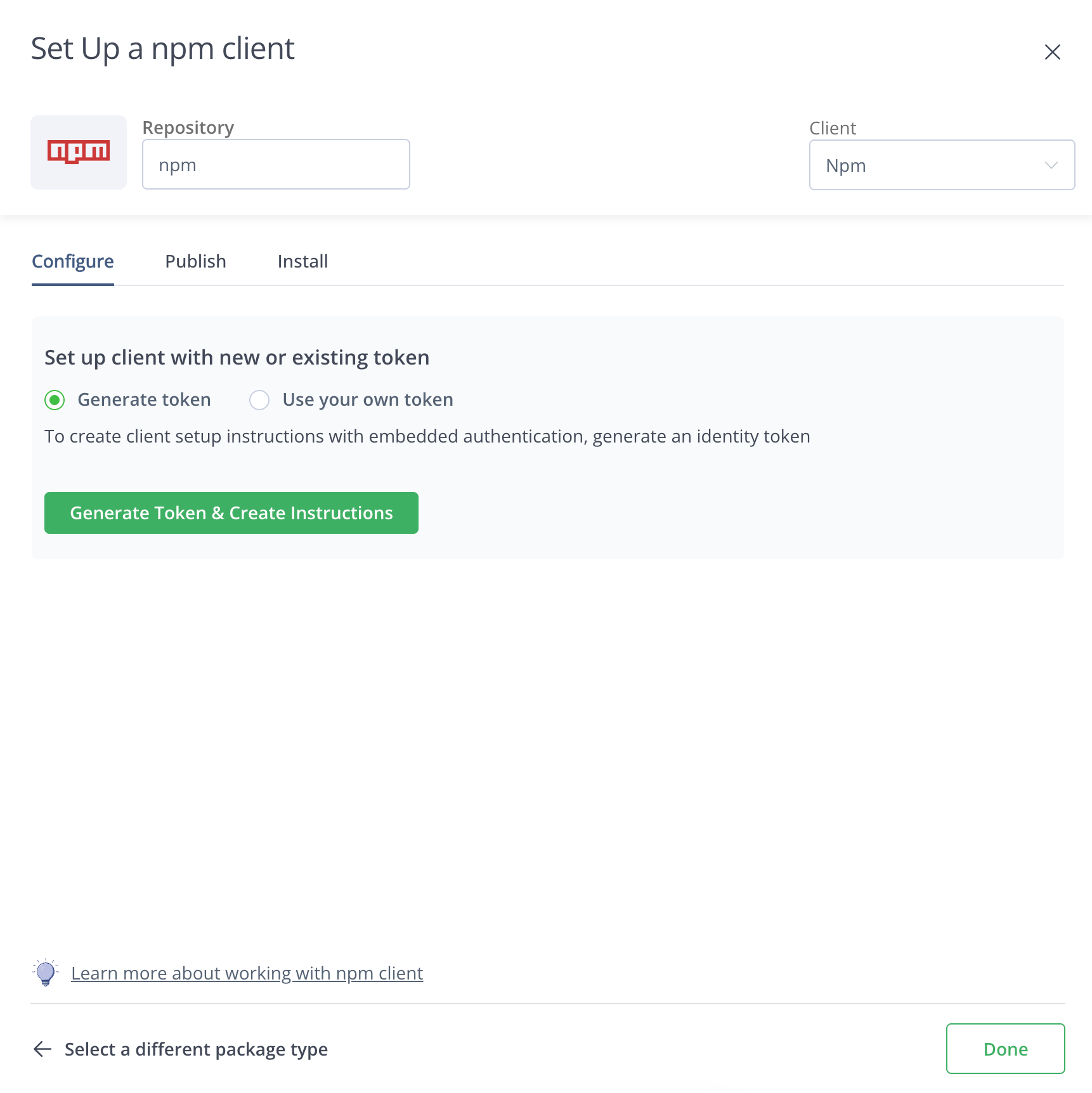
Select the package type or client you want to set up. The Set Me Up window for the relevant package type and client appears. The example below shows the Set Me Up for an npm repository.
Tip
You can also open the Set Me Up for a particular repository by selecting it on the Artifacts page and clicking Set Me Up. For more information, see Browsing Artifacts.
-
Click the Repository field and select a repository.
-
Optionally, select a client from the Client dropdown list. This option is only available for package types that support multiple clients.
-
On the Configure tab, select one of the following:
- Generate token: Generates a new identity token and embeds it in the setup instructions.
- Use your own token: Enter an existing token that you want to use in the setup instructions. You can populate this from a password manager.
-
Click Generate Token & Create Instructions or Get Instructions, according to your selection. The Set Me Up window displays configuration instructions with your credentials and environment details already populated.
-
Follow the instructions in the Configure tab to connect and configure your package manager to work with Artifactory.
-
Click the other tabs, for example Publish or Install, to get additional configuration or execution code snippets for those actions. Additional tabs vary based on package type.
-
To get Set Me Up instructions for a different package type, click Select a different package type.
Updated 5 months ago