

PHP Composer Repositories
Composer is the primary dependency manager for PHP projects. Declare your project's required libraries in a central composer.json file, and Composer resolves and installs the specified packages into a dedicated vendor directory. You can use Artifactory as a central Composer repository to streamline library management and ensures consistent package versions across all of your environments. For more information, see Composer documentation.
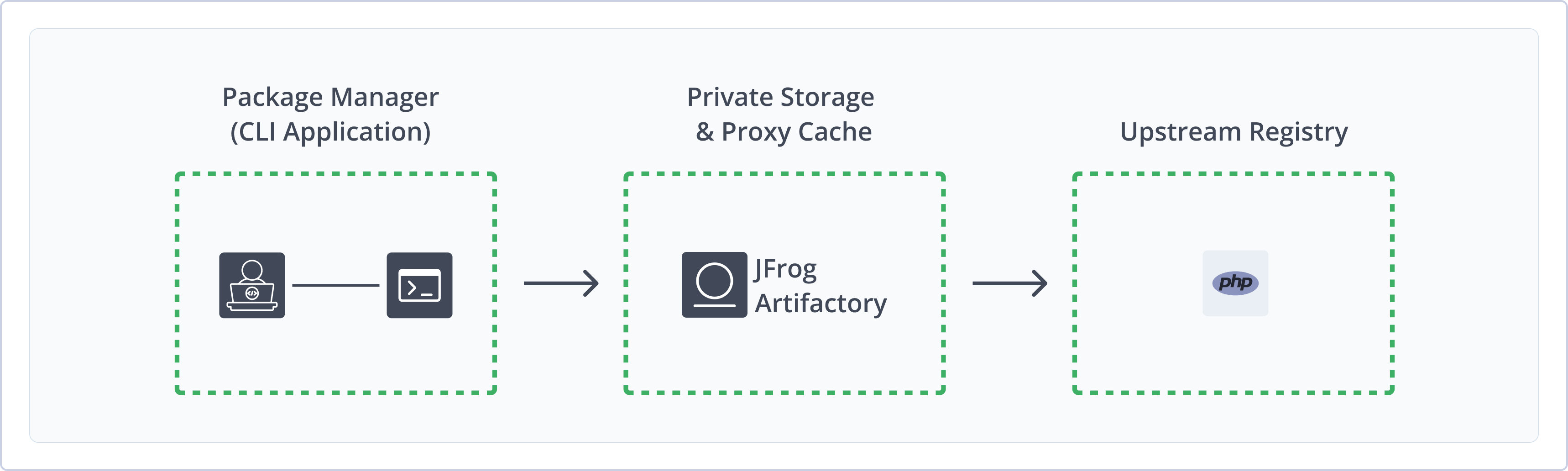
Artifactory supports the following capabilities for Composer repositories:
- Robust Metadata Capabilities: Calculate metadata for Composer packages hosted in Artifactory's local repositories, and validate remote Composer repository metadata.
- Unified Repository Management: Consolidate all your Composer repositories in Artifactory as a single source of truth. Set up secure local repositories, access cached versions of remote registries, and create a single access point for all sources with virtual repositories.
- Fine-Grained Access Control: Assign access privileges according to projects or development teams.
- Support for the PHP Composer CLI: Natively use the PHP command line tool to install and manage packages in Artifactory.
- Drupal Support: Support for downloading Drupal file version 7 and 8 from remote repositories, and support for downloading from
git.drupalcode.org. For more information, see Additional Composer Information.
Get Started with Composer
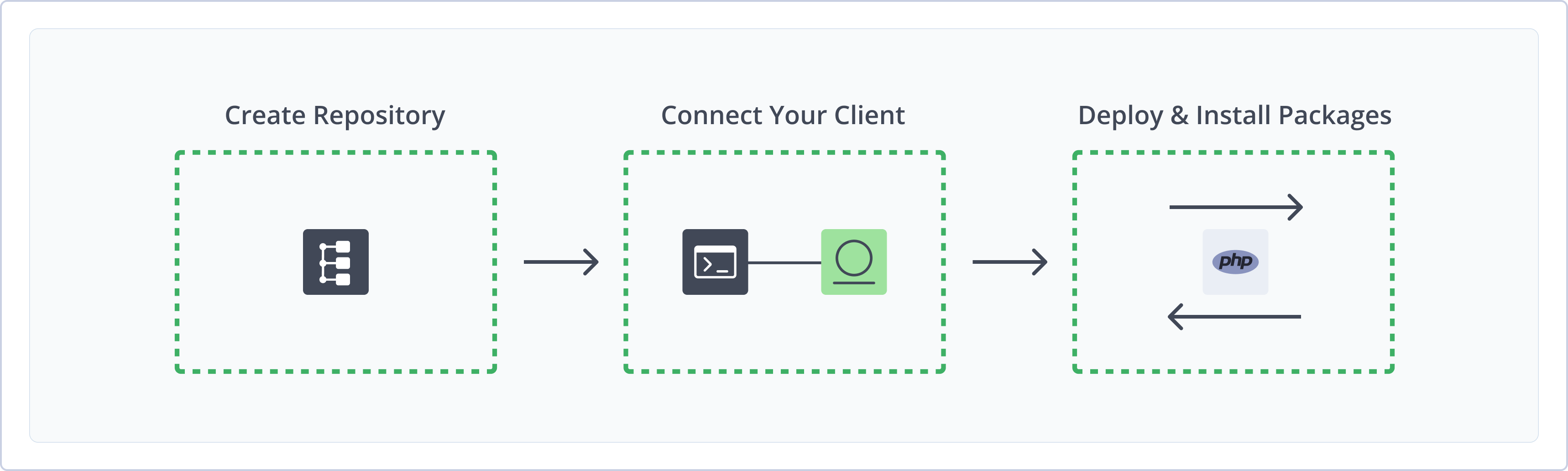
To get started working with Composer, complete the following main steps:
- Create a Composer Repository
- Connect Composer to Artifactory
- Deploy and install Composer packages
Create a Composer Repository
This topic describes how to create a Composer repository. This is required before publishing and installing Composer packages. There are three primary types of repositories:
- Local repositories: Store and share first- and second-party packages with your organization
Composer 1.x Deprecation
Composer 1.x is no longer supported on Packagist as of September 1, 2025. Artifactory will continue to support Composer 1.x for local repositories until December 2026.
- Remote repositories: Download packages from remote locations, including external package registries or other Artifactory instances
- Virtual repositories: Aggregate remote and local repositories, enabling your organization to scale by providing a single URL that provides access to multiple repositories and types
For more information on JFrog repositories, see Repository Management.
Prerequisite: You need Admin or Project Admin permissions in Artifactory to create a repository.
To create a Composer repository:
-
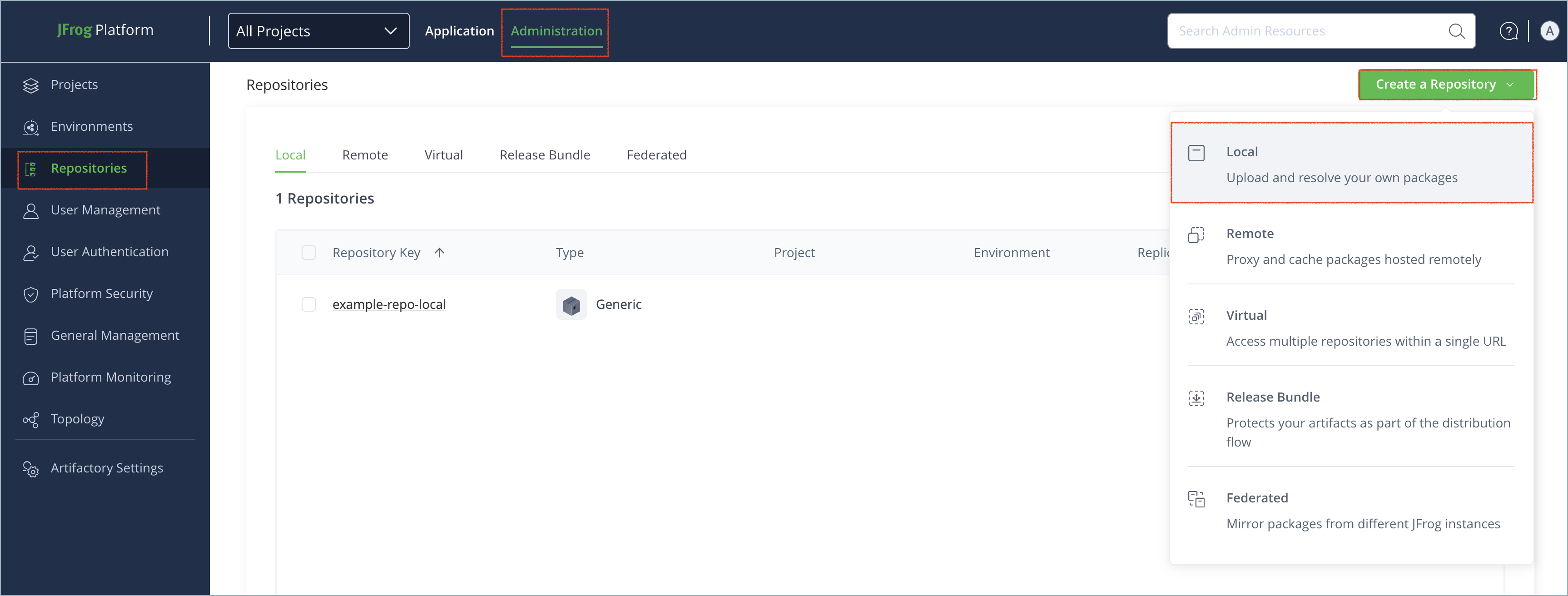
In the Administration tab, click Repositories | Create a Repository.
-
Select the type of repository you want to create: local, remote, or virtual.
-
Select the Composer package type.
-
Configure the required fields for the repository:
Version Requirements
Composer 2.0 is required for remote and virtual repositories, and the remote registry you are proxying must support Composer 2.0 in order to work with Artifactory.
-
For local repositories, in the Repository Key field, type a meaningful name for the repository. For example,
composer-local. For more information on local repositories and their settings, see Local Repositories. -
For remote repositories, verify the Repository URL and update as needed. For more information on remote repositories and their settings, see Remote Repositories.
The Packagist registry at https://packagist.org/ is the main Composer registry. Packagist does not host any binary packages, but instead contains indexes that direct to the corresponding source control repository where the package is hosted.
-
For virtual repositories, select one or more local or remote repository types to include in the virtual repository. For more information on virtual repositories and their settings, see Virtual Repositories.
- Click Create Repository. The repository is created and the Repositories window is displayed.
Connect Composer to Artifactory
To resolve dependencies from Composer repositories in Artifactory, configure the config.json file to connect the Composer client to Artifactory.
Prerequisite: Before connecting your Composer client to Artifactory, you must have an existing Composer repository in Artifactory. For more information, see Create a Composer Repository.
To connect the Composer client to Artifactory:
-
Add the following snippet to your
config.jsonfile:{ "repositories": [ { "type": "composer", "url": "https://[JFrogPlatformURL]/artifactory/api/composer/<REPO_NAME>"}, {"packagist": false} ] }Where:
[JFrogPlatformURL]: The URL of your JPD<REPO_NAME>: The name of the target repository
For example:
{ "repositories": [ {"type": "composer", "url": "https://company.jfrog.io/artifactory/api/composer/php-local"}, {"packagist": false} ] } -
Optionally, if you need to with a non-secure URL like HTTP, add the following snippet to the
config.jsonfile:"config": { "secure-http" : false } -
To authenticate to Artifactory, add credential snippets to your
auth.jsonfile:{ "http-basic": { "[JFrogPlatformURL]": { "username": "<USERNAME>", "password": "<AUTH>" } } }Where:
[JFrogPlatformURL]: The hostname of your JPD<USERNAME>: Your Artifactory username<AUTH>: Your Artifactory identity token
For example:
{
    "http-basic": {
        "company.jfrog.io": {
            "username": "jeffry",
            "password": "51HnvD0A1g2q3n4b5F6g7H8j9K0l1m2N3o4P5q6R7s8T9u0V1w2X3y4"
        }
    }
}
Note
You can also use JFrog Set me up to copy the snippet populated with your token and environment. For more information, see Use Artifactory Set Me Up for Configuring Package Manager Clients.
Next steps:
Deploy Composer Packages
Once you connect Composer to Artifactory, you can deploy packages to the specified repositories. Since there is no direct deploy command in the Composer CLI, you can use the REST API to deploy packages to Artifactory.
To deploy Composer packages:
-
From the root directory of the package, run this command to deploy the package to an existing archive:
curl -L -u<USERNAME>:<AUTH> "https://[JFrogPlatformURL]/artifactory/<REPO_NAME>/<DESTINATION_PATH>" -T <PATH_TO_FILE>Where:
<USERNAME>: Your Artifactory username<AUTH>: Your Artifactory identity token[JFrogPlatformURL]: Your organization's Artifactory URL<REPO_NAME>: The name of the target repository<DESTINATION_PATH>: The destination path of the package within the target repository<PATH_TO_FILE>: The path to the package on your local machine
For example:
curl -L -ujeffry:51HnvD0A1g2q3n4b5F6g7H8j9K0l1m2N3o4P5q6R7s8T9u0V1w2X3y4 "https://company.jfrog.io/artifactory/composer-local/psr/log/3.0.0.0.zip" -T ~/Downloads/3.0.0.0.zip -
If the
composer.jsonfile does not include aversionattribute for the package, specify the version as a matrix parameter:curl -L -u<USERNAME>:<AUTH> "https://[JFrogPlatformURL]/artifactory/<REPO_NAME>/<DESTINATION_PATH>;composer.version=<VERSION>" -T <PATH_TO_FILE>Where:
<USERNAME>: Your Artifactory username<AUTH>: Your Artifactory identity token[JFrogPlatformURL]: Your organization's Artifactory URL<REPO_NAME>: The name of the target repository<DESTINATION_PATH>: The destination path of the package within the target repository<VERSION>: The Composer version number<PATH_TO_FILE>: The path to the package on your local machine
For example:
curl -L -ujeffry:51HnvD0A1g2q3n4b5F6g7H8j9K0l1m2N3o4P5q6R7s8T9u0V1w2X3y4 "https://company.jfrog.io/artifactory/composer-local/psr/log/3.0.0.0.zip;composer.version=3.0.0" -T ~/Downloads/3.0.0.0.zip
Note
You can also use JFrog Set me up to copy the snippet populated with your token and environment. For more information, see Use Artifactory Set Me Up for Configuring Package Manager Clients.
Install Composer Packages
Once you have connected Composer to Artifactory, you can install packages and dependencies directly from your Artifactory repository using the Composer CLI.
To install Composer packages:
Run this command from the root folder of your project:
composer install --prefer-distAdditional Composer Information
The following pages provide additional information about using Composer with Artifactory:
- Set Composer Remote Repositories to Work With Drupal 7 and 8 Package Type
- Set Composer Remote Repository to Download from git.drupalcode.org
Set Composer Remote Repositories to Work With Drupal 7 and 8 Package Type
From Artifactory SaaS versions 7.24.1 and higher, support for Composer 2.0 allows you to download Drupal version 7 and 8 files from remote repositories.
To define a remote repository to proxy Drupal files:
-
In the Administration module, select Repositories.
-
Select an existing Composer repository from the Remote list, or create a new remote Composer repository. For more information, see Create a Composer Repository.
-
On the Basic configuration tab. configure the following fields:
- URL: Enter
https://ftp.drupal.org/. - Registry URL: Enter
https://packages.drupal.org/.
- URL: Enter
-
Click Save.
Set Composer Remote Repository to Download from git.drupalcode.org
You can configure remote repositories to download PHP Composer packages directly from git.drupalcode.org.
-
In the Administration module, select Repositories.
-
Select an existing Composer repository from the Remote list, or create a new remote Composer repository. For more information, see Create a Composer Repository.
-
On the Basic configuration tab, under Composer Settings, configure the following fields:
-
Git providers: Select Custom.
-
Download URL: Enter
https://git.drupalcode.org/{0}/{1}/-/archive/{2}.{3}
-
Note
Do not change the numbers in the URL. They correspond to
orgName,packageName,commitID, andformat.
- Click Save.
Composer Limitations in Artifactory
The following are the limitations of Composer in Artifactory:
-
Supported Versions: Composer 1.x is no longer supported on Packagist as of September 1, 2025. If you cannot upgrade to Composer 2.0, Artifactory will provide extended support for Composer 1.x in local repositories until December 2026.
Composer 2.0 is required for remote and virtual repositories.
-
Repository Path: When accessing a Composer repository through Artifactory, the path must include
/api/composerbefore the repository name. For example,https://company.jfrog.io/artifactory/api/composer/composer-virtual. -
Limitation with JFrog Curation on Composer Remote Repositories: When a Composer remote repository is curated by JFrog Curation (requires Artifactory version 7.131+), installations based on source (
--prefer-source) are not supported because these installations bypass the Curation block operations. -
Supported Providers: Composer repositories in Artifactory support standard registries like Packagist and Drupal, and standard providers like Git and Bitbucket. Custom providers are not supported.
Updated 8 months ago