

Release Bundle Repositories
Learn how Artifactory Release Bundle repositories keep signed artifacts immutable for distribution.
Note
This feature is relevant for Enterprise+ customers who use JFrog Distribution to distribute Release Bundles v1. For information Release Bundles v2, see Release Lifecycle Management.
The Release Bundle repository protects your artifacts as part of the distribution flow. Artifacts that have been created and signed are automatically copied and saved into this separate repository where their contents cannot be edited or removed. This ensures consistency of distribution among target instances.
Even if the original artifacts are removed from the original repository, they will continue to stay in the release bundle repository, available for distribution. These Release Bundles are created and managed in the Distributing Release Bundles page, and generally distributed from a source Artifactory instance to JFrog Artifactory Edge nodes.
Release Bundles are stored with the following naming convention: {bundle name}/{bundle version}/{target path}
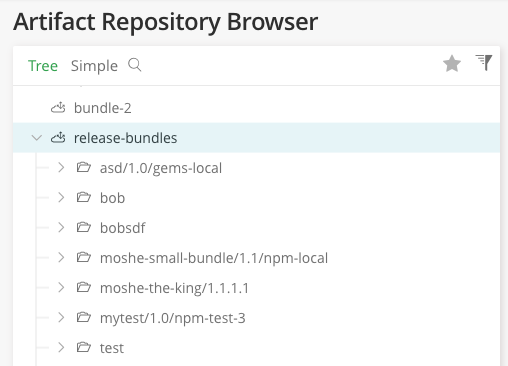
Create a Release Bundle v1 Repository
The release-bundles repository is automatically created and used by default. However, you can create additional repositories with their own naming conventions that can also be used for distributing Release Bundles v1.
Note
You can't create Release Bundle v1 versions outside the default
release-bundlesrepository in the JFrog Platform UI. You can create them using the REST API. For more information, see Create Release Bundle v1 Version API.
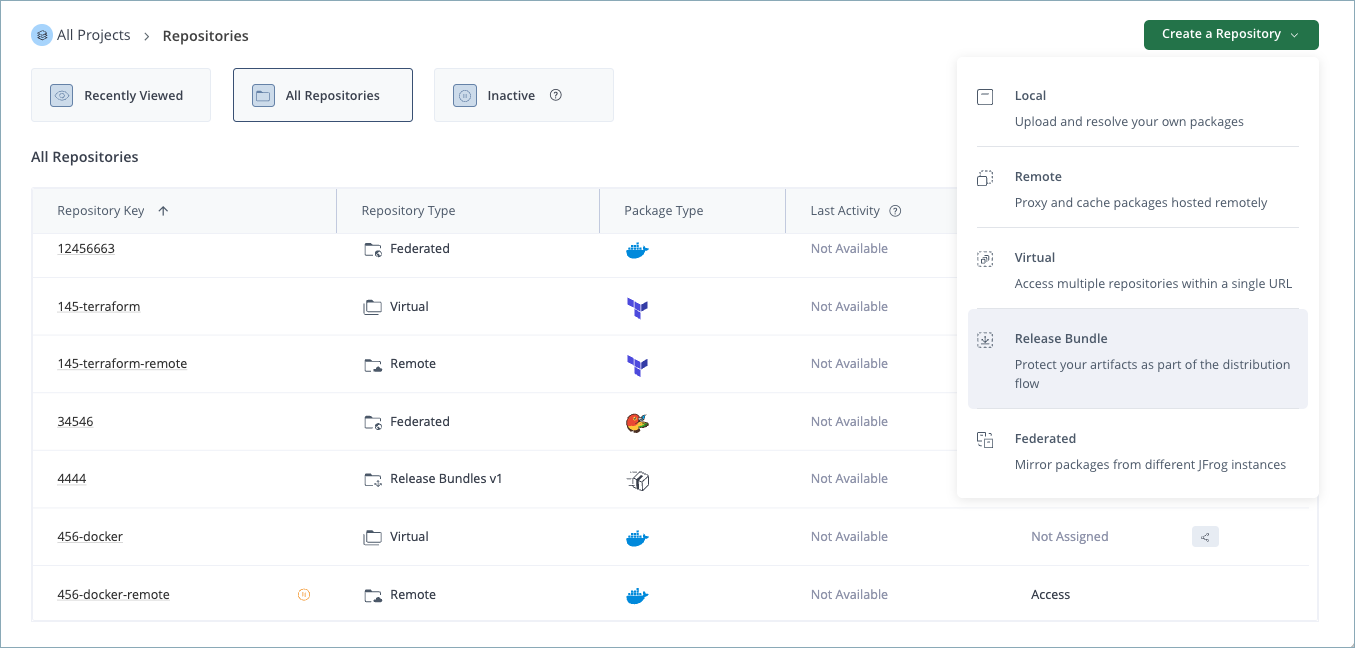
To create a Release Bundle v1 repository:
-
In the Administration module, go to Repositories.
-
Click Create a Repository.
-
Select Release Bundle from the list.
Common Basic Settings
The following settings are common to all package types. For a description of each setting, see Basic Settings for Local Repositories.
- Repository Key
- Public Description
- Internal Notes
- Include and Exclude Patterns
Related Topics
Updated 6 days ago