

Set Up Jira Integration
Set up the AppTrust connection to Jira and configure the JFrog project.
This page describes how to set up the JFrog AppTrust integration with Atlassian Jira.
Prerequisites
- JFrog Platform administrator permissions for the connection configuration and project administrator permissions or higher for the project configuration.
- Atlassian Jira cloud and Jira token.
- Development repositories in GitHub cloud. GitHub integration with the JFrog Platform using the JFrog GitHub App .
Setup Overview
The configuration requires the following main steps:
- Configure AppTrust Connection to Jira.
- Configure JFrog Project.
Step 1: Configure AppTrust Connection to Jira
In this step, you enter information that enables AppTrust to connect with your Jira space. You can also test the connection and get a response of success or failure. This step requires Platform administrator permissions.
To configure the integration:
- In the JFrog Platform, go to Administration > AppTrust Integrations, and in the Jira tile choose Set Up. The configuration wizard opens.
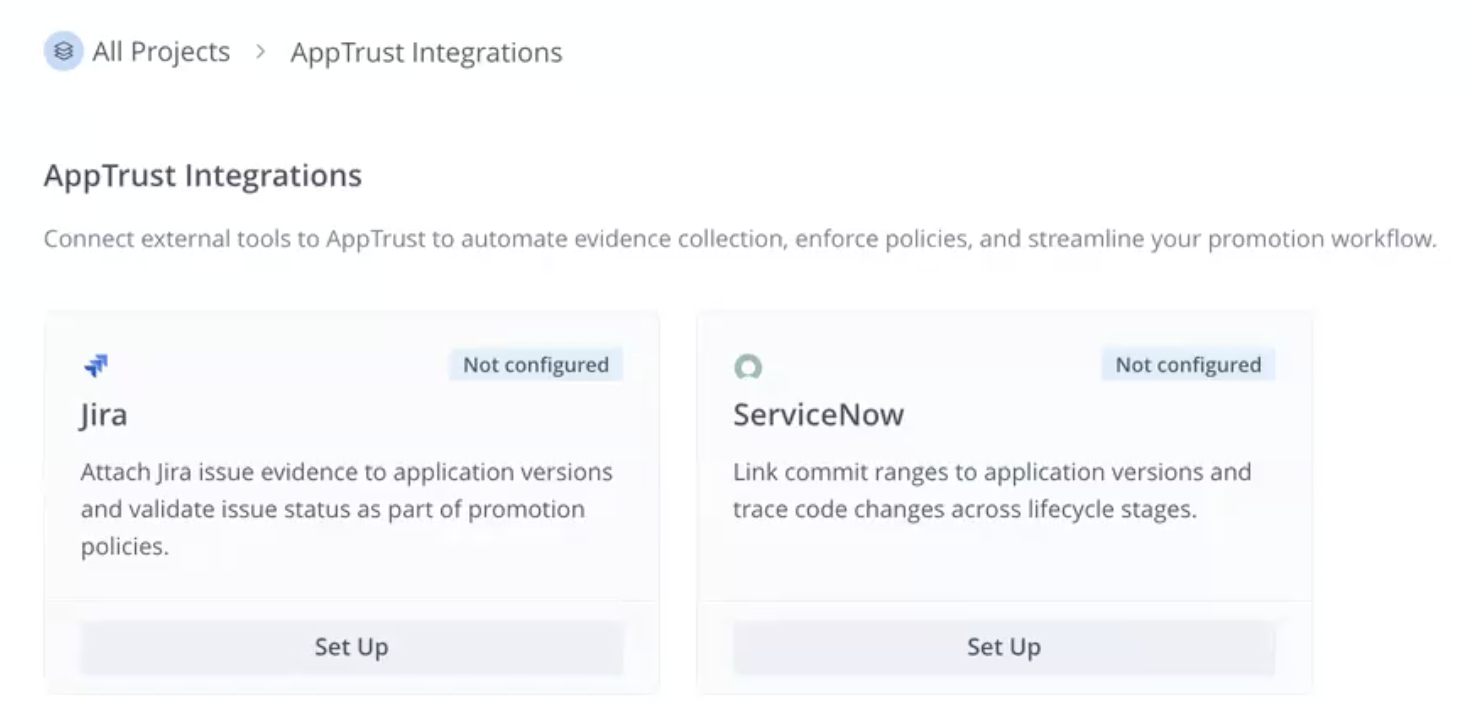
- In the configuration wizard, enter the following:
- Jira Instance URL: For example, https://your-org.atlassian.net
- Email: Your Atlassian Jira user email address
- Jira API Token: Generate the API token in your Jira account settings and paste it here.
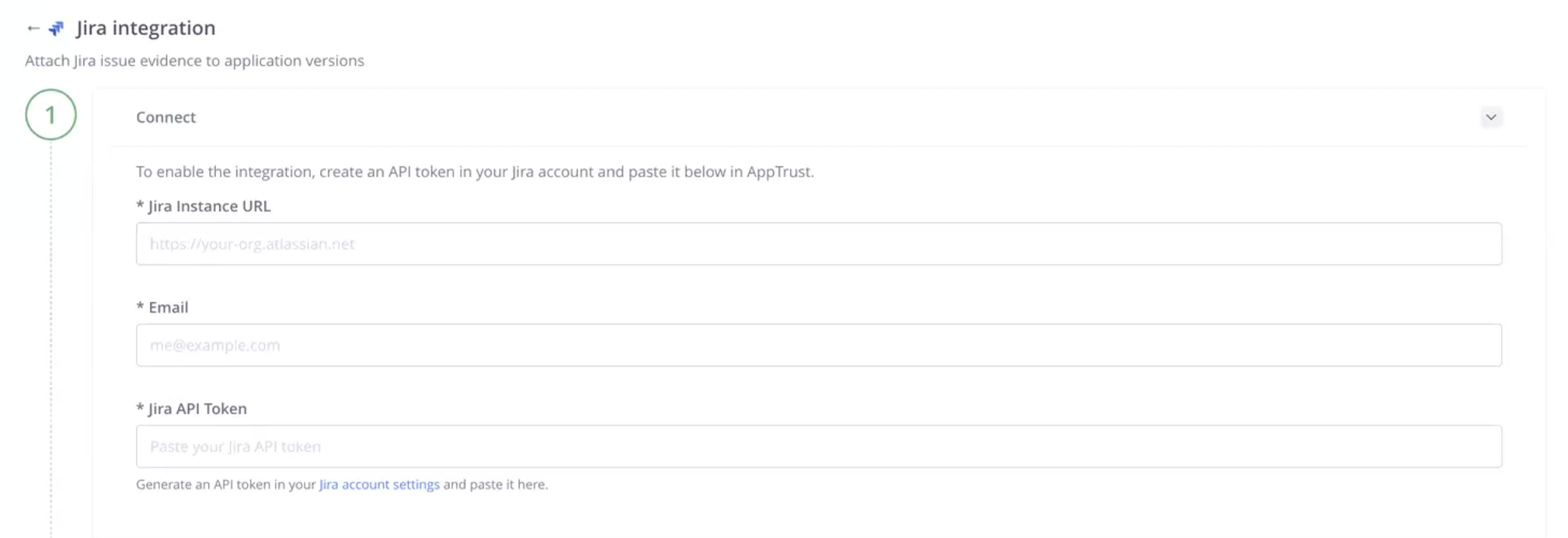
- Click Save Configuration and then you can test the connection.
- If your connection is successful and you are doing the global setup, then you have completed the integration.
- If you are doing the project-level configuration, then continue to the next step.
Step 2: Configure JFrog Project
In this step you configure the Jira integration to apply to a specific project. You do not have to be a Platform administrator to perform this step, but you must have project administrator permissions for the project you are configuring.
To configure the JFrog project:
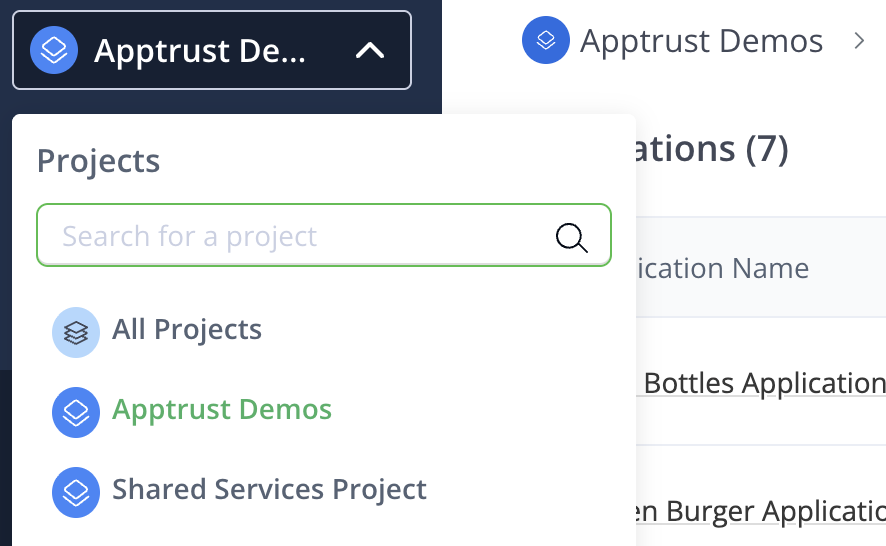
- In the JFrog Platform, go to the Projects dropdown in the upper left and choose a specific project for the integration.
- Go to Administration > JFrog Integrations, and in the Jira tile, choose Configure.
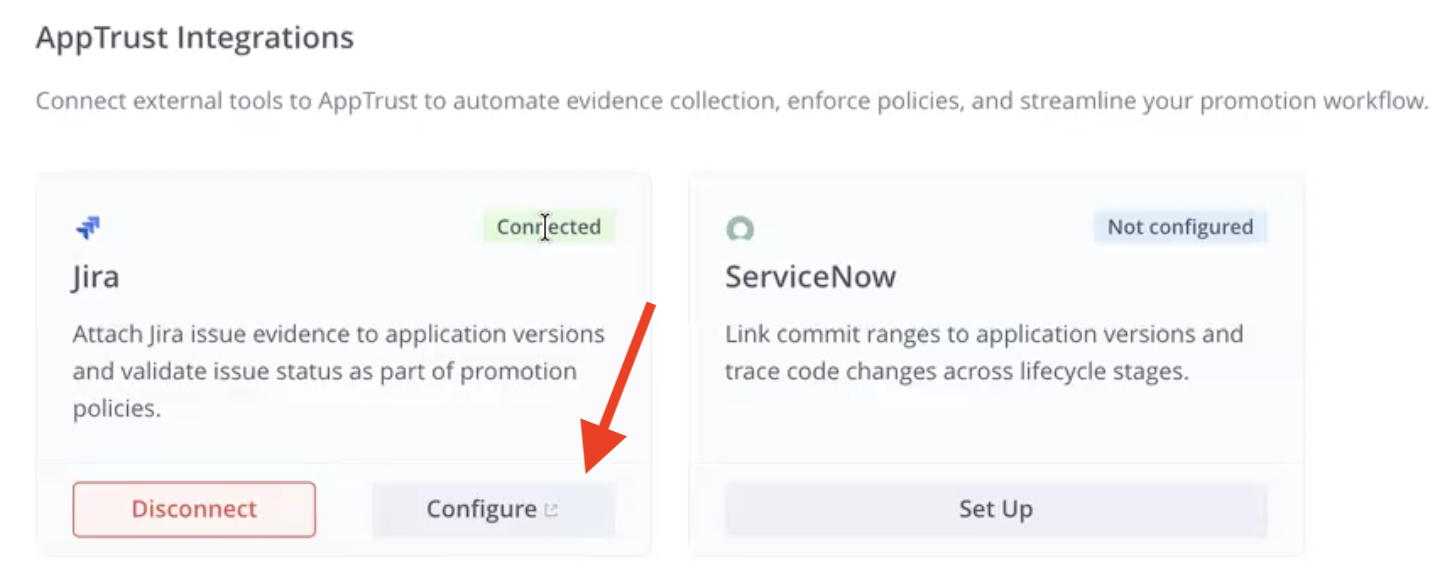
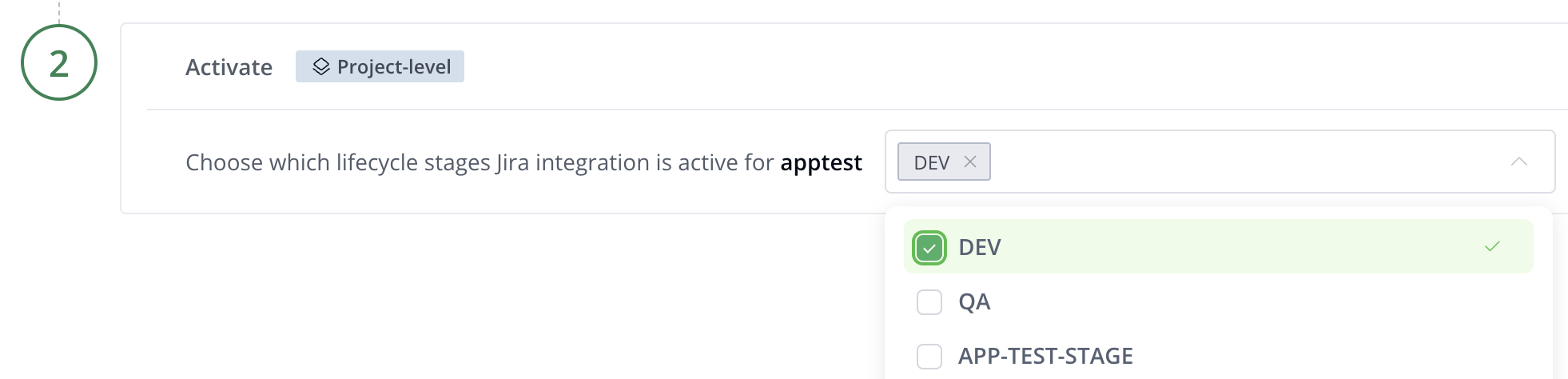
- Under Project Level, choose the applicable lifecycle stages from the dropdown.
- Click Save Configuration.
Now you are ready to use the Jira integration with AppTrust.
What’s Next?
Learn how the development promotion process works with the Jira integration.
Updated 3 months ago