

Rego Playground
The Rego Playground is a JFrog AppTrust feature where you can design, create, and test your own policy rule templates. Once you have created a working template in the playground, you can use it in the AppTrust APIs to automate your software governance and compliance workflows.
The Rego Playground provides you complete flexibility in how you create code for the template.
- Ask JFrog AI to create code for you.
- Load an existing template and use that as source material for building a template.
- Write your own code.
- Combine any or all of the methods above.
To view the Rego Playground:
- In the JFrog Platform, go to AppTrust > Lifecycle Policies > Rego Playground.
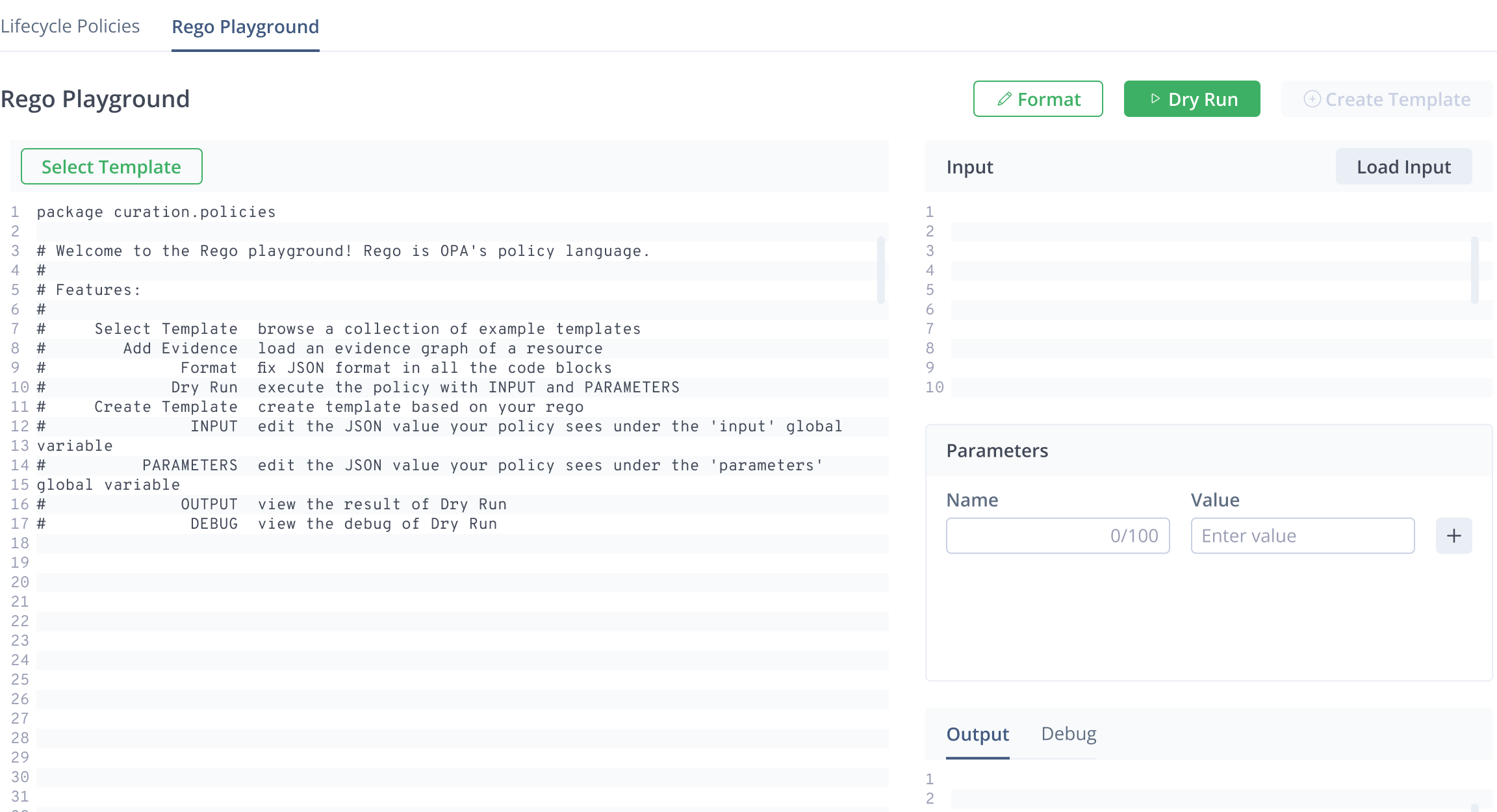
The Rego code editing area is the major part of the playground. The Input pane is an editable JSON editor, and the Parameters pane provides a name-value entry form. The Input and Parameters panes are also editable.
What’s Next?
Learn how to Create a Template.