

Create a Rule
When you create a rule, you choose a template and configure its parameter values for your application.
A rule in JFrog AppTrust defines a specific enforcement check based on a template. Templates provide the underlying logic, type, version, and parameters. When you create a rule, you choose a template and configure its parameter values for your application.
Creating a rule is the first step in building your enforcement posture. After you create a rule, you can link it to policies and use it across AppTrust. Each rule has a name, an optional description, and the parameter values you set during creation.
From the Rules page, you start rule creation by selecting a template. You can filter templates by type, version, and category to find the right one. After you set the required parameters and name the rule, AppTrust validates your input and saves the rule to your rule catalog.
Prerequisites
To create, edit, or delete a rule, you need:
- Manage AppTrust Rules or Administrator permissions
Create a Rule in AppTrust:
- In the JFrog Platform, go to AppTrust > Policies > Rules.
- In the upper right, click Create New Rule. The Template Configuration wizard appears with a list of templates to choose from.
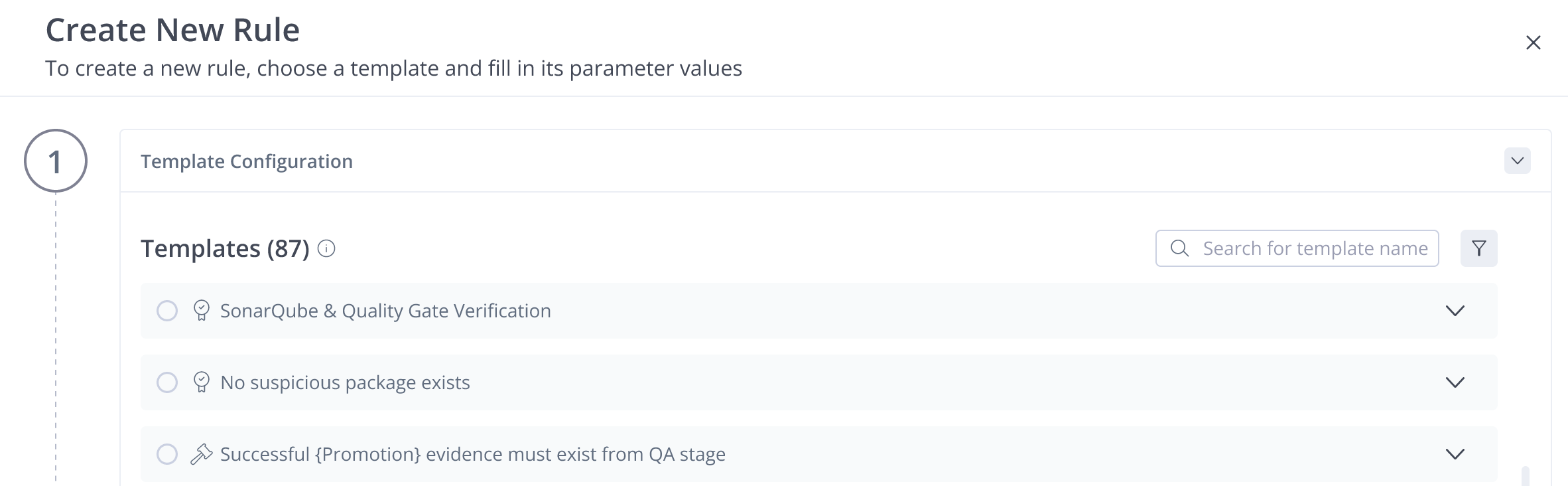
- In Step 1 of the Template Configuration wizard, select a template. If you don’t see the template you need, enter a name in the Search or use the filter to find a template.
- (Optional) Click an arrow on the right to view the template details. The details include:
-
Template ID
-
Template Type
-
Template Versions
-
Description
-
Category
-
Parameters
-
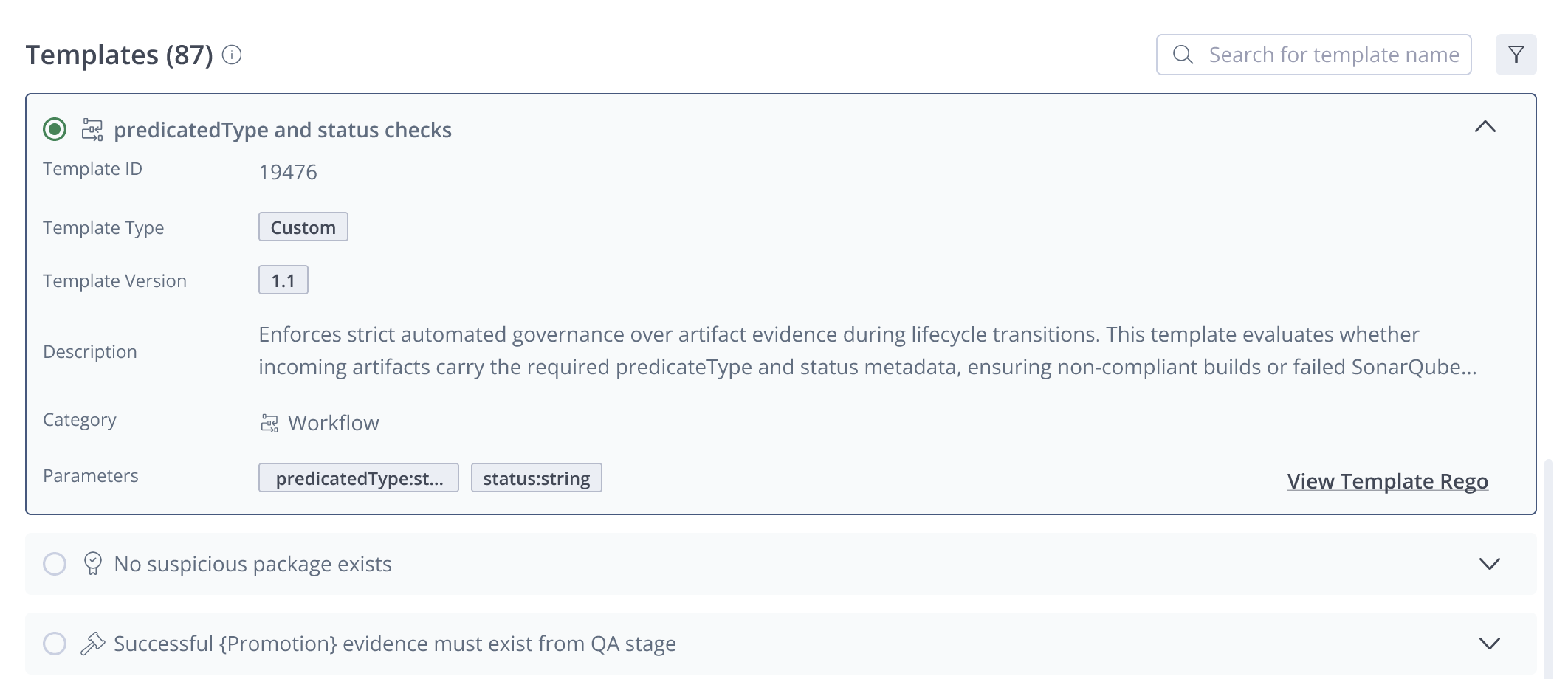
- (Optional) Click View Template Rego to see the Rego code for the template.
- After you have viewed the information you need and selected a template, click Next.
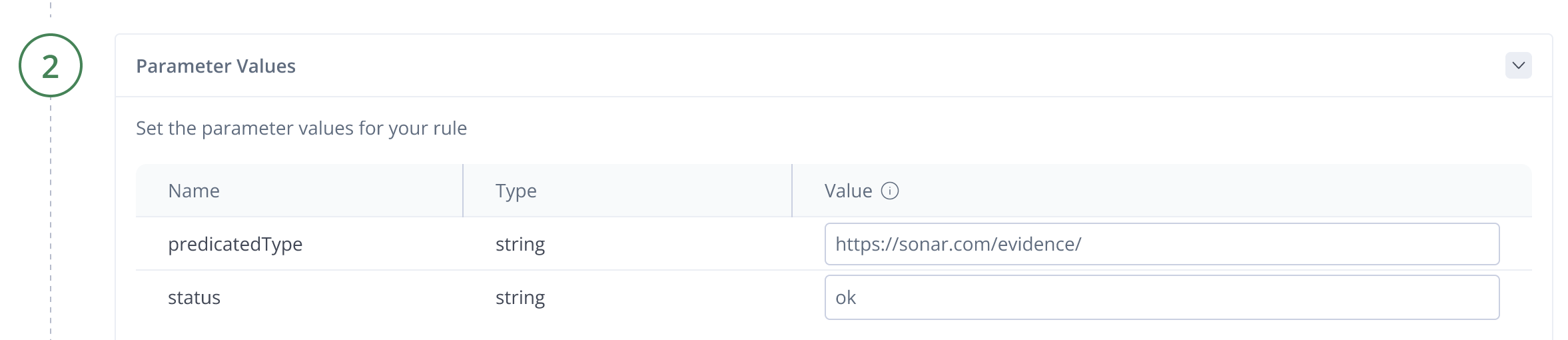
- In Step 2 of the wizard, enter the values of the parameters listed for the template and click Next.
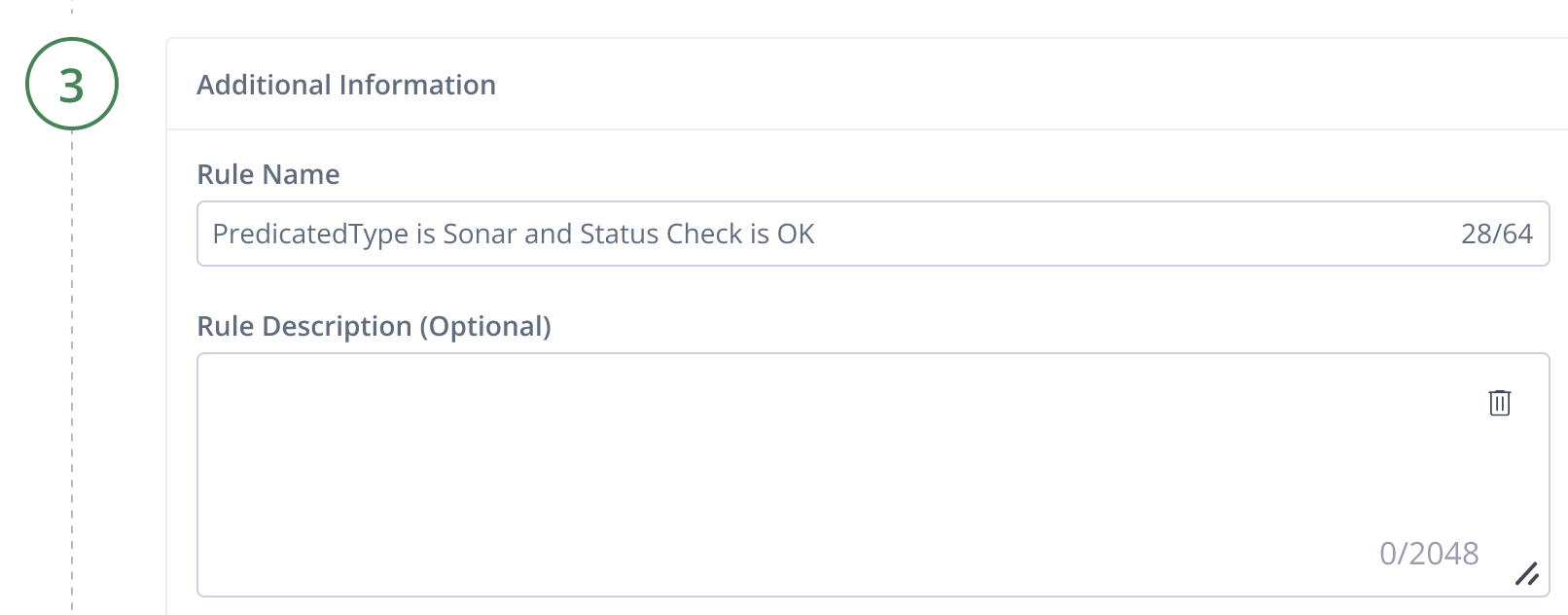
- In Step 3 of the wizard, enter the following:
- Rule Name: Clearly and briefly identify what the rule does or what its purpose is. Maximum 225 characters (required).
- Rule Description: Provide more detailed information about the action and purpose of the rule. Maximum 2048 characters (optional).
- Click Create New Rule. The rule is added to the list of rules in the Rules tab.
What’s Next?
View the full list of AppTrust Out-of-the-Box Rules.
Updated about 1 month ago