

Configure GitHub Integration for PR Merge Evidence
Evidence collection takes place when an application version is promoted to a lifecycle stage. In this procedure, you choose the lifecycle stages where the PR merge evidence collection will take place. This configuration takes place in JFrog AppTrust.
The configuration involves choosing the lifecycle stages where the PR merge evidence collection will take place.
Prerequisites
Ensure that you have the following:
- Project administrator or platform administrator permissions.
- Completed the JFrog GitHub App integration.
- JFrog Traceability GitHub Action added to your workflow.
- CI that deploys packages to Artifactory with GitHub SLSA attestations.
GitHub Integration Configuration
The integration takes place with the Administration settings.
To configure the lifecycle stages in the integration:
-
In the JFrog Platform, select the relevant project.
-
Go to Administration > AppTrust Settings > Integrations. The AppTrust Integrations page opens.
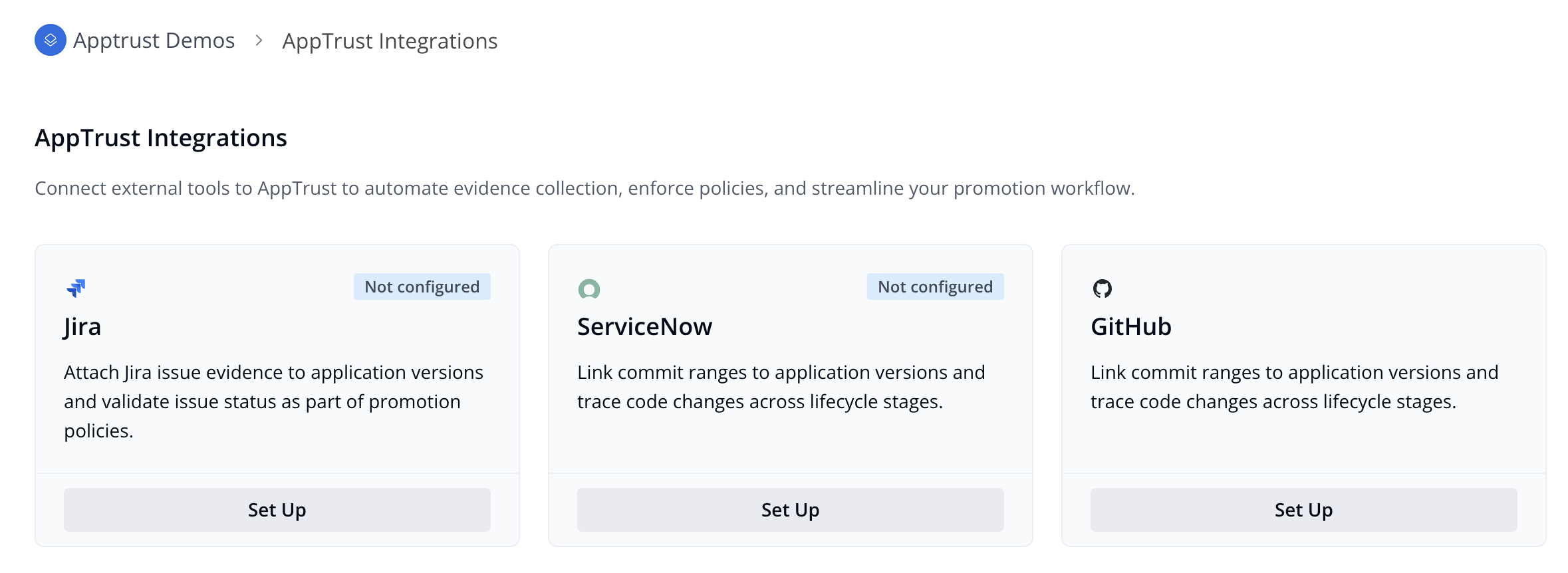
- In the GitHub tile, click Set Up. The GitHub Integration page opens.
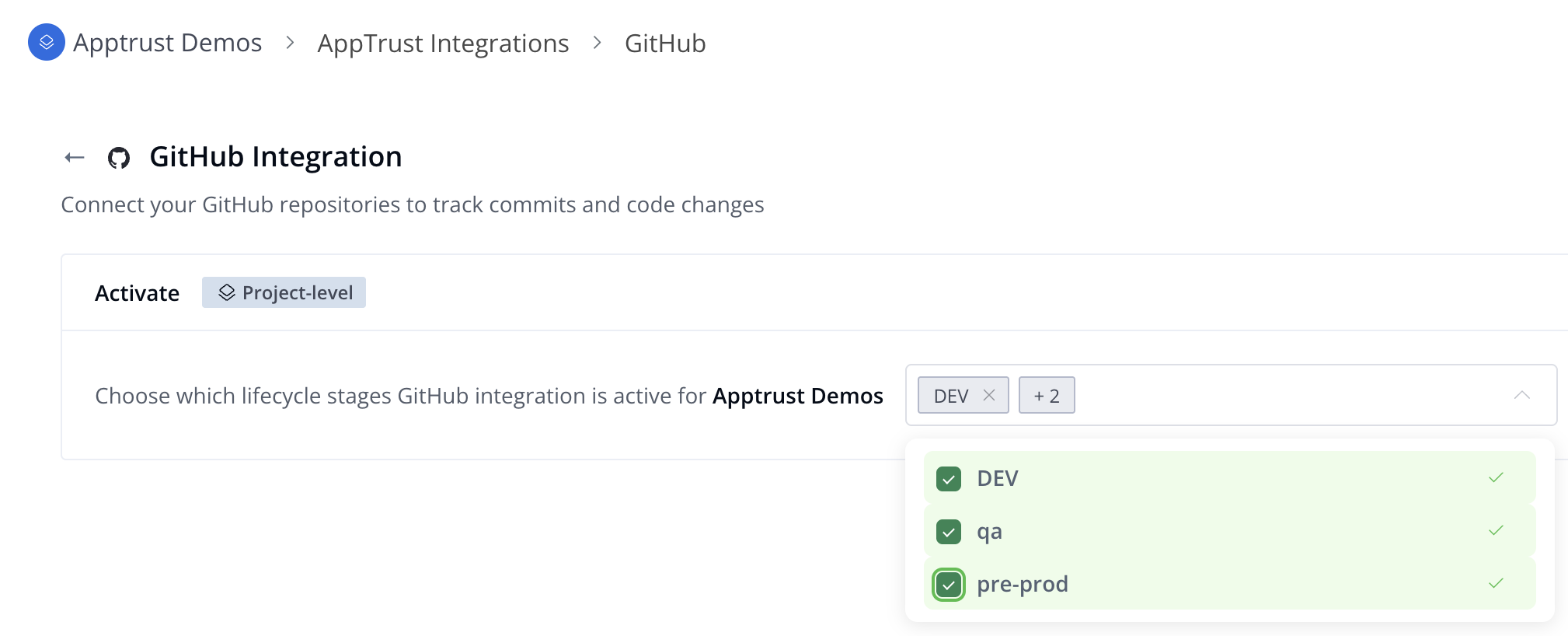
- Under the Activate section, choose the lifecycle stages where PR merge evidence collection should be enabled.
- Click Save.
What’s Next?
Learn how to View GitHub PR Merge Evidence.
Updated about 1 month ago
Did this page help you?