

Manage Repository Policies
In JFrog AppTrust, you can easily create, edit, view, and delete policies to govern actions, such as Move and Copy, in your repositories.
In JFrog AppTrust, you can easily create, edit, view, and delete policies to govern actions, such as Move and Copy, in your repositories.
Prerequisites
- One or more repositories in Artifactory and at least one policy rule defined in AppTrust.
- Platform Administrator role to create, edit, and delete repository policies. Non-administrator roles can view.
Create a Repository Policy
To create a repository policy:
- In the JFrog Platform, go to AppTrust > Policies > Create New Policy. The New Policy wizard opens to Step 1.
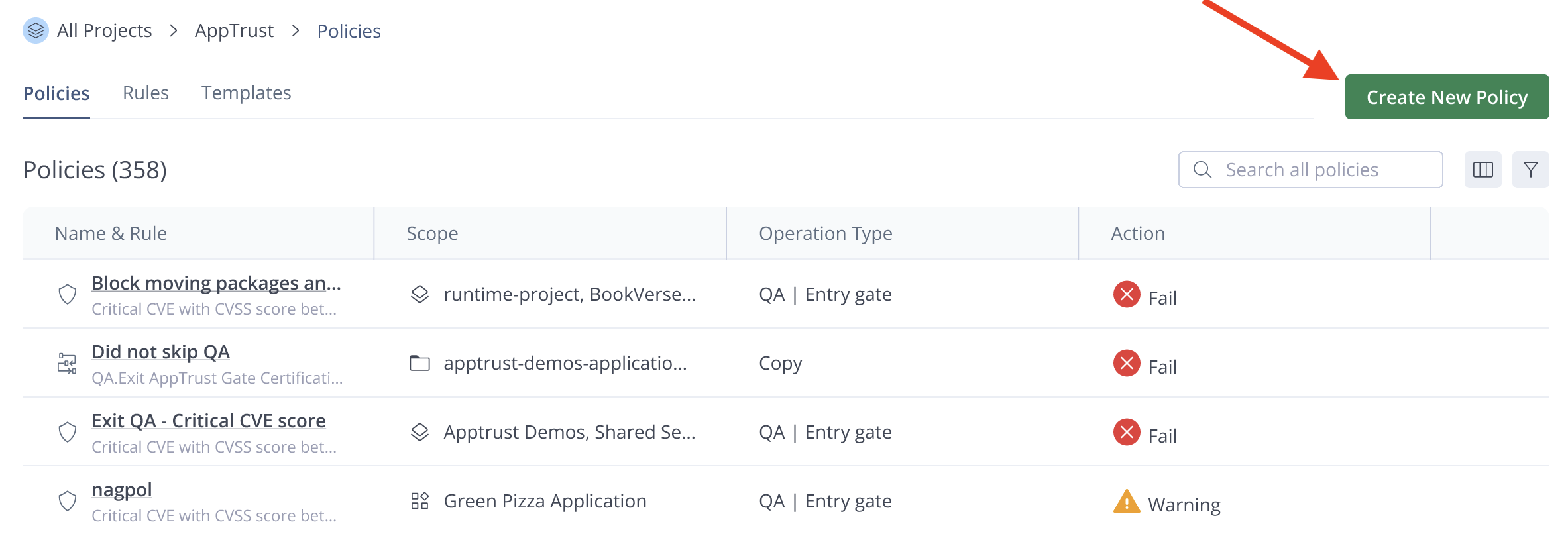
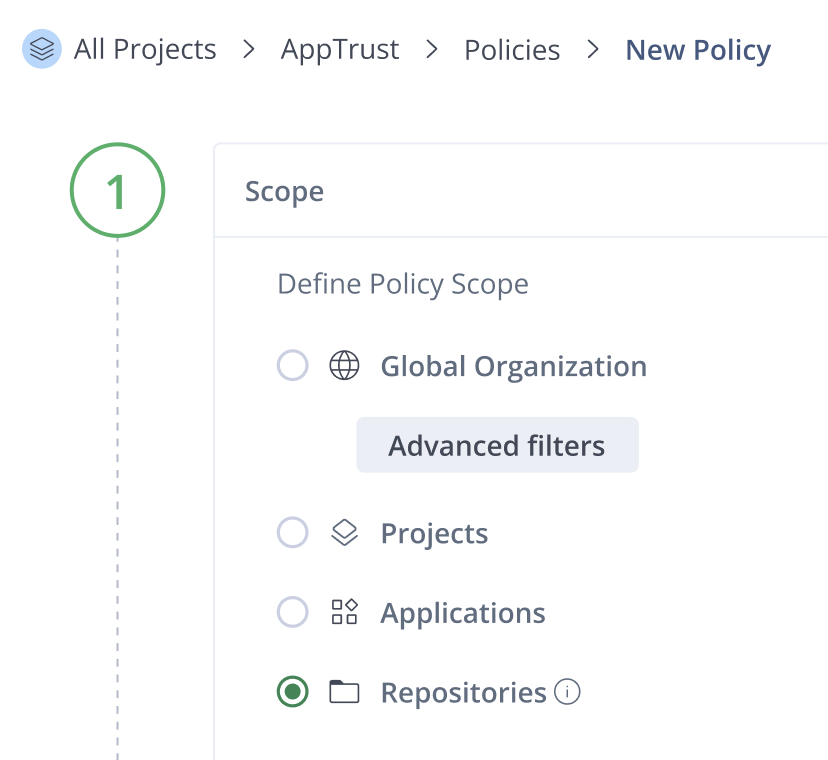
- In Step 1, you must define the Scope of the policy. Choose Repositories. The list of local repositories opens.
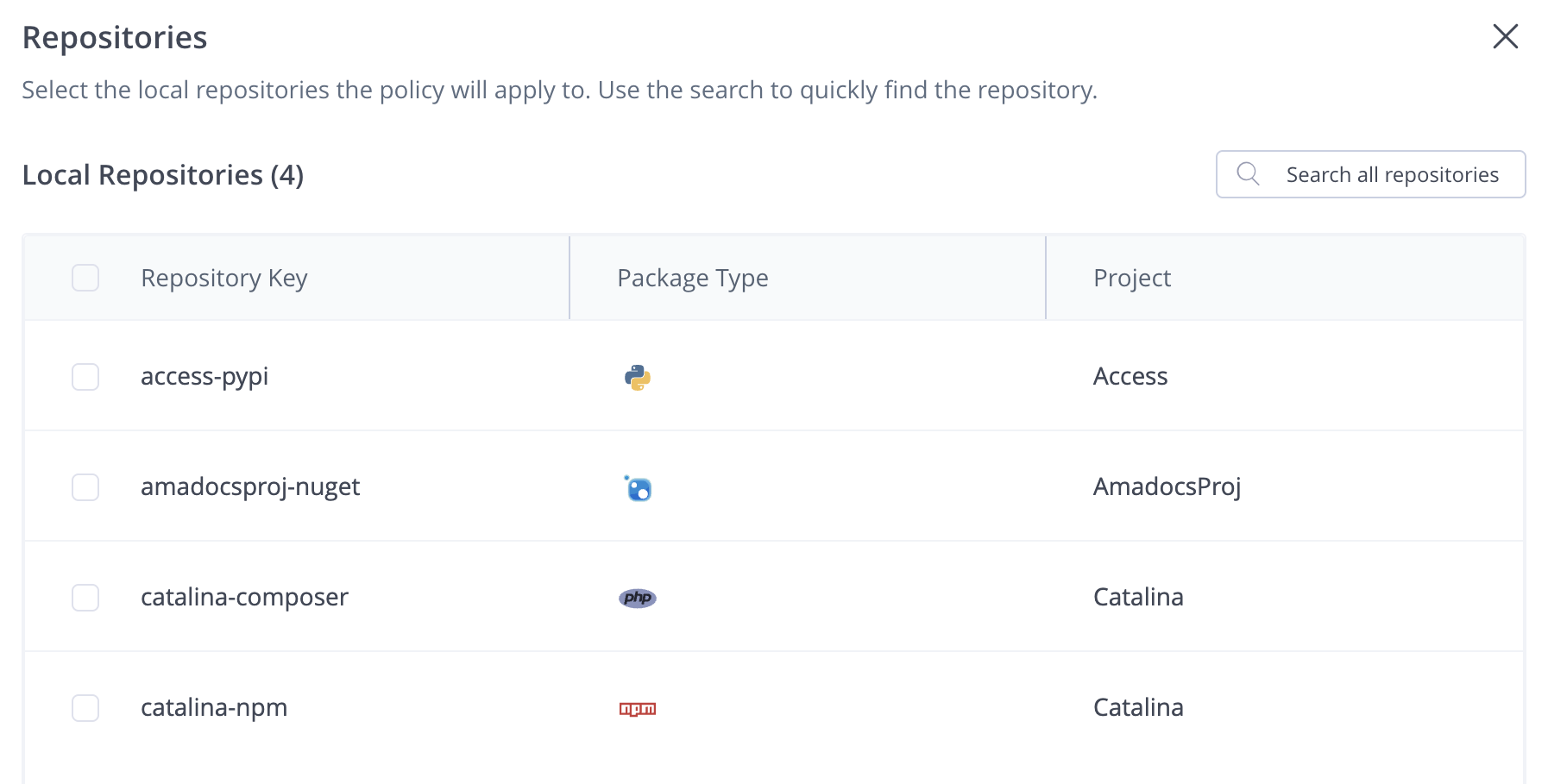
- You can choose up to 200 local repositories that your policy will apply to. Mark the repository names and click Select. Click Next.
-
In Step 2, choose one or more Actions that your policy will trigger: Move, Copy, or both, and click Next. After you have defined the policy, performing one of the actions you chose will trigger an evaluation of the policy.
-
In Step 3, choose a Rule from the list. If you do not see your rule in the list, you can use the Search or Filter to locate the rule. After marking the rule, click Next.
-
In Step 4, choose the Action that AppTrust should take if the rule is violated:
- Fail: AppTrust will not perform the requested action.
- Warning: AppTrust will perform the action, but issue a warning that the rule was actually violated.
Click Next.
-
In Step 5, enter a unique Name for the policy and a brief Description. Click Create New Policy. Your new policy will appear in the list of policies on the Policies page.
Edit, View, and Delete Repository Policies
To edit, view, and delete repository policies, the procedures are the same as for lifecycle policies. For more information, see:
What’s Next?
Once you have moved or copied one or more repositories, you can review the policy evaluation details on the Evaluations page. For more information, see View Repository Policy Evaluations.
Updated about 2 hours ago