

Agent Packages Repositories
Set up Agent Packages repositories in JFrog Artifactory to publish, install, and govern versioned APM agent packages with skills, prompts, hooks, and MCP servers.
Note
Agent Packages repositories are a beta feature.
Agent Packages repositories in JFrog Artifactory provide a governed, private registry for agent configuration, including skills, plugins, prompts, hooks, Model Context Protocol (MCP) servers, instructions, and agents. Agent Packages repositories work with the Agent Package Manager (APM) CLI. When you integrate APM with JFrog Artifactory, your organization gets a secure place to publish, discover, and install agent packages across tools such as Claude, Cursor, Codex, and more.
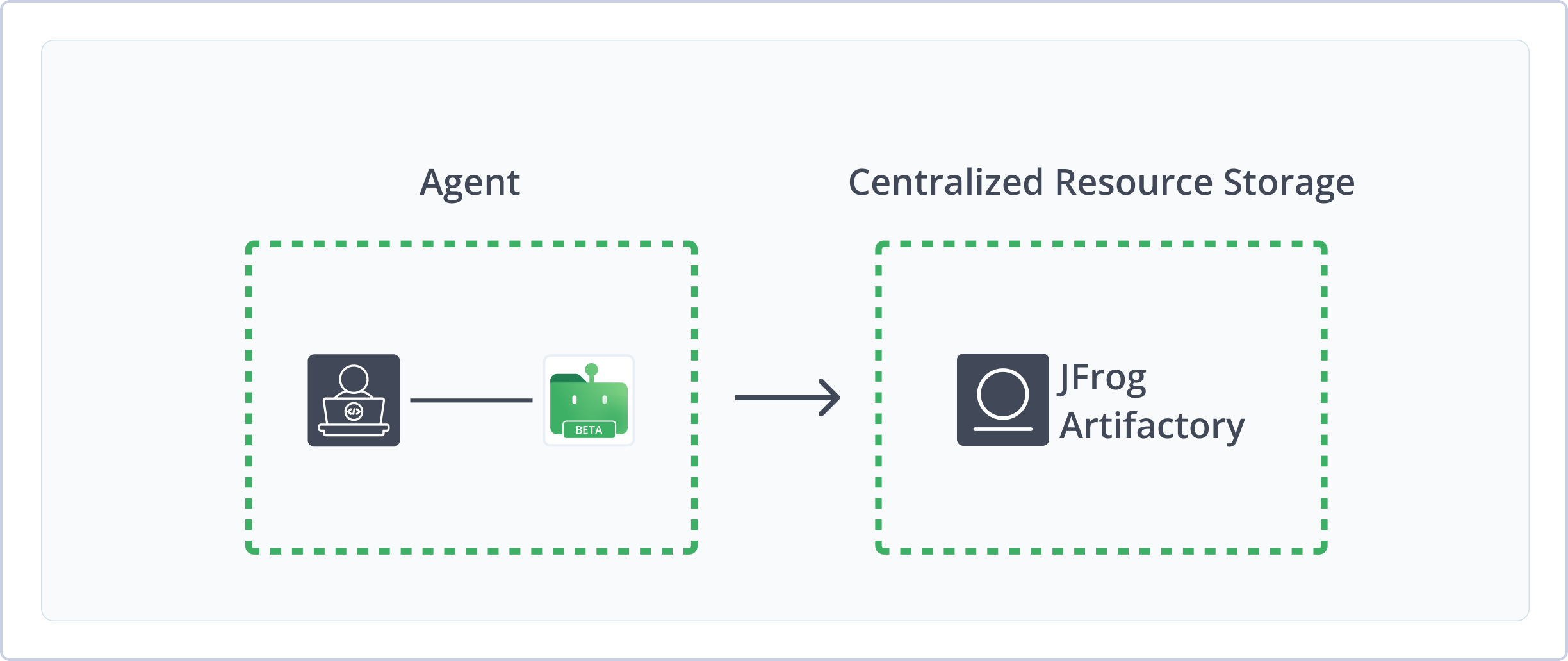
Artifactory fully supports Agent Packages repositories, including the following capabilities:
- APM Support: Managing packages in Artifactory repositories using Agent Package Manager
apmversion 0.23.0 and later. - Robust Metadata Support: Artifactory calculates metadata for packages stored in Artifactory local repositories from
apm.ymlorapm.lock.yamlmanifests inside each package. - Secure Local Storage: Storing your internal and private agent packages securely in local repositories.
- API Support: APM v1 REST API endpoints for list, publish, download, and search operations on local repositories.
Get Started with Agent Packages
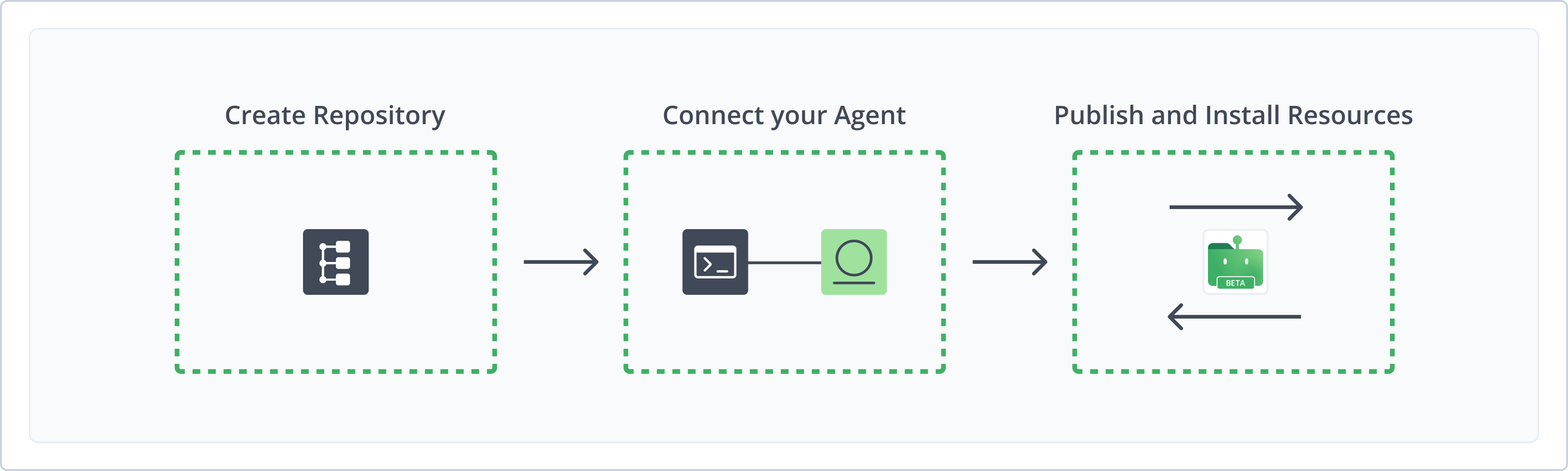
To get started working with Agent Packages, complete the following main steps:
- Create an Agent Packages Repository
- Connect APM to Artifactory
- Publish and install Agent Packages
Create an Agent Packages Repository
Create a local Agent Packages repository in JFrog Artifactory before you publish or install APM packages. Local Agent Packages repositories store and share first- and second-party packages with your organization.
For more information on JFrog repositories, see Repository Management.
Prerequisite: You need Admin or Project Admin permissions in Artifactory to create a repository. If you don't have Admin permissions, you won't see the option.
To create an Agent Packages repository:
-
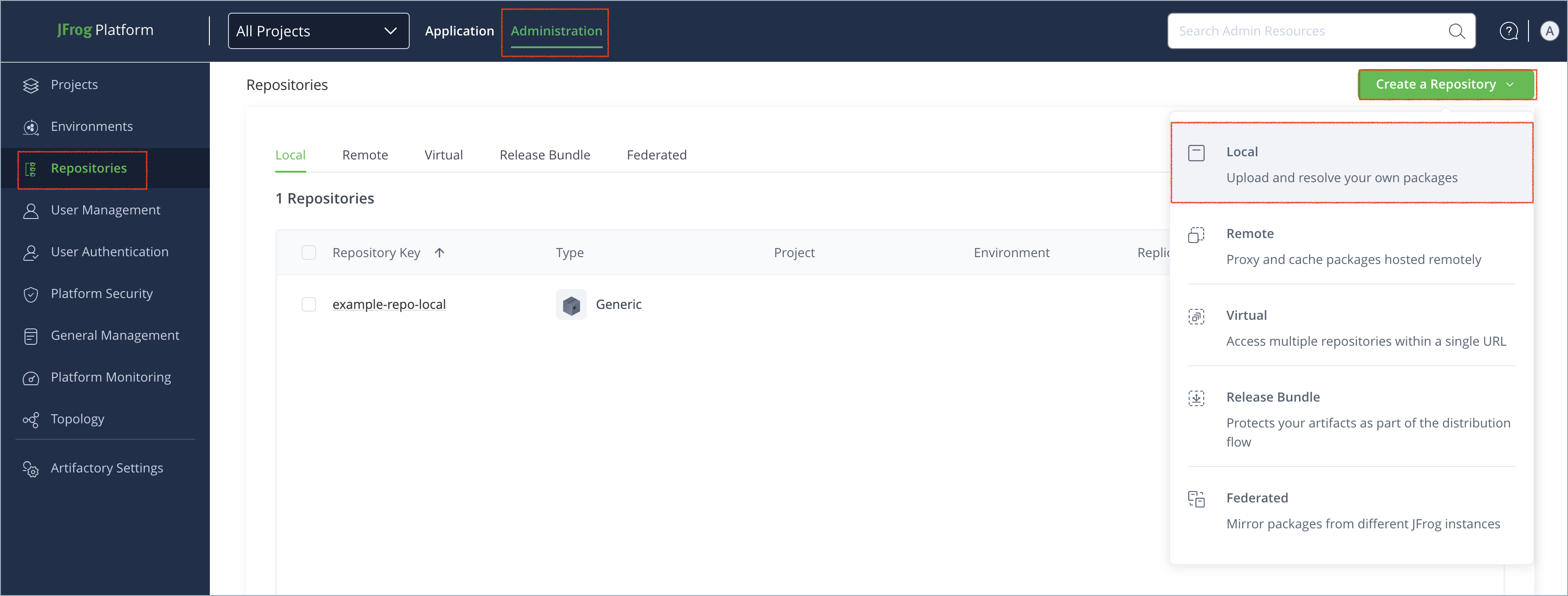
In the Administration tab, click Repositories > Create a Repository.
-
From the repository type menu, select Local.
-
Select the Agent Packages package type.
-
In the Repository Key field, type a meaningful name for the repository. For example,
agent-packages-local. For more information on local repositories and their settings, see Local Repositories. -
Click Create Repository. The repository is created and the Repositories page is displayed.
Connect APM to Artifactory
You can use the APM CLI as a client to install and publish Agent Packages. Connect APM to Artifactory by enabling registry support, configuring your Artifactory registry URL, and setting your bearer token. APM writes these settings to .apm/config.json in your project.
Prerequisites:
- You must have an existing local Agent Packages repository in Artifactory. For more information, see Create an Agent Packages Repository.
- Artifactory is compatible with
apmversion 0.23.0 and later.
To connect APM to Artifactory:
-
From the directory that contains your
apm.ymlfile, run the following command:apm experimental enable registries apm config set registry.<REPO_NAME>.url https://<JFrogPlatformURL>/artifactory/api/agentpackages/<REPO_NAME> apm config set registry.<REPO_NAME>.token <TOKEN> apm config set registry.<REPO_NAME>.default trueWhere:
<REPO_NAME>: The name of your local Agent Packages repository in Artifactory<JFrogPlatformURL>: The URL of your JFrog platform<TOKEN>: Your Artifactory identity token.
For example:
apm experimental enable registries
apm config set registry.agent-packages-local.url https://company.jfrog.io/artifactory/api/agentpackages/agent-packages-local
apm config set registry.agent-packages-local.token cmVmdGtuOjAxOjE3NDU4NzQ4NzI6...
apm config set registry.agent-packages-local.default true
Marking the registry as the default lets you reference packages without specifying the registry. Without a default, you must include the full registry name for all dependency references.
To write the same registry settings from a configured JFrog CLI server instead of running apm config set by hand, use jf setup apm. For install, publish, passthrough, and optional build-info, see Use APM with JFrog CLI.
Note
You can also use JFrog Set Me Up to copy the snippet populated with your token and environment. For more information, see Use Artifactory Set Me Up for Configuring Package Manager Clients.
Enforcing APM Download from Artifactory
To enforce centralized and secure Agent Package distribution, it is best practice to configure Artifactory as your organization-wide default registry for the APM client. You can set organizational defaults in your .github/apm-policy.yml file, in the following format:
name: "JFrog APM Registry Policy"
version: "1.0.0"
enforcement: block						# block | warn | off
fetch_failure: block 					# fail closed-off if policy can't be fetched

registry_source:
	require:
		- agent-resources-local		# must match registry name in config.json
	allow_non_registry: false		# blocks any dep NOT routed through this registry
Once the policy is pushed to your GitHub repository, all repositories in the organization are governed automatically on the next apm install.
For more information, see Get Started with apm-policy.yml in the Agent Package Manager documentation.
Publish Agent Packages to Artifactory
You can use the APM client to publish packages to Artifactory. Artifactory stores each published package as a .zip archive using the layout<OWNER>/<PACKAGE_NAME>/<PACKAGE_NAME>-<VERSION>.zip. For more information, see Package Layout and Artifacts .
Prerequisite: Configure at least one Artifactory registry in your .apm/config.json file. For more information, see Connect APM to Artifactory .
To publish an Agent package:
-
From the directory that contains your
apm.ymlfile, run the following command:apm publish --package <OWNER>/<PACKAGE_NAME>Where:
<OWNER>: The package owner or organization namespace<PACKAGE_NAME>: The name of the package
For example:
apm publish --package frog/my-packageThe package is published to the specified Artifactory repository.
Note
If you did not set a default registry or if you have multiple registries configured in your
.apm/congif.json, append--registry <REPO_NAME>to specify where you want to publish the package. For example:apm publish --package frog/my-package --registry agent-packages-local
Install Agent Packages
Artifactory supports installing Agent Packages using the APM client. Every Artifactory registry install must include a version. You can install packages in the following ways:
Install Packages as Dependencies
You can declare Agent Packages in apm.yml and install them from Artifactory with a single apm install command.
To install packages as dependencies:
-
Open your
apm.ymlfile in a text editor. -
Under the
dependencies.apmkey, specify the packages as dependencies in the following format:dependencies: apm: - <OWNER>/<PACKAGE_NAME>#<VERSION>Where:
<OWNER>: The package owner or organization namespace.<PACKAGE_NAME>: The name of the agent package to install.<VERSION>(mandatory): A valid SemVer version expression. Exact versions such as1.0.0and ranges such as^1.2.3are both supported.
For example:
dependencies: apm: - frog/my-agent-pkg#1.0.0 -
Save the changes to the file.
-
Run the following command to resolve and install all declared dependencies at once:
apm install
Install Packages Explicitly
Regardless of dependencies, you can install an Agent Package by specifying the package details in the command.
To install packages explicitly:
-
From your APM project directory, run the following command to install the specified package:
apm install <OWNER>/<PACKAGE_NAME>#<VERSION>Where:
<OWNER>: The package owner or organization namespace<PACKAGE_NAME>: The name of the agent package to install<VERSION>(mandatory): A valid SemVer version expression
For example:
apm install acme/my-agent-pkg#1.0.0The package is installed in your project.
Additional Agent Packages Information
The following additional information is available for Agent Packages repositories:
Primitives in Agent Packages
APM packages are versioned .zip archives that follow the Agent Package Manager (APM) protocol. Each package is a portable bundle of agent configuration meant to be installed with apm install and projected onto a supported runtime with apm compile.
Inside a package, configuration is organized as primitives under a .apm/ directory at the project root. Primitives are authored once in APM format and compiled into the layout each agent tool expects on disk. A single published package can include any combination of skills, prompts, instructions, agents, hooks, commands, and MCP servers.
Each primitive is usually a Markdown file, or a folder whose entry point is Markdown, with frontmatter that names the resource and describes when it applies. Package-level metadata lives in apm.yml and apm.lock.yaml at the project root. Artifactory indexes packages from apm.yml when present, or from apm.lock.yaml otherwise, after you publish.
For more information on authoring and compiling primitives before you publish, see Author primitives in the upstream APM producer documentation.
Package Layout and Artifacts
Agent Packages are stored as .zip archives using the following layout:
<OWNER>/<PACKAGE_NAME>/<PACKAGE_NAME>-<VERSION>.zip
For example, acme/my-pkg/my-pkg-1.2.3.zip maps to owner acme, package name my-pkg, and version 1.2.3. The <VERSION> value comes from the version field in your apm.yml file. Subfolders are not supported.
Each package may include:
apm.yml: Package descriptor read by the APM client after extraction and preferred by Artifactory for metadata indexingapm.lock.yaml: Lock file used for indexing and metadata in Artifactory whenapm.ymlis not present
Uploads of .zip artifacts that do not follow this layout are rejected on local and federated repositories. Other file formats, including .tar.gz, are not supported as Agent Packages.
APM v1 REST API
On local Agent Packages repositories, Artifactory exposes APM v1-compatible REST endpoints at the following base URL:
https://<JFrogPlatformURL>/artifactory/api/agentpackages/<REPO_NAME>/
The following table describes the supported methods and paths.
| Method | Path | Description |
|---|---|---|
GET | v1/packages/<OWNER>/<PACKAGE_NAME>/versions | Returns package versions |
GET | v1/packages/<OWNER>/<PACKAGE_NAME>/versions/<VERSION>/download | Downloads a package .zip |
PUT | v1/packages/<OWNER>/<PACKAGE_NAME>/versions/<VERSION> | Publishes a package .zip (Content-Type: application/zip) |
GET | v1/search | Returns matching packages (q, type, tag, limit, offset query parameters) |
Agent Packages Limitations in Artifactory
The following are the limitations of Agent Packages in Artifactory:
- Local and federated repositories only:
apm install,apm publish, and the APM v1 REST API are supported on local and federated Agent Packages repositories. Remote, virtual, and smart repositories, as well as replication, are not supported for Agent Packages. .ziponly: Package artifacts must be.ziparchives. Other formats, including.tar.gz, are not supported.- Strict package layout: Published artifacts must conform to
<OWNER>/<PACKAGE_NAME>/<PACKAGE_NAME>-<VERSION>.zip. Invalid.zippaths are rejected on upload. Subfolders are not supported. - Artifactory as APM default: Setting Artifactory as the default APM source can only be done at the organizational level by configuring the
.github/apm-policy.ymlfile.
Related Topics
Updated 26 days ago